The 60-second verdict
Quick answer: the safest starting point for teachers is approved private planning, post-lesson reflection and suitable staff notes without recording pupils by default. Purpose-specific classroom capture may be appropriate only through the school’s approved educational, safeguarding and data-protection process.
Best fit: Teachers who need recoverable audio and human-verified notes in an authorised workflow. Use another method when: recording is prohibited, a participant declines or the approved process requires manual notes.
Evidence basis and limits
- Decision factors covered: Use the low-data ladder; Decide whether recording is necessary and permitted; Anchor every recording to the curriculum.
- Evidence rule: Claims are weighted by consequence: capture failure, changed meaning, access and recovery matter more than polished wording.
- Boundary: Examples and workflow recommendations must be tested with representative recordings, the intended users and the actual approval process before rollout.

Check whether NERALVO Halo fits teachers work can support approved capture. It does not grant permission, verify subject content or replace the school’s learning, safeguarding and information-governance systems.
Use the low-data ladder
Choose the least intrusive method that achieves the educational purpose:
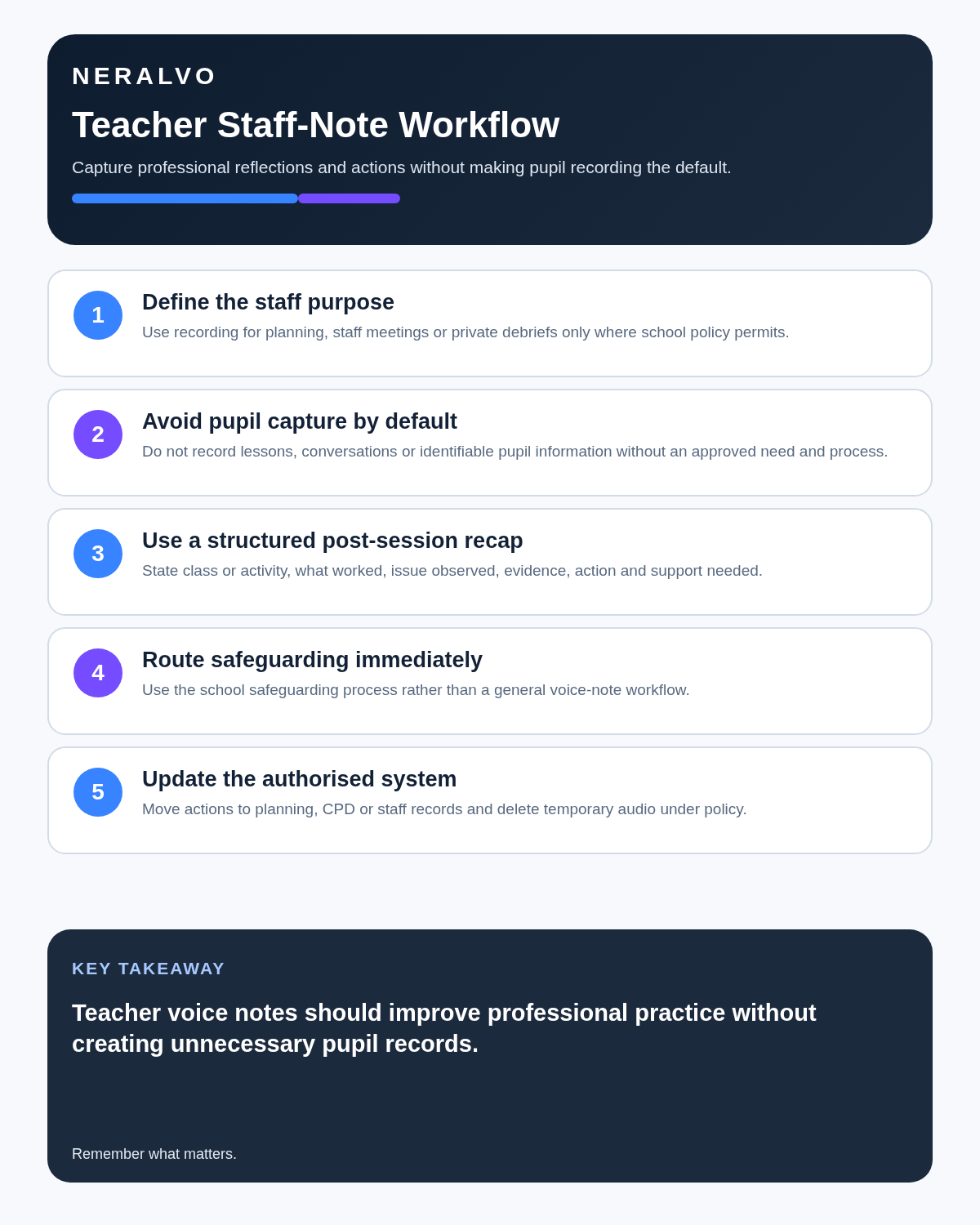
- Anonymous planning dictation: ideas, explanations and resources without pupil data.
- Private post-lesson reflection: what worked, what needs reteaching and the next instructional step.
- Approved staff meeting capture: actions and decisions where the school permits recording.
- Specific pupil-related use: only under an approved school process with clear necessity, safeguards and restricted access.
- Classroom or pupil recording: exceptional and purpose-specific, not the default.
Decide whether recording is necessary and permitted
Follow the school’s policy, pupil and parent information arrangements, accessibility provisions, copyright and licensing rules, and any restrictions on staff or pupil recording. Consider whether a short private teacher note, lesson observation form or written action plan would meet the purpose with less intrusion.
- Define the educational or accessibility purpose.
- Identify who may be captured.
- Use the approved device, account and processing route.
- Avoid recording safeguarding, welfare, disciplinary or highly sensitive discussion through an ordinary lesson workflow.
- State access, retention and deletion.
- Provide a suitable alternative where recording is not appropriate.
Anchor every recording to the curriculum
- Subject, class, date and lesson.
- Curriculum or specification reference.
- Learning objective and success criteria.
- Prerequisite knowledge.
- Source texts, slides, examples and versions.
- Assessment or retrieval question.
This prevents a fluent transcript from becoming disconnected study material with no clear purpose or source.
Separate explanation, evidence and misconception
| Type | Example | Control |
|---|---|---|
| Teacher explanation | Spoken model or worked example | Check terminology and sequence |
| Authoritative source | Specification, text, data or approved resource | Link source and version |
| Pupil answer | Evidence of current understanding | Minimise identity and interpret cautiously |
| Misconception | Pattern in reasoning or error | Verify before reteaching |
| Teaching hypothesis | Possible reason for difficulty | Keep provisional and test |
Do not let AI present a pupil’s answer as a class-wide finding or a teacher’s provisional explanation as established fact.
Use a five-minute post-lesson reflection
After pupils have left and from an appropriate private location, record:
- The lesson objective.
- The misconception that appeared.
- Evidence that pupils understood or did not understand.
- Which explanation or activity worked.
- What must be retaught.
- The next lesson adjustment.
Use class-level or anonymised language where possible. Transfer any necessary pupil-specific information into the approved school system rather than retaining it in a personal audio archive.
Use a lesson-to-retrieval workflow
- Confirm the approved capture method and learning purpose.
- Teach normally and use brief markers for definitions, worked examples and common misconceptions.
- Transfer the source through the approved route.
- Correct names, subject terms, formulae, dates and quotations.
- Compare the transcript with slides, texts, data and the current curriculum source.
- Reduce the content to essential concepts and relationships.
- Create retrieval questions, examples and application tasks.
- Review pupil responses and misconceptions.
- Plan reteaching, feedback or extension.
- Delete unnecessary source files and duplicates.
Use active-learning outputs
| Knowledge type | Useful output |
|---|---|
| Definition | Short-answer retrieval question |
| Process | Sequence reconstruction |
| Comparison | Similarities, differences and examples |
| Worked method | Fresh problem with fading support |
| Argument | Claim, evidence, counterargument and limitation |
| Misconception | Diagnostic question and corrective explanation |
Verify before sharing or teaching from AI output
Check subject terminology, equations, dates, quotations, source attribution, names, numbers and any generated examples. A clean transcript or summary can contain a plausible but material error. The teacher remains responsible for the final resource.
Control staff and department meeting notes
Where the school permits recording, the useful output is a decision, action, owner, deadline, policy or document affected, and any question requiring senior or safeguarding review.
Pause or stop for confidential pupil cases unless the approved process explicitly includes recording. Do not rely on an informal staff agreement when the material belongs in a safeguarding, SEND, behaviour or personnel system.
Safeguarding overrides note-taking convenience
Schools in England should use Keeping Children Safe in Education 2025 until 31 August 2026. The 2026 version comes into force on 1 September 2026.
If a pupil makes a safeguarding disclosure, follow the school’s safeguarding procedure and report it to the designated safeguarding lead or deputy without delay. Do not investigate by repeatedly questioning the pupil for the benefit of a recording or transcript.
Use the current Keeping Children Safe in Education guidance.
Use AI with school data only through the approved route
Department for Education guidance updated in July 2026 advises schools to check with their data-protection officer or IT lead before using AI tools with personal data. The tool should be approved, its data use understood and its outputs fact-checked. Personal data should not be used to train AI unless the school has assessed and approved that processing.
Before introducing a voice-recording workflow, ask:
- Does the school need this use?
- Is the device and companion service approved?
- What pupil, parent or staff data could be captured?
- Who is controller or processor for each purpose?
- Can model-training use be disabled?
- Where is information stored?
- Who can access recordings and transcripts?
- How are deletion, subject-access requests and breaches handled?
See the DfE’s current AI and school data-protection guidance.
Respect copyright and licensing
Permission to teach from a book, video, article, music track, examination resource or licensed platform does not automatically permit recording, transcription, redistribution or AI processing. Check the school’s licences and the rights attached to the exact source.
Do not publish long transcript extracts or copyrighted teaching material merely because the words were captured during a lesson.
Support accessibility without creating a shadow curriculum
Approved recordings and transcripts may support pupils who need additional access, but the resource should be accurate, structured and aligned with the same learning objective. Provide captions, clear headings, usable language and alternatives where audio is unsuitable.
Recording may form part of an agreed adjustment for a pupil or member of staff. Define who records, who receives the file, how it may be used and when it is deleted. An adjustment for one person does not automatically authorise unrestricted recording of everyone else.
Protect academic integrity
AI may help generate practice questions, but assessed work must follow the school’s rules. Do not create fabricated pupil evidence, marks, observations or feedback. Make clear what support is allowed and teach pupils to verify AI-generated claims and sources.
Do not store sensitive information casually
- Safeguarding disclosures.
- Medical or SEND details.
- Behaviour incidents requiring a formal record.
- Pupil passwords or account details.
- Unmoderated recordings of children.
- Private parent conversations.
- Staff performance or grievance discussions.
These belong only in authorised processes with appropriate access and retention.
How NERALVO Halo fits teachers
NERALVO Halo includes NOTE mode, supported CALL mode, 64GB local storage, up to 35 hours of recording and Bluetooth sync with DOWAY. DOWAY can create transcripts, summaries, speaker-separated notes, templates, translations, mind maps and exports, with one year of DOWAY Max included.
The lowest-risk school uses are approved private planning, post-lesson reflection and suitable staff meetings. The school must assess the device, app, supplier contracts, subprocessors, model-training terms, deletion and staff access before pupil information is captured.
Cloud software, a dedicated recorder or manual notes?
For Teachers, the right answer changes with the setting. This matrix deliberately gives each method a situation where it can be the strongest choice.
| Situation | Best starting point | Reason |
|---|---|---|
| scheduled online lessons or staff meetings | Cloud meeting software | Calendar automation and shared integrations are usually the strongest advantage. |
| classroom, lecture or campus discussions | Dedicated recorder | Independent capture reduces reliance on an active phone or laptop. |
| recording is not permitted or a learner objects | Manual notes or an approved alternative | The boundary takes priority over convenience. |
| mixed teaching and administrative work | Governed hybrid | Use each method only in the setting it actually fits. |
Frequently asked questions
Can teachers record every lesson automatically?
No. Recording requires a defined purpose and the school’s approved process.
Can pupils rely on the raw transcript for revision?
Not without correction and structure. Convert it into curriculum-linked retrieval and application tasks.
Does a transcript replace safeguarding or assessment records?
No. Use the school’s authorised systems.
Can copyrighted classroom material be shared from the transcript?
Not automatically. Check the relevant licence and permitted use.
Final teacher checklist
- Least intrusive method selected.
- Purpose and permission confirmed.
- Curriculum and source versions anchored.
- Subject content manually verified.
- Explanation, evidence and misconception separated.
- Output converted into active learning.
- Accessibility and reasonable adjustments controlled.
- Safeguarding routed immediately.
- Copyright and academic integrity protected.
- Pupil information minimised and source retention controlled.
Bottom line: teacher recording should improve planning and learning without normalising the recording of children. Begin with anonymous staff-owned notes and let safeguarding, transparency and data minimisation govern every pupil-related use.
Related guides
See the guides for school leaders, training sessions and private tutors.
On this page
Related guides
See whether Halo fits this workflow
Review the NERALVO Halo specifications, included services, delivery information and current offer only after completing the guide.
Found an error or an out-of-date claim? Email support@neralvo.com with the article address and a supporting source.