
The 60-second verdict
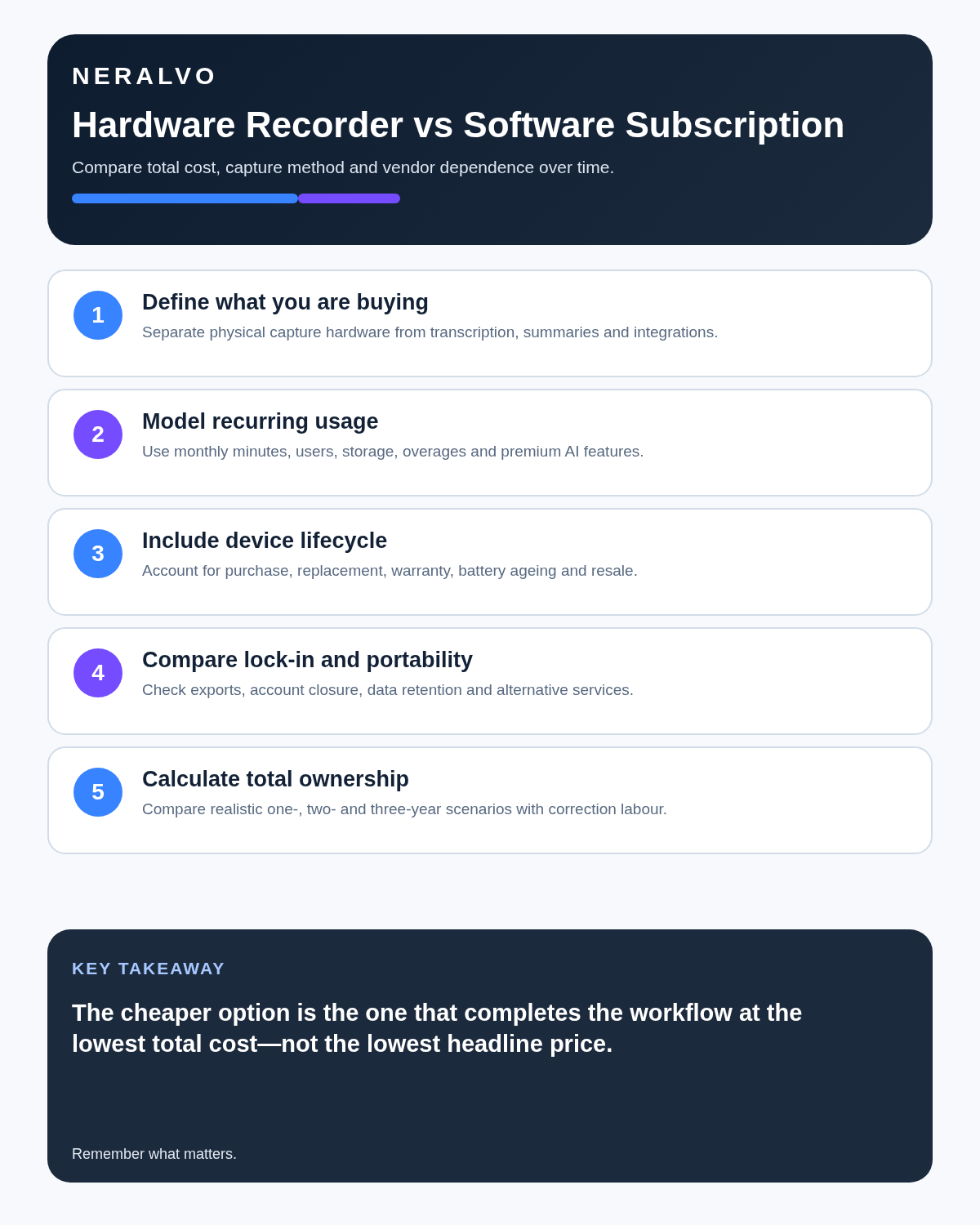
A hardware AI recorder asks you to buy a physical capture device. A software-only subscription asks you to rely on the phone, laptop or meeting platform you already own. The cheaper option on day one is not always the cheaper or more dependable option over two years.
Best fit: choose the option that passes your capture, recovery, privacy and total-cost gates. Do not decide on: price or a single accuracy claim in isolation.
Evidence basis and limits
- Decision factors covered: The two ownership models; Calculate the real two-year cost; Where hardware earns its cost.
- Evidence rule: A claim earns weight only when the source, date, configuration and limitation are clear enough for a reader to check.
- Boundary: Examples and workflow recommendations must be tested with representative recordings, the intended users and the actual approval process before rollout.
The right comparison should include capture reliability, recurring fees, app limits, export rights, battery use and what happens when the subscription ends. Buyers who compare only the purchase price often miss the part of the workflow that creates the real cost: correcting failed or incomplete records.
The two ownership models
Hardware-led: you purchase a recorder with its own microphone, controls, battery and storage. AI processing may be included for a period or sold separately through an app.
Software-only: an app or meeting service records through an existing phone, laptop or conferencing platform. Access normally depends on an ongoing account and plan.
Neither model is automatically better. Hardware can still depend on cloud software, and software can sometimes save local files. The important task is to identify which parts remain usable without a paid plan.
Calculate the real two-year cost
Use this simple calculation:
Two-year cost = purchase price + subscription fees + accessories + replacement costs + estimated administration caused by failures.
That final item is easy to ignore. If a low-cost app misses one important monthly call and an employee spends 30 minutes reconstructing it, the labour cost may exceed the subscription saving.
Balanced comparison matrix
Balanced decision rule: a cloud tool should win where automation and collaboration matter most; a dedicated recorder should win where independent capture and mobility matter most; manual notes should win when recording is inappropriate.
| Cost area | Hardware recorder | Software subscription |
|---|---|---|
| Initial spend | Usually higher | Often low or free to begin |
| Recurring fees | May apply to AI features or storage | Usually central to the model |
| Replacement | Device can be lost, damaged or become outdated | Existing phone or laptop absorbs the hardware cost |
| Battery impact | Separate recording battery | Uses the communication device’s battery |
| Account dependence | Audio may remain locally accessible | Use can depend heavily on the account and plan |
| Scaling to a team | Requires a device for each user or shared equipment | Requires licences, seats or usage allowances |
Where hardware earns its cost
Independent capture
A dedicated recorder can preserve audio without using the same device that is running slides, calls, messages and other apps. That separation reduces the risk that a notification, software crash or microphone conflict stops the recording.
Physical controls
A visible record button and status indicator can make start, stop and mode selection easier to confirm than a small app icon. This matters when the user is concentrating on an interview or customer conversation.
Local storage
Hardware can keep a source file on the device before processing. This is useful when the connection is weak or when the user wants to decide what should be synced.
Where software-only earns its subscription
Fast deployment
A team can install an app without distributing and managing separate devices. Updates, collaboration and central administration may be easier.
Platform integration
Meeting software can connect transcripts directly to calendars, participants and shared workspaces. That can reduce manual transfer.
Continuous feature updates
Software services can add models, templates and integrations without replacing physical hardware. The trade-off is dependence on the provider’s roadmap and pricing.
The questions a price page may not answer
- Is there a monthly transcription limit?
- What happens to unprocessed recordings when the allowance is reached?
- Can original audio and transcripts be exported?
- Does the hardware still record if the included app period ends?
- Are speaker separation, translation or templates included or charged separately?
- Does a team plan charge per user, per device or per minute?
- Can the account be used across several devices?
- What happens to stored files after cancellation?
Three buyer profiles
Occasional personal use
A software app may be enough when recording is infrequent, the phone is always available and failure would be inconvenient rather than serious. A free or low-cost allowance can cover short voice notes and occasional meetings.
Frequent professional meetings
Hardware becomes more attractive when recording happens several times a week, the phone is already busy and the source file must be dependable. The separate device cost can be justified by reduced distraction and fewer capture failures.
Large team rollout
Software can be easier to administer centrally, but recurring seat costs can become substantial. Hardware requires asset management. Run a pilot with a small group and compare total cost per completed, usable record rather than cost per licence.
A 30-day pilot that produces useful evidence
- Select five users with different meeting patterns.
- Record the same categories of work with the proposed hardware or software.
- Track failed captures, incomplete audio and time spent correcting transcripts.
- Record how often the output reaches the CRM, project system or client file.
- Include subscription, device and administration costs.
- Calculate cost per usable record and cost per hour of administration saved.
This avoids buying based on a demonstration that does not resemble normal work.
What happens when you cancel?
Cancellation is the clearest test of ownership. Before committing, find out whether you can still access the original audio, export transcripts and use the hardware for basic recording. Download a test file before the trial ends.
A product can be good value even with a subscription, but the recurring cost and exit process should be visible from the start.
Where NERALVO Halo fits
Use the Hardware AI Recorder vs Software Subscription criteria to assess NERALVO Halo is a hardware-led system. The current device specification includes 64GB local storage, NOTE and CALL modes, up to 35 hours of recording and Bluetooth transfer to DOWAY.
DOWAY provides transcripts, summaries, speaker-separated notes, templates, translations and mind maps. The current package includes one year of DOWAY Max from activation. Packages and allowances can change, so verify the current terms before purchase and check what remains available afterwards.
CALL mode compatibility varies by phone, operating system and call route. Test the exact setup used for business calls.
Is cloud software or a physical recorder right for this workflow?
- Choose the software-led option when automated remote-meeting capture and collaboration remove more work than they add.
- Choose the dedicated-recorder option when independent in-person capture, mobility and source recovery matter more.
- A governed hybrid can be best when the same team works both online and in person.
How community feedback is used
Public reviews can reveal recurring friction, but an anonymous anecdote is not treated as measured proof. A pull-quote should appear only when it links to the original post, identifies the relevant product version or date and is presented as one user’s experience—not as universal fact.
Frequently asked questions
Is hardware a one-off cost?
Not always. AI processing, cloud storage or premium templates may require a plan even when the recorder itself is purchased outright.
Is a software app cheaper?
It can be for occasional use. For frequent use, recurring fees and administration caused by unreliable capture should be included in the comparison.
Can hardware become obsolete?
Yes. Batteries, phone compatibility and app support can change. Check warranty, export options and whether basic recording remains useful independently.
What is the most important buying test?
Confirm that you can capture, review, export and delete a real recording using the exact devices and platforms in your workflow.
Related guides
Bottom line
Choose software-only when rapid deployment, collaboration and low initial cost matter most. Choose hardware-led capture when independent recording, physical controls and local source files justify the upfront spend. Compare the full two-year cost and the cost per usable record—not just the first price shown.
Software-first route
Need Zoom, Teams, calendar or CRM automation?
Choose cloud software for that job. This page completes the software workflow and evidence first. NERALVO Halo remains an optional later route only when offline, in-person or phone-attached capture matters more than native integrations.
On this page
Related guides
Keep the solution aligned with your original intent
- Choose the reviewed cloud software when Zoom, Teams, calendar automation, CRM workflows or unattended bot capture are essential.
- Consider dedicated hardware later only when offline, in-person, mobile or phone-attached capture is the actual requirement.
- Use neither when permission, governance, compatibility or retention requirements cannot be met.
Verify the cloud workflow before comparing hardware
Use the official platform sources below for native Zoom, Teams, calendar, CRM and transcription capabilities. Consider Halo separately only when the workflow also needs offline or in-person capture.
Found an error or an out-of-date claim? Email support@neralvo.com with the article address and a supporting source.