The 60-second verdict
Quick answer: improve AI voice recording in a noisy room by testing the real environment, moving the recorder closer to the intended speakers, reducing controllable noise at its source, controlling turn-taking, repeating high-risk details and marking uncertain passages rather than allowing the transcript to guess.
Decision focus: use the method below only where it produces a recoverable source, a verifiable output and a clear next action. If one of those fails, change the workflow rather than trusting a polished summary.

Transcription quality begins with the sound reaching the recorder. Background music, ventilation, traffic, reverberation and side conversations can mask speech that no later AI process can fully recover.
Evidence basis and limits
- Decision factors covered: Why noisy recordings fail; Improve the signal before using AI; How NERALVO Halo may fit noisy environments.
- Evidence rule: Claims are weighted by consequence: capture failure, changed meaning, access and recovery matter more than polished wording.
- Boundary: Examples and workflow recommendations must be tested with representative recordings, the intended users and the actual approval process before rollout.
Why noisy recordings fail
| Problem | What happens |
|---|---|
| Low voice level | The speaker is too far from the recorder |
| Continuous noise | Fans, traffic or music mask parts of speech |
| Intermittent noise | Doors, cups, notifications or deliveries cover short words |
| Reverberation | Hard surfaces create delayed copies of the voice |
| Competing speech | Nearby conversations mask the intended speaker |
| Overlapping speakers | Two voices occupy the same moment and cannot be cleanly separated |
| Variable distance | Some speakers dominate while others become faint |
| Vibration or handling | Tables, cases, paper, clothing or hands transmit noise |
| Wind | Air movement overwhelms outdoor speech |
| Device obstruction | A case, hand, bag or surface blocks the microphone area |
Improve the signal before using AI
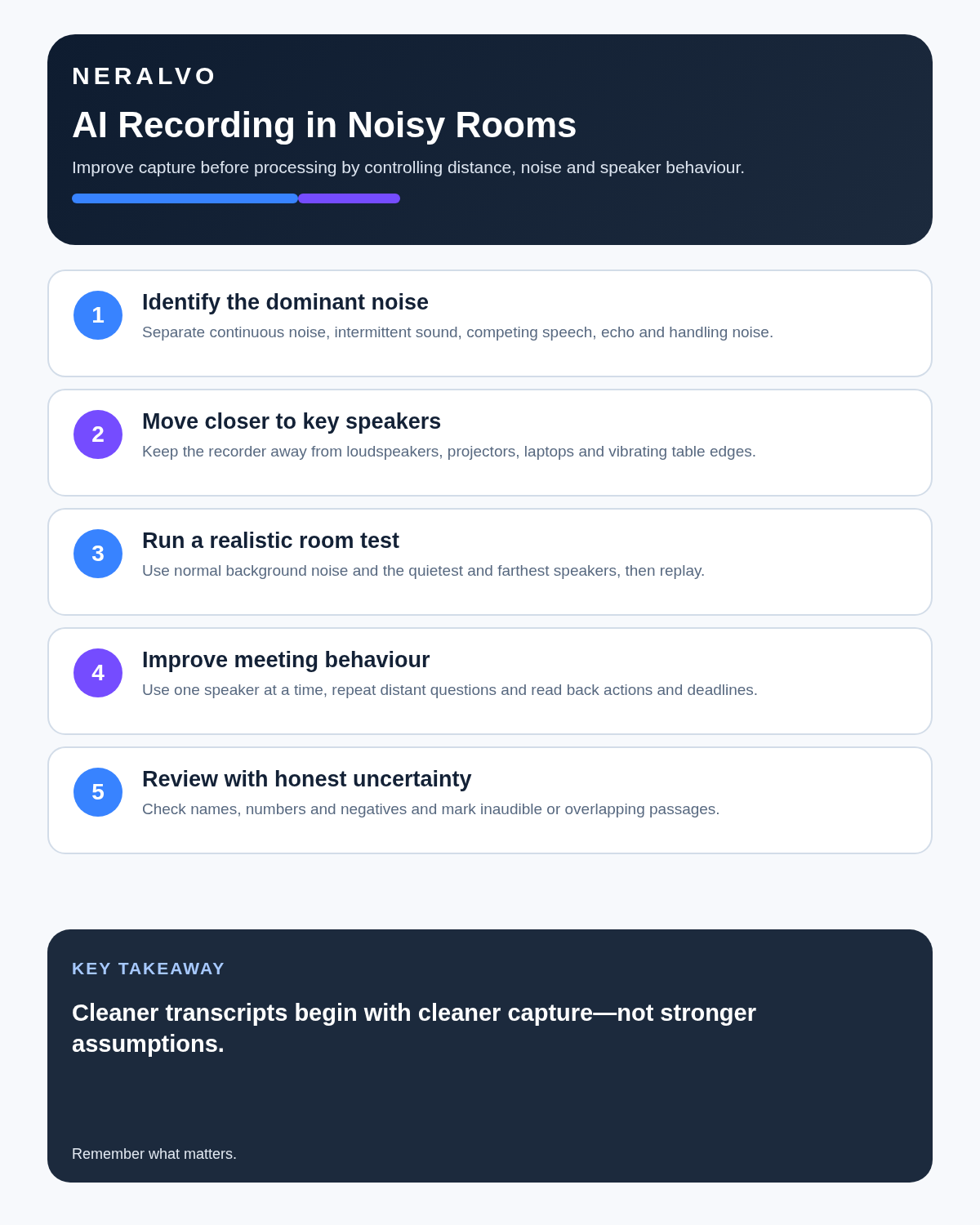
Noise reduction can make audio more comfortable to hear, but it cannot reliably recreate speech that was never captured clearly. Focus first on:
- Shorter distance between recorder and speaker.
- Less noise near the device.
- Clear turn-taking.
- Stable placement.
- A short monitored test.
- Repeating material details aloud.
How NERALVO Halo may fit noisy environments
Check whether NERALVO Halo fits this workflow is an ultra-slim, phone-mounted AI voice recorder with NOTE mode, 64GB local storage, up to 35 hours of recording and Bluetooth sync with the DOWAY app. DOWAY can generate transcripts, summaries, speaker-separated notes, templates, translations, mind maps and exports. One year of DOWAY Max is included.
Its compact form makes it easier to place near the intended conversation, but placement must not breach safety rules, venue restrictions, confidentiality or participant expectations.
Run a 20-second test
- Place the device where it will remain.
- Ask the quietest and farthest expected speakers to say a normal sentence.
- Include a name, number and technical term.
- Keep the real background noise present.
- Play the sample back through headphones where practical.
- Check whether every intended speaker is understandable.
- Move the recorder, reduce noise or change rooms before the session begins.
Do not test only with the loudest speaker standing beside the recorder.
Placement by environment
| Environment | Better starting position | Avoid |
|---|---|---|
| Small meeting room | Stable central position near the main discussion | Beside a laptop fan, projector, cups or loose paper |
| Large room | Closer to decision makers or use an approved specialist setup | Assuming one distant recorder will identify everyone |
| Café | Quiet corner close to both speakers | Music speakers, tills and nearby private conversations |
| Lecture | Near the presenter within venue rules | Back of the room beside audience chatter |
| Vehicle | Record only when safely parked and permitted | Operating the device while driving |
| Outdoor site | Move to a quieter safe position | Wind, traffic routes and active machinery |
Reduce noise at its source
- Close doors or windows where appropriate.
- Move away from fans, projectors and refrigeration.
- Turn off unnecessary music.
- Ask side conversations to pause.
- Use soft furnishings or a smaller room to reduce echo.
- Place phones on silent without creating vibration against the recorder.
- Do not handle or reposition the device while somebody is speaking.
Use meeting behaviour to improve transcription
- Ask one person to speak at a time.
- Use names when directing questions.
- Repeat a quiet or distant comment before moving on.
- State names, dates, numbers and codes slowly and once again.
- Pause briefly after important decisions.
- Use verbal markers such as “decision”, “action”, “risk” and “correction”.
- Move detailed side discussions outside the main meeting.
- Pause during temporary loud noise.
Protect high-risk information
Names, numbers, measurements, medication terms, contract clauses, prices and deadlines deserve separate checking. If the room is noisy:
- Repeat the detail clearly.
- State the unit, currency or date format.
- Record a supporting document reference.
- Verify the transcript against the audio.
- Confirm with participants where necessary.
- Mark unresolved sections as unclear rather than guessing.
Do not over-rely on noise reduction
Software can reduce some background sound, but it cannot reliably recreate words that were never captured. Aggressive processing may also distort voices or remove quiet speech. Preserve the original audio and compare any cleaned version with it before relying on consequential wording.
Do not create a safety hazard for better audio
Never move closer to machinery, traffic, work at height, restricted areas or another hazard simply to improve recording. Stop, move to a designated safe location and speak a structured note afterwards. Follow site inductions, personal protective equipment rules and device restrictions.
Privacy in public and shared spaces
A noisy public space can capture bystanders and unrelated conversations. Recording permission from the intended participant does not justify collecting everyone nearby. Choose a quieter private location or use a non-recorded method where the environment makes proportionate capture impossible.
A controlled correction workflow
- Generate the transcript from the complete source file.
- Check speaker labels and section boundaries.
- Search for names, numbers, negatives and technical terms.
- Listen to each uncertain passage with surrounding context.
- Use timestamps and honest labels such as [inaudible], [overlapping speech] or [speaker unclear].
- Verify decisions, quotations and commitments.
- Create the concise final record.
- Apply retention rules to source audio, cleaned copies and drafts.
Workflow choice matrix for How to Use an AI Voice Recorder in Noisy Rooms
Choose the method that protects the source and reduces downstream correction. The table makes the non-hardware options explicit.
| Condition | Preferred route | Why |
|---|---|---|
| Repeatable remote work with approved integrations | Cloud software | Automation and central collaboration may outweigh device independence. |
| In-person, mobile or unreliable-connectivity work | Dedicated recorder | Independent capture and a recoverable local source are usually more resilient. |
| Recording is refused, prohibited or unnecessary | Manual notes / no recording | Respecting the boundary is the correct workflow, not a product failure. |
| High-risk or mixed work | Governed hybrid | Separate capture, review, approval and retention rather than trusting one tool. |
Frequently asked questions
Can AI remove all background noise?
No. Processing may reduce some noise, but masked and overlapping speech may be impossible to recover.
Will moving the recorder closer help?
Usually, provided the position is safe, permitted and does not obstruct the meeting.
Is the centre of the table always best?
No. Position the recorder according to the important and quietest speakers, then test every required position.
Is one central recorder enough for a large room?
Not always. Distance and room acoustics may require an approved specialist microphone setup.
Can a café recording be confidential?
A public café often creates bystander, privacy and audio-quality problems. A private controlled location is safer.
Should unclear text be corrected from context?
Only when the audio and reliable supporting evidence justify the correction. Otherwise mark uncertainty.
Useful resources and related guides
- HSE guidance on workplace noise
- ICO guidance for responsible recording workflows
- How to Record Long Meetings Without Losing the Important Parts
- AI Voice Recorder for Microsoft Teams Meetings
- Check whether NERALVO Halo fits this workflow
Noisy-room checklist
- Noise sources identified.
- Recorder close to key and quiet speakers.
- Actual room tested.
- Continuous, intermittent and competing noise reduced.
- Overlapping speech controlled.
- Handling noise reduced.
- Safety and public-space privacy protected.
- Critical wording verified.
- Uncertainty marked honestly.
- Source and draft retention decided.
Bottom line: make the source clearer before asking AI to interpret it. Better placement, reduced competing sound and disciplined turn-taking produce more value than relying on aggressive repair afterwards.
On this page
Related guides
See whether Halo fits this workflow
Review the NERALVO Halo specifications, included services, delivery information and current offer only after completing the guide.
Found an error or an out-of-date claim? Email support@neralvo.com with the article address and a supporting source.