The 60-second verdict
Quick answer: Jamie is a bot-free AI meeting assistant for online, hybrid and in-person conversations. Its strongest published privacy claims are European hosting, deletion of meeting audio after transcription and no model training on customer data. Buyers should still inspect transcript retention, optional Speaker Memory, sharing and account-deletion controls.
Best fit: readers comparing Jamie AI against the purchase, workflow and evidence factors below. Do not buy on: headline features alone; a failed compatibility, privacy, recovery or cost requirement should override the overall score.

Evidence basis and limits
- Decision factors covered: What Jamie is designed to do; The data journey to review; Current individual plan boundaries.
- Evidence rule: Claims are weighted by consequence: capture failure, changed meaning, access and recovery matter more than polished wording.
- Boundary: Manufacturer-controlled prices, plans, compatibility and specifications can change. Retain the article’s stated check date, verify the live supplier terms before purchase and treat community reports as leads unless the original source is linked.
What Jamie is designed to do
- Capture meetings without adding a visible bot.
- Work across desktop meeting platforms and in-person conversations.
- Create transcripts, structured notes and action items.
- Identify and remember speakers when Speaker Memory is enabled.
- Search and ask questions across previous meetings.
- Sync notes into supported documentation and CRM tools.
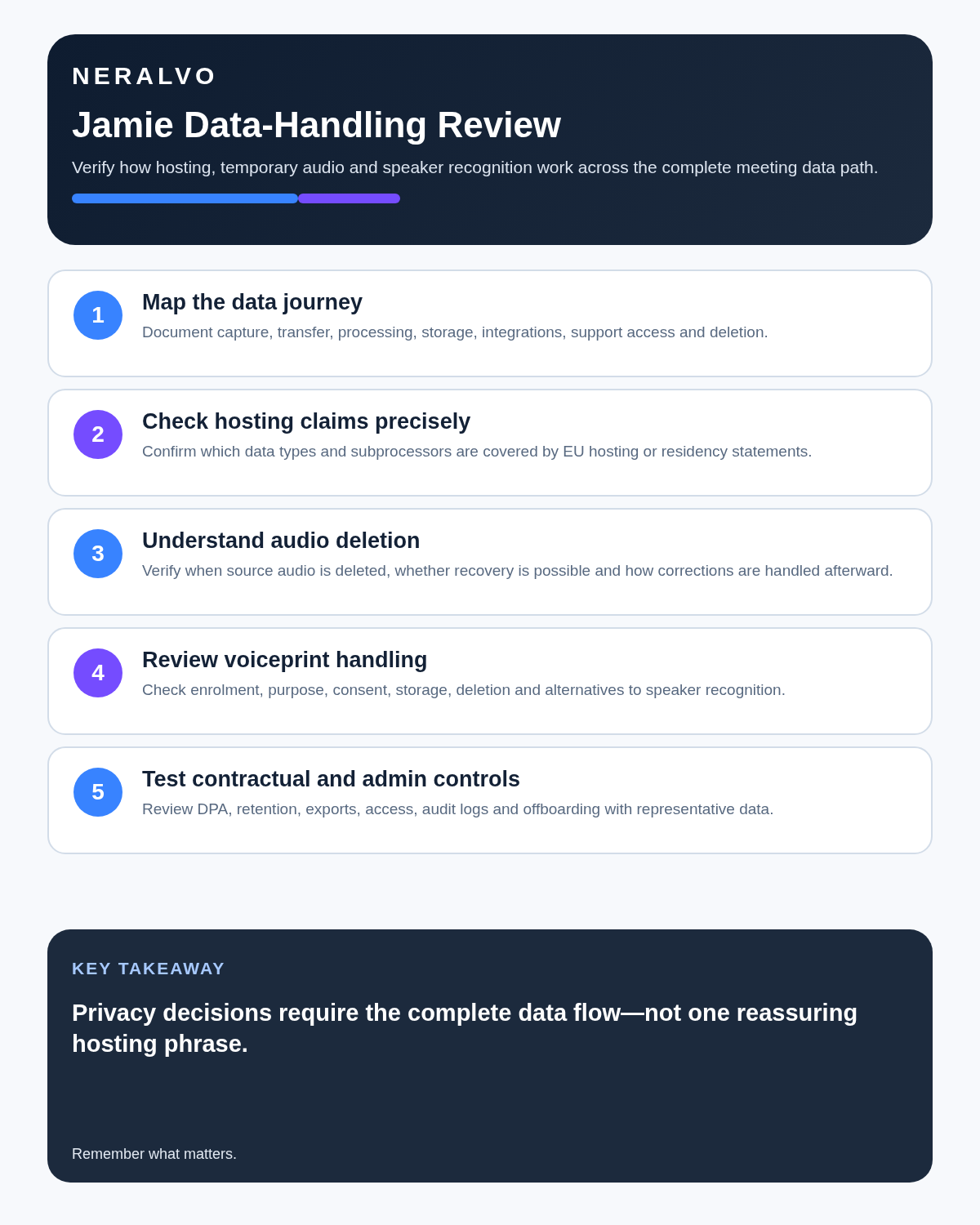
The data journey to review
| Stage | Question |
|---|---|
| Capture | Which microphone and system audio are accessed? |
| Transmission | Where is audio sent during transcription? |
| Audio deletion | When is source audio removed and what logs remain? |
| Transcript storage | How long are transcripts, summaries and metadata retained? |
| Speaker Memory | What voiceprint is created, who can enrol it and how is it removed? |
| AI processing | Which providers process text and under which training restrictions? |
| Sharing | Who can access notes, integrations and exported copies? |
| Exit | How are account data, backups and integrations deleted? |
Current individual plan boundaries
| Plan | Monthly billing | Annual equivalent | Meeting limit |
|---|---|---|---|
| Free | €0 | €0 | 10 meetings per month, up to 30 minutes each |
| Plus | €25 | About €21 per month | 20 meetings per month, up to 2 hours |
| Pro | €47 | About €39 per month | Unlimited meetings, up to 3 hours |
Team was shown at approximately €33 per seat per month with annual billing for smaller teams when checked in July 2026, while Enterprise pricing was customised. Verify live pricing, tax, currency and plan limits before subscribing.
Which plan is realistic?
Free
Free can test bot-free capture, transcription, notes and actions, but the 30-minute ceiling prevents a representative trial of many interviews and client meetings.
Plus
Plus suits somebody with fewer than twenty substantial meetings each month. Daily callers may reach the meeting-count limit before month-end.
Pro
Pro is the practical individual tier for regular use. Its price should be justified by unlimited meeting count, longer duration, CRM integrations, MCP and measurable time saved.
Strengths
Bot-free capture
Jamie can work without another visible attendee joining the call, which avoids admission problems and changes less about the meeting interface.
European data-residency positioning
Jamie states that storage and processing remain within the EEA, Switzerland and the UK. Organisations should confirm the exact contractual scope, subprocessors and support access relevant to their account.
No stored meeting audio
Jamie states that audio is deleted after successful transcription. This reduces long-term source-audio exposure but also removes the strongest playback source for disputed wording.
Broad language support
Jamie advertises support for more than 100 languages. Test actual accents, language switching, names, figures, specialist terms and overlapping speakers rather than relying on the headline count.
Cross-meeting search and workflow connections
Search, Speaker Memory and integrations can create useful organisational memory when access and sharing are managed carefully.
The audio-deletion trade-off
Deleting audio reduces one category of sensitive storage. It also makes transcript correction, quotation verification and dispute resolution harder after the source disappears. Teams should define which meeting types are suitable and whether another approved source record is required.
Speaker Memory and biometric data
Jamie can remember a person’s voice and apply that identity in later meetings. Its data-processing agreement describes the resulting voiceprint as biometric data. Speaker Memory is optional, and manual speaker naming may be the less intrusive choice for occasional external meetings.
Before enabling it, decide:
- Whether recurring automatic identification is genuinely necessary.
- Which lawful, employment and contractual basis applies.
- How participants are informed.
- Who can enable, correct or disable an identity.
- How voiceprints are exported or deleted.
- Whether the feature is restricted to internal speakers.
Review immediately because audio disappears
- Correct speaker names.
- Verify prices, dates, percentages and specialist terms.
- Confirm action owners and deadlines.
- Check direct quotations.
- Remove inferred statements that were not agreed.
- Export or move the approved note to the authoritative system.
Once the audio is deleted, the transcript becomes the principal source inside Jamie.
Use a controlled Jamie workflow
- Classify the meeting and confirm permitted use.
- Inform participants even though no bot appears.
- Test the actual desktop or mobile setup.
- Correct speaker names and consequential wording promptly.
- Approve notes before source audio is unavailable.
- Move decisions and actions into authorised systems.
- Restrict cross-meeting search and integrations.
- Apply transcript, note, voiceprint and account-deletion policies.
Security claims and procurement
Jamie states that it provides European data residency, encryption in transit and at rest, ISO 27001 controls and no customer-data model training. Treat these as inputs to an assessment rather than automatic approval. Review the data-processing agreement, subprocessors, incident process, retention controls and Speaker Memory settings.
Direct comparison matrix: Jamie AI and NERALVO Halo
How to read this matrix: it is not scored to force a Halo win. The competing option leads where its deployment, integrations, placement or ecosystem is stronger; Halo leads only where its dedicated capture workflow is the better fit.
Jamie is strongest for bot-free software capture, European-hosting requirements and searchable online meeting history. Compare NERALVO Halo with Jamie AI for this workflow is strongest for dedicated local capture, 64GB storage, offline use and up to 35 hours of recording. Halo retains the local source until the user transfers or deletes it and uses DOWAY for transcripts, summaries, speaker-separated notes, templates, translations, mind maps and exports. One year of DOWAY Max is included.
Is cloud software or a physical recorder right for this workflow?
- Choose Jamie AI when remote or desktop meetings, calendar automation and native workspace integrations are central—and its current plan covers the real team workload.
- Choose NERALVO Halo when in-person, mobile or offline source capture matters more than an auto-joining cloud workflow.
- Use neither when recording is not authorised or a mandatory privacy, compatibility or recovery gate fails.
One public user signal
“Summaries are nicely done and concise.”
Read the original Reddit discussion. This is one person’s public report, not a controlled test or community consensus.
Why it matters here: Concise output can reduce reading time, but this report does not measure completeness or performance across accents and noisy rooms.
How community feedback is used
Public reviews can reveal recurring friction, but an anonymous anecdote is not treated as measured proof. A pull-quote should appear only when it links to the original post, identifies the relevant product version or date and is presented as one user’s experience—not as universal fact.
Frequently asked questions
Does Jamie store meeting audio?
Jamie states that audio is deleted after successful transcription. Verify the current policy and contractual detail.
Is Speaker Memory mandatory?
No. It is optional, and manual speaker naming may be more appropriate for some meetings.
Are Jamie voiceprints biometric data?
Jamie’s data-processing agreement describes the Speaker Memory voiceprint as biometric data.
What are the main Free-plan limits?
The July 2026 position was ten meetings per month with a 30-minute maximum per meeting. Verify the live plan.
Does bot-free mean participants do not need to be informed?
No. Transparency and permission obligations apply regardless of whether a visible bot joins.
Is EU hosting enough for regulated use?
No. Review purpose, access, subprocessors, contracts, retention, security and organisational controls.
Official source and related reading
Final buying checklist
- Actual platforms and rooms tested.
- Plan price, count and duration limits verified.
- EU-residency scope verified contractually.
- Audio-deletion consequences accepted.
- Transcript retention understood.
- Speaker Memory necessity and biometric handling approved.
- Model-training restrictions confirmed.
- Sharing and integrations governed.
- Exit and deletion tested.
Verdict: Jamie has a strong privacy-focused software proposition, particularly for teams that want bot-free capture and European hosting. The decision should turn on the complete transcript, optional biometric Speaker Memory and exit lifecycle—not one headline privacy claim.
Software-first route
Need Zoom, Teams, calendar or CRM automation?
Choose cloud software for that job. This page completes the software workflow and evidence first. NERALVO Halo remains an optional later route only when offline, in-person or phone-attached capture matters more than native integrations.
On this page
Related guides
Keep the solution aligned with your original intent
- Choose the reviewed cloud software when Zoom, Teams, calendar automation, CRM workflows or unattended bot capture are essential.
- Consider dedicated hardware later only when offline, in-person, mobile or phone-attached capture is the actual requirement.
- Use neither when permission, governance, compatibility or retention requirements cannot be met.
Check current Jamie details at the official source
Verify current plans, compatibility, limits and integrations with Jamie before buying. Halo remains a separate optional comparison only for offline, in-person, mobile or phone-attached capture.
Found an error or an out-of-date claim? Email support@neralvo.com with the article address and a supporting source.