The 60-second verdict
Quick answer: record hybrid meetings clearly by mapping every room and remote audio path, testing the exact setup, using inclusive facilitation, selecting one primary source and reconciling approved secondary sources into one verified meeting record.
Decision focus: use the method below only where it produces a recoverable source, a verifiable output and a clear next action. If one of those fails, change the workflow rather than trusting a polished summary.
Evidence basis and limits
- Decision factors covered: Map every audio path; Run a real hybrid test; Control echo and duplicate audio routes.
- Evidence rule: The decision is based on the complete capture-to-action workflow, not a single feature or marketing accuracy percentage.
- Boundary: Examples and workflow recommendations must be tested with representative recordings, the intended users and the actual approval process before rollout.
Hybrid meetings contain two different audio problems. Room voices arrive from different distances and directions; remote voices arrive through a phone, laptop, conference speaker or room system. A setup that captures one side well may lose the other.

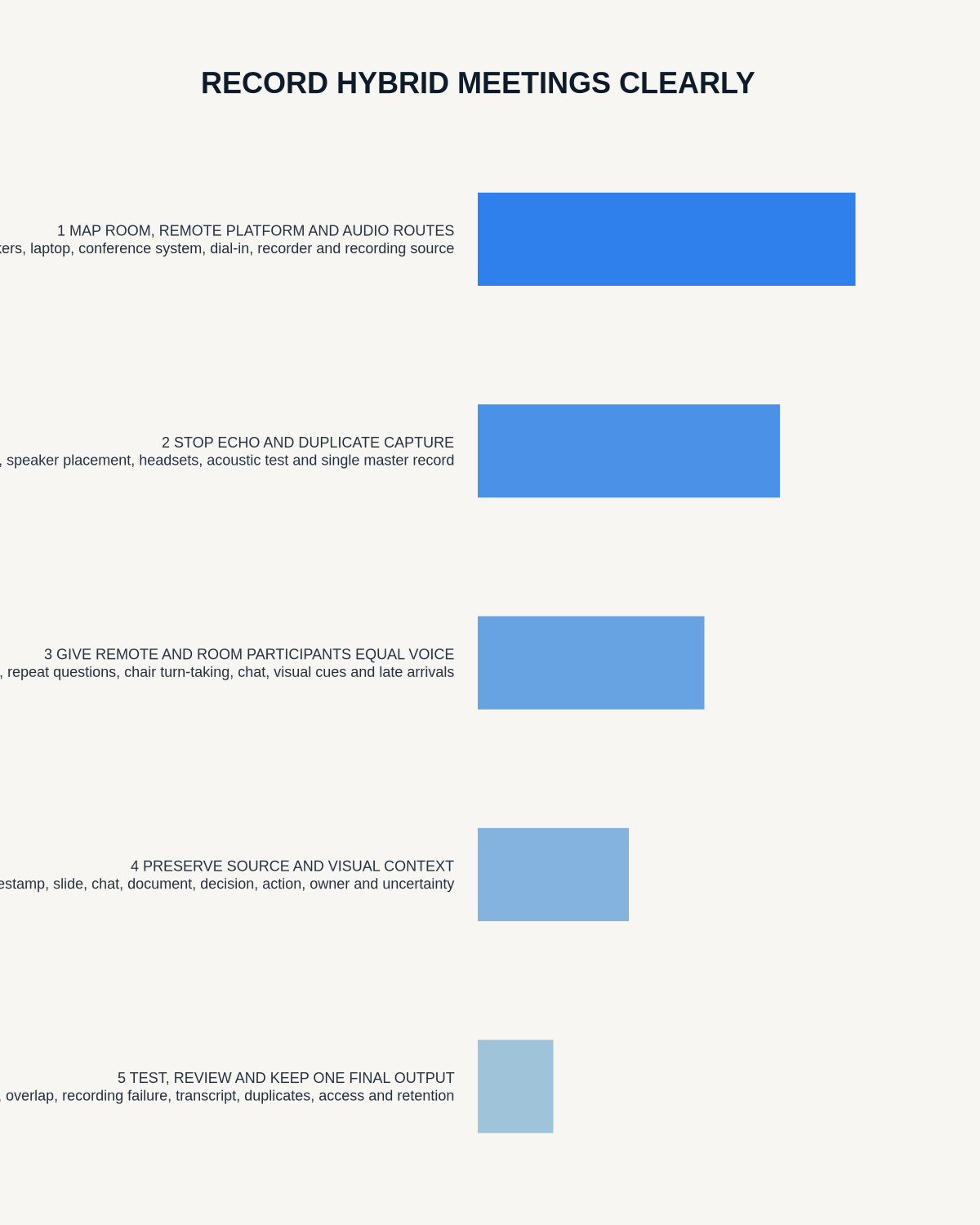
Map every audio path
- Room participants to the conference microphone
- Remote participants through the meeting platform
- Laptop or room speakers to any local recorder
- Dial-in participants
- Shared video or presentation audio
- Chat, polls, whiteboards and shared documents
- Breakout or side-room discussion
| Question | What to verify |
|---|---|
| Where do remote voices emerge? | Phone, laptop, conference speaker or room system |
| How large is the room? | Distance, echo and background noise |
| How many room speakers? | Turn-taking and identification needs |
| Is platform recording available? | Whether a second source is necessary |
| Which record is authoritative? | Approved minutes, project record or task system |
Choose one primary source
Where the approved platform recording captures room and remote speech reliably, it may be the best primary source. Use a local recorder only where it fills a defined, tested and authorised gap.
| Source | Strength | Use |
|---|---|---|
| Approved platform recording | Direct remote audio and timestamps | Primary where room capture is adequate |
| Room recorder | Local voices and acoustic context | Supplement where authorised |
| Chat and polls | Digital contributions not always spoken | Linked evidence |
| Slides or whiteboard | Visual decisions and data | Controlled document reference |
Run a real hybrid test
- Use the exact room, laptop, dock, phone and conference equipment planned.
- Ask at least one person to join through the intended remote route.
- Test quiet, loud, near and distant room speakers.
- Include brief overlap, keyboard noise and a connection interruption.
- Play shared media if it matters.
- Listen to every approved source through headphones.
- Generate a short transcript to test attribution and technical terms.
- Adjust speaker volume and placement without creating feedback.
Control echo and duplicate audio routes
Multiple open microphones and speakers in one room can create echo, feedback and repeated speech. Follow the approved IT setup, mute unnecessary devices and maintain one controlled audio route for the room.
Facilitate for equal participation
- Introduce every participant and role.
- Use a visible numbered agenda.
- Ask room speakers to identify themselves where attribution matters.
- Prevent side conversations.
- Pause regularly for remote participants.
- Repeat questions asked away from the main microphone.
- Confirm unclear remote contributions immediately.
- Restate decisions, actions, owners and deadlines aloud.
- Record late joins, departures and connection gaps.
Test whether remote attendees can hear room speakers, interrupt safely, see shared material and contribute to decisions. Do not treat silence caused by technology as agreement.
Reconnect visual and digital context
Chat, polls, slides, whiteboards and shared documents may contain evidence absent from the audio. Link the final record to the controlled source and document version rather than attempting to describe everything from memory.
Be transparent about every recording source
Participants should understand whether the platform, an external device or both are recording, the purpose, who receives each output and how long each source is kept. Do not create a second hidden or poorly governed recording merely because one transcript is imperfect.
Reconcile after the meeting
- Secure every approved source.
- Label transcripts by origin.
- Select the primary source.
- Use secondary sources only to resolve defined gaps.
- Correct room-versus-remote attribution and connection failures.
- Compare material discrepancies against audio and meeting evidence.
- Link chat, poll and document evidence.
- Create one checked decision and action record.
- Move tasks into the official project system.
- Send a concise recap for correction.
- Delete unnecessary duplicate audio, transcripts and exports under policy.
Use a hybrid-meeting record template
- Meeting, date, room and platform
- In-room and remote participants
- Connection gaps, late joins and departures
- Agenda item
- Essential discussion context
- Decision, authority and conditions
- Action, owner, deadline and dependency
- Risk or unresolved question
- Remote-participant confirmation where material
- Linked chat, poll or document evidence
- Approved record location and status
Common hybrid-recording failures
- Remote voices are quiet: reposition or raise the source and confirm key wording live.
- Room speakers are anonymous: improve turn-taking and verbal identification.
- Two transcripts conflict: check the audio and meeting documents; do not merge blindly.
- Side conversations dominate: stop parallel discussion and reinforce facilitation rules.
- Remote actions disappear: end each agenda item with an explicit read-back.
- Connection failure hides participation: mark what the participant could not hear or approve.
- Too many files remain: create one authoritative record and delete redundant copies under policy.
Handle sensitive and employee meetings separately
HR, grievance, disciplinary, health, legal or safeguarding meetings may require a specialist process, restricted attendance, separate confidential notes, recording to be paused or different access and retention. Recording arrangements affecting workers should be necessary, proportionate and transparent. See the ICO’s monitoring-workers guidance.
Where NERALVO Halo fits
View Halo specifications against the evidence checklist provides NOTE recording, supported CALL capture, 64GB local storage, up to 35 hours of recording and Bluetooth sync with DOWAY. DOWAY can create transcripts, summaries, templates, translations, mind maps and exports. One year of DOWAY Max is included from activation.
Use Halo only where it fills a tested room-audio gap. Place it centrally, avoid duplicate echo routes and verify that remote audio is genuinely audible before relying on the setup.
Workflow choice matrix for How to Record Hybrid Meetings Clearly
Choose the method that protects the source and reduces downstream correction. The table makes the non-hardware options explicit.
| Condition | Preferred route | Why |
|---|---|---|
| High-risk or mixed work | Governed hybrid | Separate capture, review, approval and retention rather than trusting one tool. |
| Recording is refused, prohibited or unnecessary | Manual notes / no recording | Respecting the boundary is the correct workflow, not a product failure. |
| In-person, mobile or unreliable-connectivity work | Dedicated recorder | Independent capture and a recoverable local source are usually more resilient. |
| Repeatable remote work with approved integrations | Cloud software | Automation and central collaboration may outweigh device independence. |
Frequently asked questions
Can one recorder capture the room and remote team?
Possibly, but placement, room acoustics, speaker volume, phone and app all affect the result. Test the exact arrangement.
Should platform and local recordings both be kept?
Only where each serves a defined purpose. Reconcile them into one verified record and remove unnecessary duplicates.
How can remote speakers receive equal representation?
Use deliberate facilitation, mark connection gaps and confirm decisions and actions before moving on.
Can AI identify every room speaker?
No. Overlap, distance and similar voices can cause errors. Human checking remains necessary.
What if part of the meeting must not be recorded?
Pause or stop all applicable sources through the agreed process and document the permitted record another way.
Hybrid-meeting checklist
- Recording authority confirmed
- Room and remote routes mapped
- Primary source selected
- Exact setup tested
- Echo and quiet voices checked
- Remote participation supported
- Connection gaps recorded
- Visual and digital evidence linked
- Decisions and actions verified
- One final record issued
- Duplicate sources controlled
Related AI voice recorder guides
On this page
Related guides
See whether Halo fits this workflow
Review the NERALVO Halo specifications, included services, delivery information and current offer only after completing the guide.
Found an error or an out-of-date claim? Email support@neralvo.com with the article address and a supporting source.