
The 60-second verdict
Quick answer: Avoma is a meeting-assistant and revenue-workflow platform for teams that want transcription, notes, CRM updates and optional coaching or forecasting tools. Its licensing can be efficient because people who only review shared meetings may not need paid recorder seats, but costs rise quickly when every user receives every add-on.
Best fit: readers comparing Avoma against the purchase, workflow and evidence factors below. Do not buy on: headline features alone; a failed compatibility, privacy, recovery or cost requirement should override the overall score.
Evidence basis and limits
- Decision factors covered: Start with roles, not total headcount; Understand the base plans; Startup.
- Evidence rule: Claims are weighted by consequence: capture failure, changed meaning, access and recovery matter more than polished wording.
- Boundary: Manufacturer-controlled prices, plans, compatibility and specifications can change. Retain the article’s stated check date, verify the live supplier terms before purchase and treat community reports as leads unless the original source is linked.
Price and plan check: this review was checked in July 2026. Avoma’s public pricing and help pages have recently shown some differences, so confirm the final amount and seat rules in the live checkout or written proposal. The current public pricing page lists Startup from $19 per recorder per month when billed annually and $29 when billed monthly. Startup and Organization can currently begin with one paid recorder seat. Enterprise uses custom pricing and current help documentation states a minimum of 20 recorder seats.
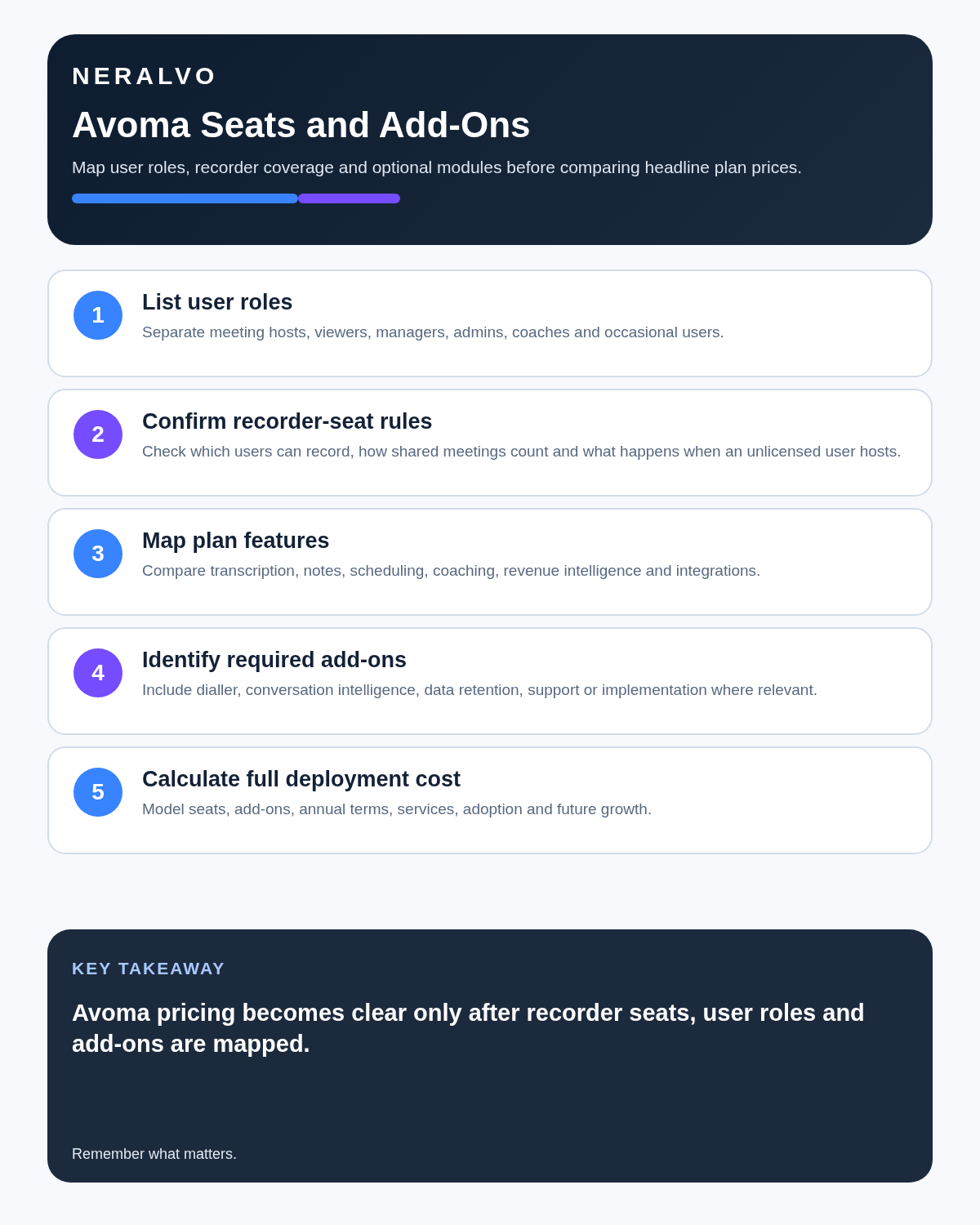
Start with roles, not total headcount
| Role | Main activity | Likely need |
|---|---|---|
| Recorder | Hosts and records meetings | Paid recorder seat |
| Viewer | Reads notes and follows actions | Free viewer may be enough |
| Coach | Reviews calls and scorecards | Recorder seat plus relevant module |
| Revenue manager | Uses pipeline and forecast analysis | Revenue module where justified |
| Administrator | Controls access, retention and integrations | Plan-dependent admin access |
A twelve-person team may need six recorder seats, two coaching licences, one revenue licence and several viewers rather than twelve fully loaded subscriptions. All paid recorder users in one organisation use the same base plan, while optional add-ons can be assigned only to selected users.
Understand the base plans
Startup
Focuses on core capture, transcription, notes, follow-up and basic scheduling for smaller teams. Current public pricing starts at $19 per recorder per month annually or $29 monthly. Check current meeting, integration and storage limits before purchase.
Organization
Adds wider collaboration, templates, group and round-robin scheduling, privacy controls, stronger CRM integrations and administration. It is usually the more relevant tier when several teams share recordings. Public pricing and help-centre pages have displayed different figures, so treat the live checkout or written proposal as the source of truth.
Enterprise
Targets larger deployments needing SAML SSO, custom permissions, auditability, contractual controls and priority support. Current help documentation states that Enterprise uses custom pricing and requires at least 20 recorder seats. A smaller organisation should test whether Organization plus selected add-ons meets the requirement more economically.
Treat add-ons as separate purchases
- Conversation Intelligence: coaching, scorecards, topic tracking and call-pattern analysis.
- Revenue Intelligence: pipeline, deal-risk, methodology and forecast visibility.
- Lead Router: qualification, assignment and scheduling hand-offs.
Assign an add-on only where a named owner uses its output in a repeatable process. A feature that looks impressive during a demo but has no weekly workflow becomes recurring shelfware.
Audit the 14-day trial before it ends
New accounts currently receive a 14-day Organization trial with all add-ons enabled. That trial is more capable than the base subscription many buyers eventually choose.
- List every feature used during the trial.
- Mark the plan or add-on that provides it.
- Identify who actually used it.
- Record the business output it produced.
- Remove licences without a clear owner or outcome.
- Recalculate annual cost using the final role map.
Build a controlled meeting-to-CRM workflow
- Capture only authorised meetings.
- Generate transcript and notes.
- Verify names, amounts, objections, dates and actions.
- Approve the concise customer or opportunity record.
- Sync only necessary fields to the CRM.
- Keep source audio for the defined review period.
- Delete unnecessary copies and revoke access when roles change.
Automatic CRM updates should not turn an unverified AI inference into a customer commitment or forecast fact.
Calculate the complete annual cost
Include recorder seats, add-ons, implementation, integration administration, correction time, storage, onboarding and offboarding. Compare that cost with measurable outcomes such as faster CRM completion, improved coaching coverage or fewer missed actions.
Check file uploads and historical migrations
Unlimited live transcription does not automatically mean unlimited historical file imports. Upload allowances and migration arrangements vary by plan. Obtain written confirmation covering file volume, maximum duration, processing time, speaker labelling, retention, export and any one-off migration charge.
Governance questions before deployment
- Which meetings must never be recorded?
- Who may start a recording?
- How are external participants informed?
- Who can view, download or share source audio?
- Which CRM fields may be written automatically?
- How long are recordings and transcripts retained?
- What happens when a user leaves?
- Can the organisation export and permanently delete its data?
Direct comparison matrix: Avoma and NERALVO Halo
How to read this matrix: it is not scored to force a Halo win. The competing option leads where its deployment, integrations, placement or ecosystem is stronger; Halo leads only where its dedicated capture workflow is the better fit.
Avoma is strongest for scheduled online meetings connected to calendars, CRM and team workflows. Compare NERALVO Halo with Avoma for this workflow is dedicated hardware for face-to-face conversations, mobile work and supported phone calls. Halo offers 64GB local storage, up to 35 hours of recording and one year of DOWAY Max.
Is cloud software or a physical recorder right for this workflow?
- Choose Avoma when remote or desktop meetings, calendar automation and native workspace integrations are central—and its current plan covers the real team workload.
- Choose NERALVO Halo when in-person, mobile or offline source capture matters more than an auto-joining cloud workflow.
- Use neither when recording is not authorised or a mandatory privacy, compatibility or recovery gate fails.
One public user signal
“I use Avoma for listening to sales calls and recording recruiting and internal calls.”
Read the original G2 review. This is one person’s public report, not a controlled test or community consensus.
Why it matters here: The report shows cross-team use, but recorder seats, add-ons and governance should be modelled for each team rather than assumed from one use case.
How community feedback is used
Public reviews can reveal recurring friction, but an anonymous anecdote is not treated as measured proof. A pull-quote should appear only when it links to the original post, identifies the relevant product version or date and is presented as one user’s experience—not as universal fact.
Frequently asked questions
Does every Avoma user need a paid seat?
Not necessarily. Separate people who record from those who only review or collaborate, then confirm the current licensing rules.
Are intelligence add-ons included in the base plan?
Some advanced coaching, revenue and routing functions are separate. Check the live plan table.
Can Avoma update the CRM automatically?
It can support connected workflows, but critical fields should be verified and controlled.
Is Avoma suitable for field meetings?
Its natural strength is scheduled connected meetings. Dedicated hardware may be more dependable away from a computer.
What is the biggest cost mistake?
Licensing every employee for every module before defining who records, reviews and acts on the output.
Official source and related reading
Final buying checklist
- Recorder users counted separately from viewers
- Current Startup, Organization and Enterprise terms confirmed
- Enterprise 20-recorder minimum checked
- Base plan chosen from real requirements
- Add-ons assigned by job role
- Trial-only features identified
- Historical upload or migration terms confirmed
- CRM writes verified
- Retention and offboarding tested
- Total annual cost calculated
Verdict: Avoma can be cost-effective for structured meeting and revenue teams when licences follow genuine roles. It becomes expensive when every feature is assigned to everyone without a controlled workflow.
Software-first route
Need Zoom, Teams, calendar or CRM automation?
Choose cloud software for that job. This page completes the software workflow and evidence first. NERALVO Halo remains an optional later route only when offline, in-person or phone-attached capture matters more than native integrations.
On this page
Related guides
Keep the solution aligned with your original intent
- Choose the reviewed cloud software when Zoom, Teams, calendar automation, CRM workflows or unattended bot capture are essential.
- Consider dedicated hardware later only when offline, in-person, mobile or phone-attached capture is the actual requirement.
- Use neither when permission, governance, compatibility or retention requirements cannot be met.
Check current Avoma details at the official source
Verify current plans, compatibility, limits and integrations with Avoma before buying. Halo remains a separate optional comparison only for offline, in-person, mobile or phone-attached capture.
Found an error or an out-of-date claim? Email support@neralvo.com with the article address and a supporting source.