The 60-second verdict
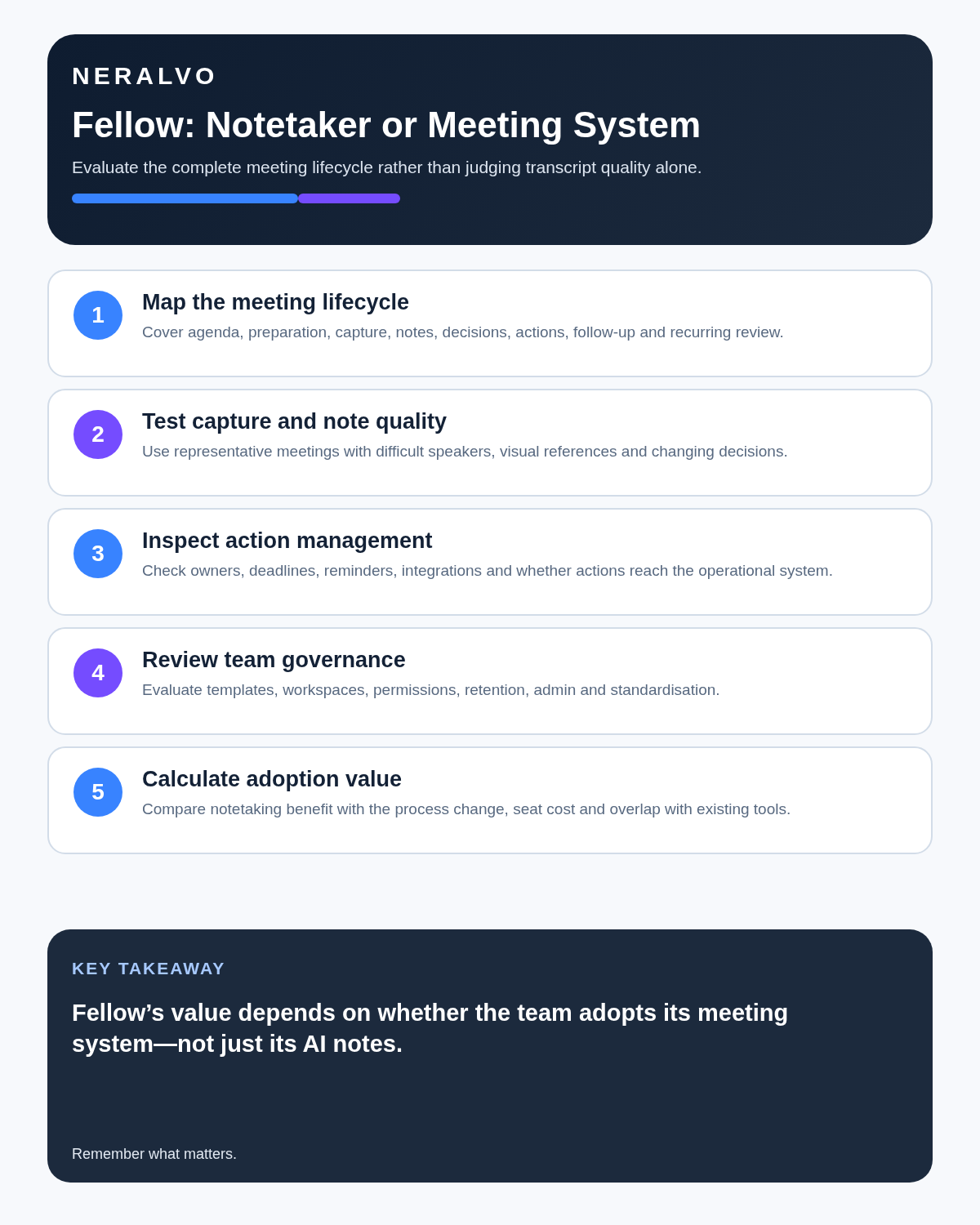
Quick answer: Fellow is broader than a meeting notetaker. It combines collaborative agendas, recurring meeting notes, AI recording and recaps, action items, private notes, integrations and workspace governance. It delivers most value when a team adopts the full meeting lifecycle rather than buying it only for transcripts.
Best fit: readers comparing Fellow AI against the purchase, workflow and evidence factors below. Do not buy on: headline features alone; a failed compatibility, privacy, recovery or cost requirement should override the overall score.

Evidence basis and limits
- Decision factors covered: What Fellow includes; Notetaker versus meeting operating system; Strengths.
- Evidence rule: A claim earns weight only when the source, date, configuration and limitation are clear enough for a reader to check.
- Boundary: Manufacturer-controlled prices, plans, compatibility and specifications can change. Retain the article’s stated check date, verify the live supplier terms before purchase and treat community reports as leads unless the original source is linked.
What Fellow includes
- Collaborative meeting agendas and templates.
- Recurring meeting-note series.
- Private and shared notes.
- AI recording, transcription and summaries.
- Generated decisions and suggested action items.
- Action ownership, due dates and master task views.
- Meeting recordings and transcript review.
- Integrations with calendar, project and CRM tools.
- Workspace templates, permissions and administration on higher plans.
Notetaker versus meeting operating system
| Layer | Notetaker use | Operating-system use |
|---|---|---|
| Before | Calendar connection | Shared agenda, recurring template and preparation |
| During | Record and transcribe | Collaborative notes, talking points and decisions |
| After | Summary and transcript | Assigned actions, integrations and follow-up |
| Across meetings | Recording library | Recurring history, search, governance and analytics |
Strengths
Agenda-to-action continuity
Fellow connects preparation, live discussion and follow-up more tightly than tools focused only on post-call summaries.
Collaborative recurring meetings
One-to-ones, team meetings and project reviews can reuse templates and carry unfinished talking points or actions forward.
Action management
Assigned tasks, due dates and integrations can make meeting outputs more operational, provided owners confirm the work.
Governance for teams
Higher plans add permissions, recording controls, templates, integrations and organisation-level management.
Important limits
- Free and lower tiers limit AI meetings or recordings.
- The platform requires team adoption to realise its broader value.
- Generated actions and decisions still need verification.
- Another meeting workspace can duplicate project or task systems.
- Recording libraries increase retention and access responsibility.
- Per-seat pricing can exceed the value for occasional users.
Use a complete Fellow workflow
- Choose the recurring meeting purpose.
- Use a concise shared agenda.
- Define who can record and access the recap.
- Verify transcript, decisions and generated actions.
- Confirm one owner and deadline for each action.
- Sync only to the authoritative destination.
- Carry forward unresolved items visibly.
- Review meeting effectiveness and archive obsolete series.
Measure adoption, not just transcription minutes
Track agenda preparation, meeting length, percentage of actions with owners, overdue actions, duplicate records, repeat discussions and whether users actually return to the meeting history. A high transcript volume is not proof of better meetings.
Plan-selection questions
- How many people create recordings?
- How many only collaborate on agendas and notes?
- Are AI quotas sufficient?
- Which CRM or project integrations are essential?
- Are note locking, recording permissions or SSO required?
- How long must recordings and transcripts remain?
Direct comparison matrix: Fellow AI and NERALVO Halo
How to read this matrix: it is not scored to force a Halo win. The competing option leads where its deployment, integrations, placement or ecosystem is stronger; Halo leads only where its dedicated capture workflow is the better fit.
Fellow is strongest for an organisation that wants a shared meeting operating system across agendas, AI notes and action tracking. Check the Halo specification against the Fellow AI decision matrix is strongest for an individual who needs dedicated local and offline capture with 64GB storage and up to 35 hours of recording. Halo syncs to DOWAY for transcripts, summaries, speaker-separated notes, templates, translations, mind maps and exports, with one year of DOWAY Max included.
Is cloud software or a physical recorder right for this workflow?
- Choose Fellow AI when remote or desktop meetings, calendar automation and native workspace integrations are central—and its current plan covers the real team workload.
- Choose NERALVO Halo when in-person, mobile or offline source capture matters more than an auto-joining cloud workflow.
- A governed hybrid can be best when the same team works both online and in person.
One public user signal
“I use Fellow.ai to keep meeting notes, agendas, and action items organized in one place.”
Read the original G2 review. This is one person’s public report, not a controlled test or community consensus.
Why it matters here: This points to Fellow’s workspace value rather than transcription alone, especially when agendas and follow-up live in the same system.
How community feedback is used
Public reviews can reveal recurring friction, but an anonymous anecdote is not treated as measured proof. A pull-quote should appear only when it links to the original post, identifies the relevant product version or date and is presented as one user’s experience—not as universal fact.
Frequently asked questions
Is Fellow only an AI notetaker?
No. It also manages agendas, recurring notes, actions and team meeting workflows.
Does Fellow automatically complete action management?
No. Generated tasks need human confirmation, ownership and follow-through.
Which plan is best?
Choose from team size, AI usage, integrations, permissions and governance—not only the per-seat headline price.
Final buying checklist
- Full meeting lifecycle needed.
- Recurring meeting types mapped.
- AI quotas and seat model calculated.
- Action destination defined.
- Recording permissions reviewed.
- Integrations tested for duplication.
- Adoption measures selected.
- Retention and offboarding controlled.
Verdict: Fellow is most valuable as a team meeting operating system, not merely a transcription utility. Organisations that adopt agendas, actions and governance can gain more than teams that only collect recaps.
Related reading
See Granola Review, Fireflies.ai Review and Best AI Voice Recorders for Meetings.
Software-first route
Need Zoom, Teams, calendar or CRM automation?
Choose cloud software for that job. This page completes the software workflow and evidence first. NERALVO Halo remains an optional later route only when offline, in-person or phone-attached capture matters more than native integrations.
On this page
Related guides
Keep the solution aligned with your original intent
- Choose the reviewed cloud software when Zoom, Teams, calendar automation, CRM workflows or unattended bot capture are essential.
- Consider dedicated hardware later only when offline, in-person, mobile or phone-attached capture is the actual requirement.
- Use neither when permission, governance, compatibility or retention requirements cannot be met.
Check current Fellow details at the official source
Verify current plans, compatibility, limits and integrations with Fellow before buying. Halo remains a separate optional comparison only for offline, in-person, mobile or phone-attached capture.
Found an error or an out-of-date claim? Email support@neralvo.com with the article address and a supporting source.