The 60-second verdict
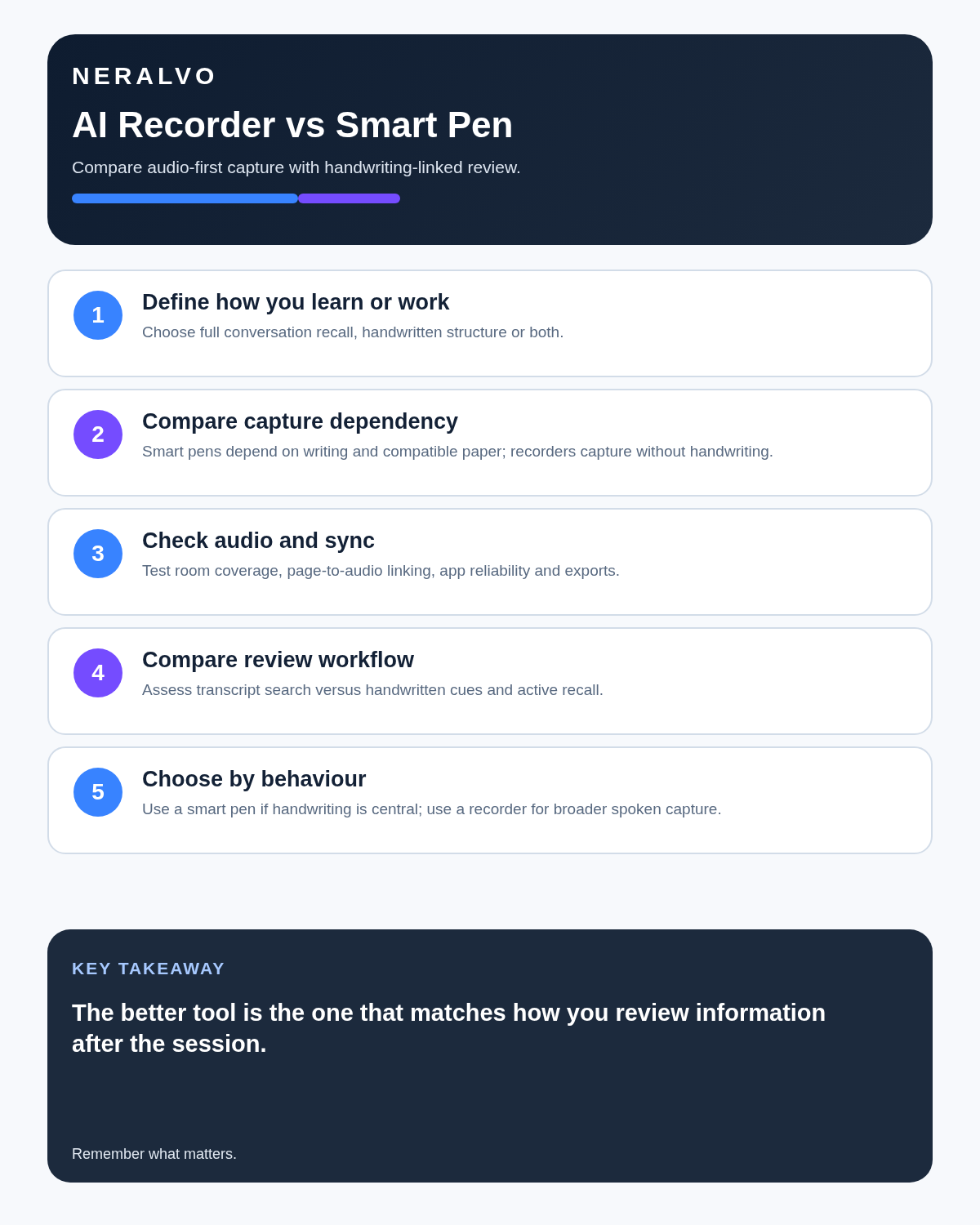
Quick answer: an AI voice recorder is better for capturing complete spoken information and creating searchable text; a smart pen is better for people who learn or work through handwriting, diagrams and personal marks linked to the moment. The best choice depends on whether speech coverage or active handwritten processing matters more.
Best fit: choose the option that passes your capture, recovery, privacy and total-cost gates. Do not decide on: price or a single accuracy claim in isolation.
Evidence basis and limits
- Decision factors covered: Follow the information after the session; How an AI recorder supports recall; How a smart pen supports recall.
- Evidence rule: A claim earns weight only when the source, date, configuration and limitation are clear enough for a reader to check.
- Boundary: Examples and workflow recommendations must be tested with representative recordings, the intended users and the actual approval process before rollout.

Follow the information after the session
A handwritten diagram may explain a process better than a paragraph. A spoken definition may need to be quoted accurately. A decision may need to move into a project system. The better tool is the one that leaves the information in a form you will genuinely review and reuse.
How an AI recorder supports recall
It preserves the spoken source, creates a transcript and may organise topics, decisions and actions. Users can search the conversation and return to audio for verification.
How a smart pen supports recall
A smart pen digitises handwriting and may link each pen stroke to a point in the audio. The user's marks show what they considered important and can include diagrams that speech alone cannot represent.
Compare the two approaches
Balanced comparison matrix
Balanced decision rule: a cloud tool should win where automation and collaboration matter most; a dedicated recorder should win where independent capture and mobility matter most; manual notes should win when recording is inappropriate.
| Criterion | AI recorder | Smart pen |
|---|---|---|
| Coverage | Broad spoken record | Selected handwritten record |
| Search | Full text after transcription | Depends on handwriting recognition |
| Visual ideas | Limited | Strong for diagrams |
| Attention style | Listening-first | Writing-first |
AI recorder advantages
- Complete searchable transcript.
- Less continuous writing.
- Automatic summaries and actions.
- Stronger coverage of multi-speaker discussion.
- Easy text export.
- Useful for interviews and long lectures.
Smart pen advantages
- Active selection during the session.
- Diagrams, equations and spatial layouts.
- Personal emphasis and questions.
- Audio linked to handwritten markers.
- Familiar pen-and-paper experience.
- Useful for visual thinkers.
Three users, three different answers
The visual learner
A student who remembers through diagrams and annotated examples may benefit more from a smart pen. Audio acts as context for the page rather than the primary record.
The interviewer
A researcher conducting long interviews may prefer a recorder. The priority is eye contact, preserving the participant’s wording and locating themes afterwards.
The technical project manager
This person may need both: handwritten architecture sketches during the discussion and a searchable record of decisions, owners and deadlines. Neither tool should be expected to replace the other entirely.
Choose by the type of work
Interviews, meetings and detailed spoken explanations generally favour a recorder. Mathematics, design, diagrams and active study often favour a smart pen. A combined method can use the recorder for completeness and a small number of handwritten markers for thinking.
Use a hybrid method without duplicating work
- Record the authorised session.
- Write only questions, diagrams and important markers.
- Mark the time of a significant diagram or decision.
- Generate and review the transcript.
- Use handwritten markers to prioritise review.
- Attach the relevant page image to the concise checked note where useful.
- Move actions and decisions into the normal work or study system.
- Retain only the sources required.
Test before choosing
Use a real 20-minute lecture, interview or meeting containing at least one diagram, one difficult term, one number and one action. Score both workflows on:
- Attention demanded during the session.
- Whether the important diagram or context survived.
- Time needed to find a specific point later.
- Ease of correcting errors.
- Export into the system used every day.
- Ongoing paper, app or processing costs.
Test accessibility and comfort
Check whether writing for long periods is practical, whether the pen requires special paper, whether the app is accessible and whether the recording method is permitted in the relevant classroom or workplace.
Where NERALVO Halo fits
Use the AI Voice Recorder vs Smart Pen criteria to assess NERALVO Halo sits on the recorder side. It offers 64GB local storage, up to 35 hours of recording and Bluetooth sync with DOWAY for transcripts, summaries, speaker-separated notes, templates, translations and mind maps, with one year of DOWAY Max included.
It does not replace handwriting where diagrams and page layout matter. It can reduce the need to capture every spoken sentence by hand.
Is cloud software or a physical recorder right for this workflow?
- Choose the software-led option when automated remote-meeting capture and collaboration remove more work than they add.
- Choose the dedicated-recorder option when independent in-person capture, mobility and source recovery matter more.
- A governed hybrid can be best when the same team works both online and in person.
How community feedback is used
Public reviews can reveal recurring friction, but an anonymous anecdote is not treated as measured proof. A pull-quote should appear only when it links to the original post, identifies the relevant product version or date and is presented as one user’s experience—not as universal fact.
Frequently asked questions
Is handwriting better for memory?
Active selection can support learning, but effectiveness varies by person, subject and method.
Can a smart pen create a full speech transcript?
Some products offer audio or handwriting conversion, but capability and accuracy vary.
Which is better for interviews?
An AI recorder usually provides a more complete searchable source; a pen remains useful for observations and questions.
Do smart pens require special paper?
Some do. Include notebooks, refills and replacement parts in the total cost.
Can both be used together?
Yes, provided the workflow creates one final reviewed note rather than two unmanaged archives.
Authoritative guidance and related reading
- Disabled Students' Allowance guidance
- AI Voice Recorder vs Note-Taking App
- What Is a Voice-to-Text Recorder?
Final choice checklist
- Learning or work style identified.
- Need for diagrams assessed.
- Transcript requirement clear.
- Consumables and subscriptions included.
- Accessibility tested.
- One final review workflow defined.
Bottom line: choose a smart pen when the page carries meaning, choose a recorder when speech carries the detail and combine them when each preserves information the other cannot.
On this page
Related guides
See whether Halo fits this workflow
Review the NERALVO Halo specifications, included services, delivery information and current offer only after completing the guide.
Found an error or an out-of-date claim? Email support@neralvo.com with the article address and a supporting source.