The 60-second verdict
Quick answer: sales teams can use an AI voice recorder to preserve buyer problems, evidence, decision process and follow-up, but interest, authority, intent and commitment must remain separate. The CRM should contain a concise verified record rather than an optimistic AI interpretation.
Best fit: Sales Calls who need recoverable audio and human-verified notes in an authorised workflow. Use another method when: recording is prohibited, a participant declines or the approved process requires manual notes.
Evidence basis and limits
- Decision factors covered: Define the capture purpose before the call; The account → problem → evidence → impact → process → authority → commitment workflow; Use verbal checkpoints.
- Evidence rule: Claims are weighted by consequence: capture failure, changed meaning, access and recovery matter more than polished wording.
- Boundary: Examples and workflow recommendations must be tested with representative recordings, the intended users and the actual approval process before rollout.

Check whether NERALVO Halo fits sales calls work can support approved calls and face-to-face discovery. It cannot predict purchase intent or create a binding customer commitment.
Define the capture purpose before the call
Record only where the conversation is complex enough to justify it. Full discovery, commercial review or implementation calls may benefit; a short scheduling call usually does not. Follow the organisation’s approved notice, privacy, access and retention process.
Use six discovery questions
- Current state: what process, tool or workaround exists today?
- Problem: what is failing or taking too much effort?
- Impact: what does the problem cost in time, money, risk or lost opportunity?
- Change: what outcome would be materially better?
- Decision: who influences, approves, funds and signs?
- Timing: why would the buyer act now?
The salesperson must still ask follow-up questions. Recording reduces frantic typing; it does not replace discovery skill.
The account → problem → evidence → impact → process → authority → commitment workflow
| Stage | Question | CRM output |
|---|---|---|
| Account | Which organisation, contact and opportunity? | Stable identity |
| Problem | What is happening in the buyer’s own words? | Attributed need |
| Evidence | What example, metric or event supports it? | Verified detail |
| Impact | What cost, risk, delay or missed outcome follows? | Business relevance |
| Process | How will the organisation evaluate and buy? | Decision path |
| Authority | Who influences, approves, signs and funds? | Role map |
| Commitment | What exact next step was mutually agreed? | Qualified action |
Use verbal checkpoints
- “Have I understood that the main issue is…?”
- “The business impact you described was…?”
- “The people involved in approval are…?”
- “The next step we have both agreed is…?”
Read-backs give the buyer an opportunity to correct the record while the meeting is still happening.
Use explicit signal labels
- Curiosity.
- Problem acknowledged.
- Priority confirmed.
- Evidence provided.
- Internal evaluation planned.
- Decision authority identified.
- Commercial terms requested.
- Next step agreed.
- Purchase commitment confirmed.
Separate fact, inference and sales judgement
| Category | Example |
|---|---|
| Buyer fact | “The team spends four hours each week typing meeting notes.” |
| Buyer commitment | “The operations lead will join a security review on Thursday.” |
| Unverified statement | “Their CRM probably supports the integration.” |
| Sales inference | “The opportunity appears urgent.” |
| Seller action | “Send the data-processing document by 23 July.” |
Do not allow an AI summary to present seller optimism as something the buyer confirmed.
Separate contact role from authority
Record whether a person is a user, champion, evaluator, influencer, budget owner, procurement contact, legal reviewer or final decision-maker. A senior title does not automatically confer authority for the purchase.
Preserve customer language and evidence
Capture the exact workflow, consequence, current workaround, frequency and business impact. Avoid rewriting it into generic sales language. Label estimated or unverified metrics clearly.
Map the decision process
| Element | Question |
|---|---|
| Criteria | How will options be judged? |
| Stakeholders | Who uses, evaluates, approves and blocks? |
| Evidence | What pilot, security or financial proof is required? |
| Commercial | Which budget, procurement and contract steps apply? |
| Timing | Which event or deadline creates urgency? |
| Risk | What could stop or delay the decision? |
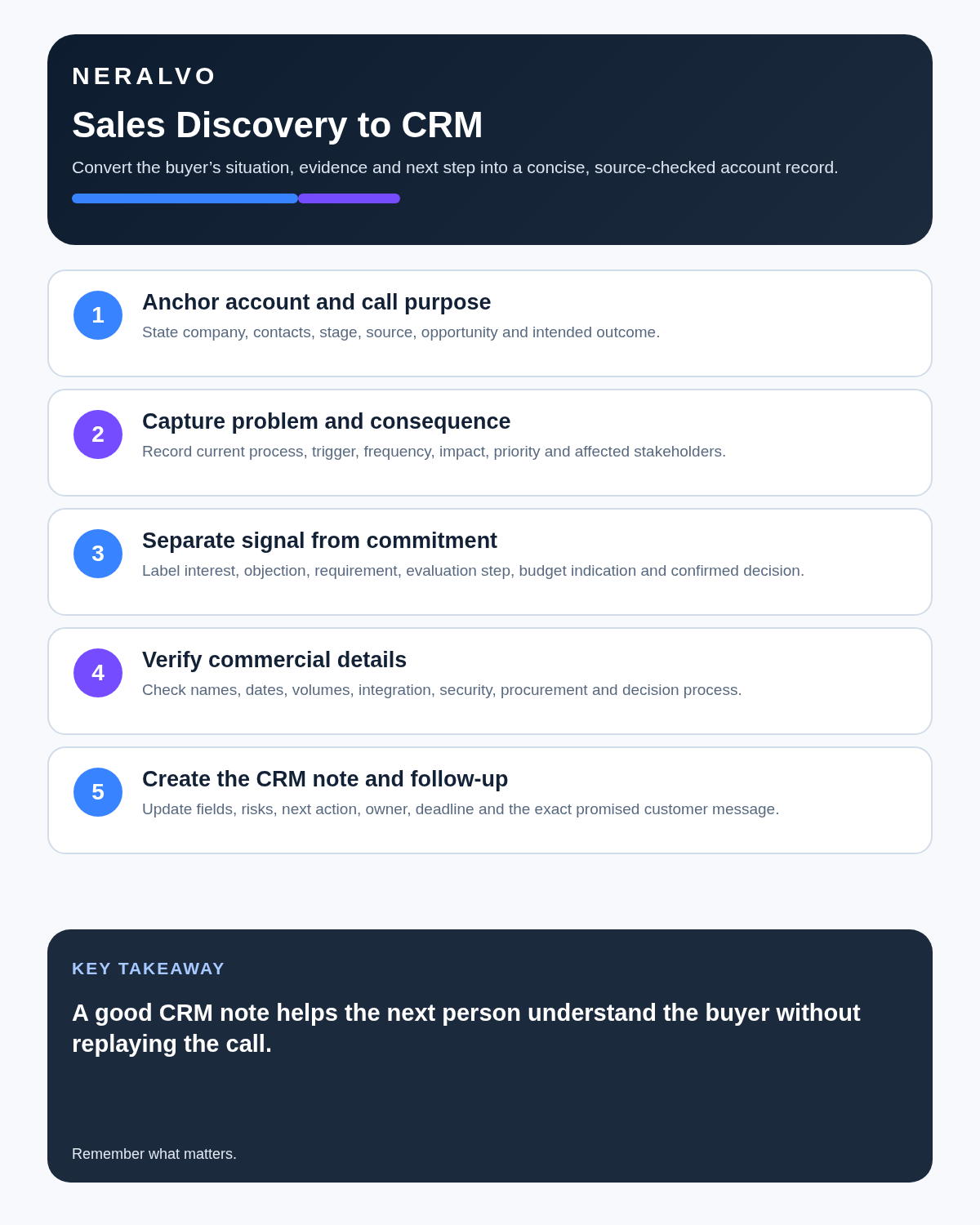
Use the seven-field CRM note
- Business problem: describe the issue in the buyer’s own language.
- Measurable impact: record stated cost, delay, error, risk or missed opportunity and flag figures needing verification.
- Desired outcome: state what changes if the problem is solved.
- Stakeholders: separate user, champion, technical reviewer, procurement, legal and final authority.
- Decision process: record actual steps, evidence and deadlines.
- Objection or risk: identify the underlying concern rather than a generic label.
- Next step: give one owner, exact action and date.
Review objections without sentiment scoring
Inspect the wording around an objection:
- What question came immediately before it?
- Was the concern answered or merely acknowledged?
- Did another stakeholder introduce it?
- Which evidence would resolve it?
- Was the next step connected to the concern?
Do not use automated tone or sentiment as a shortcut for buyer intent.
Control commitments
Distinguish a salesperson’s proposed follow-up, a buyer’s requested action and a mutually accepted next step. Record owner, deadline, required input and success criterion. Do not forecast from enthusiasm or tone.
Commercial calls require exact wording
Verify pricing, implementation timing, warranty, data location and contract terms. The customer recap should distinguish what was agreed, what was proposed, what is subject to approval and what remains unanswered. A smooth AI summary must not create a commitment the seller was not authorised to make.
Create the concise CRM record
- Problem and business impact.
- Evidence and source.
- Current process and desired outcome.
- Stakeholders and authority.
- Decision criteria and timing.
- Risks and unknowns.
- Mutual next step.
- Exact customer and seller commitments.
Usually the full transcript should not enter the CRM.
Use the 15-minute post-call process
- Confirm the recording transferred successfully.
- Correct speakers, names, figures and dates.
- Extract the seven CRM fields.
- Remove irrelevant personal information.
- Mark facts requiring verification.
- Create the next action with owner and deadline.
- Draft the customer recap.
- Check every product and commercial claim.
- Save the approved note in the CRM.
- Apply the retention rule to audio and duplicate files.
UK call-recording and monitoring controls
Sales recordings may contain personal data, confidential commercial information and employee speech. The organisation should justify the purpose, tell workers and external callers that recording is active and explain access, sharing, rights and retention.
Recording all call content is not automatically proportionate. Use the minimum capture needed for evidence, training, quality or the stated sales purpose, and review the ICO’s current call-monitoring guidance.
Protect customer information
Use approved accounts, transparent notice and minimum necessary capture. Do not record passwords, payment data or unnecessary confidential strategy. Restrict downloads and apply separate retention to audio, working transcripts and final CRM records.
How NERALVO Halo fits sales calls
NERALVO Halo includes NOTE mode, supported CALL mode, 64GB local storage, up to 35 hours of recording and Bluetooth sync with DOWAY. CALL mode is not universal, so test the exact phone, case and call route. DOWAY provides transcripts, summaries, speaker-separated notes, templates, translations, mind maps and exports, with one year of DOWAY Max included.
Human review determines what belongs in the CRM.
Cloud software, a dedicated recorder or manual notes?
For Sales Calls, the right answer changes with the setting. This matrix deliberately gives each method a situation where it can be the strongest choice.
| Situation | Best starting point | Reason |
|---|---|---|
| scheduled remote client meetings | Cloud meeting software | Calendar automation and shared integrations are usually the strongest advantage. |
| in-person visits and travel | Dedicated recorder | Independent capture reduces reliance on an active phone or laptop. |
| a client declines or policy requires manual notes | Manual notes or an approved alternative | The boundary takes priority over convenience. |
| mixed CRM and field work | Governed hybrid | Use each method only in the setting it actually fits. |
Frequently asked questions
Can AI score purchase intent from tone?
No. Use observable evidence, process and explicit commitments.
Does asking for pricing mean the buyer has budget?
No. Confirm budget ownership and procurement process.
Should the full transcript enter the CRM?
Usually no. Save the concise verified commercial record.
Final sales-call checklist
- Account and opportunity anchored.
- Current state, problem and desired change clear.
- Customer language preserved accurately.
- Evidence and impact separated from inference.
- Stakeholder roles and authority mapped.
- Decision process and timing verified.
- Objections linked to the evidence needed.
- Interest separated from commitment.
- Mutual next step owned and dated.
- CRM updated with checked facts only.
- Call-monitoring purpose, notice and retention controlled.
Bottom line: a strong sales note improves the next conversation by preserving buyer reality, separating evidence from optimism and leaving one clear mutually owned next step.
Related guides
See the guides for customer success teams, consultants and the Fireflies.ai review.
On this page
Related guides
See whether Halo fits this workflow
Review the NERALVO Halo specifications, included services, delivery information and current offer only after completing the guide.
Found an error or an out-of-date claim? Email support@neralvo.com with the article address and a supporting source.