The 60-second verdict
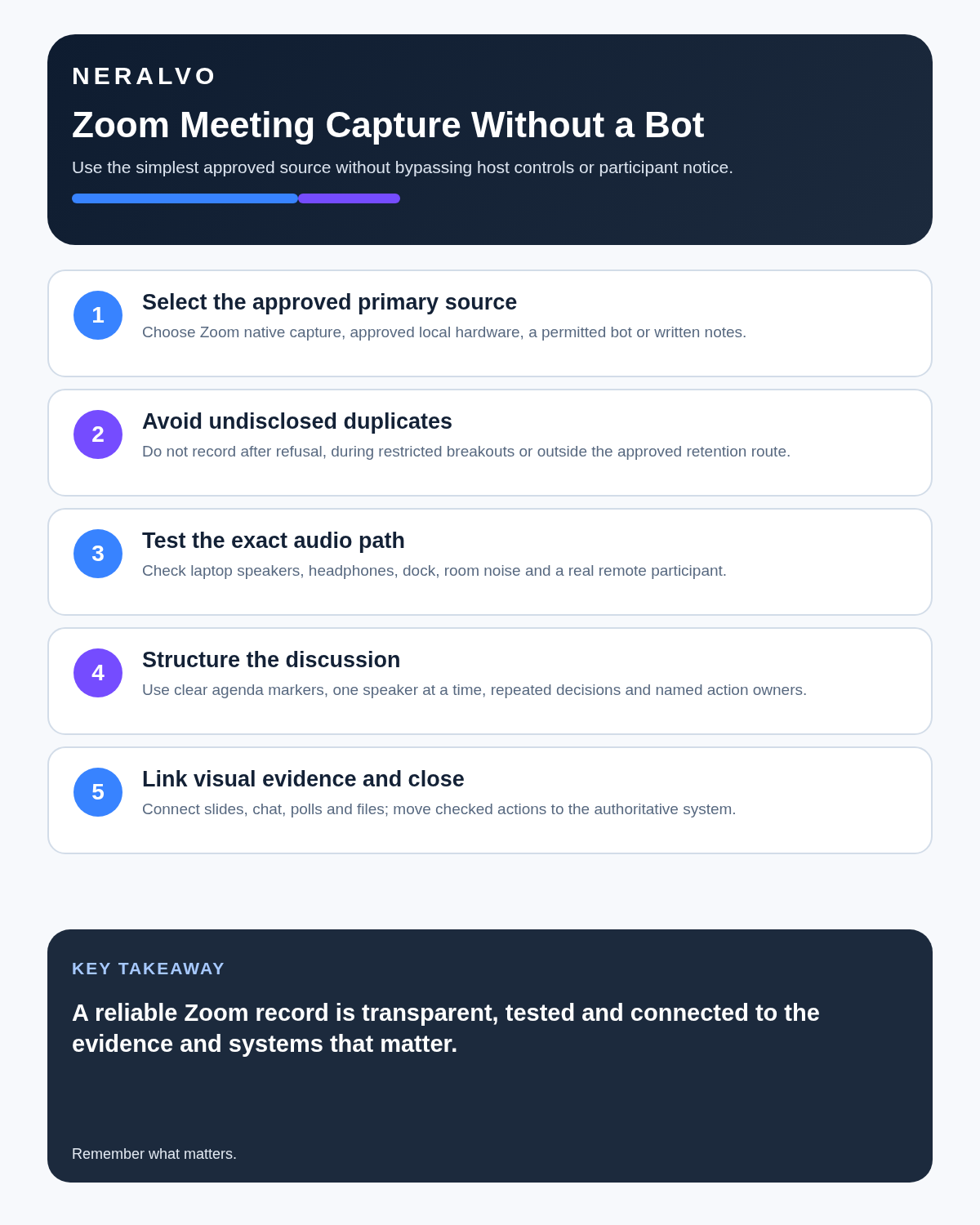
Quick answer: use an AI voice recorder for Zoom only as part of an approved meeting workflow. Decide what evidence the record must contain, choose one primary source, test the exact audio route, notify participants and reconnect the transcript to shared screens, chat and documents before creating the final note.
Best fit: Zoom Meetings who need recoverable audio and human-verified notes in an authorised workflow. Use another method when: recording is prohibited, a participant declines or the approved process requires manual notes.
Evidence basis and limits
- Decision factors covered: Decide what the complete meeting record requires; Confirm the rules before capture; Test the exact physical audio path.
- Evidence rule: The decision is based on the complete capture-to-action workflow, not a single feature or marketing accuracy percentage.
- Boundary: Examples and workflow recommendations must be tested with representative recordings, the intended users and the actual approval process before rollout.

Zoom conversations often depend on slides, screen sharing, chat, reactions and documents that room audio cannot preserve. View Halo specifications for zoom meetings use can support authorised local audio capture, but it does not bypass host, account or administrator controls.
Decide what the complete meeting record requires
- Spoken discussion.
- Shared slides or screen content.
- Chat, links and files.
- Attendance and organiser context.
- Decisions, objections and actions.
- Source documents and current versions.
If visual context is central, a platform recording or deliberate document-linking workflow may be stronger than room audio alone.
Choose one approved primary source
| Source | Useful when | Main limitation |
|---|---|---|
| Zoom native recording or transcript | Available, approved and sufficient | Capabilities vary by account, role and settings |
| Dedicated local recorder | A separate audio route is explicitly approved | No automatic screen, chat or platform context |
| Written notes | Recording is unnecessary or not permitted | Requires disciplined live capture and review |
A local recorder is not a workaround when the host or organisation has disabled or declined recording.
Confirm the rules before capture
Check the host’s decision, organisational policy, account settings, participant notice, external-attendee restrictions, access, export, retention and deletion. Some meetings—such as HR, legal, health, safeguarding or regulated-client discussions—may require a specialist process or no consumer recording.
Test the exact physical audio path
With laptop speakers, a room recorder may capture remote voices. With headphones, those voices may never reach the room. Docks, monitor speakers, echo cancellation, notification sounds, cooling fans and placement can materially alter the result.
- Use the exact computer, phone, speakers or headset planned for the call.
- Test both local and remote voices.
- Replay the quietest participant.
- Check names, figures and technical terms.
- Confirm connection interruptions are recognisable.
- Keep a normal note-taking fallback.
Do not assume AI can recover audio that was never captured.
Make visual references explicit
During the meeting, identify the slide, document, dashboard or screen being discussed. Replace vague phrases in the final record:
- “This number” becomes the metric, period and source.
- “The left option” becomes the option name.
- “Use that file” becomes the controlled document and version.
- “As shown here” becomes the chart, diagram or screen reference.
Link approved source material rather than embedding incomplete transcript context.
Reconcile chat, polls and shared documents
Important decisions and qualifications may appear only in chat, a poll, a shared document or a follow-up link. Compare the transcript with these artefacts before issuing the record. Note any participant whose contribution was lost through connection failure.
Use an explicit decision read-back
Decision: approve the revised launch date of 18 September, subject to completion of security testing. Owner: delivery lead. Finance approval confirmed. Review on 1 September.
Read back the decision, conditions, authority, owner and date while participants can correct them.
Create a follow-up record, not a transcript dump
- Confirm attendees and speaker labels.
- Correct dates, figures, currencies and specialist terms.
- Compare speech with chat, slides and shared documents.
- Separate proposals, objections, decisions and open questions.
- Create actions with one owner and due date.
- Transfer outputs into the project, CRM, governance or client system.
- Apply access, retention and duplicate-deletion rules.
Control duplicate recordings and transcripts
If Zoom already created an approved recording and transcript, a second recording needs a documented purpose. Label each source clearly, resolve material discrepancies and retain only what policy requires.
Platform audio, local audio, raw transcripts, corrected drafts and approved minutes may need different retention periods. More copies do not create more certainty.
Protect meeting information
Remote meetings may contain personal, commercial, security and legally sensitive information. Use approved accounts, restrict access, minimise identifiers and avoid copying the full transcript into email, chat and multiple drives when a concise checked record is sufficient.
How NERALVO Halo fits Zoom
NERALVO Halo provides NOTE mode for approved speaker-based capture, supported CALL mode for compatible phone routes, 64GB local storage, up to 35 hours of recording and Bluetooth sync with DOWAY. DOWAY can create transcripts, summaries, speaker-separated notes, templates, translations, mind maps and exports, with one year of DOWAY Max included.
Compatibility is not universal. Test the exact phone, computer, case, application and audio route. Halo records audio separately; it does not capture the complete Zoom context or inherit organisational governance automatically.
Cloud software, a dedicated recorder or manual notes?
For Zoom Meetings, the right answer changes with the setting. This matrix deliberately gives each method a situation where it can be the strongest choice.
| Situation | Best starting point | Reason |
|---|---|---|
| scheduled remote meetings | Cloud meeting software | Native remote-meeting workflows can be more efficient here. |
| in-person or mobile work | Dedicated recorder | A separate battery and recoverable local source improve resilience. |
| recording is refused or prohibited | Manual notes or an approved alternative | Manual notes are the correct control when recording is unavailable. |
| mixed online and offline work | Governed hybrid | A hybrid can combine automation with reliable physical capture. |
Frequently asked questions
Can local hardware be used when the host disabled recording?
It should not be treated as a workaround. Follow the host and organisational process.
Does room audio capture the full Zoom meeting?
No. Shared screens, chat, polls and documents must be reviewed separately.
Can the transcript be sent immediately?
Not where decisions, confidential information or material figures matter. Verify and approve it first.
Should both Zoom and local recordings be retained?
Only where each serves a documented purpose. Avoid uncontrolled duplicate archives.
Final Zoom checklist
- Recording necessary, permitted and approved.
- Primary source identified.
- Participants informed.
- Exact audio route tested.
- Chat, screens and documents linked.
- Connection gaps recorded.
- Decisions, conditions and actions verified.
- Authoritative system updated.
- Duplicate sources labelled and deleted deliberately.
Bottom line: a dependable Zoom record combines a tested approved source with the visual and digital evidence that gives the conversation meaning.
Official Zoom guidance
Related guides
See the guides for Google Meet, remote meetings and one-to-one meetings.
Software-first route
Need Zoom, Teams, calendar or CRM automation?
Choose cloud software for that job. This page completes the software workflow and evidence first. NERALVO Halo remains an optional later route only when offline, in-person or phone-attached capture matters more than native integrations.
On this page
Related guides
Keep the solution aligned with your original intent
- Choose the reviewed cloud software when Zoom, Teams, calendar automation, CRM workflows or unattended bot capture are essential.
- Consider dedicated hardware later only when offline, in-person, mobile or phone-attached capture is the actual requirement.
- Use neither when permission, governance, compatibility or retention requirements cannot be met.
Verify the cloud workflow before comparing hardware
Use the official platform sources below for native Zoom, Teams, calendar, CRM and transcription capabilities. Consider Halo separately only when the workflow also needs offline or in-person capture.
Found an error or an out-of-date claim? Email support@neralvo.com with the article address and a supporting source.