The 60-second verdict
Quick answer: locksmiths can use an AI voice recorder for short post-job notes after identity and authority checks are complete. The final record should show the before condition, authorised work, parts and keys supplied, function test and handover while excluding passwords, access codes, key-cutting data and exploitable security details.
Best fit: Locksmiths who need recoverable audio and human-verified notes in an authorised workflow. Use another method when: recording is prohibited, a participant declines or the approved process requires manual notes.
Evidence basis and limits
- Decision factors covered: Verify identity and authority first; Use a minimum-information rule; Use a four-part job-note structure.
- Evidence rule: The decision is based on the complete capture-to-action workflow, not a single feature or marketing accuracy percentage.
- Boundary: Examples and workflow recommendations must be tested with representative recordings, the intended users and the actual approval process before rollout.
Locksmith records are unusually sensitive. A detailed transcript may reveal property access, weak points, occupancy patterns or emergency circumstances. The aim is to prove what was authorised and completed without creating another security risk.

Verify identity and authority first
Follow the business’s approved identity and authorisation process before recording operational detail. Confirm the property or asset reference, customer identity, basis of authority, requested work and whether landlord, employer, insurer or another owner must approve it.
A spoken explanation is not proof of ownership or authority. Keep supporting evidence in the authorised job system rather than reading document numbers or personal details into the recording.
Use a minimum-information rule
Record only what the job record needs. Do not include:
- alarm codes, passwords or safe combinations;
- key bitting or cutting data;
- access-control credentials;
- detailed exploitable vulnerabilities;
- unnecessary occupancy patterns;
- filenames revealing that a property is vacant;
- private customer conversations unrelated to the job.
When detailed technical information is necessary, place it in the restricted record designed for that purpose.
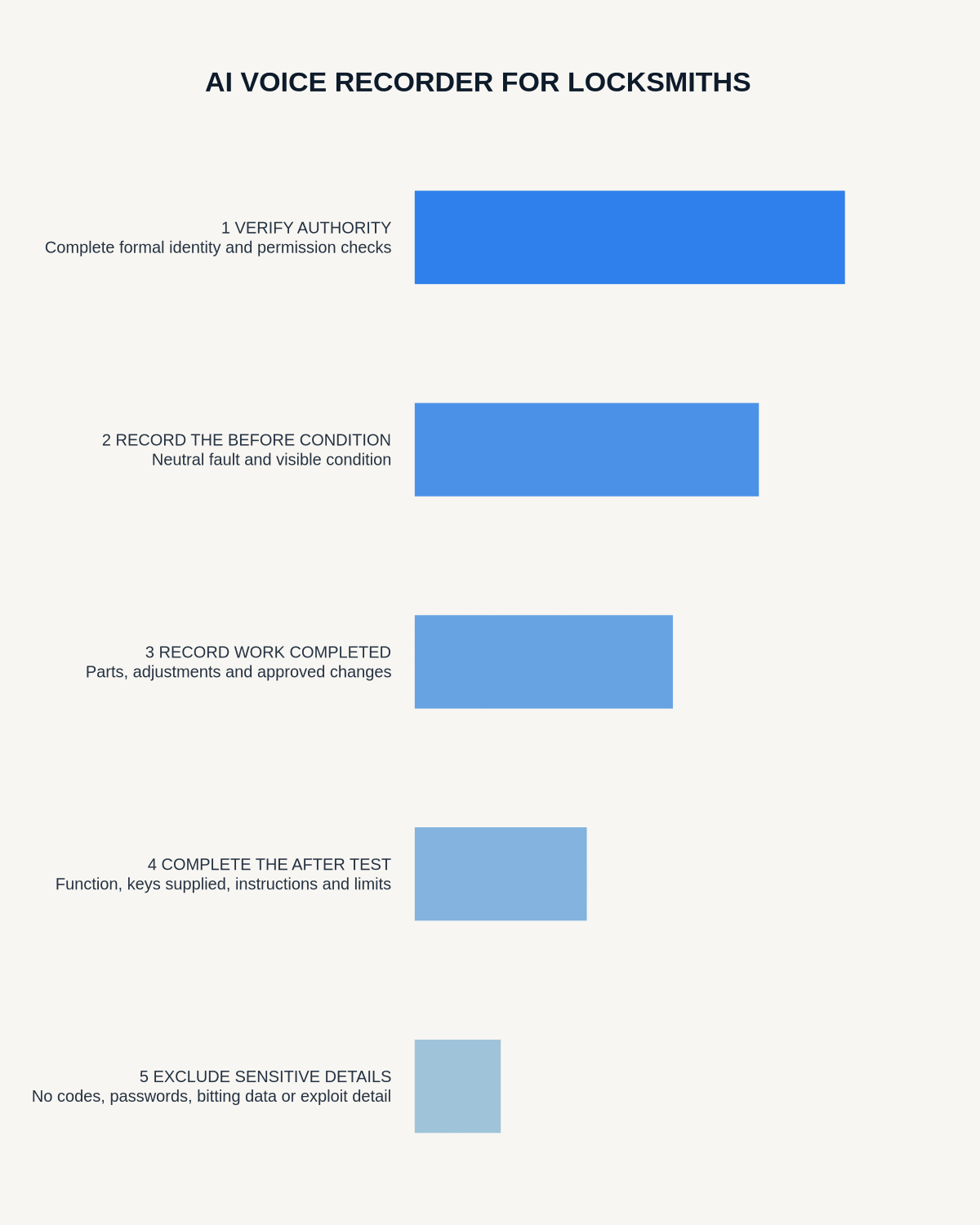
Use a four-part job-note structure
1. Before
Record the customer-reported problem and visible condition. Use neutral wording such as “front entrance cylinder turns but does not retract the latch” rather than assuming the cause.
2. Authority
State that the required checks were completed and note any limits on the work. Do not reproduce sensitive identity evidence aloud.
3. Work completed
Record the approved component, adjustment, repair or replacement. Separate options discussed from work actually carried out.
4. After
Record the operational test, number of keys or access devices handed over, customer instructions, remaining limitations and follow-up.
Handle emergency and suspicious requests carefully
Urgency does not remove verification requirements. When authority is unclear, circumstances appear suspicious or personal safety is at risk, stop and use the business escalation or emergency process. Do not conduct an extended investigation through a voice note.
Verify parts, keys and outcomes
Check component names, quantities, serial or product references and the number of keys or devices supplied against the job. Confirm what was demonstrated to the customer and whether another trade or formal approval is required.
Create a secure post-job workflow
- Complete the physical task and move to a safe, private position.
- State the job reference without unnecessary address or security detail.
- Record before condition, authority status, completed work and after test.
- Generate the draft using the approved account.
- Remove credentials, unrelated personal data and excessive vulnerability detail.
- Verify parts, keys and outcome.
- Transfer the approved note into the job system.
- Delete temporary audio under the retention rule.
Control access and retention
Raw audio may contain more security detail than the invoice or final job note. Restrict access, avoid personal cloud storage or ordinary messaging and delete the source once its approved drafting purpose ends unless another requirement justifies retention.
Cloud software, a dedicated recorder or manual notes?
For Locksmiths, the right answer changes with the setting. This matrix deliberately gives each method a situation where it can be the strongest choice.
| Situation | Best starting point | Reason |
|---|---|---|
| scheduled video briefings | Cloud meeting software | Native remote-meeting workflows can be more efficient here. |
| site visits, inspections or mobile calls | Dedicated recorder | A separate battery and recoverable local source improve resilience. |
| a restricted site or participant prevents recording | Manual notes or an approved alternative | Manual notes are the correct control when recording is unavailable. |
| office-to-site work | Governed hybrid | A hybrid can combine automation with reliable physical capture. |
Frequently asked questions
Can a locksmith record continuously inside a property?
Usually a short authorised post-job debrief is more proportionate. Follow the business’s policy and applicable requirements.
Should access codes appear in the transcript?
No. Credentials and exploitable security information should not enter a general AI transcript.
Can the AI note be the final job record?
Only after a person verifies authority status, parts, key counts, work completed and the final test.
Can recording replace identity checks?
No. Identity and authority must be verified through the formal process.
Useful resources
- ICO data-minimisation guidance
- AI Voice Recorder for Cleaning Managers
- How to Use AI Voice Notes Safely During Business Travel
- View Halo specifications for locksmiths use
Security checklist
- Identity and authority verified
- Credentials and vulnerabilities excluded
- Proposed and completed work separated
- Parts and keys checked
- Final function and handover recorded
- Follow-up assigned
- Access restricted
- Temporary audio deleted on schedule
On this page
Related guides
See whether Halo fits this workflow
Review the NERALVO Halo specifications, included services, delivery information and current offer only after completing the guide.
Found an error or an out-of-date claim? Email support@neralvo.com with the article address and a supporting source.