The 60-second verdict
Quick answer: an AI voice recorder can help some neurodivergent professionals when it addresses a specific workplace barrier, remains optional and authorised, produces the smallest useful output and feeds confirmed actions into the normal work system. It should not be used to infer attention, emotion, motivation or performance.
Best fit: Neurodivergent Professionals who need recoverable audio and human-verified notes in an authorised workflow. Use another method when: recording is prohibited, a participant declines or the approved process requires manual notes.
Evidence basis and limits
- Decision factors covered: Define the barrier and useful outcome; Consider recording alongside alternatives; Keep recording optional and purpose-limited.
- Evidence rule: A claim earns weight only when the source, date, configuration and limitation are clear enough for a reader to check.
- Boundary: Examples and workflow recommendations must be tested with representative recordings, the intended users and the actual approval process before rollout.
Neurodivergent people do not share one meeting or note-taking profile. Recording may reduce the strain of listening, contributing and writing at the same time for one person, while creating distraction, anxiety or transcript overload for another. Start with the individual, the task and the desired outcome—not the device.

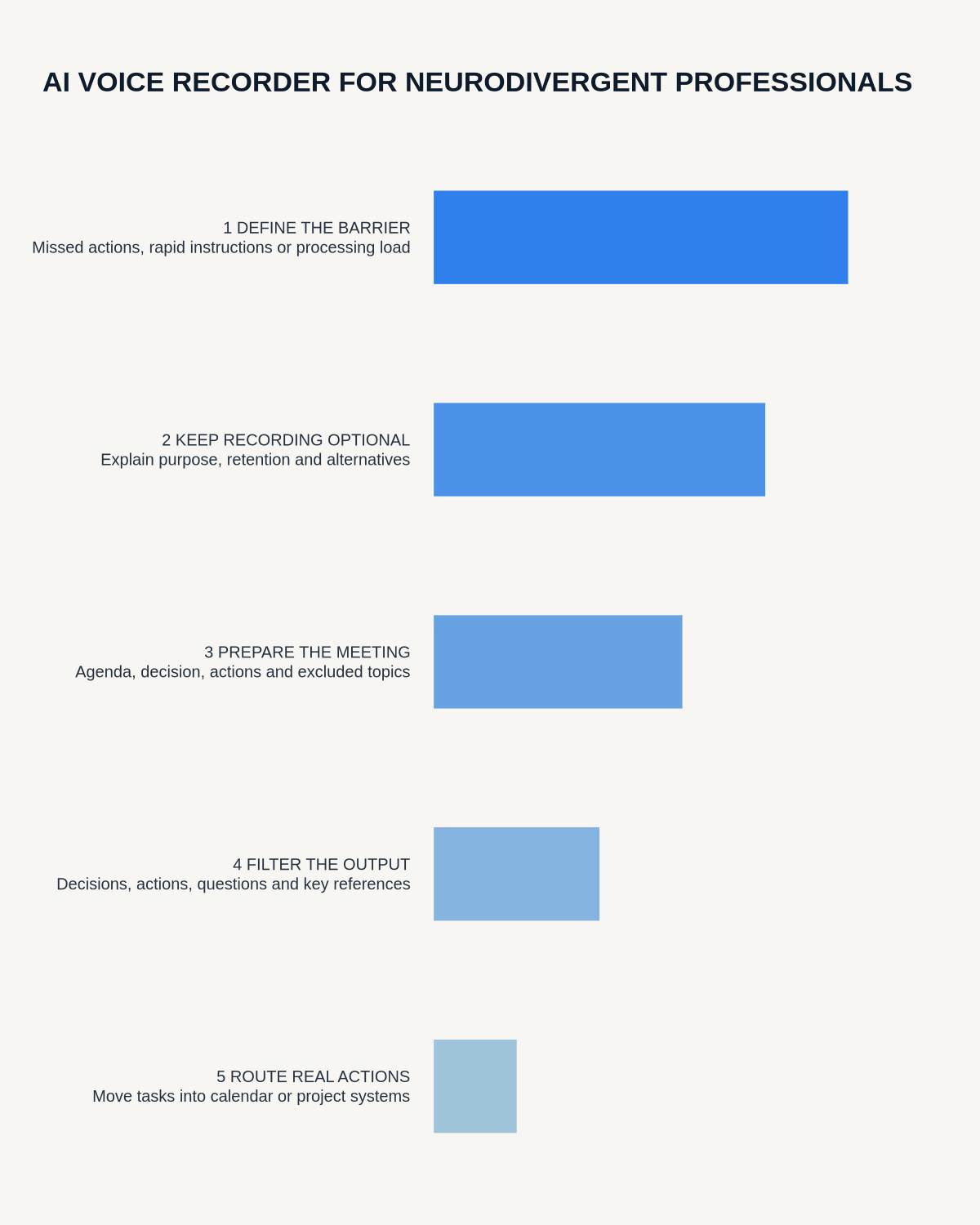
Define the barrier and useful outcome
Describe the practical difficulty in work terms. Examples include losing actions while contributing, needing longer to process rapid verbal information, finding handwriting demanding, or receiving several instructions without a clear order.
Agree a measurable outcome such as fewer missed actions, shorter administration time, clearer ownership or access to information in a preferred format. Avoid broad claims about becoming more focused or productive.
Consider recording alongside alternatives
Voice recording is one possible support method. Other options may include:
- agendas and papers in advance;
- written instructions after meetings;
- live captions;
- a designated note-taker;
- shared action notes;
- additional processing time;
- visual task boards or structured templates.
The strongest arrangement may combine several methods or use recording only for selected situations.
Keep recording optional and purpose-limited
Check workplace policy, confidentiality requirements and any reasonable-adjustment process before recording other people. Explain the purpose, access and retention, and provide a workable non-recorded alternative when recording is unsuitable or a participant objects.
Define permitted and excluded situations. Routine project meetings may differ from disciplinary, grievance, health, safeguarding, legal or commercially sensitive discussions.
Prepare the meeting structure
A short agenda reduces both meeting load and later transcript processing. Before the meeting, identify:
- the decision or output required;
- who will chair and confirm actions;
- the sections needing detailed capture;
- topics that must not be recorded;
- the preferred follow-up format.
Use spoken markers
Simple labels such as “decision,” “action,” “owner,” “deadline,” “open question” and “not agreed” make later review easier. Repeat critical actions in the form: task, owner and date.
Do not ask AI to infer whether somebody was attentive, confident, truthful or engaged from their voice. Those are context-dependent judgements and can create unfair workplace conclusions.
Filter rather than retain everything
A full transcript can create more cognitive load than the original meeting. Reduce it to:
- Decisions: what was agreed and by whom.
- Actions: task, owner, deadline and dependency.
- Open questions: what still needs clarification.
- Reference points: useful information with no immediate action.
Correct names, dates, figures, specialist terms and negative statements against the audio. Treat summaries as drafts until checked.
Move actions into the trusted system
The recording app should not become a second task manager. Transfer confirmed actions into the normal calendar, task list, project platform or case system. Give each action one owner and one destination.
Use a realistic processing routine. Some people benefit from immediate review; others need a short recovery period before processing spoken information.
Reduce sensory and information overload
Choose the smallest useful output. One person may prefer bullets; another may prefer audio playback, timestamps, a visual summary or plain-language notes. Disable unnecessary alerts and remove duplicate exports.
When replaying audio is tiring, use timestamps to revisit only critical sections. When the physical recorder creates discomfort, use another agreed method.
Protect privacy and retention
Use approved accounts and storage. Limit access, remove unrelated personal information and define when raw audio will be deleted after the verified record and actions have been transferred.
Review effectiveness with the individual
After a trial period, assess missed actions, processing time, backlog, privacy, stress and user preference. Modify or stop the workflow if it creates more work or discomfort than it removes.
Cloud software, a dedicated recorder or manual notes?
For Neurodivergent Professionals, the right answer changes with the setting. This matrix deliberately gives each method a situation where it can be the strongest choice.
| Situation | Best starting point | Reason |
|---|---|---|
| scheduled remote meetings | Cloud meeting software | Auto-join and central collaboration can remove routine admin. |
| in-person or mobile work | Dedicated recorder | Dedicated hardware suits movement, variable rooms and offline source capture. |
| recording is refused or prohibited | Manual notes or an approved alternative | A clear alternative respects policy and participant choice. |
| mixed online and offline work | Governed hybrid | One governed process prevents gaps between desk and field work. |
Frequently asked questions
Can recording be a workplace reasonable adjustment?
Potentially. It should be considered through an individual process that identifies the barrier, alternatives, boundaries, security and review.
Should every meeting be recorded?
No. Record only where it is authorised, useful and likely to be processed.
What output is best for reducing cognitive load?
Usually the smallest output that supports the task, such as actions and decisions rather than a complete transcript.
Can AI assess attention or motivation from speech?
No. Do not use voice analysis for workplace performance or psychological inference.
Useful resources
- Acas reasonable-adjustments guidance
- AI Voice Recorder for Professionals with ADHD
- AI Voice Recorder for Professionals with Dyslexia
- Assess Halo against the neurodivergent professionals workflow matrix
Final checklist
- Individual barrier and outcome defined
- Recording optional and authorised
- Alternatives available
- Meeting structure prepared
- Decisions and actions easy to find
- Critical details verified
- Actions moved to the normal system
- Audio access and deletion controlled
- Effectiveness reviewed with the individual
On this page
Related guides
See whether Halo fits this workflow
Review the NERALVO Halo specifications, included services, delivery information and current offer only after completing the guide.
Found an error or an out-of-date claim? Email support@neralvo.com with the article address and a supporting source.