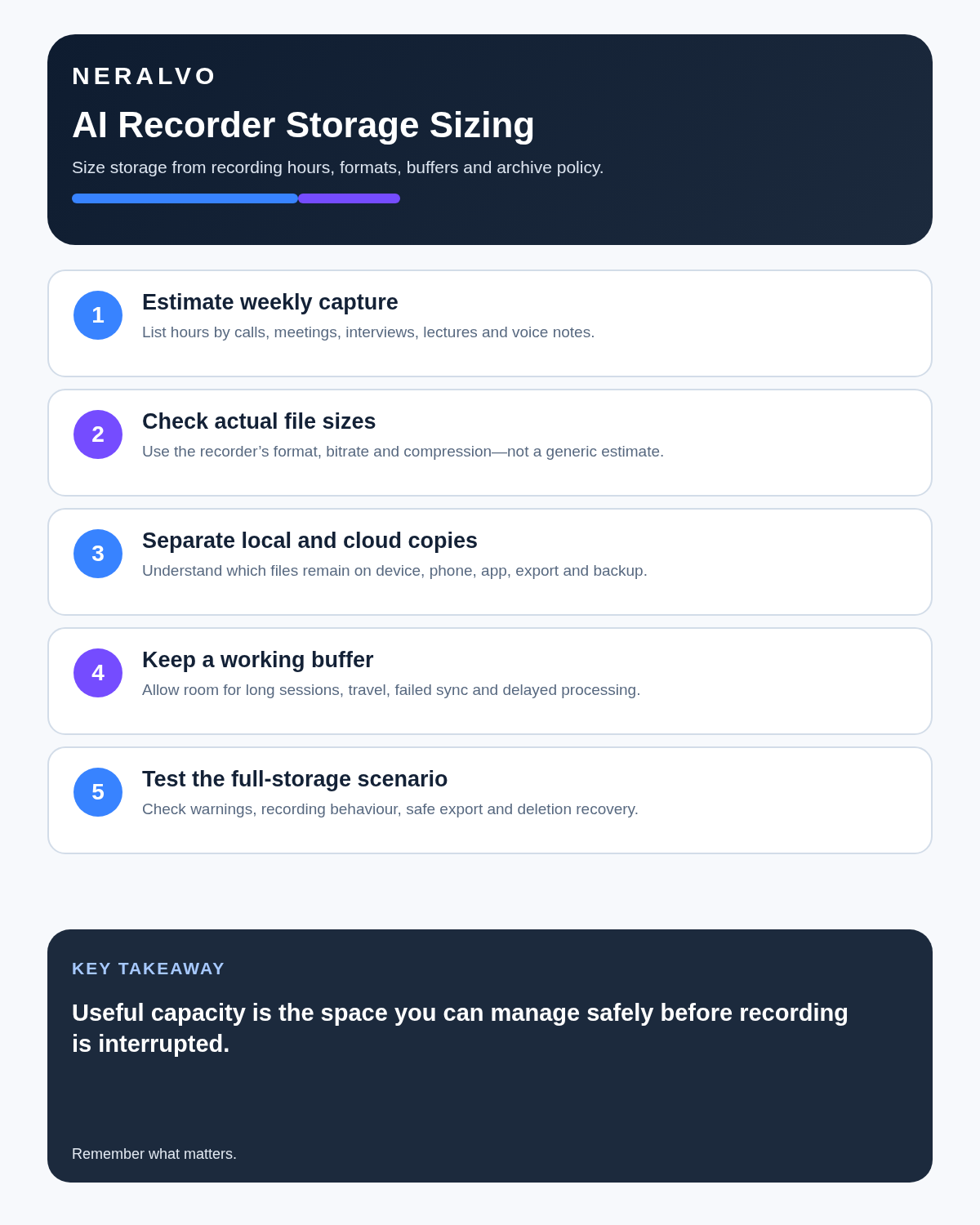
Most buyers need far less storage than the headline number suggests. The important calculation is not how many hours a recorder can hold, but how long files remain on the device before they are transferred, reviewed and deleted.
The 60-second verdict
A recorder used for two weekly meetings has very different needs from one used for all-day interviews or field research. Storage should be chosen alongside battery life, file format, export speed and retention practice.
Decision focus: use the method below only where it produces a recoverable source, a verifiable output and a clear next action. If one of those fails, change the workflow rather than trusting a polished summary.
Evidence basis and limits
- Decision factors covered: The practical formula; Why large capacity can be misleading; Storage by user type.
- Evidence rule: Claims are weighted by consequence: capture failure, changed meaning, access and recovery matter more than polished wording.
- Boundary: Examples and workflow recommendations must be tested with representative recordings, the intended users and the actual approval process before rollout.
The practical formula
Estimate:
Required storage = average recording size per hour × hours recorded between transfers × safety margin.
If the recorder creates files of roughly 100MB per hour and you capture 15 hours before transferring, the working requirement is about 1.5GB. Adding a three-times safety margin would still place the need below 5GB.
Actual file size varies by format, bitrate, channels and device settings. Use a real one-hour test file rather than relying on a generic estimate.
Why large capacity can be misleading
A figure such as 64GB can represent hundreds of hours of compressed audio, but that does not mean keeping hundreds of hours on the device is sensible. Large unmanaged archives make files harder to find and increase the impact of loss or accidental access.
Capacity is useful as protection against long trips, forgotten transfers and unusually busy weeks. It should not replace a review and deletion routine.
Storage by user type
| User pattern | Likely recording volume | What matters most |
|---|---|---|
| Occasional personal notes | Minutes per week | Simple transfer and organisation |
| Student lectures | 5–20 hours per week | Weekly transfer and subject naming |
| Professional meetings | 5–15 hours per week | Reliable capacity plus quick review |
| Journalist or researcher | Variable, sometimes intensive | Trip-length capacity and source backup |
| Field inspections | Short files across many visits | Clear filenames and safe transfer |
| Conference recording | Several long days | Battery, storage and daily offload |
Three storage questions buyers forget
1. What happens when memory is full?
Some devices stop recording; others may overwrite old files or display an unclear warning. Test the behaviour before an important session.
2. How fast can files be transferred?
Large storage is less useful when moving recordings is slow. Check Bluetooth, cable and app transfer options using a long file.
3. Can files be exported outside the app?
Storage capacity has limited value if the original audio remains locked inside one ecosystem. Confirm that files can be saved in a common format.
Audio quality changes file size
Higher bitrates and uncompressed formats produce larger files. That can preserve more audio detail, but transcription quality does not improve indefinitely with file size. Clear microphone placement and intelligible speech often matter more.
Choose the lowest setting that captures your real environment clearly. Test a quiet office, a multi-speaker room and any call route used regularly.
Mono or stereo?
Mono files usually use less space and are sufficient for many meeting and voice-note workflows. Stereo can be useful when spatial separation matters, but it may create larger files without improving the final note.
Do not select stereo automatically because it sounds more advanced. Compare transcription and replay quality using the same conversation.
How much free space should remain?
Avoid operating permanently near full capacity. Keep a generous buffer so an unexpectedly long session can complete and the device has room for file operations.
A practical rule is to transfer before storage reaches roughly three-quarters full. The exact threshold matters less than having a visible, repeatable trigger.
A weekly storage routine
- Review new recordings on a fixed day.
- Rename files with date, subject and purpose.
- Confirm required files have transferred successfully.
- Create and check transcripts or summaries.
- Move the final output to the correct system.
- Delete duplicate or unnecessary files according to policy.
- Check remaining capacity before the next working week.
Storage and retention are different
The recorder’s memory answers “How much can be held?” Retention answers “How long should it be kept?” The second question should be based on purpose, sensitivity and organisational rules—not on available space.
A device with ample capacity can encourage unnecessary retention. Decide at capture time whether the source audio is temporary, working evidence or a required record.
Travel and conference planning
For a trip, calculate the maximum hours before you can safely transfer files. Include a failed-transfer buffer and avoid assuming hotel internet will be reliable.
Where recordings are important, verify one copy before clearing the device. A transcript alone is not always a replacement for the source audio.
Where NERALVO Halo fits
Check whether NERALVO Halo fits this workflow includes 64GB of local storage. For ordinary meetings, calls, lectures and voice notes, that provides a substantial working buffer when combined with regular transfers and file management.
The current device specification also includes NOTE and CALL modes, up to 35 hours of recording and Bluetooth transfer to DOWAY. DOWAY can create transcripts, summaries, speaker-separated notes, templates, translations and mind maps.
CALL mode compatibility varies by phone, operating system and call route, so test the intended setup. File sizes and usable capacity should be confirmed using real recordings.
Workflow choice matrix for How Much Storage Does an AI Voice Recorder Need? A Practical Formula
Choose the method that protects the source and reduces downstream correction. The table makes the non-hardware options explicit.
| Condition | Preferred route | Why |
|---|---|---|
| Repeatable remote work with approved integrations | Cloud software | Automation and central collaboration may outweigh device independence. |
| In-person, mobile or unreliable-connectivity work | Dedicated recorder | Independent capture and a recoverable local source are usually more resilient. |
| Recording is refused, prohibited or unnecessary | Manual notes / no recording | Respecting the boundary is the correct workflow, not a product failure. |
| High-risk or mixed work | Governed hybrid | Separate capture, review, approval and retention rather than trusting one tool. |
Frequently asked questions
Is 64GB enough for an AI voice recorder?
For most users it is a large working capacity. The exact number of hours depends on file format and recording settings.
Should recordings stay on the device after syncing?
Only when there is a defined reason. Confirm the destination copy first, then follow the relevant retention process.
Do transcripts use the same storage as audio?
Text files are normally much smaller. Audio is usually the main storage requirement.
Can large storage replace backup?
No. One device is still one point of failure. Important files need an appropriate verified copy.
Related guides
Bottom line
Calculate storage from real file size and the hours recorded between transfers. Choose enough capacity for busy periods and travel, but manage it with weekly offloading, clear naming and deliberate retention. Large storage is valuable as a buffer—not as permission to keep every recording indefinitely.
Workflow map
Visual map for How Much Storage Does an AI Voice Recorder Need? A Practical Formula
- Define the decisionState the question, required output and acceptance rule.
- Capture the sourceUse the approved route and preserve context, identity and limitations.
- Verify material detailsReplay or check names, numbers, negatives, decisions and actions.
- Move into the real recordAssign an owner, retain evidence and apply the deletion rule.
On this page
Related guides
See whether Halo fits this workflow
Review the NERALVO Halo specifications, included services, delivery information and current offer only after completing the guide.
Found an error or an out-of-date claim? Email support@neralvo.com with the article address and a supporting source.