The 60-second verdict
Quick answer: create accurate bilingual meeting notes from one corrected source record, a written translation brief, matched headings and identifiers, a controlled terminology glossary and line-by-line review of decisions, actions, names, figures, conditions and negations.
Decision focus: use the method below only where it produces a recoverable source, a verifiable output and a clear next action. If one of those fails, change the workflow rather than trusting a polished summary.
Evidence basis and limits
- Decision factors covered: Define the audiences and authority; Write a translation brief; Use parallel structure and stable identifiers.
- Evidence rule: The decision is based on the complete capture-to-action workflow, not a single feature or marketing accuracy percentage.
- Boundary: Examples and workflow recommendations must be tested with representative recordings, the intended users and the actual approval process before rollout.
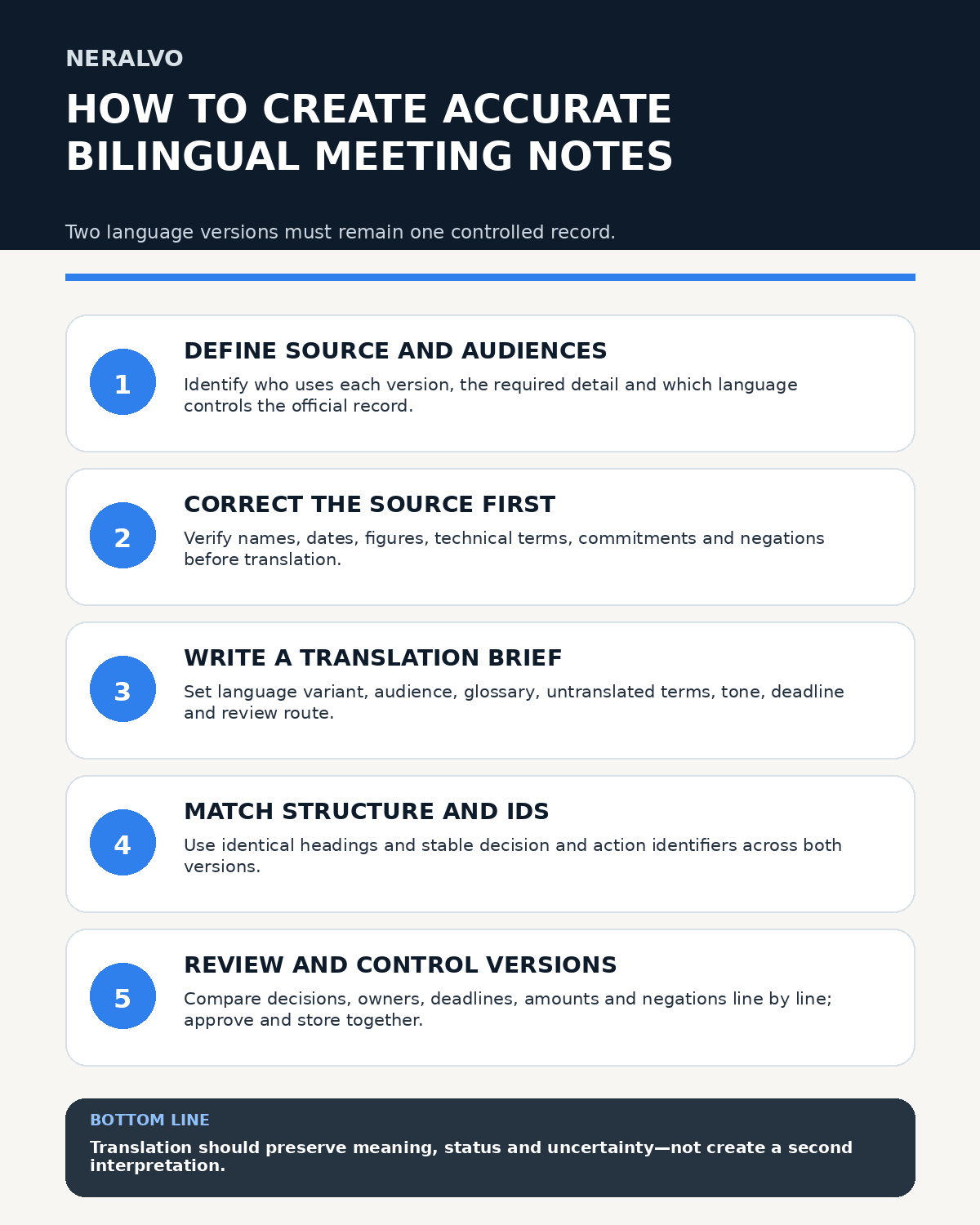
The two language versions may use natural phrasing for their audiences, but they must not drift into different decisions, owners, deadlines or levels of certainty. Translation begins only after the source transcript has been checked.

Define the audiences and authority
Identify who will use each language version and whether they need formal minutes, actions, a detailed record or a concise briefing. State which language controls the official record and whether either version has formal authority.
If the meeting used several languages, preserve the original mixed-language audio and corrected transcript before creating derived notes.
Create one corrected source record
Transfer the recording to the approved workspace and label it with meeting reference, date, participants, languages and version. Correct names, dates, figures, specialist terms, commitments and negations against the audio.
Do not translate directly from an unverified machine transcript. Errors in the first layer will be repeated and may become harder to detect.
Write a translation brief
Specify:
- target language and regional variant;
- audience and reading level;
- purpose and required detail;
- terms that must remain untranslated;
- approved glossary and names;
- tone and formality;
- high-risk sections needing specialist review;
- deadline and approval route.
Use parallel structure and stable identifiers
Give both versions the same major headings and section order. Assign identifiers such as D01 for decisions and A03 for actions so corresponding entries can be compared even when sentence structure differs.
Each action must align on identifier, task, owner, deadline, dependency and status. If an owner or date was not confirmed, both versions should show that gap.
Control terminology
Maintain a glossary containing the source term, approved translation, context, terms to avoid and reviewer. Include organisation names, job titles, products, technical vocabulary and recurring process terms.
Where no exact equivalent exists, retain the source term and add a concise explanation rather than switching between several approximate translations.
Preserve status, conditions and uncertainty
Both versions must distinguish:
- discussion from decision;
- proposal from approval;
- intention from commitment;
- reported information from verified evidence;
- estimate from confirmed figure;
- open question from concluded point.
Keep conditions and exceptions close to the statements they qualify. “Approved subject to legal review” must not become “approved.”
Use translator notes carefully
Translator notes can explain ambiguity, cultural context or a term without a direct equivalent. Label them clearly and keep them separate from the speaker’s words. Where meaning remains unresolved, request clarification instead of selecting one interpretation silently.
Review high-risk sections
Compare decisions, actions, names, dates, amounts, percentages, units and negations line by line. Legal, medical, contractual, disciplinary, safeguarding or other high-stakes content may require competent bilingual and subject-matter review.
A useful back-check asks a reviewer to explain the translated outcome without seeing the source, then compares their understanding with the original.
Approve and distribute controlled versions
Add meeting reference, language, version, status, owner and approval date. Store both files together and replace superseded copies. Avoid uncontrolled email attachments that cannot be identified or withdrawn later.
Side-by-side layouts may suit short documents, but separate matched documents can be easier for screen readers and mobile users. Test the chosen format with intended recipients.
Protect privacy and retention
Limit access, remove personal information not needed in the distributed note and retain source audio and working translations only for the approved period.
Workflow choice matrix for How to Create Accurate Bilingual Meeting Notes from One Recording
Choose the method that protects the source and reduces downstream correction. The table makes the non-hardware options explicit.
| Condition | Preferred route | Why |
|---|---|---|
| Repeatable remote work with approved integrations | Cloud software | Automation and central collaboration may outweigh device independence. |
| In-person, mobile or unreliable-connectivity work | Dedicated recorder | Independent capture and a recoverable local source are usually more resilient. |
| Recording is refused, prohibited or unnecessary | Manual notes / no recording | Respecting the boundary is the correct workflow, not a product failure. |
| High-risk or mixed work | Governed hybrid | Separate capture, review, approval and retention rather than trusting one tool. |
Frequently asked questions
Which language should control the official record?
Decide this before drafting and state it clearly in both versions.
Can AI translate the raw transcript directly?
It can create a draft, but the source transcript should be corrected first and the result human-reviewed.
Should action IDs match across languages?
Yes. Stable identifiers make ownership, deadlines and status easier to reconcile.
What if a term has no exact translation?
Retain the source term and add an approved explanation or translator note.
Useful resources
- Chartered Institute of Linguists
- How to Record Multilingual Team Meetings Responsibly
- View Halo specifications against the evidence checklist
Bilingual-note checklist
- One corrected source record
- Audiences and official language defined
- Translation brief written
- Headings and identifiers matched
- Glossary applied consistently
- Decisions, actions and conditions aligned
- High-risk sections reviewed
- Versions, access and retention controlled
Related AI voice recorder guides
On this page
Related guides
See whether Halo fits this workflow
Review the NERALVO Halo specifications, included services, delivery information and current offer only after completing the guide.
Found an error or an out-of-date claim? Email support@neralvo.com with the article address and a supporting source.