The 60-second verdict
Quick answer: translate voice recordings with AI by correcting the source-language transcript first, defining the translation purpose, using a terminology list and obtaining qualified human review when the output affects legal rights, health, money or professional decisions.
Decision focus: use the method below only where it produces a recoverable source, a verifiable output and a clear next action. If one of those fails, change the workflow rather than trusting a polished summary.
Evidence basis and limits
- Decision factors covered: Separate the three stages; Define the purpose and risk; Build a terminology list.
- Evidence rule: Claims are weighted by consequence: capture failure, changed meaning, access and recovery matter more than polished wording.
- Boundary: Examples and workflow recommendations must be tested with representative recordings, the intended users and the actual approval process before rollout.
AI translation can make conversations accessible across languages, but it may flatten tone, remove uncertainty or mistranslate idioms. A recording from Check whether NERALVO Halo fits this workflow provides the source needed to check whether the translated text preserves the speaker’s meaning.
Separate the three stages
- Source audio: what was actually spoken.
- Source-language transcript: a corrected text representation.
- Translation: a new-language interpretation of the corrected source.
Do not translate a machine transcript that has not been checked for names, numbers, negations and specialist terms.
Define the purpose and risk
- Informal personal understanding
- Internal meeting summary
- Customer communication
- Research analysis
- Published quotation
- Legal, medical or regulated use
The higher the consequence, the stronger the human review and professional qualification required.
Build a terminology list
Include names, products, organisations, acronyms, specialist terms, local places and approved translations. Identify words that should remain untranslated.
Preserve qualifications and uncertainty
Do not turn “possibly,” “I think,” “roughly” or “subject to confirmation” into certainty. Preserve conditional grammar and distinguish direct statements from reported information.
Handle idioms and cultural context
Literal translation may distort humour, politeness, metaphor or local expressions. Add an explanatory note where no direct equivalent exists rather than replacing the phrase with a stronger claim.
Keep versions linked
Store the source audio, corrected transcript and translation with clear version labels and timestamps. Published quotations should remain traceable to the original passage.
Workflow choice matrix for How to Translate Voice Recordings with AI Without Losing Meaning
Choose the method that protects the source and reduces downstream correction. The table makes the non-hardware options explicit.
| Condition | Preferred route | Why |
|---|---|---|
| High-risk or mixed work | Governed hybrid | Separate capture, review, approval and retention rather than trusting one tool. |
| Recording is refused, prohibited or unnecessary | Manual notes / no recording | Respecting the boundary is the correct workflow, not a product failure. |
| In-person, mobile or unreliable-connectivity work | Dedicated recorder | Independent capture and a recoverable local source are usually more resilient. |
| Repeatable remote work with approved integrations | Cloud software | Automation and central collaboration may outweigh device independence. |
Frequently asked questions
Can AI translate directly from audio?
Yes, but creating and reviewing a source-language transcript gives a clearer evidence trail.
Should names and brands be translated?
Usually not. Use the approved spelling and terminology list.
When is a professional translator needed?
Use qualified support where errors could affect rights, safety, healthcare, legal meaning or significant decisions.
Useful resources
- Chartered Institute of Linguists
- Institute of Translation and Interpreting
- Check whether NERALVO Halo fits this workflow
Translation checklist
- Source audio preserved
- Source transcript corrected
- Purpose and consequence assessed
- Terminology list applied
- Uncertainty and conditions preserved
- Idioms reviewed
- Versions linked
- Qualified review used where required
Translation quality, terminology and escalation toolkit
| Risk level | Use | Review |
|---|---|---|
| Low | Private gist or informal navigation | User check against source |
| Medium | Internal summary or routine customer content | Fluent bilingual reviewer for material points |
| High | Publication, contracts, finance or regulated decisions | Qualified professional review and controlled approval |
| Critical | Legal rights, healthcare, safeguarding or emergency action | Authorised interpreter or specialist process; do not rely on AI alone |
Terminology register
Record source term, approved translation, definition, context, owner, version and prohibited alternatives. Apply it consistently across transcripts, subtitles and summaries.
Back-check sampling
Select high-risk passages, quotations, numbers, obligations and culturally sensitive language for independent comparison with the source. Record corrections and update all derivative versions.
NERALVO Halo workflow
Preserve the original audio, correct the source transcript in DOWAY and label every translation by source version. Do not publish or act on a translated summary when the source transcript remains unverified.
Final questions
- Is the source correct?
- Are names, numbers and conditions unchanged?
- Is uncertainty preserved?
- Are idioms explained rather than strengthened?
- Has the review matched the consequence?
Related AI voice recorder guides
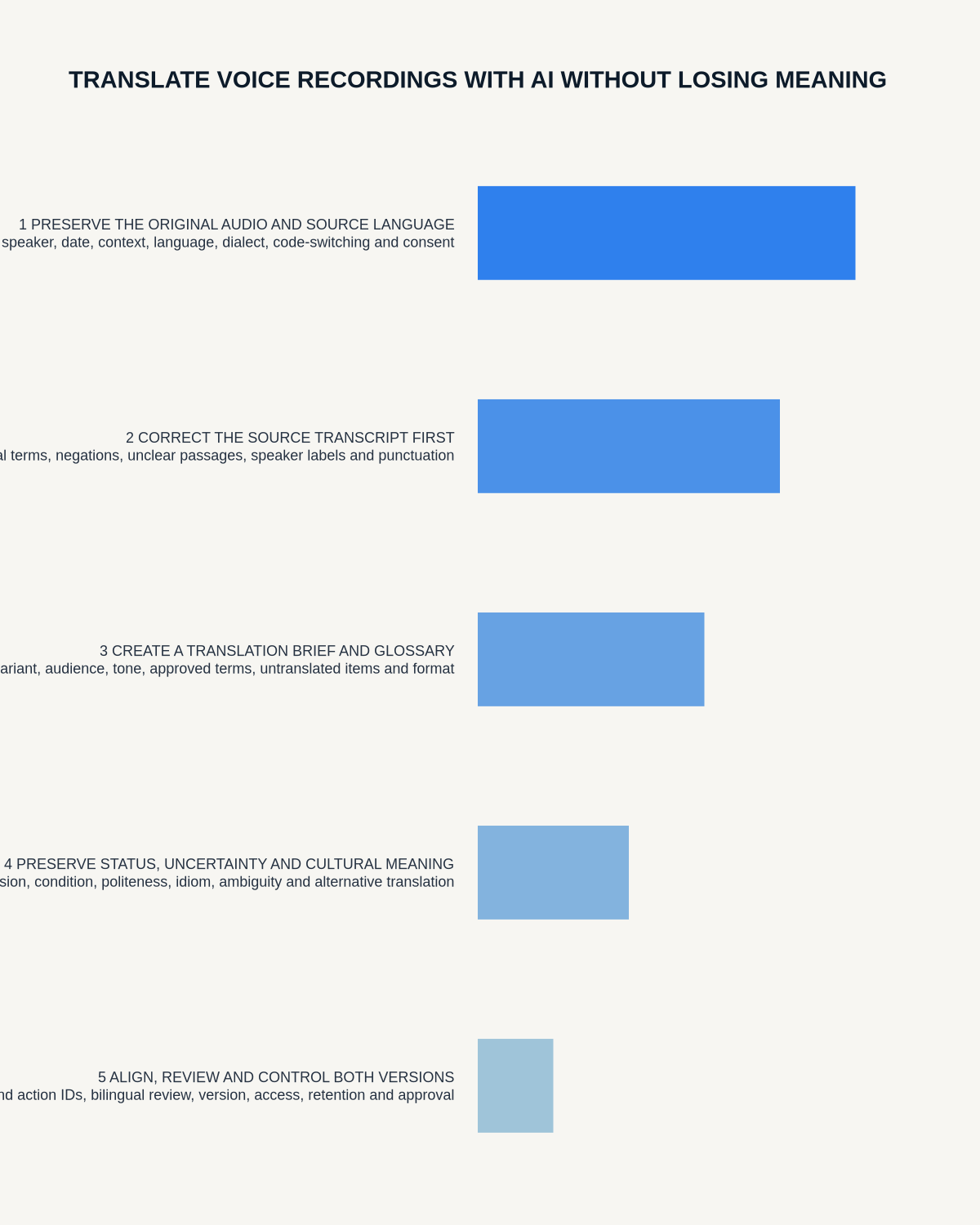
Workflow map
Visual map for How to Translate Voice Recordings with AI Without Losing Meaning
- Define the decisionState the question, required output and acceptance rule.
- Capture the sourceUse the approved route and preserve context, identity and limitations.
- Verify material detailsReplay or check names, numbers, negatives, decisions and actions.
- Move into the real recordAssign an owner, retain evidence and apply the deletion rule.
On this page
Related guides
See whether Halo fits this workflow
Review the NERALVO Halo specifications, included services, delivery information and current offer only after completing the guide.
Found an error or an out-of-date claim? Email support@neralvo.com with the article address and a supporting source.