The 60-second verdict
Quick answer: Voicenotes Pro currently costs $9 per user per month and combines three voice workflows: meeting notes, personal voice memos and system-wide dictation. It is strong value when one person genuinely uses all three and follows a disciplined review-and-export routine. It is unnecessary when the only requirement is an occasional transcript.
Best fit: readers comparing Voicenotes against the purchase, workflow and evidence factors below. Do not buy on: headline features alone; a failed compatibility, privacy, recovery or cost requirement should override the overall score.

Evidence basis and limits
- Decision factors covered: The three-app test; What the Basic plan currently includes; The free plan’s hidden history boundary.
- Evidence rule: A claim earns weight only when the source, date, configuration and limitation are clear enough for a reader to check.
- Boundary: Manufacturer-controlled prices, plans, compatibility and specifications can change. Retain the article’s stated check date, verify the live supplier terms before purchase and treat community reports as leads unless the original source is linked.
The three-app test
| Workflow | What Voicenotes does | Who benefits |
|---|---|---|
| Meetings | Records, transcribes and creates reports and actions | Consultants, founders, students and teams |
| Memos | Turns spoken ideas into searchable notes and drafts | Writers, creators and busy professionals |
| Dictation | Inserts spoken text into supported applications | People replacing regular keyboard typing |
| Imports | Adds existing audio to the searchable archive | Researchers, interviewers and users migrating a backlog |
Before subscribing, count how many separate tools or manual processes these functions would replace.
What the Basic plan currently includes
Basic currently provides:
- 100 transcript and summary minutes every week.
- Unlimited raw recordings.
- 30 days of visible history.
- A one-time dictation trial.
- Support across meetings, memos and compatible applications.
- Transcription in more than 100 languages.
When the weekly minutes run out, recording can continue. The source remains saved and can be selected for transcription after the allowance refreshes.
The free plan’s hidden history boundary
Notes older than 30 days are not deleted, but they become inaccessible on Basic. Upgrading to Pro restores access to the full history.
This makes Basic a generous capture trial without providing an indefinitely searchable free memory system. Users should not mistake “stored” for “currently accessible.”
What $9 Pro removes
Pro currently includes:
- Unlimited recording, transcription and summaries.
- Unlimited dictation.
- Unlimited searchable history.
- Unlimited audio imports and storage.
- Real-time notes and live transcription.
- MCP access for compatible AI workflows.
- Integrations with tools such as Zapier, Obsidian, Notion, Claude and ChatGPT.
- Centralised team billing.
The price is simple compared with minute-based and credit-based services. Users should still confirm fair-use terms, tax, currency and the current checkout amount.
When Pro is genuinely cheap
A writer or creator
The user records ideas while walking, dictates drafts and imports interviews. Replacing separate dictation, note and transcription subscriptions can make $9 inexpensive.
A consultant
The consultant records approved meetings, creates client recaps and dictates follow-up emails. The value depends on checking the output before it is sent.
A student
The student records permitted lectures, dictates assignments and searches revision notes. A dedicated recorder may still be better for long lectures when phone placement and battery are poor.
A team member with frequent meetings
Meeting reports and searchable history can justify Pro. A revenue manager needing coaching analytics and CRM intelligence may require a more specialised platform.
When Pro is not good value
- The user records one short meeting each month.
- Dictation and personal memos are not used.
- Advanced team permissions and enterprise administration are required.
- Dedicated recording hardware is necessary.
- The organisation cannot approve the cloud processors or integrations.
- The user never processes captured notes into final systems.
Meeting capture still depends on the device
Voicenotes supports macOS, Windows, iPhone, Android, web, watchOS, Wear OS and a browser extension. It does not supply an independent microphone or battery.
For an in-person meeting, quality depends on:
- Distance from speakers.
- Room echo and noise.
- Phone, computer or watch microphone quality.
- Notifications and incoming calls.
- Battery and storage.
- The device remaining in the correct position.
- Whether Bluetooth headphones change the audio route.
A convenient application cannot repair a badly captured source.
Keep meetings, memos and dictation distinct
A memo creates a separate recording in the searchable archive. Dictation inserts text into another application. A meeting produces a source, transcript, summary and actions.
| Type | Best destination | Required control |
|---|---|---|
| Personal memo | Searchable Voicenotes history or idea system | Name, classify and review |
| Meeting | Project, CRM or client record after review | Verify decisions, owners and deadlines |
| Dictation | Email, document or message | Proofread before sending |
| Imported audio | Research or archive workflow | Preserve source date, rights and export |
Use a disciplined processing routine
- Name the note with date, subject and project.
- Classify it as memo, task, meeting, draft or reference.
- Correct names, figures, dates and specialist terms.
- Confirm decisions, actions and deadlines.
- Move tasks into the task system.
- Move customer facts into the CRM or case system.
- Export important source audio and text.
- Delete duplicates and obsolete notes.
Memos work best when they are short
One focused memo titled “August campaign idea” is easier to retrieve than a 40-minute stream mixing tasks, personal thoughts and meeting follow-up.
State the subject at the beginning and finish with the next action. This improves titles, transcript structure and later search.
Imported recordings
Pro can import existing audio, transcribe it and add it to the searchable archive. Keep the original filename, recording date, participants, project reference and purpose so the transcript remains linked to its source.
Before migrating a large archive, test:
- Supported formats and file sizes.
- Speaker labels and timestamps.
- Bulk organisation.
- Source-audio and transcript export.
- Access after downgrade.
- Deletion of imported copies.
Searchable memory needs boundaries
Ask AI and monthly highlights can help reconnect themes across older notes. A large personal archive can also mix work, health, family and confidential information.
- Use separate channels, tags or workspaces where available.
- Do not rely on AI recall without opening the supporting note.
- Remove outdated or unnecessary sensitive records.
- Keep authoritative customer and project facts in their proper systems.
- Do not use recording streaks as a reason to capture information with no clear purpose.
Security and processing
Voicenotes currently states that it is SOC 2 Type II certified, GDPR compliant, encrypts data at rest and in transit, and does not use customer voice or notes to train its own or third-party AI models.
Its privacy information explains that relevant content may be sent through commercial APIs to providers such as OpenAI or Anthropic for requested features, with provider retention used for abuse monitoring and legal compliance.
Before professional use, review:
- The current subprocessor list.
- Where recordings are stored and processed.
- Team, channel and sharing permissions.
- Model-training and API-retention terms.
- Deletion and backup handling.
- Which integrations create additional copies.
- Whether the terms fit the intended confidential material.
Downgrade and cancellation
A cancelled Pro plan remains active until the current billing period ends, then moves to Basic. Official guidance says recordings and notes are not deleted, but access becomes subject to Basic limits, including the 30-day visible-history window.
- Export critical audio and transcripts before downgrade.
- Confirm important integrations no longer create copies.
- Record which older notes will become inaccessible.
- Move formal records into authoritative systems.
- Test deletion separately from cancellation.
Direct comparison matrix: Voicenotes and NERALVO Halo
How to read this matrix: it is not scored to force a Halo win. The competing option leads where its deployment, integrations, placement or ecosystem is stronger; Halo leads only where its dedicated capture workflow is the better fit.
Voicenotes is an integrated software voice-productivity service. Check the Halo specification against the Voicenotes decision matrix is dedicated recording hardware.
Halo provides 64GB local storage, NOTE and supported CALL modes, up to 35 hours of recording and one year of DOWAY Max. Voicenotes is stronger for dictation, memos, imports, cross-device access and searchable app history. Halo is stronger when independent battery, physical capture and locally retained source audio matter.
A simple buying calculation
- Estimate weekly meeting transcription minutes.
- Count how often dictation replaces typing.
- Count personal memos worth keeping.
- Identify any existing audio backlog.
- Decide whether 30-day free history is sufficient.
- Measure correction and processing time.
- Compare $9 with subscriptions and labour genuinely replaced.
Is cloud software or a physical recorder right for this workflow?
- Choose Voicenotes when remote or desktop meetings, calendar automation and native workspace integrations are central—and its current plan covers the real team workload.
- Choose NERALVO Halo when in-person, mobile or offline source capture matters more than an auto-joining cloud workflow.
- A governed hybrid can be best when the same team works both online and in person.
One public user signal
“It’s fast, easy to use, and syncs across platforms.”
Read the original Reddit discussion. This is one person’s public report, not a controlled test or community consensus.
Why it matters here: This supports the convenience case, but it does not establish transcription accuracy on your audio or the suitability of a paid plan.
How community feedback is used
Public reviews can reveal recurring friction, but an anonymous anecdote is not treated as measured proof. A pull-quote should appear only when it links to the original post, identifies the relevant product version or date and is presented as one user’s experience—not as universal fact.
Frequently asked questions
What happens after the free 100 minutes are used?
Recording can continue. The audio is saved and may be transcribed after the weekly allowance refreshes.
Are notes older than 30 days deleted on Basic?
No. They become inaccessible until the account upgrades to Pro.
Does Pro currently cost $9 per user monthly?
Yes, according to the official pricing page checked on 4 August 2026. Verify the live checkout before purchase.
Does Voicenotes train AI on customer data?
Official current guidance says no, and says third-party providers are not permitted to use the data for model training.
Can Voicenotes replace a dedicated recorder?
For short software-first capture, possibly. Dedicated hardware is more natural for long, mobile or offline recording.
Official sources and related reading
- Official Voicenotes pricing
- Official pricing and billing guidance
- Current privacy policy
- Tactiq Review
- Otter.ai Review
Final buying checklist
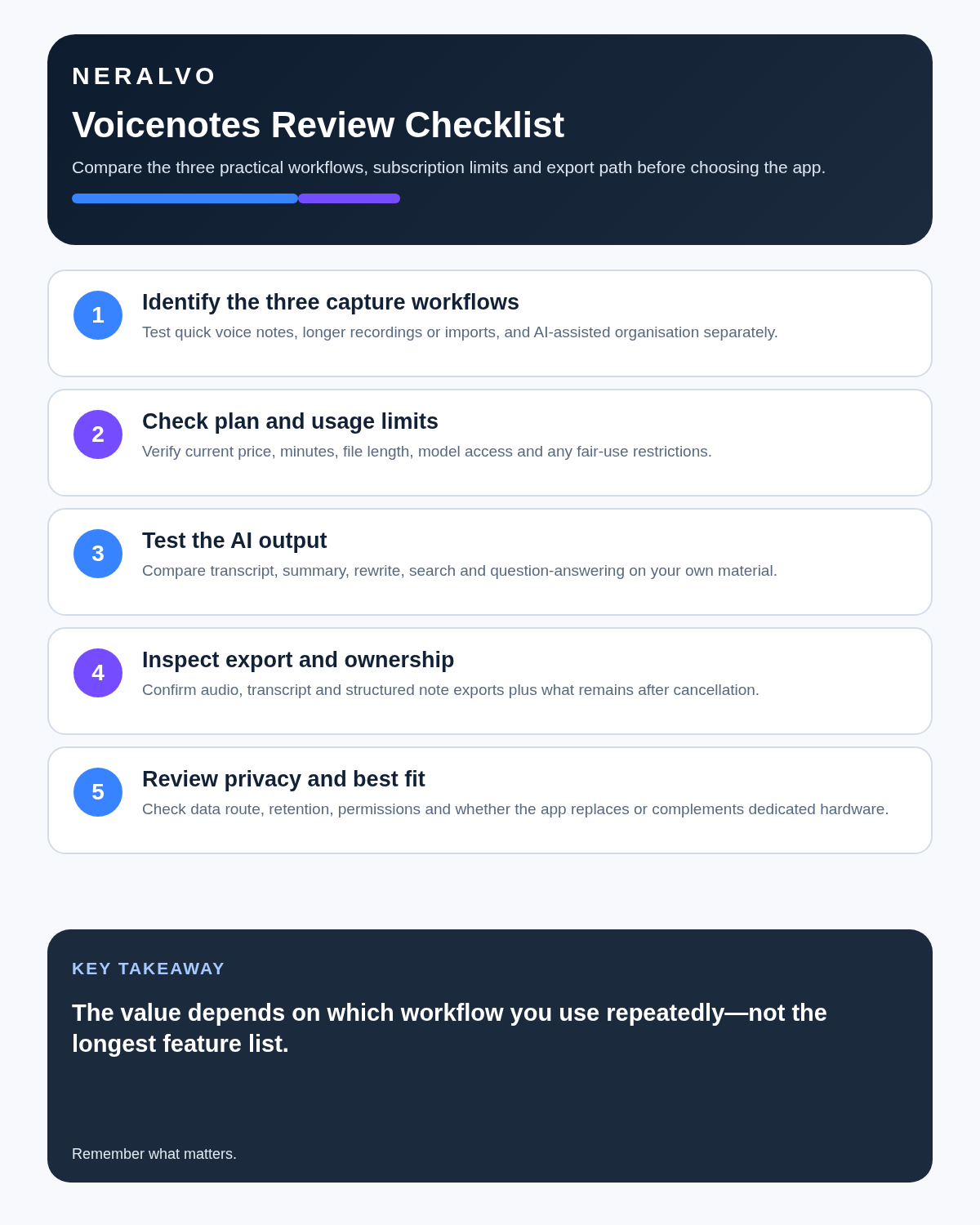
- Several voice workflows genuinely needed.
- Basic weekly and history boundaries understood.
- Real devices and rooms tested.
- Memos, meetings and dictation routed separately.
- Imports and exports proven.
- Organisation and review routine defined.
- Integrations and AI-provider data flow reviewed.
- Downgrade access tested.
- Total time saved measured.
Verdict: Voicenotes is one of the clearer-value personal voice subscriptions in 2026. Basic is genuinely useful because the allowance refreshes weekly and recording continues after the limit. Pro becomes compelling when meetings, memos, dictation and imports are all part of the user’s day. The weakness remains hardware dependence for difficult rooms, long sessions and professional mobile capture.
Software-first route
Need Zoom, Teams, calendar or CRM automation?
Choose cloud software for that job. This page completes the software workflow and evidence first. NERALVO Halo remains an optional later route only when offline, in-person or phone-attached capture matters more than native integrations.
On this page
Related guides
Keep the solution aligned with your original intent
- Choose the reviewed cloud software when Zoom, Teams, calendar automation, CRM workflows or unattended bot capture are essential.
- Consider dedicated hardware later only when offline, in-person, mobile or phone-attached capture is the actual requirement.
- Use neither when permission, governance, compatibility or retention requirements cannot be met.
Check current Voicenotes details at the official source
Verify current plans, compatibility, limits and integrations with Voicenotes before buying. Halo remains a separate optional comparison only for offline, in-person, mobile or phone-attached capture.
Found an error or an out-of-date claim? Email support@neralvo.com with the article address and a supporting source.