The 60-second verdict
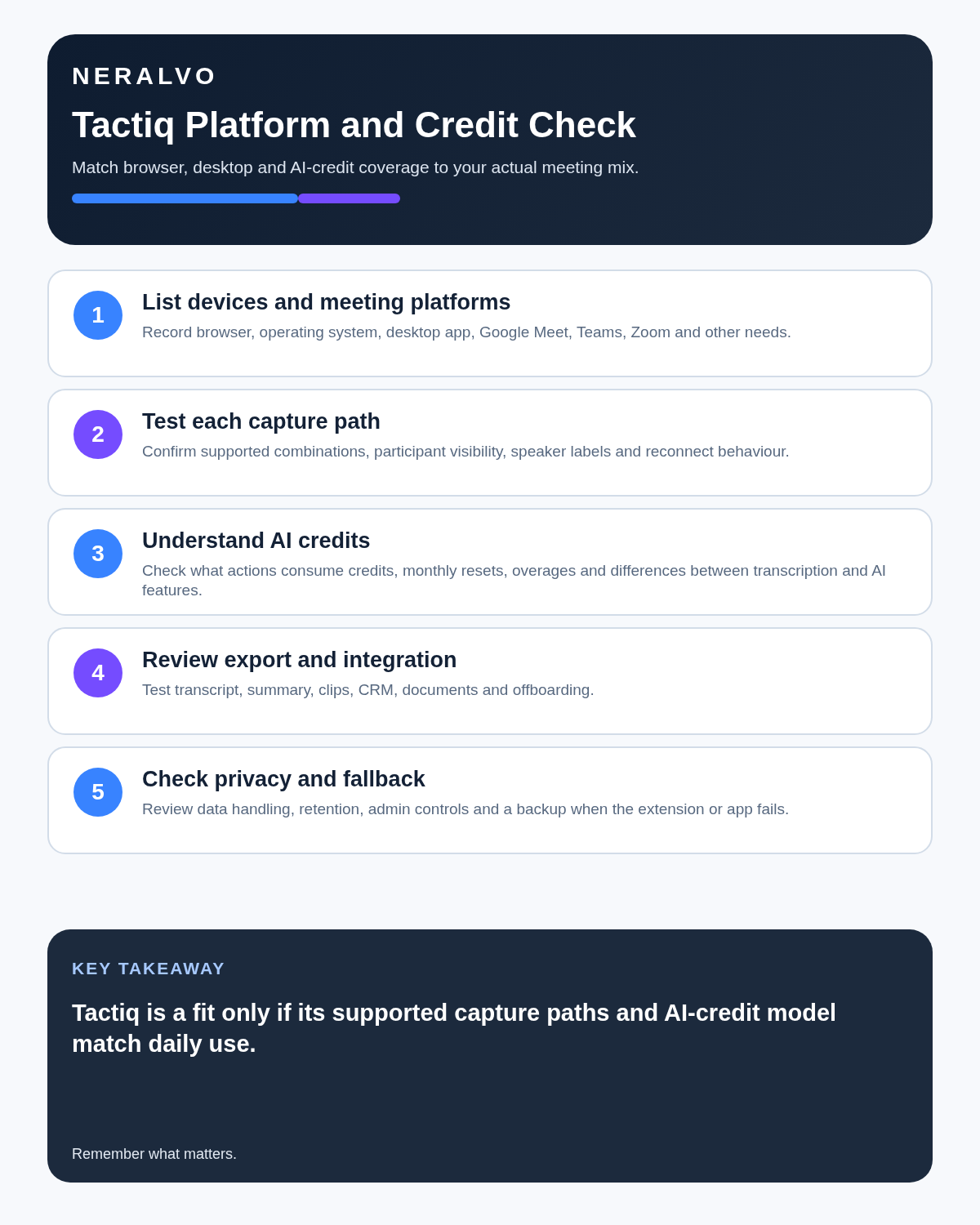
Quick answer: Tactiq is primarily a live browser-meeting transcription tool. The first buying question is not which plan has the best headline price; it is whether the exact browser, meeting platform, operating system, caption route and company-extension policy support the intended workflow.
Best fit: readers comparing Tactiq against the purchase, workflow and evidence factors below. Do not buy on: headline features alone; a failed compatibility, privacy, recovery or cost requirement should override the overall score.

Evidence basis and limits
- Decision factors covered: Choose the capture route before the plan; The Mac application requires a live check; What Tactiq does during a meeting.
- Evidence rule: Claims are weighted by consequence: capture failure, changed meaning, access and recovery matter more than polished wording.
- Boundary: Manufacturer-controlled prices, plans, compatibility and specifications can change. Retain the article’s stated check date, verify the live supplier terms before purchase and treat community reports as leads unless the original source is linked.
Current plan facts checked in July 2026: Free is $0 with 10 transcripts and five AI credits per month. Pro is $8 per user per month on annual billing with unlimited transcripts and 10 AI credits. Team is $16.67 per user per month annually with unlimited transcripts and AI actions. Business is about $29.17 per user per month annually with unlimited transcripts and AI plus stronger retention, SSO and support. Enterprise is custom-priced. Every licensed team member currently needs their own paid seat. One AI credit equals one AI action.
Choose the capture route before the plan
| Meeting route | Practical position | What to verify |
|---|---|---|
| Google Meet in Chrome or Edge | Core extension workflow | Browser permissions, captions, company policy and notifications |
| Zoom in a supported browser | Extension route where captions and browser audio are available | Host settings, automated captions and speaker quality |
| Microsoft Teams in a browser | Supported web workflow | Compatible browser version and tenant restrictions |
| Zoom desktop on macOS | Native-app availability has been described inconsistently | Current download, account access, supported hardware and fallback |
| Windows desktop meeting apps | Not the main Tactiq route | Whether a browser workflow is operationally acceptable |
A personal test in Chrome does not prove organisation-wide deployability. Administrators may block extensions, hosts may disable captions and users may join from desktop applications that bypass the tested route.
The Mac application requires a live check
Official Tactiq pages have described the Zoom desktop beta differently. Do not buy around the feature until the actual account confirms:
- The Mac download is currently available.
- The user can sign in and capture Zoom desktop audio.
- The macOS version and hardware are supported.
- The beta is suitable for business-critical meetings.
- Updates and permissions can be managed by IT.
- A browser or approved alternative is available when it fails.
What Tactiq does during a meeting
The extension can display a private live transcript without adding a separate notetaker participant. Users may highlight important moments and run AI actions during or after the call.
Typical outputs can include:
- Meeting summaries.
- Action items.
- Follow-up email drafts.
- Project updates.
- Questions about the transcript.
- Reusable AI workflows.
- Eligible cross-meeting analysis.
Live text can support attention and accessibility, but editing every line while someone speaks can reduce listening. Use markers for important moments and correct the transcript afterwards.
Current plan comparison
| Plan | Annual-billing price | Transcripts | AI credits | Best fit |
|---|---|---|---|---|
| Free | $0 | 10 per month | 5 per month | Compatibility and light-use testing |
| Pro | $8 per user/month | Unlimited | 10 per month | Individuals mainly needing transcripts |
| Team | $16.67 per user/month | Unlimited | Unlimited | Teams using several AI actions per meeting |
| Business | About $29.17 per user/month | Unlimited | Unlimited | Organisations requiring retention, SSO and support |
| Enterprise | Custom | Unlimited | Unlimited | Large contracted deployments |
Monthly billing costs more and localised checkout pricing may vary. Every licensed team member currently needs a separate paid seat.
Count AI actions, not meetings
Tactiq defines one AI credit as one AI action. A summary, action list and follow-up email from one meeting can therefore consume three credits.
| Workflow per meeting | Approximate actions | Ten Pro credits may cover |
|---|---|---|
| Summary only | 1 | About 10 meetings |
| Summary and action items | 2 | About 5 meetings |
| Summary, actions and follow-up email | 3 | About 3 meetings |
| Several custom questions | Variable | Fewer meetings |
Pro remains strong value for users who need unlimited transcripts and only occasional AI processing. Team is more realistic when most meetings require several outputs.
Use Free as a compatibility and credit test
- Run a normal Google Meet call.
- Run browser-based Zoom with the real caption configuration.
- Run Microsoft Teams in the web route.
- Test a multi-speaker meeting with interruptions.
- Use names, figures and specialist terminology.
- Generate the exact summary, actions and follow-up expected after purchase.
- Count every AI action and record correction time.
Free testing should prove the complete route from meeting entry to checked export, not only that text appears on screen.
No visible bot does not remove disclosure
A private transcript may feel less intrusive than a bot participant, but participants still need the required notice or agreement. Free users have less control over transcript notifications, while paid tiers can disable notifications and pause automatic transcription.
The organisation should define:
- Which meetings may be transcribed.
- How participants are informed.
- Whether automatic notifications are sufficient.
- Who may pause or stop capture.
- How external and confidential meetings are excluded.
- How source text, AI outputs and exports are retained.
Uploaded files need their own workflow
Tactiq may process supported recordings or transcripts created elsewhere. Before relying on imports, test:
- Supported file types and maximum size.
- Maximum duration and processing time.
- Speaker separation and timestamps.
- Whether uploads consume transcript or AI allowances.
- Export formatting.
- Access, retention and permanent deletion.
- Whether original source audio remains in another system.
Imported recordings create a second data path that must be governed separately from live browser capture.
Control AI workflows and integrations
Reusable prompts and connected workflows can save time when the output destination is clear. Define:
- Which meeting types use each workflow.
- The fields or content sent to another system.
- Who verifies actions, decisions and figures.
- Whether private transcript sections are excluded.
- How failed or duplicate automations are detected.
- Which system remains authoritative.
Where Tactiq is strongest
- Professionals spending most of the day in supported browser meetings.
- Users wanting private live text without another participant.
- Individuals needing unlimited transcripts but relatively few AI actions.
- Teams building controlled text-based workflows.
- Organisations comfortable administering browser extensions.
Where Tactiq is weaker
- Face-to-face interviews and lectures away from a computer.
- Companies standardised on unsupported desktop meeting routes.
- Users requiring independent battery and local source-audio storage.
- Pro subscribers expecting unlimited AI actions.
- Workflows requiring guaranteed long-term source-audio retention.
Direct comparison matrix: Tactiq and NERALVO Halo
How to read this matrix: it is not scored to force a Halo win. The competing option leads where its deployment, integrations, placement or ecosystem is stronger; Halo leads only where its dedicated capture workflow is the better fit.
Tactiq starts with a supported digital meeting and provides live text. Compare NERALVO Halo with Tactiq for this workflow starts with dedicated physical capture and local source audio, with 64GB storage, up to 35 hours of recording and one year of DOWAY Max. Tactiq is the more natural fit for browser meetings; Halo is the more natural fit for mobile and face-to-face capture.
Is cloud software or a physical recorder right for this workflow?
- Choose Tactiq when remote or desktop meetings, calendar automation and native workspace integrations are central—and its current plan covers the real team workload.
- Choose NERALVO Halo when in-person, mobile or offline source capture matters more than an auto-joining cloud workflow.
- Use neither when recording is not authorised or a mandatory privacy, compatibility or recovery gate fails.
One public user signal
“It’s been super helpful for just focusing on the call more.”
Read the original Reddit discussion. This is one person’s public report, not a controlled test or community consensus.
Why it matters here: Reduced note-taking load is a credible workflow benefit, while context, tone and commitments still need human review.
How community feedback is used
Public reviews can reveal recurring friction, but an anonymous anecdote is not treated as measured proof. A pull-quote should appear only when it links to the original post, identifies the relevant product version or date and is presented as one user’s experience—not as universal fact.
Frequently asked questions
Does Tactiq work with every Zoom meeting?
No. The browser or desktop route, captions, permissions and current Mac-app availability must be tested.
Does unlimited transcription include unlimited AI?
No on Pro. It currently includes unlimited transcripts but only 10 AI actions per month.
Does a summary use one credit?
Usually one AI action, while action items, emails and follow-up questions consume additional credits.
Can Tactiq record in-person meetings?
Its natural strength is supported digital meeting transcription. Dedicated hardware may be better for regular room capture.
Does every colleague need a paid seat?
Every licensed team member currently needs their own seat under the paid team model.
Official sources and related reading
Final buying checklist
- Exact platform, browser and operating-system routes tested.
- Current Free, Pro, Team and Business prices confirmed.
- Mac-app availability confirmed in the live account.
- AI actions counted across representative meetings.
- Seat count and total team cost calculated.
- Extension deployment approved by IT.
- Participant notice and meeting exclusions defined.
- Uploaded-file path tested.
- Exports, integrations and deletion verified.
- Fallback method available.
Verdict: Tactiq can be excellent value for live browser transcripts. It becomes a poor fit when the team relies on unsupported desktop routes, underestimates per-action AI credits or needs dedicated local audio away from a computer.
Related AI voice recorder guides
Software-first route
Need Zoom, Teams, calendar or CRM automation?
Choose cloud software for that job. This page completes the software workflow and evidence first. NERALVO Halo remains an optional later route only when offline, in-person or phone-attached capture matters more than native integrations.
On this page
Related guides
Keep the solution aligned with your original intent
- Choose the reviewed cloud software when Zoom, Teams, calendar automation, CRM workflows or unattended bot capture are essential.
- Consider dedicated hardware later only when offline, in-person, mobile or phone-attached capture is the actual requirement.
- Use neither when permission, governance, compatibility or retention requirements cannot be met.
Check current Tactiq details at the official source
Verify current plans, compatibility, limits and integrations with Tactiq before buying. Halo remains a separate optional comparison only for offline, in-person, mobile or phone-attached capture.
Found an error or an out-of-date claim? Email support@neralvo.com with the article address and a supporting source.