The 60-second verdict
Quick answer: use an AI voice recorder at conferences by checking organiser and speaker rules, recording permitted sessions selectively, capturing slide and source references, verifying claims and turning each useful session into a concise takeaway and action.
Best fit: Conferences who need recoverable audio and human-verified notes in an authorised workflow. Use another method when: recording is prohibited, a participant declines or the approved process requires manual notes.
Conferences compress presentations, demonstrations and conversations into a short period. Attendance alone does not grant unlimited recording or publication rights, and recording every talk usually creates an unusable archive.
Evidence basis and limits
- Decision factors covered: Check the event and session rules before recording; Choose the right session-note method; Create one file per session.
- Evidence rule: Claims are weighted by consequence: capture failure, changed meaning, access and recovery matter more than polished wording.
- Boundary: Examples and workflow recommendations must be tested with representative recordings, the intended users and the actual approval process before rollout.
Check the event and session rules before recording
A conference ticket gives access to the event; it does not automatically give permission to copy or redistribute presentations. Check:
- the organiser’s recording policy;
- the speaker or session notice;
- whether photographs, audio or video are prohibited;
- whether recording is restricted to personal notes;
- whether audience questions or confidential examples are included;
- whether the talk contains unpublished research or commercial information;
- whether later quotation, transcript sharing or publication requires separate permission.
Copyright can protect slides, speeches and other original material, while performers’ rights may also apply to recorded presentations.
Record for a specific question
Before the session begins, write one or two questions that justify the capture:
- What evidence supports the speaker’s main claim?
- Which part changes my current plan?
- What method or tool should I investigate?
- Which risk or limitation did the speaker identify?
- What question should I ask afterwards?
This turns the recording into purposeful source material instead of an automatic archive.
Choose the right session-note method
| Situation | Best approach |
|---|---|
| Recording clearly permitted | Capture selectively and mark important moments |
| Recording prohibited | Use written notes and a private post-session reflection |
| Official recording supplied | Use the organiser’s authorised source rather than duplicating it |
| Confidential or closed session | Follow the specific rules; a consumer workflow may be inappropriate |
| Networking conversation | Record a private note afterwards by default |
Create one file per session
State the event, date, session title, speaker, time and room. Separating sessions makes them easier to review, share appropriately and delete.
Improve conference audio without disrupting others
- Sit where the amplified speaker is clear.
- Avoid placing the recorder where it blocks seats or equipment.
- Reduce handling noise and keep the device stable.
- Use a brief verbal label before or after the session, not during quiet presentation moments.
- Mark timestamps or slide numbers in a separate note.
- Expect echo, applause, audience noise and distant questions to reduce transcription accuracy.
Capture visual and source context
- slide title or number;
- chart or dataset source;
- book, paper or website referenced;
- demonstration step;
- claim requiring verification;
- question to follow up.
A useful conference session note
- Conference, date and track
- Speaker, organisation and session title
- Main question
- Central argument
- Evidence, study or example
- Claim requiring verification
- Limitation or opposing view
- Connection to your role or project
- Question for the speaker or further research
- One practical next action
Process the session within 24 hours
- Label the recording with the correct session reference.
- Generate the transcript and mark it as unverified.
- Correct the speaker’s name, organisation, terminology, numbers and quotations.
- Check factual claims against slides, cited papers or another reliable source.
- Create a concise summary in your own words.
- Add the useful action to the appropriate project or learning system.
- Contact the speaker only with a relevant, specific follow-up.
- Delete audio or drafts when their permitted purpose ends.
Do not treat a conference transcript as publication permission
A transcript can make it easy to copy long passages, but technical convenience does not create rights. Before quoting publicly, republishing, training an internal system or sharing a full transcript, check event terms, speaker permission, copyright, attribution, privacy and confidentiality.
Networking conversations need a different default
Do not leave a recorder running while meeting people. For ordinary networking, create a private post-conversation note after stepping away. A planned interview or testimonial requires a separate clear agreement covering intended use and attribution.
Session evidence and content-rights toolkit
| Session field | What to record |
|---|---|
| Source | Event, session, speaker and date |
| Claim | Exact statement and level of certainty |
| Evidence | Slide, paper, dataset or demonstration reference |
| Status | Verified, speaker claim, opinion or question |
| Use | Private learning, internal note, quotation or public content |
| Action | Owner and review date |
Before republishing
Check recording permission, copyright, quotation context, attribution, audience privacy and whether the new content adds original analysis. A ticket grants access, not ownership of the speaker’s material.
Daily conference review
- Process each session before the next day.
- Verify names and source links.
- Choose one useful action.
- Move contacts to the correct follow-up system.
- Delete low-value or prohibited files.
How NERALVO Halo fits conference days
Check whether NERALVO Halo fits conferences work is an ultra-slim AI voice recorder with NOTE mode, 64GB local storage and up to 35 hours of recording. Audio can later sync by Bluetooth with DOWAY for transcription, summaries, templates, translation, mind maps and exports.
Large rooms, distance, echo and audience noise affect results. Halo can help capture a permitted session; it does not provide recording, copyright or publication permission.
Cloud software, a dedicated recorder or manual notes?
For Conferences, the right answer changes with the setting. This matrix deliberately gives each method a situation where it can be the strongest choice.
| Situation | Best starting point | Reason |
|---|---|---|
| scheduled remote meetings | Cloud meeting software | Calendar automation and shared integrations are usually the strongest advantage. |
| in-person or mobile work | Dedicated recorder | Independent capture reduces reliance on an active phone or laptop. |
| recording is refused or prohibited | Manual notes or an approved alternative | The boundary takes priority over convenience. |
| mixed online and offline work | Governed hybrid | Use each method only in the setting it actually fits. |
Frequently asked questions
Can conference talks be recorded for personal notes?
Only where the event and speaker permit it. Check the specific session rules.
Can a transcript be uploaded to a blog or social platform?
Not automatically. Publication may involve copyright, performers’ rights, event terms, privacy and speaker permission.
Should every permitted session be recorded?
No. Select talks connected to a clear learning or business question and process them promptly.
Can AI verify a speaker’s claims?
No. AI can organise the transcript, but facts, studies, quotations and statistics need independent checking.
What if the organiser provides an official recording?
Use the authorised version where it meets the purpose and avoid keeping unnecessary duplicates.
Conference checklist
- Event and session rules checked
- Each file clearly labelled
- Visual sources captured
- Claims verified
- Takeaways and actions created
- Speaker and audience rights protected
- Useful notes transferred
- Unnecessary files deleted
Bottom line: the value of a conference recording lies in the verified idea, question or action it produces. Selective capture and prompt follow-up outperform recording the entire event.
Related guides
Profession workflow
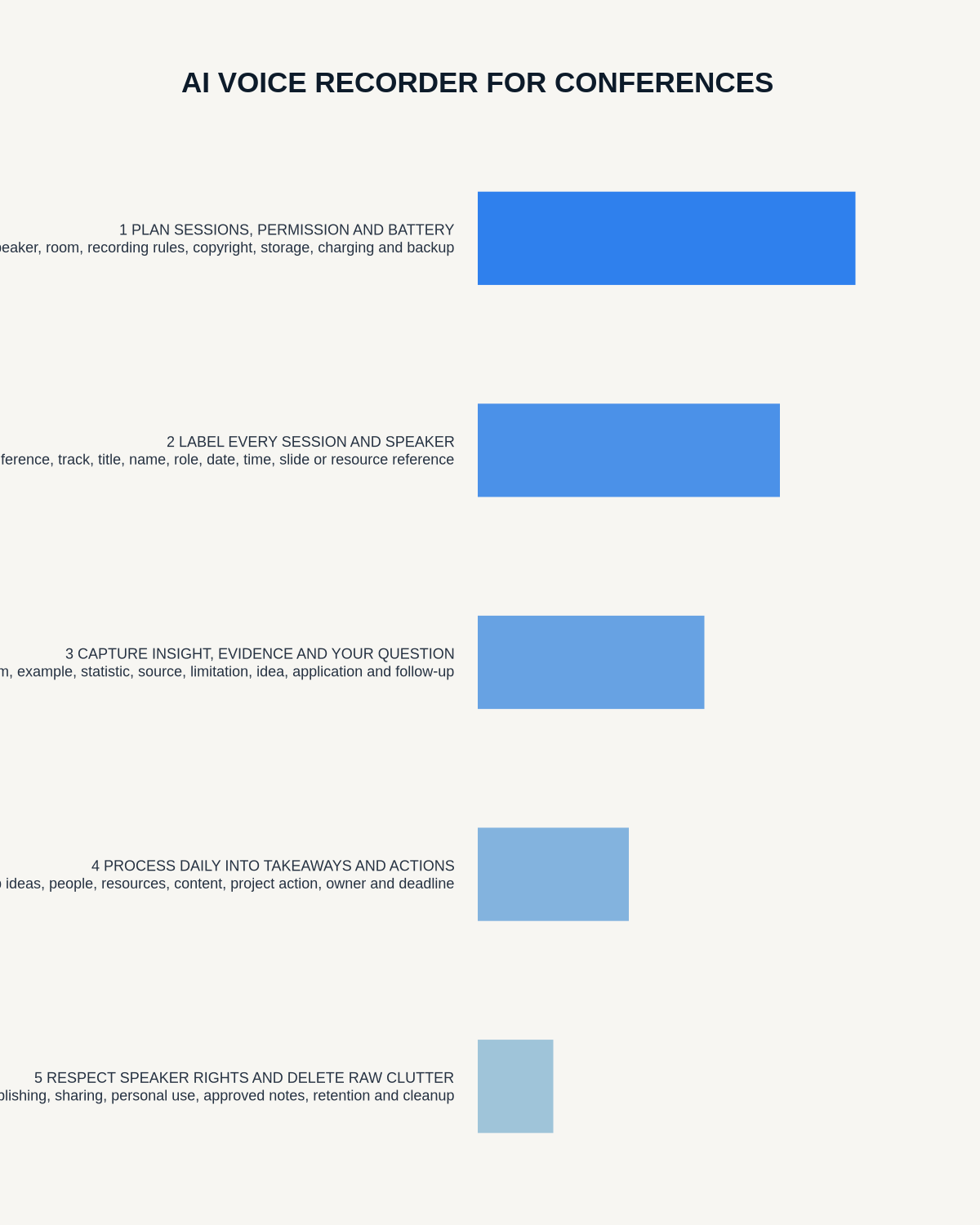
Visual map for AI Voice Recorder for Conferences: Session Notes, Speaker Insights and Follow-Up
- Prepare the approved useDefine purpose, safe position, permission and the required formal record.
- Capture context firstState the case, asset, person, location or event identifier before detail.
- Human-verify evidenceCheck technical terms, units, names, dates, decisions and uncertainty.
- Complete the formal recordTransfer only verified information and apply access and retention controls.
On this page
Related guides
See whether Halo fits this workflow
Review the NERALVO Halo specifications, included services, delivery information and current offer only after completing the guide.
Found an error or an out-of-date claim? Email support@neralvo.com with the article address and a supporting source.