The 60-second verdict
Quick answer: payroll managers can use an AI voice recorder to preserve authorised change discussions, employee queries and cut-off handovers, but no payroll instruction should be processed from unverified AI text. Every change needs a verified person reference, effective date, amount, evidence, approval and status.
Best fit: Payroll Managers who need recoverable audio and human-verified notes in an authorised workflow. Use another method when: recording is prohibited, a participant declines or the approved process requires manual notes.
Evidence basis and limits
- Decision factors covered: Use a payroll change record; Minimise personal data; Use clear change status.
- Evidence rule: The decision is based on the complete capture-to-action workflow, not a single feature or marketing accuracy percentage.
- Boundary: Examples and workflow recommendations must be tested with representative recordings, the intended users and the actual approval process before rollout.

View Halo specifications for payroll managers use can support approved payroll handovers and query calls. The HR, payroll, approval and banking systems remain authoritative.
Use a payroll change record
For every material change, capture:
- Employee or worker reference.
- Type of change.
- Effective date.
- Amount, rate or hours.
- Reason or supporting event.
- Authorised source.
- Evidence required.
- Pay period affected.
- Calculation or tax question requiring review.
- Review and approval status.
- Processing and reconciliation status.
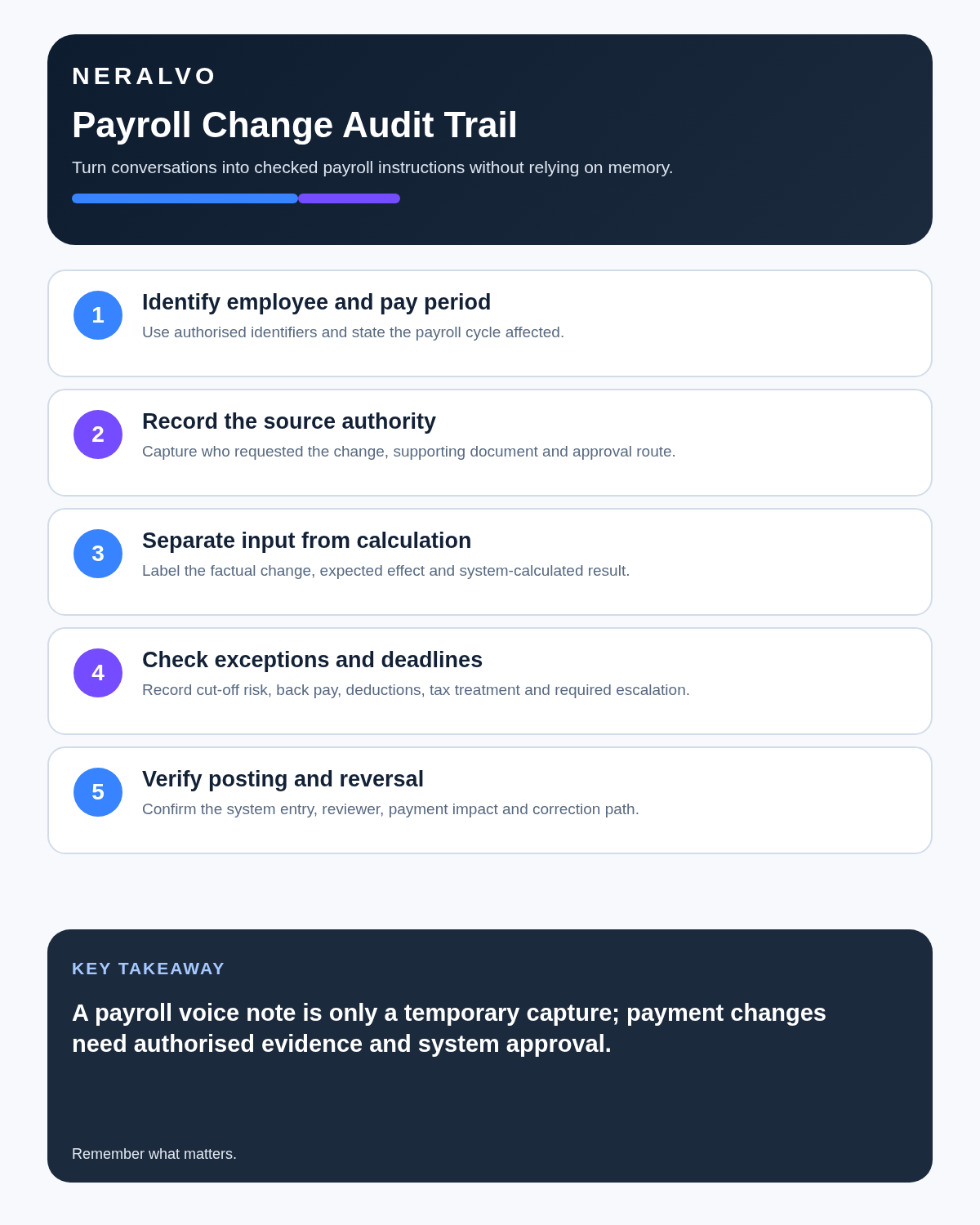
A transcript may support traceability. The payroll system should receive only the checked and authorised instruction.
Minimise personal data
Payroll conversations can include bank details, health information, absence reasons, court orders and other sensitive material. Avoid speaking full identifiers or account information into a recording unless genuinely necessary and explicitly approved.
Use employee numbers or controlled references where appropriate. Remove unrelated personal detail from the final change note and use the restricted process for special-category or highly sensitive information.
Use clear change status
| Change | Effective date | Evidence | Approval | Status |
|---|---|---|---|---|
| Salary or hourly rate | Verified date | Authorised letter or HR record | Named approver | Pending or approved |
| Bonus or commission | Relevant pay period | Approved schedule | Named approver | Pending or approved |
| Leaver | Final working date | HR instruction | Named approver | Pending or processed |
| Backdated adjustment | Original effective date | Calculation and reason | Payroll reviewer | To calculate or approved |
Separate information states
- Employee query: what the employee is asking or reporting.
- HR instruction: authorised source detail.
- Payroll fact: information verified in the payroll record.
- Calculation: independently checked result and method.
- Approval: authorised decision to process.
- Processed: entered into the system.
- Reconciled: independently checked in the output.
- Paid or corrected: final outcome confirmed.
AI must not collapse “requested,” “approved,” “processed” and “paid” into one status.
Handle employee query calls properly
A useful call note separates:
- The employee’s question.
- Pay period and item involved.
- Facts visible in the payroll record.
- Evidence or another team required.
- Items still under investigation.
- Explanation provided.
- Promised follow-up.
- Owner and target date.
Do not let an AI summary invent the cause of a net-pay difference before the payroll, HR, tax and deduction records have been checked.
Use a fixed cut-off handover
- New starters.
- Leavers.
- Contract and rate changes.
- Absence and leave items.
- Variable pay.
- Deductions and statutory or court items.
- Backdated corrections.
- Exceptions requiring approval.
- Outstanding employee queries.
- Interface, import and cut-off risks.
The final handover should become a controlled checklist with owners and status, not remain as audio.
Repeat dates and amounts clearly
Speech recognition can confuse decimal points, pay periods, gross and net amounts, hourly and annual rates, positive and negative adjustments and effective dates. Read back critical values and verify them against the written source.
Use a controlled approval workflow
- Use the organisation’s approved recording method.
- State payroll period and purpose.
- Discuss one change at a time.
- Repeat person reference, dates, units and amounts.
- Identify the authorised source.
- Generate a change-log draft.
- Compare it with written evidence.
- Perform and independently check the calculation.
- Obtain the required approval.
- Process through normal controls.
- Reconcile the output and record completion separately.
Control exceptions
For each exception, record:
- Exact issue and affected person or group.
- Pay period and financial effect.
- Known cause or current hypothesis.
- Immediate containment.
- Required evidence or correction.
- Approver and processing owner.
- Employee communication.
- Reconciliation and closure evidence.
Do not mark an issue closed because an adjustment was entered. Confirm the correct result in payroll output and the required communication.
What AI must never decide
- Whether an instruction is authorised.
- Tax, pension or statutory treatment.
- Calculation methodology.
- Employee identity from voice alone.
- Whether sensitive data should be retained.
- Whether a discrepancy is resolved.
- Whether a payment file is safe to release.
Protect bank and identity information
Do not dictate bank-account numbers, passwords, one-time codes or identity-document details. Use the organisation’s authorised secure process for bank-detail and identity changes, including independent verification and fraud controls.
Reconcile before release
Check:
- Headcount and gross-to-net movement.
- Starter, leaver and change totals.
- Large or unusual variances.
- Backdated adjustments.
- Duplicates and omissions.
- Interface and import totals.
- Approval and segregation of duties.
- Payment totals and destination controls.
The voice record can explain a variance. The payroll and finance controls determine whether release is authorised.
How NERALVO Halo fits payroll management
NERALVO Halo includes NOTE mode, supported CALL mode, 64GB local storage, up to 35 hours of recording and Bluetooth sync with DOWAY. DOWAY can create transcripts, summaries, speaker-separated notes, templates, translations, mind maps and exports, with one year of DOWAY Max included.
Payroll information is highly sensitive. Use only within approved access, supplier, recording, security and retention controls. Halo is not a payroll, HR, calculation, approval or banking system.
Cloud software, a dedicated recorder or manual notes?
For Payroll Managers, the right answer changes with the setting. This matrix deliberately gives each method a situation where it can be the strongest choice.
| Situation | Best starting point | Reason |
|---|---|---|
| scheduled remote client meetings | Cloud meeting software | Native remote-meeting workflows can be more efficient here. |
| in-person visits and travel | Dedicated recorder | A separate battery and recoverable local source improve resilience. |
| a client declines or policy requires manual notes | Manual notes or an approved alternative | Manual notes are the correct control when recording is unavailable. |
| mixed CRM and field work | Governed hybrid | A hybrid can combine automation with reliable physical capture. |
Frequently asked questions
Can a verbal salary change be processed from the transcript?
No. Obtain and verify the required authorised written evidence.
Can AI explain a net-pay difference automatically?
It may organise the question, but the explanation must be checked against payroll, tax, deductions and HR records.
Does “processed” mean the employee was paid correctly?
No. Reconciliation and final output must confirm the result.
Should full bank details be recorded?
No. Use the authorised secure bank-change process.
Final payroll checklist
- Correct person and period identified.
- Amount, rate and effective date verified.
- Written evidence attached.
- Authorised approver clear.
- Requested, approved, processed and paid statuses separated.
- Calculations independently checked.
- Personal and bank data minimised.
- Exceptions have owners and closure evidence.
- Payroll output reconciled.
- Official systems updated and temporary audio controlled.
Bottom line: an AI recorder can improve the payroll change trail and handover. It must never replace written evidence, calculation checks, approval, segregation of duties or reconciliation.
Related guides
See the guides for HR managers, bookkeepers and auditors.
On this page
More in this topic: Finance, audit and risk roles
Show 4 closely related guides
- AI Voice Recorder for Emergency Planners: Better Exercises, Debriefs and Action Tracking
- AI Voice Recorder for Auditors: Better Walkthroughs and Evidence Trails
- AI Voice Recorder for Underwriters: Better Risk Interviews and Assumption Registers
- AI Voice Recorder for Tax Advisers: Better Fact Patterns and Advice Notes
Related guides
See whether Halo fits this workflow
Review the NERALVO Halo specifications, included services, delivery information and current offer only after completing the guide.
Found an error or an out-of-date claim? Email support@neralvo.com with the article address and a supporting source.