The 60-second verdict
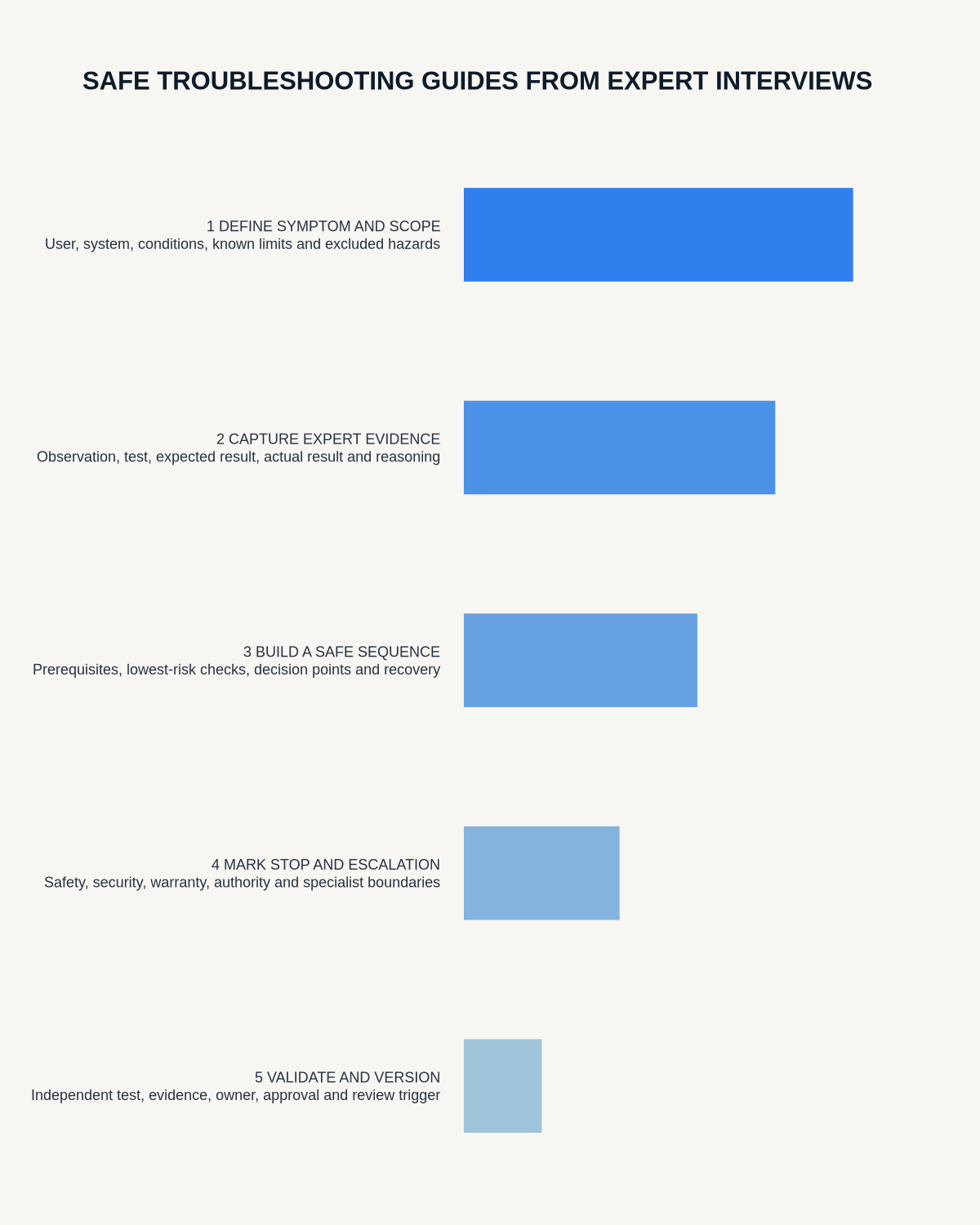
Quick answer: turn expert interviews into safe troubleshooting guides by defining the user and system state, interviewing around real faults, separating symptoms from hypotheses and findings, converting expert reasoning into observable branches, adding stop and escalation conditions and testing the guide with representative users.
Decision focus: use the method below only where it produces a recoverable source, a verifiable output and a clear next action. If one of those fails, change the workflow rather than trusting a polished summary.
Evidence basis and limits
- Decision factors covered: Define the user and task boundary; Choose a defined fault or symptom; Interview around a real case.
- Evidence rule: The decision is based on the complete capture-to-action workflow, not a single feature or marketing accuracy percentage.
- Boundary: Examples and workflow recommendations must be tested with representative recordings, the intended users and the actual approval process before rollout.
Experts often omit steps that feel obvious to them. A transcript may preserve their explanation, but a reliable guide must expose prerequisites, evidence, safety boundaries, exceptions, alternatives and recovery.

Define the user and task boundary
State the product, system, version, audience, tools, permissions and environment. Identify tasks the reader is authorised to perform and those requiring a qualified technician, administrator or emergency response.
Choose a defined fault or symptom
Do not interview an expert about the entire system at once. Select a recurring problem with a clear user group, environment and boundary.
Interview around a real case
Ask the expert to explain:
- The observable symptom and normal behaviour
- Immediate safety or stop conditions
- Information required before diagnosis
- Most likely causes and why
- Checks in the correct order
- Expected and unexpected results
- Common false leads
- Exceptions, model or version dependencies
- Evidence to record
- Escalation threshold and responsible team
Separate four content states
- Symptom: what the user observes.
- Hypothesis: a possible cause.
- Test: a safe action that creates evidence.
- Finding: a conclusion supported by the result.
Do not turn the expert’s first plausible explanation into the diagnosis.
Build an observable decision tree
| Step | Required content |
|---|---|
| Start condition | Exact symptom, system state and prerequisites |
| Check | Safe test or observation |
| Expected result | What normal looks like |
| If yes | Next branch or authorised action |
| If no | Alternative branch |
| Stop condition | When the user must not continue |
| Evidence | What to capture for escalation |
| Rollback | How to restore the prior safe state |
Put safety and data protection first
Identify electrical, mechanical, chemical, medical, security or data-loss risks as applicable. Never include passwords, secret keys or unsafe bypasses. Preserve warnings and prohibitions exactly.
Add prerequisites and rollback
List required access, backup, tools, versions and information. Where a change is reversible, explain how to restore the prior state. Where it is not, require approval or qualified support.
Preserve exceptions and limits
Ask when the usual diagnosis is wrong and which clues change the route. Include environmental, version, model or configuration dependencies. State when specialist equipment or qualified authority is required.
Validate technical details
Check commands, part numbers, screen labels, units, error codes and version-specific steps against the authoritative system. Test links and screenshots and mark outdated versions.
Test with representative users
- Use a safe test environment or simulated fault.
- Give a representative trained user the real starting condition.
- Ask them to complete the guide without coaching.
- Observe misunderstandings, skipped prerequisites and unsafe interpretations.
- Confirm that stop and escalation points are followed.
- Correct the guide and repeat the test.
Maintain one canonical guide
Assign a technical owner, approver, product version, effective date and review trigger. Link related incidents and support evidence. Retire superseded guides so users do not find conflicting instructions.
Measure usefulness and safety
Track:
- Successful resolution rate
- Unnecessary escalation
- Unsafe attempts or near misses
- Time to diagnosis
- Wrong-branch selection
- Repeated confusion
- Rollback success
- Outdated-version incidents
A guide that produces quick but incorrect action is not successful.
Where NERALVO Halo fits
View Halo specifications against the evidence checklist can capture authorised expert walkthroughs and real-case debriefs. DOWAY can make long explanations searchable and create transcripts, summaries, templates and exports. One year of DOWAY Max is included from activation.
The published troubleshooting guide still requires technical review, user testing, approval and version control.
Workflow choice matrix for How to Turn Expert Interviews into Safe Troubleshooting Guides
Choose the method that protects the source and reduces downstream correction. The table makes the non-hardware options explicit.
| Condition | Preferred route | Why |
|---|---|---|
| High-risk or mixed work | Governed hybrid | Separate capture, review, approval and retention rather than trusting one tool. |
| Recording is refused, prohibited or unnecessary | Manual notes / no recording | Respecting the boundary is the correct workflow, not a product failure. |
| In-person, mobile or unreliable-connectivity work | Dedicated recorder | Independent capture and a recoverable local source are usually more resilient. |
| Repeatable remote work with approved integrations | Cloud software | Automation and central collaboration may outweigh device independence. |
Frequently asked questions
Can the transcript be published as the guide?
No. It normally lacks structure, safety boundaries, version control and user testing.
Can AI diagnose the fault?
It can organise hypotheses, but the guide should use approved evidence and escalation routes.
What if the user gets a different result?
The guide should state whether to use another branch, restore the prior state or escalate.
Final guide checklist
- User and system state defined
- Real-case expert interview completed
- Symptoms, hypotheses, tests and findings separated
- Branches observable
- False leads and exceptions included
- Stop and escalation conditions clear
- Technical details verified
- Rollback defined where appropriate
- Representative users completed the guide
- Owner, version and review trigger assigned
- Safety and performance measures monitored
Useful resources
On this page
More in this topic: Multilingual meetings and interview research
Show 5 closely related guides
- How to Create Accurate Bilingual Meeting Notes from One Recording
- How to Handle Code-Switching in AI Transcripts and Mixed-Language Meetings
- How to Record Multilingual Team Meetings Responsibly and Accurately
- How to Create a Stakeholder Map from Interview Recordings
- AI Voice Recorder for Webinars: From Live Session to Verified Notes and Actions
Related guides
See whether Halo fits this workflow
Review the NERALVO Halo specifications, included services, delivery information and current offer only after completing the guide.
Found an error or an out-of-date claim? Email support@neralvo.com with the article address and a supporting source.