The 60-second verdict
Quick answer: an AI voice recorder can help field service technicians capture customer symptoms, asset configuration, test evidence, parts, repairs and follow-up commitments after the equipment and work area are safe. The checked result should be transferred into the service platform, asset history and customer handover.
Best fit: Field Service Technicians who need recoverable audio and human-verified notes in an authorised workflow. Use another method when: recording is prohibited, a participant declines or the approved process requires manual notes.
Evidence basis and limits
- Decision factors covered: Why field-service notes must separate three perspectives; The scope → asset → symptom → evidence → intervention → acceptance workflow; Use a hard safety and lone-worker boundary.
- Evidence rule: Claims are weighted by consequence: capture failure, changed meaning, access and recovery matter more than polished wording.
- Boundary: Examples and workflow recommendations must be tested with representative recordings, the intended users and the actual approval process before rollout.

Check whether NERALVO Halo fits field service technicians work can speed up post-visit documentation. The ticketing, diagnostic, asset, configuration and customer-approval systems remain authoritative.
Why field-service notes must separate three perspectives
The customer explains what they experienced, the technician records what they reproduced, and the system provides logs or measurements. Those sources may not agree. A summary should preserve the difference rather than merge them into one diagnosis.
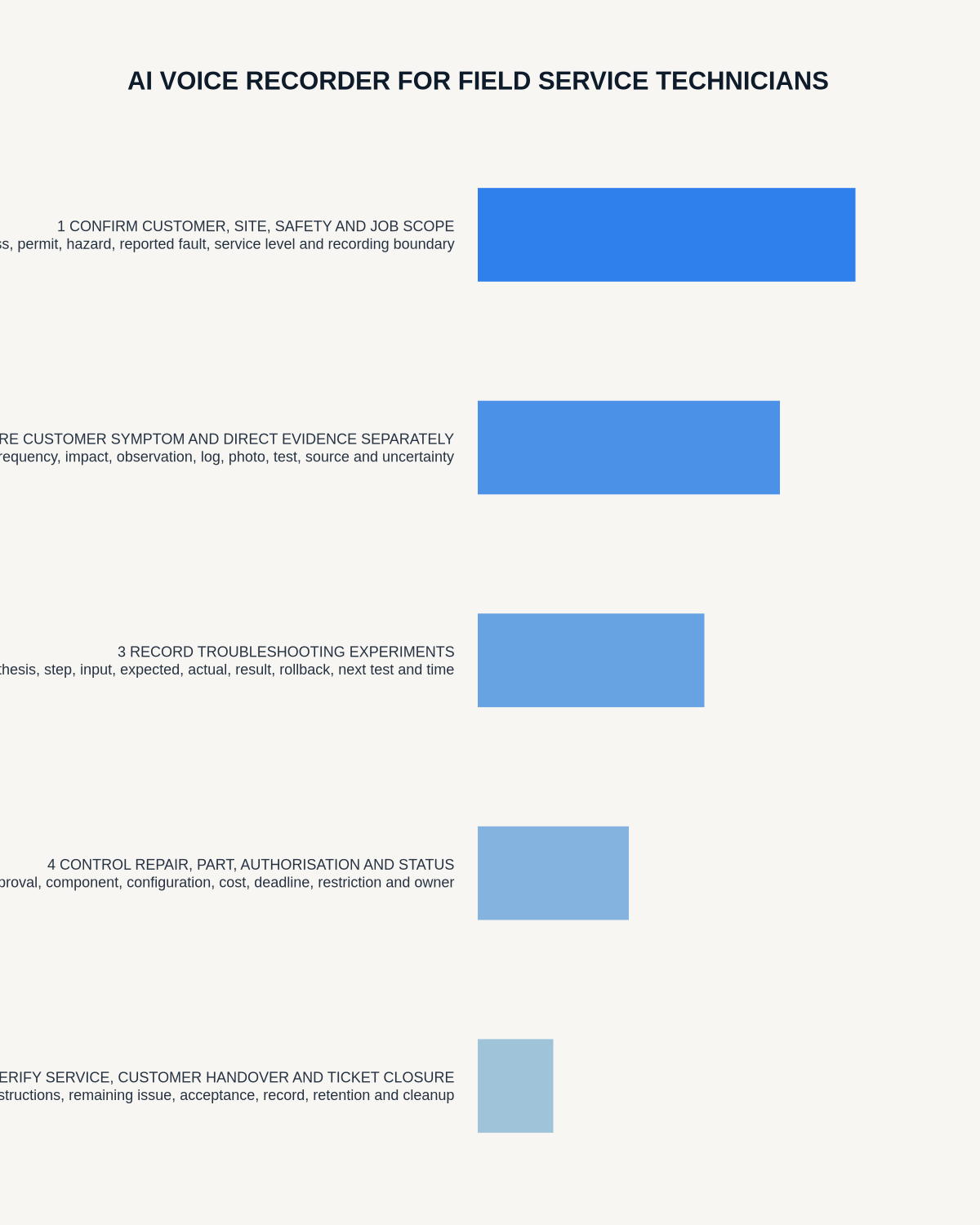
The scope → asset → symptom → evidence → intervention → acceptance workflow
| Stage | Question | Output |
|---|---|---|
| Scope | Which customer, site, asset and authorised work? | Clear boundary |
| Asset | Which model, serial, software and configuration? | Verified identity |
| Symptom | What did the customer experience and under which conditions? | Attributed report |
| Evidence | What can be reproduced, measured or read from logs? | Traceable findings |
| Intervention | What test, part, repair or configuration changed? | Work history |
| Acceptance | What proves function and what limitation remains? | Customer-ready closeout |
Use a hard safety and lone-worker boundary
Stop driving, isolate equipment and leave restricted or hazardous areas before using the recorder. Follow the customer’s induction, permit, access, check-in and emergency arrangements.
The recorder is not a lone-worker alarm, diagnostic instrument or emergency system.
Confirm the authorised scope
Record:
- Customer, site and contact.
- Asset or system covered.
- Reported problem.
- Work authorised.
- Excluded or separately chargeable work.
- Access and shutdown constraints.
- Person permitted to approve changes.
Do not allow a helpful extra task to become an unrecorded commitment outside the job scope.
Verify asset and configuration identity
Check model, serial, asset tag, firmware, software version, configuration, network or system identifier, connected equipment and warranty status. Read identifiers from the physical item or controlled system.
One wrong digit can attach service history or a part to the wrong asset.
Capture intermittent faults precisely
Record:
- Date and time.
- Load, duty cycle and environment.
- User steps immediately before the fault.
- Exact error message or alarm sequence.
- Frequency and duration.
- Connected systems and dependencies.
- Recent update, repair or configuration change.
- Logs, images or measurements available.
Separate what the customer reported from what the technician reproduced.
Use a fault-status register
| Status | Meaning |
|---|---|
| Reported | Customer account not yet reproduced |
| Reproduced | Technician observed the same behaviour under stated conditions |
| Evidence found | Log, alarm, measurement or component condition supports a finding |
| Possible cause | Hypothesis requiring further proof |
| Confirmed cause | Supported by suitable testing |
| Unable to reproduce | Symptom remains open with monitoring or next action |
Record troubleshooting without rewriting history
For each step, state the test, expected result, actual result and decision. Preserve unsuccessful tests where they narrow the fault. An AI summary should not remove the path and make the final repair appear obvious.
Create parts and configuration traceability
Record:
- Removed and installed part number.
- Revision or serial where required.
- Firmware and software before and after.
- Settings changed.
- Backup or restore point.
- Reason for the change.
- Warranty, disposal or return route.
- Person authorising configuration change.
Verify every identifier before closing the ticket.
Use a first-time-fix closeout
- Reproduce the original symptom where safe and practical.
- Complete the approved repair or change.
- Test the affected function under relevant conditions.
- Check connected functions and alarms.
- Restore guards, covers and settings.
- Explain the result to the customer.
- Record residual limitations or monitoring.
- Obtain the required acceptance.
- Update ticket and asset history.
A system that powers on is not automatically fixed.
Control customer commitments
State what was completed, what remains, any temporary workaround, risk, parts required, next action, estimated versus confirmed date, coverage or charge status and the person responsible.
Do not promise delivery dates, warranty coverage or technical outcomes beyond authority.
Build a useful escalation package
When another team or manufacturer is needed, include:
- Customer and asset identity.
- Scope and business impact.
- Symptom and reproduction conditions.
- Logs, measurements and images.
- Troubleshooting already completed.
- Parts and configuration.
- Current risk or workaround.
- Exact technical question.
- Required response date.
Protect credentials and customer data
Never dictate passwords, access tokens, payment details or unnecessary personal information. Customer sites may expose network, security and commercially sensitive information. Use approved accounts and secure transfer.
How NERALVO Halo fits field service
NERALVO Halo includes NOTE mode, supported CALL capture, 64GB local storage, up to 35 hours of recording and Bluetooth sync with DOWAY. DOWAY can create transcripts, summaries, speaker-separated notes, templates, translations, mind maps and exports. One year of DOWAY Max is included from activation.
Use Halo after the task is safe, begin with the customer and asset ID, then reconcile the output with logs, tests and the service platform before closing the ticket.
Cloud software, a dedicated recorder or manual notes?
For Field Service Technicians, the right answer changes with the setting. This matrix deliberately gives each method a situation where it can be the strongest choice.
| Situation | Best starting point | Reason |
|---|---|---|
| scheduled video briefings | Cloud meeting software | Calendar automation and shared integrations are usually the strongest advantage. |
| site visits, inspections or mobile calls | Dedicated recorder | Independent capture reduces reliance on an active phone or laptop. |
| a restricted site or participant prevents recording | Manual notes or an approved alternative | The boundary takes priority over convenience. |
| office-to-site work | Governed hybrid | Use each method only in the setting it actually fits. |
Frequently asked questions
Can AI diagnose an intermittent fault?
No. It can organise evidence, but reproduction, logs, measurements and competent troubleshooting determine the conclusion.
Can a voice note replace the service ticket?
No. The verified findings, work, parts, acceptance and follow-up should be entered into the controlled service system.
Can technicians dictate passwords for convenience?
No. Credentials and unnecessary security information should not be placed in ordinary voice notes or transcripts.
Final service-note checklist
- Safe position and site controls used.
- Authorised scope clear.
- Customer and asset verified.
- Reported and reproduced symptoms separated.
- Versions, parts and settings checked.
- Tests and troubleshooting traceable.
- Functional acceptance evidenced.
- Residual limitations disclosed.
- Customer commitments authorised.
- Ticket and asset history updated.
Bottom line: a strong field-service voice note preserves the exact asset context and evidence, then leaves the customer with a verified outcome and an accountable next step.
Related guides
See the guides for maintenance engineers, electricians and fleet managers.
On this page
Related guides
See whether Halo fits this workflow
Review the NERALVO Halo specifications, included services, delivery information and current offer only after completing the guide.
Found an error or an out-of-date claim? Email support@neralvo.com with the article address and a supporting source.