The 60-second verdict
Quick answer: designers can use an AI voice recorder to capture client intent, critique, constraints and revision actions, but the useful output must connect every comment to a specific artefact, version, problem, evidence source, authority and test.
Best fit: Designers who need recoverable audio and human-verified notes in an authorised workflow. Use another method when: recording is prohibited, a participant declines or the approved process requires manual notes.
Evidence basis and limits
- Decision factors covered: Use an audience → purpose → artefact → test workflow; The feedback decoder; Create a FRAME brief.
- Evidence rule: Claims are weighted by consequence: capture failure, changed meaning, access and recovery matter more than polished wording.
- Boundary: Examples and workflow recommendations must be tested with representative recordings, the intended users and the actual approval process before rollout.
An AI voice recorder for designers is most useful when it preserves the reason behind feedback, not merely the words. “Make it bigger” is not a design diagnosis; the useful question is what problem the stakeholder believes the change will solve.
The aim is a traceable design decision, not a transcript-shaped to-do list.
Use an audience → purpose → artefact → test workflow
- Audience: who will use or experience the design.
- Purpose: task, message or outcome.
- Artefact: screen, page, object, image or system.
- Constraint: technical, brand, accessibility, cost or time.
- Test: prototype, review or evidence required.
The feedback decoder
| Type | Example | Response |
|---|---|---|
| Problem | Users are missing the primary action | Verify with evidence and context |
| Preference | Stakeholder prefers darker blue | Record person, reason and authority |
| Requirement | Legal text must appear before submission | Confirm source and acceptance criteria |
| Suggested solution | Make the button larger | Investigate the underlying problem |
| Approval | Concept B approved for production | Record exact version and conditions |
AI summaries can turn a preference into a mandatory change or enthusiasm into approval.
Create a FRAME brief
- F — Focus: objective and desired response.
- R — Reach: audience, context, devices and channels.
- A — Assets: deliverables, formats and mandatory content.
- M — Measures: success criteria and evidence.
- E — Edges: constraints, exclusions, approvers and deadline.
Feedback-call workflow
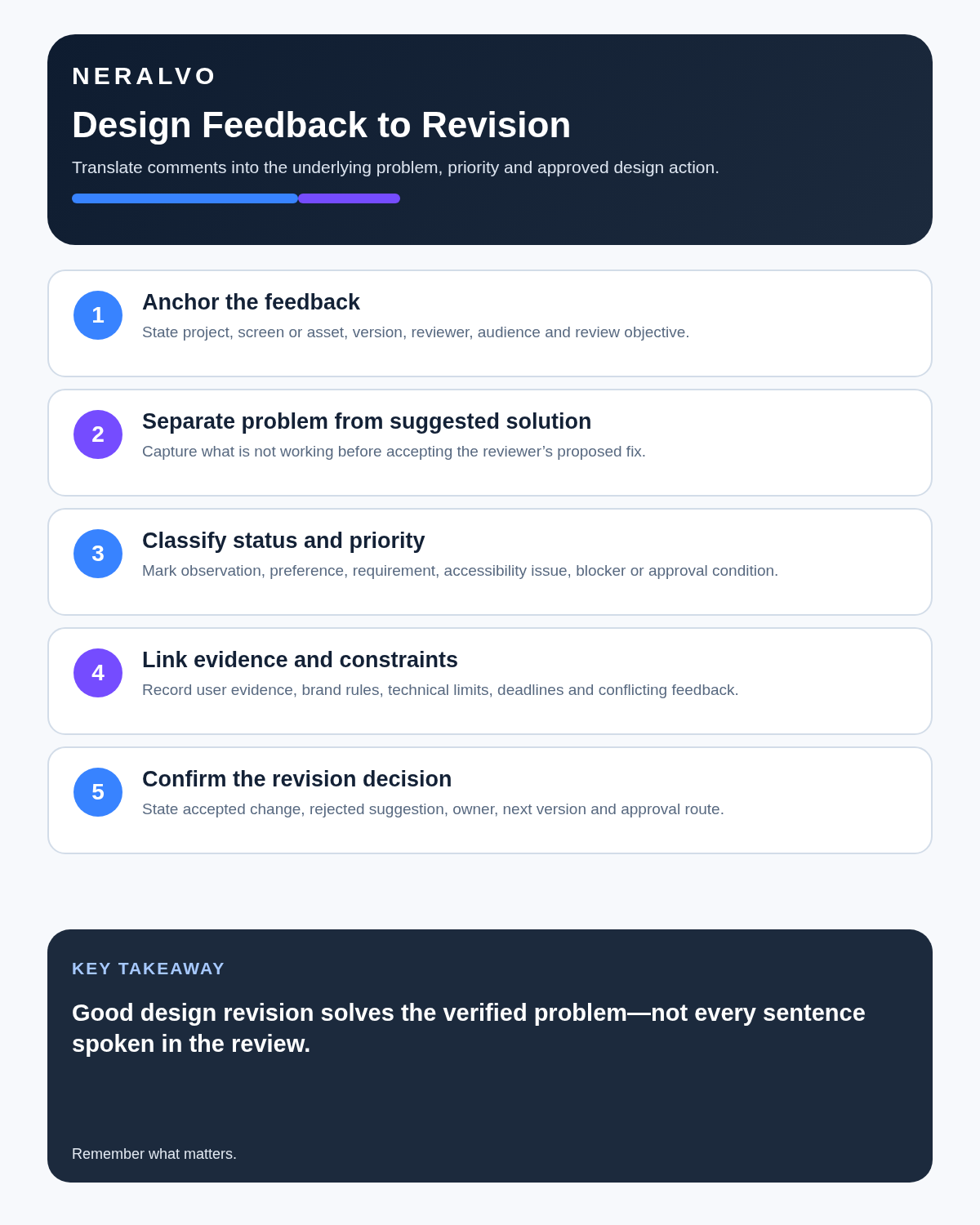
- Identify the asset and exact version.
- Confirm recording permission.
- Ask for the concern before discussing solutions.
- Repeat decisions and unresolved points aloud.
- Correct asset names, dates and stakeholder attribution.
- Classify each comment with the decoder.
- Group changes by asset and priority.
- Assess scope, cost, accessibility and technical effects.
- Send one written revision list for confirmation.
- Obtain approval against the exact final version.
Create a revision card
| Field | Record |
|---|---|
| Asset and version | File, screen or concept reviewed |
| Feedback type | Problem, preference, requirement, solution or approval |
| Requested change | Exact action |
| Reason | Problem or requirement it addresses |
| Evidence | Research, test, standard or stakeholder source |
| Impact | Other assets, cost, timing and dependencies |
| Authority | Person able to approve |
| Status | Open, investigate, agreed, rejected or completed |
| Test | How the revision will be assessed |
Run a two-pass feedback review
Pass 1 — evidence: replay unclear comments, correct asset and version names, identify the speaker and separate direct requirements from interpretations.
Pass 2 — decision: convert each verified comment into accept, investigate, reject or clarify. Record the rationale, owner, affected asset and approval route.
This prevents the loudest or latest comment becoming the default decision.
Use a change-impact score
| Factor | 1 | 2 | 3 |
|---|---|---|---|
| User impact | Minor polish | Noticeable task improvement | Critical usability or access issue |
| Evidence | Preference only | Repeated observation | Research, requirement or test result |
| Delivery effort | Small | Moderate | Major rework or dependency |
Do not simply total the columns. Use them to expose trade-offs, then let the accountable decision-maker confirm the order of work.
Preserve accessibility and inclusion
Record user needs and barriers without stereotyping. Verify colour, type, interaction, language and assistive-technology requirements through appropriate standards, testing and human review. An automated checker alone cannot determine accessibility. The W3C accessibility evaluation overview explains how tools and human assessment work together.
Control scope change
A small spoken request can affect multiple breakpoints, formats or campaigns. Do not start additional work until the affected deliverables, fee, deadline, dependencies and authority are confirmed.
Approval precision
Enthusiasm is not approval. Record:
- project and deliverable;
- filename or prototype link;
- version;
- approver;
- date;
- conditions;
- permitted usage;
- what happens to superseded versions.
Protect confidential briefs and intellectual property
Use approved storage for unreleased products, client strategy, research data and prototypes. Track licences for fonts, photography, illustrations and templates. Recording a critique does not transfer ownership or permission to upload third-party material into another system.
How NERALVO Halo may fit design work
Check whether NERALVO Halo fits designers work can support approved briefings, critiques and client calls with NOTE mode, supported CALL capture, 64GB local storage and DOWAY transcription tools. The project brief, source files, prototype history and written approval remain authoritative.
Final design-note checklist
- Audience and purpose are clear.
- Artefact and exact version are identified.
- Feedback type is classified.
- Problem is separated from suggested solution.
- Accessibility and constraints are reviewed.
- Every change is linked to evidence.
- Owner, impact and test are defined.
- Approval status is precise.
- Controlled source files are updated.
Bottom line: AI recording can preserve feedback accurately. Design control begins when every comment is decoded, connected to the correct version and confirmed through one written revision and approval record.
Cloud software, a dedicated recorder or manual notes?
For Designers, the right answer changes with the setting. This matrix deliberately gives each method a situation where it can be the strongest choice.
| Situation | Best starting point | Reason |
|---|---|---|
| scheduled remote meetings | Cloud meeting software | Calendar automation and shared integrations are usually the strongest advantage. |
| in-person or mobile work | Dedicated recorder | Independent capture reduces reliance on an active phone or laptop. |
| recording is refused or prohibited | Manual notes or an approved alternative | The boundary takes priority over convenience. |
| mixed online and offline work | Governed hybrid | Use each method only in the setting it actually fits. |
Related guides
Profession workflow
Visual map for AI Voice Recorder for Designers: Decode Feedback Before Revising
- Prepare the approved useDefine purpose, safe position, permission and the required formal record.
- Capture context firstState the case, asset, person, location or event identifier before detail.
- Human-verify evidenceCheck technical terms, units, names, dates, decisions and uncertainty.
- Complete the formal recordTransfer only verified information and apply access and retention controls.
On this page
Related guides
See whether Halo fits this workflow
Review the NERALVO Halo specifications, included services, delivery information and current offer only after completing the guide.
Found an error or an out-of-date claim? Email support@neralvo.com with the article address and a supporting source.