
The 60-second verdict
Quick answer: event planners can use an AI voice recorder to preserve supplier decisions, run-sheet changes and contingency actions, but every change must identify the event, version, exact timing, impact, authority and affected teams. The controlled run sheet and event systems remain authoritative.
Best fit: Event Planners who need recoverable audio and human-verified notes in an authorised workflow. Use another method when: recording is prohibited, a participant declines or the approved process requires manual notes.
Evidence basis and limits
- Decision factors covered: The event → version → change → impact → authority → communication → confirmation workflow; Prepare the current baseline before the meeting; Use explicit change-status labels.
- Evidence rule: The decision is based on the complete capture-to-action workflow, not a single feature or marketing accuracy percentage.
- Boundary: Examples and workflow recommendations must be tested with representative recordings, the intended users and the actual approval process before rollout.
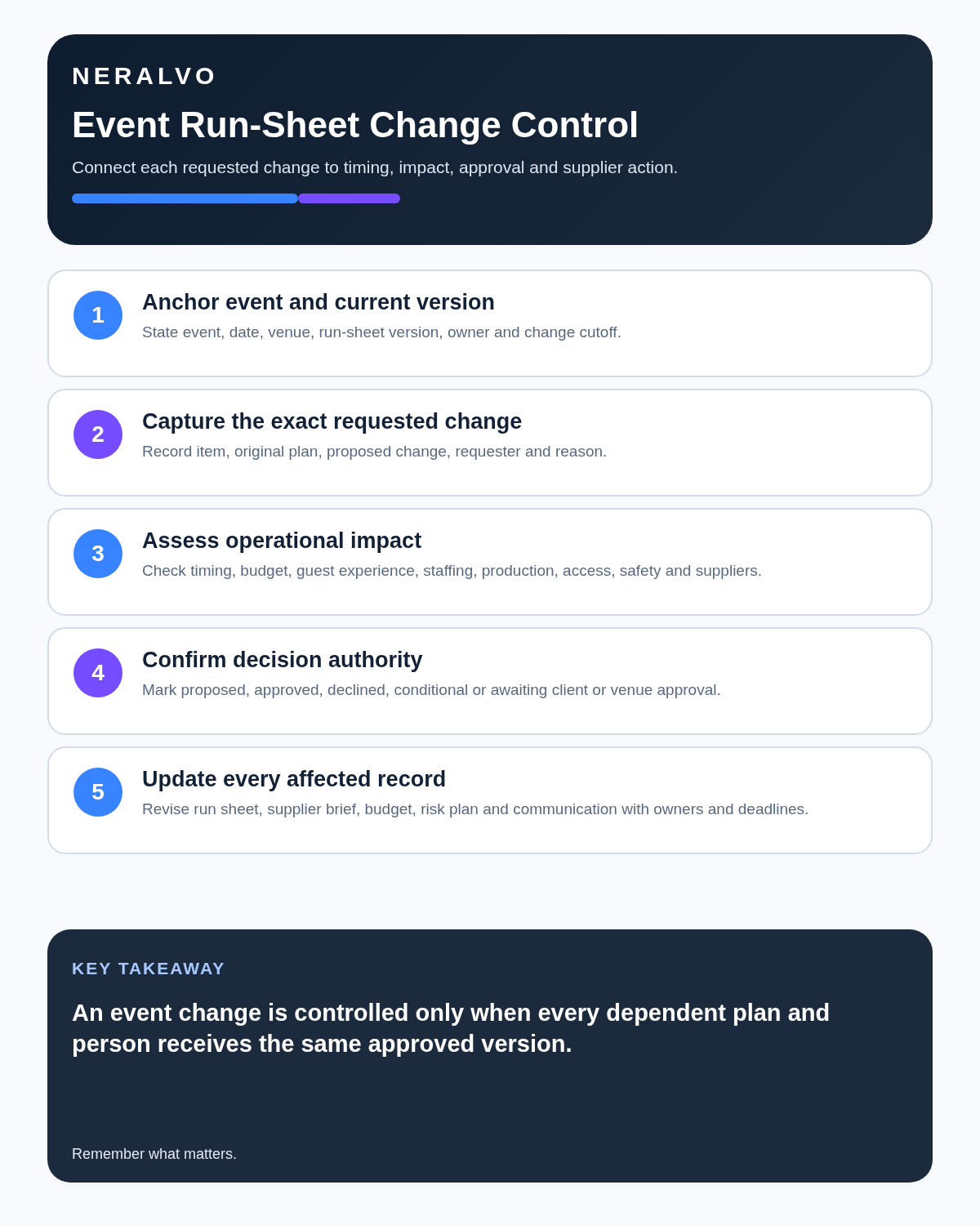
A small spoken change can affect budget, suppliers, venue, staffing, safety, access and guest communications. Recording helps only when the request is traced through one controlled change record before the team acts.
The event → version → change → impact → authority → communication → confirmation workflow
| Stage | Question | Output |
|---|---|---|
| Event | Which date, venue, space and session? | Stable anchor |
| Version | Which run sheet, plan or order is current? | Baseline |
| Change | What exact time, location, supplier or scope changes? | Specific instruction |
| Impact | What safety, guest, cost and operational effects follow? | Assessment |
| Authority | Who can approve? | Decision |
| Communication | Who must know and by which channel? | Distribution |
| Confirmation | Who has acknowledged and implemented? | Closed loop |
Prepare the current baseline before the meeting
Review the current event brief, guest-count assumption, budget and contingency, supplier commitments, venue restrictions, production schedule, run-sheet version and decision authority. Without a baseline, every new idea appears equally possible.
Use explicit change-status labels
- Issue raised.
- Idea or option.
- Request.
- Proposed change.
- Priced or technically assessed.
- Approved change.
- Communicated.
- Acknowledged.
- Implemented.
- Verified complete.
- Rejected or reverted.
An AI summary may make every enthusiastic suggestion sound approved. Clear status prevents that.
Use a change-impact card
| Field | Record |
|---|---|
| Request | Exact proposed change |
| Requester | Person and organisation |
| Authority | Who can approve scope and spend |
| Reason | Outcome the change is intended to create |
| Budget | Quote, contingency use and approval needed |
| Programme | Deadline, rehearsal, access or sequence affected |
| Suppliers | Every party needing revised instruction |
| Venue and safety | Capacity, access or competent review required |
| Documents | Brief, order, plan, budget and run-sheet updates |
| Status | Proposed, priced, approved, rejected or implemented |
Assess the full operational impact
| Area | Questions |
|---|---|
| Safety and security | Crowd, access, staffing, emergency and licensing |
| Production | Stage, sound, lighting, power and rehearsal |
| Guests | Tickets, communication, accessibility and experience |
| Suppliers | Arrival, setup, labour, stock and cost |
| Programme | Performers, speakers, content and handoffs |
| Venue | Rooms, curfew, cleaning and operations |
| Transport | Parking, coaches, deliveries and collection |
Supplier calls: confirm the complete commitment
A supplier saying “that should be fine” is not a complete commitment. Verify:
- specification and quantity;
- delivery and collection window;
- installation and removal responsibility;
- staffing and supervision;
- access, power and venue requirements;
- price and tax position;
- exclusions and assumptions;
- cancellation or change deadline;
- named person authorised to confirm.
Send a revised order or written confirmation after the call. The transcript is source material, not the purchase order.
Site visits: record dependencies, not just observations
- Location: entrance, room, stage, loading bay or guest route.
- Observation: what exists or is restricted.
- Event effect: which plan or supplier is affected.
- Evidence: photograph, plan or measurement reference.
- Owner: person who must confirm or act.
- Deadline: latest useful response date.
Example: “West loading bay. Vehicle height restriction appears lower than supplier truck specification. Photograph 18. Production manager to confirm vehicle height with staging supplier by Wednesday before access plan is issued.”
Use one approved run sheet
Meeting summaries, supplier emails and voice notes may feed the run sheet, but only one version should direct the live team. Every row should include:
- time and duration;
- location;
- activity or cue;
- responsible owner;
- supplier or department;
- required equipment or asset;
- dependency;
- communication channel;
- contingency or decision point;
- version and approval date.
When a change is approved, update the run sheet and withdraw the superseded version.
Use an emergency fast lane
Immediate threats to life, crowd safety, fire, security, weather or structural safety require the event’s emergency command and communication process. Do not stop to create a transcript. Record a private factual note only after the situation is controlled.
Confirm high-risk handoffs
For security, stage management, transport, catering and accessibility, require acknowledgement and repeat-back of the critical time, location and task. Record any dependency or fallback.
Track supplier status precisely
- quote received;
- availability indicated;
- provisional hold;
- booked service;
- deposit paid;
- final confirmation;
- delivered service;
- invoice received.
Supplier enthusiasm is not confirmation. Check the contract, payment and delivery status.
Run a structured post-event debrief
- What was planned?
- What actually happened?
- Why did the difference occur?
- What exact process, supplier or run-sheet change is required next time?
For each lesson, capture evidence, owner, deadline, template or supplier update and how improvement will be tested.
Protect privacy and commercial information
Event recordings may contain guest information, supplier prices, employee details, access arrangements and unreleased content. Record selectively, inform participants appropriately, use approved accounts and restrict each recipient to the information they need.
How NERALVO Halo fits event planning
View Halo specifications for event planners use includes NOTE mode, supported CALL mode, 64GB local storage, up to 35 hours of recording and Bluetooth sync with DOWAY. It can support approved planning calls, site debriefs and post-event reviews. It is not an emergency, radio, crowd-safety or run-sheet system.
Cloud software, a dedicated recorder or manual notes?
For Event Planners, the right answer changes with the setting. This matrix deliberately gives each method a situation where it can be the strongest choice.
| Situation | Best starting point | Reason |
|---|---|---|
| scheduled remote meetings | Cloud meeting software | Native remote-meeting workflows can be more efficient here. |
| in-person or mobile work | Dedicated recorder | A separate battery and recoverable local source improve resilience. |
| recording is refused or prohibited | Manual notes or an approved alternative | Manual notes are the correct control when recording is unavailable. |
| mixed online and offline work | Governed hybrid | A hybrid can combine automation with reliable physical capture. |
Frequently asked questions
Can a voice message update the run sheet?
It can communicate a change, but the controlled version must be updated and acknowledged.
Does supplier enthusiasm count as confirmation?
No. Check booking, contract, payment and delivery status.
Should emergency decisions wait for transcription?
No. Follow the live command process immediately.
Final event-planning checklist
- Event, location and version identified.
- Exact old and new instructions recorded.
- Full operational impact assessed.
- Decision authority clear.
- Supplier commitment verified.
- Controlled run sheet updated.
- Critical teams acknowledged the change.
- Debrief actions owned and evidenced.
Bottom line: event recording creates value when every approved change reaches one controlled plan and every affected team confirms the same instruction.
Related guides
On this page
Related guides
See whether Halo fits this workflow
Review the NERALVO Halo specifications, included services, delivery information and current offer only after completing the guide.
Found an error or an out-of-date claim? Email support@neralvo.com with the article address and a supporting source.