The 60-second verdict
Quick answer: use an AI voice recorder for remote meetings only where the platform, host and organisation permit it. Decide which source is primary, test the exact audio route, notify participants, reconcile speech with chat and shared documents, and create a verified follow-up note rather than distributing a raw transcript.
Best fit: Remote Meetings who need recoverable audio and human-verified notes in an authorised workflow. Use another method when: recording is prohibited, a participant declines or the approved process requires manual notes.
Evidence basis and limits
- Decision factors covered: Choose the primary meeting record; Define the required meeting record; Check the rules.
- Evidence rule: Claims are weighted by consequence: capture failure, changed meaning, access and recovery matter more than polished wording.
- Boundary: Examples and workflow recommendations must be tested with representative recordings, the intended users and the actual approval process before rollout.

A separate recorder can provide useful source audio, but it should not duplicate an approved platform recording without a defined reason. Check whether NERALVO Halo fits remote meetings work must not be used to bypass the host’s recording decision.
Choose the primary meeting record
| Source | Strength | Main limitation |
|---|---|---|
| Platform recording | Integrated remote audio and participant notice | Availability, access and platform limits |
| Platform transcript | Fast searchable draft | Names, overlap and technical errors |
| External recorder | Independent local capture | Compatibility and volume variation |
| Chat and shared documents | Links, written decisions and evidence | Fragmented across channels |
| Approved minutes or task system | Authoritative follow-up record | Requires deliberate human update |
Decide before the call which source supports checking and which system becomes authoritative. More copies do not automatically create more certainty.
Define the required meeting record
Decide whether the output needs speech, attendance, chat, slides, decisions, actions or a formal transcript. This determines whether platform capture, written notes or dedicated hardware is appropriate.
Check the rules
- Who can start recording.
- How participants are notified.
- Whether a separate recorder is permitted.
- Where files are stored.
- Who can access and export them.
- Retention and deletion.
- External participant and cross-border requirements.
Test the exact setup
Performance can change with the phone, operating system, meeting application, case, volume, audio route and placement. Test the same setup planned for the meeting.
- Confirm both local and remote voices are audible.
- Check echo, clipping, notification sounds and quiet speakers.
- Test headphones, speakerphone and Bluetooth routes separately.
- Keep the recorder stable and unobstructed.
- Confirm the file can sync and process.
- Prepare a normal note-taking fallback.
Headphones often prevent a room recorder from hearing remote speech. Do not assume AI can recover absent audio.
Explain the complete arrangement
Tell participants what is recorded, why, who can access the outputs, which system becomes authoritative and how long source material is kept. A recurring meeting still needs an arrangement people understand; do not assume old notice covers a new purpose.
Facilitate for clear capture
- Use an agenda with numbered items.
- Use consistent display and spoken names.
- Avoid speaking over one another.
- Repeat names, dates, figures and document versions.
- Restate speech affected by connection loss.
- Separate proposals, decisions, questions and dependencies.
- Read back action owners and deadlines.
- Use chat for exact links and references.
Build the remote source pack
- Attendance and join or leave times.
- Primary audio or platform record.
- Chat and poll export where required.
- Slides and shared-document revision.
- Connection failures affecting participation.
- Verified decisions and action read-back.
Important information may exist only in chat, slides, polls or documents. Link the final note to those sources rather than expecting audio to reconstruct them.
Use an explicit decision read-back
“Decision: approve the revised launch date of 18 September, subject to security testing. Owner: delivery lead. Budget approval was confirmed by the finance director. Review on 1 September.”
Read back material decisions, conditions, owners and dates while participants can correct them.
Use a controlled post-call workflow
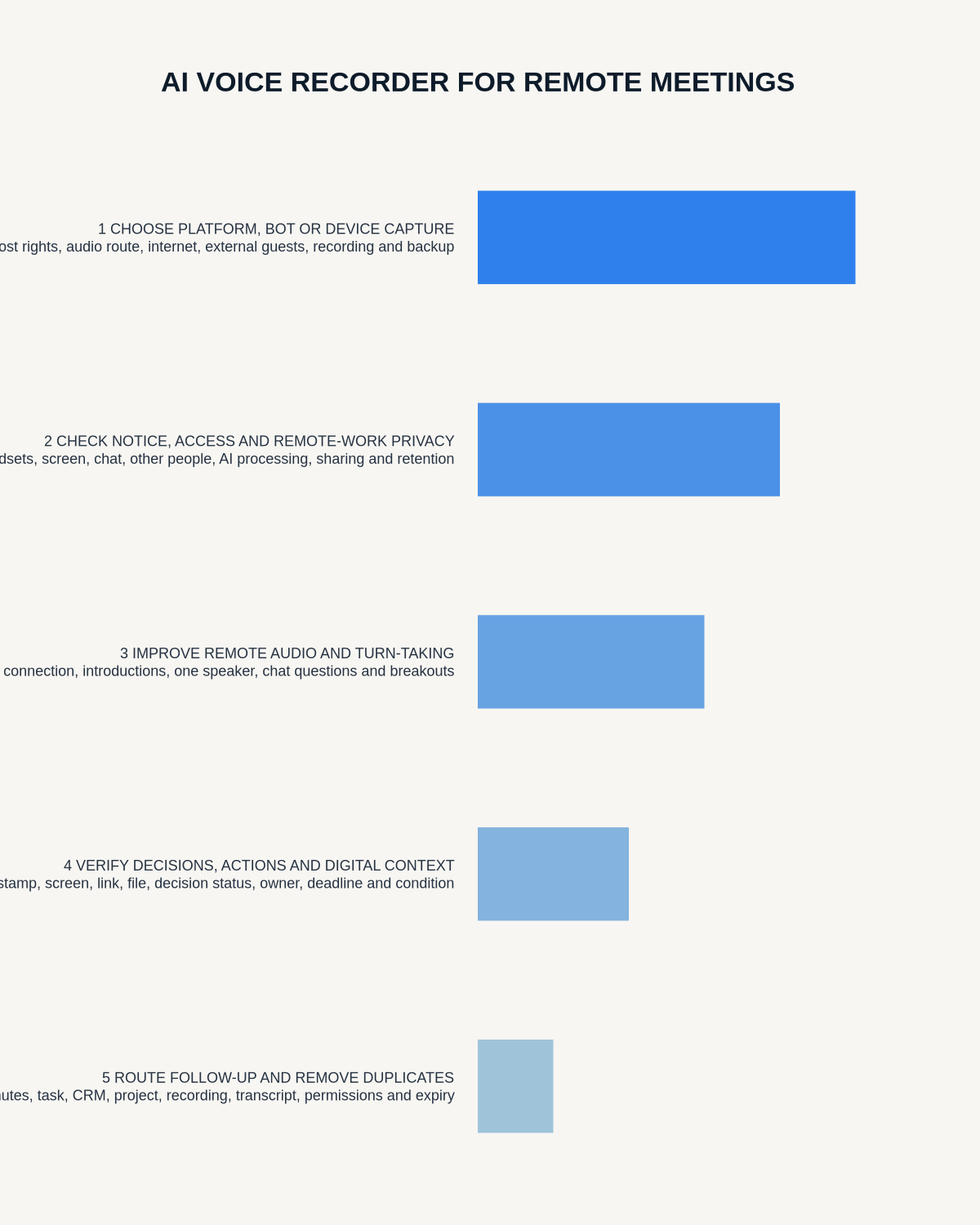
- Secure the recording through the approved account and device route.
- Generate the transcript and mark it as draft.
- Correct speakers, time zones, dates, numbers and specialist terms.
- Mark content missed through connection loss.
- Compare material passages with chat, slides and shared documents.
- Confirm decisions with the authorised people.
- Extract actions, owners, deadlines, risks and unresolved questions.
- Update the project, CRM, minutes or task system.
- Send a concise recap that participants can correct.
- Delete unnecessary duplicate recordings and transcripts.
Use a remote-meeting note template
- Meeting, date and time zone.
- Participants and roles.
- Purpose and agenda.
- Decision and supporting context.
- Action, owner and deadline.
- Risk, dependency or unresolved question.
- Document or chat link.
- Next meeting or review trigger.
- Approved record location.
Do not create an uncontrolled duplicate archive
If the platform already creates an approved recording and transcript, a second recording needs a documented purpose. Compare sources, resolve material discrepancies and retain only what policy requires.
Multiple unlabelled transcripts create confusion about which version is accurate, corrected or final. Apply separate status and retention to platform audio, local audio, transcripts, summaries and approved minutes.
Handle sensitive remote meetings separately
HR, health, legal, safeguarding, disciplinary, grievance and regulated-client discussions may require a specialist process, restricted access or no consumer recording. Do not assume ordinary team-meeting controls are suitable.
Urgent safety or safeguarding action must enter the formal process immediately rather than waiting for an AI recap.
How NERALVO Halo fits remote meetings
NERALVO Halo includes CALL mode for supported phone and social-app calls where capture is lawful, disclosed and permitted, 64GB local storage, up to 35 hours of recording and Bluetooth sync with DOWAY. DOWAY provides transcripts, summaries, speaker-separated notes, templates, translations, mind maps and exports, with one year of DOWAY Max included.
Compatibility is not universal. Test the precise phone, application, case and route before relying on it. Keep the final checked project or client record in the organisation’s normal system.
Cloud software, a dedicated recorder or manual notes?
For Remote Meetings, the right answer changes with the setting. This matrix deliberately gives each method a situation where it can be the strongest choice.
| Situation | Best starting point | Reason |
|---|---|---|
| scheduled remote meetings | Cloud meeting software | Calendar automation and shared integrations are usually the strongest advantage. |
| in-person or mobile work | Dedicated recorder | Independent capture reduces reliance on an active phone or laptop. |
| recording is refused or prohibited | Manual notes or an approved alternative | The boundary takes priority over convenience. |
| mixed online and offline work | Governed hybrid | Use each method only in the setting it actually fits. |
Frequently asked questions
Will Halo work with every remote-meeting platform?
No. Compatibility and audio quality vary, so test the exact setup.
Should both platform and Halo recordings be kept?
Only where each serves a documented purpose. Avoid unnecessary duplicate audio and transcripts.
Can an AI summary replace meeting minutes?
No. It is a draft that must be checked and converted into the approved record.
What if a participant is barely audible?
Clarify during the meeting and confirm in writing. Do not assume AI will recover missing audio.
Should recurring meetings be recorded automatically?
Only under an ongoing necessary, proportionate and transparent process that still fits the content.
Final remote-meeting checklist
- Required record and primary source defined.
- Platform and organisational rules checked.
- Participants informed.
- Exact audio route tested.
- Chat, slides and documents linked.
- Connection gaps recorded.
- Decisions and actions read back.
- Authoritative system updated.
- Duplicate files status-labelled and deleted deliberately.
Bottom line: remote-meeting reliability comes from a tested source, transparent capture, digital-context reconciliation and one authoritative follow-up record.
Useful resources and related guides
On this page
Related guides
See whether Halo fits this workflow
Review the NERALVO Halo specifications, included services, delivery information and current offer only after completing the guide.
Found an error or an out-of-date claim? Email support@neralvo.com with the article address and a supporting source.