The 60-second verdict
Quick answer: use an AI voice recorder for user interviews by defining the product decision, choosing the right research method, obtaining informed agreement for each capture type, asking about real behaviour and linking every finding to checked speech, observation and task evidence.
Best fit: User Interviews who need recoverable audio and human-verified notes in an authorised workflow. Use another method when: recording is prohibited, a participant declines or the approved process requires manual notes.
Evidence basis and limits
- Decision factors covered: Define the research decision; Recruit participants relevant to the decision; Obtain informed agreement for each capture method.
- Evidence rule: The decision is based on the complete capture-to-action workflow, not a single feature or marketing accuracy percentage.
- Boundary: Examples and workflow recommendations must be tested with representative recordings, the intended users and the actual approval process before rollout.

View Halo specifications for user interviews use can preserve approved interviews while the researcher focuses on listening and follow-up. It cannot create valid insights, infer credibility or approve product decisions.
Match the method to the research question
| Question | Suitable method | Main evidence |
|---|---|---|
| How do people understand this problem? | In-depth interview | Language, goals, history and context |
| Can people complete this task? | Moderated usability test | Observed behaviour, errors and task outcome |
| What happens in the real environment? | Contextual research | Workflow, artefacts, interruptions and constraints |
| How common is a pattern? | Survey or quantitative analysis | Measured distribution across an appropriate sample |
| Which design performs better? | Controlled comparison or experiment | Defined outcome measures |
Do not use an interview alone to claim that a design is easy to use. Reported preference and observed task success are different evidence.
Define the research decision
- The user group and context.
- The decision the team must make.
- The behaviour, understanding or friction being investigated.
- What evidence would support or challenge the current assumption.
- Which product stage or prototype is involved.
- How findings will be recorded, shared and retained.
Weak question: “Do users like our new checkout?”
Stronger question: “Can first-time mobile users identify delivery cost, correct an address and understand when payment will be taken?”
Recruit participants relevant to the decision
Consider experience level, device and assistive-technology context, language and literacy, people who abandoned the service, different routes through the task, users who need help online and relevant organisational or purchasing roles. A convenient sample of colleagues may support rehearsal but should not be presented as representative evidence.
Obtain informed agreement for each capture method
Participants should understand who is doing the research, the purpose, what data is collected, how results are used and shared, recording arrangements, retention and their ability to stop or withdraw within the stated process.
| Capture | Explain |
|---|---|
| Audio | Who will hear it, transcription method and retention |
| Video | Whether face, environment or body movement is included |
| Screen recording | Which windows, notifications and personal data may appear |
| Remote observers | Who is watching and whether they can record |
| Quotations or clips | Where and to whom extracts may be shown |
| AI processing | Which approved processor handles the recording or transcript |
Ask behaviour-first questions
- “Tell me about the last time you did this.”
- “What happened immediately before that?”
- “What did you do next?”
- “Can you show me the current process?”
- “What made that difficult?”
- “What did you use instead?”
Avoid introducing the proposed solution before the participant has described the current problem, consequence and workaround.
Capture evidence states separately
| Evidence type | Example |
|---|---|
| Participant statement | “I expected delivery to be free.” |
| Observed behaviour | Participant scrolls past the delivery-cost panel twice |
| Task outcome | Address correction completed after one failed attempt |
| Environmental context | Small screen used in bright outdoor light |
| Researcher interpretation | Delivery information may lack prominence |
| Design implication | Test earlier cost disclosure in the next prototype |
These categories should not be collapsed. A requested feature is not automatically a validated requirement.
Use time-linked observation notes
For each important moment, record timestamp, task or screen, participant action, spoken comment, outcome or error, moderator intervention, device or environmental context and the question for later analysis.
Correct the transcript before analysis
- Participant and researcher speaker labels.
- Product, screen and task names.
- Dates, amounts and references.
- Negation and conditional wording.
- Whether a comment followed a leading prompt.
- Exact quotations selected for reporting.
- Unclear or overlapping speech.
Audit leading questions and interventions
- Did the moderator mention the solution before the participant described the problem?
- Did praise, surprise or correction influence the response?
- Was a yes-or-no question used where an open prompt was possible?
- Did the moderator finish the participant’s sentence?
- Was help provided during the task, and was it recorded?
Build an evidence table before writing insights
| Finding field | Required content |
|---|---|
| User and context | Relevant characteristics without unnecessary identity |
| Task or goal | What the person was trying to achieve |
| Evidence | Observed behaviour, outcome and checked quotation |
| Frequency | How many relevant sessions showed the pattern |
| Severity | Effect on completion, trust, safety or access |
| Contradiction | Evidence that does not fit the pattern |
| Interpretation | Researcher explanation, clearly labelled |
| Design implication | Decision or experiment the evidence supports |
| Confidence | Limits from sample, method and data quality |
Use an insight-confidence check
| Factor | Low confidence | Higher confidence |
|---|---|---|
| Relevance | Convenience participant | Matches the decision’s user and context |
| Evidence | Hypothetical opinion | Recent behaviour or observed task |
| Pattern | Single isolated comment | Repeated across appropriate variation |
| Contradiction | Ignored | Actively examined |
| Traceability | Summary only | Checked transcript, timestamp and observation |
Preserve outliers and negative evidence
A single outlier may expose a serious accessibility, safety, legal or service-failure risk. Retain participants who could not complete the task, assistive-technology experiences, unexpected workarounds and evidence that challenges the team’s preferred solution.
Separate insight from recommendation
Evidence: four of six first-time mobile participants opened the help page before finding the identity-check requirement.
Insight: the requirement is not visible when users decide whether they can complete the application.
Recommendation: test showing the requirement before the application begins.
The recommendation is a product choice, not something automatically proved by the transcript.
Move from insight to experiment
Write the problem in the user’s context, state the supporting evidence, identify affected segments, preserve uncertainty and define the smallest test that could change the decision. Keep the proposed design separate from the evidence so teams can consider more than one response.
Protect participant identity
Use participant identifiers in working files, keep contact details separately, remove unnecessary personal information and restrict access. Exact roles, locations, organisations and distinctive quotations can identify a participant even when their name is removed.
Use specialist arrangements for high-risk research
Research with children, vulnerable adults, emotionally sensitive subjects, health information, financial difficulty, safeguarding concerns or high-risk services may require specialist recruitment, consent, accessibility, safeguarding and escalation procedures. Do not reuse a routine product-interview workflow without appropriate organisational expertise.
Controlled end-to-end workflow
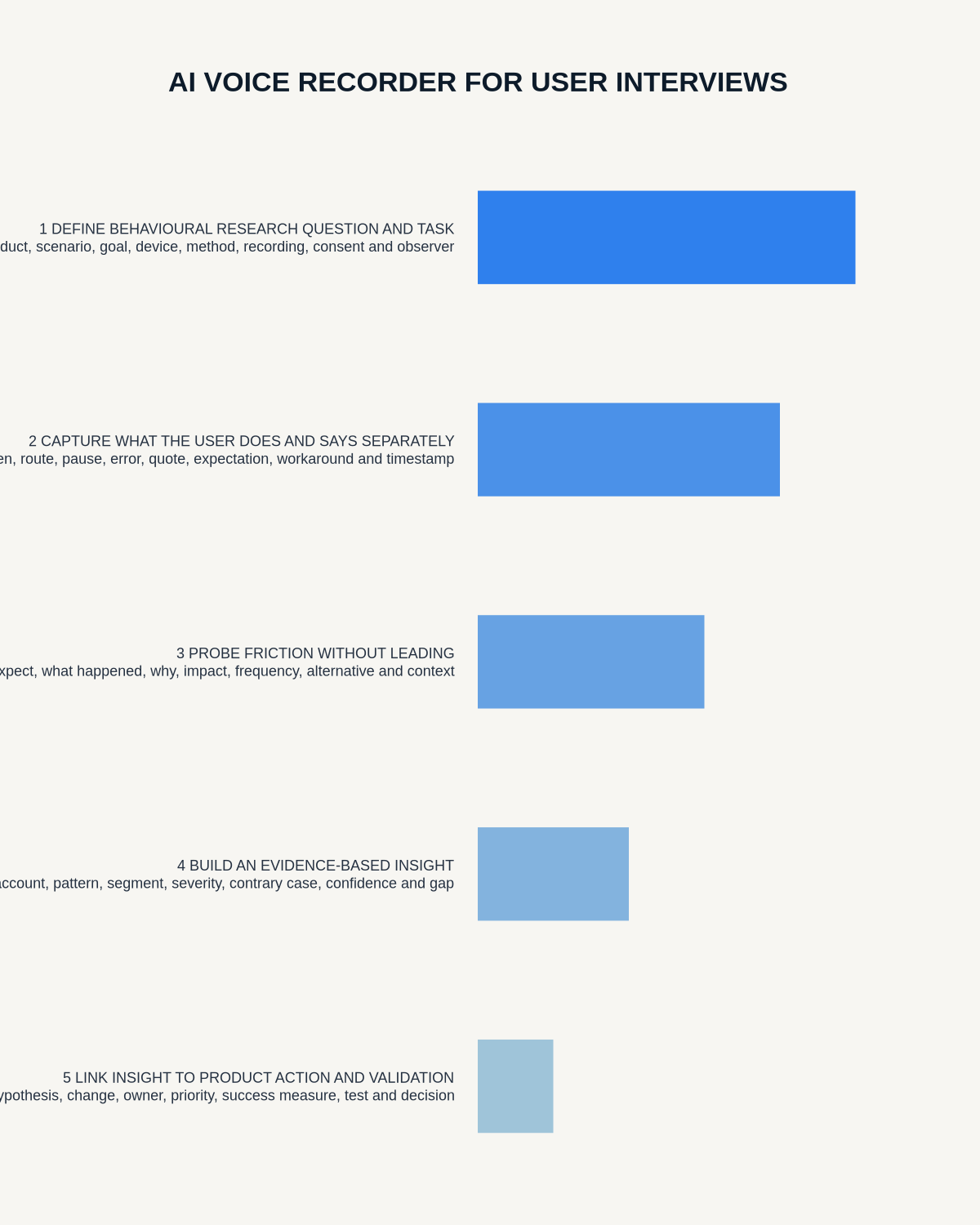
- Define the decision, research question and method.
- Recruit relevant participants and plan accessibility.
- Provide understandable information and obtain required agreement.
- Test the recording and observation setup.
- Run the session with neutral moderation.
- Secure audio, notes, screen material and consent records.
- Generate and correct the transcript.
- Link speech to behaviour and task outcomes.
- Analyse consistently across sessions.
- Preserve contradictions and high-severity outliers.
- Create findings with limitations.
- Link findings to decisions and future tests.
- Share only authorised, minimised outputs.
- Apply participant requests, retention and deletion rules.
How NERALVO Halo fits user interviews
NERALVO Halo provides NOTE mode for suitable approved in-person interviews, supported CALL mode for compatible remote sessions, 64GB local storage, up to 35 hours of recording and Bluetooth sync with DOWAY. DOWAY can generate transcripts, summaries, templates, translations, mind maps and exports, with one year of DOWAY Max included.
Halo captures audio, not the participant’s screen or complete physical behaviour. Link audio timestamps to authorised observation notes or screen recordings where interaction matters.
Cloud software, a dedicated recorder or manual notes?
For User Interviews, the right answer changes with the setting. This matrix deliberately gives each method a situation where it can be the strongest choice.
| Situation | Best starting point | Reason |
|---|---|---|
| scheduled remote meetings | Cloud meeting software | Native remote-meeting workflows can be more efficient here. |
| in-person or mobile work | Dedicated recorder | A separate battery and recoverable local source improve resilience. |
| recording is refused or prohibited | Manual notes or an approved alternative | Manual notes are the correct control when recording is unavailable. |
| mixed online and offline work | Governed hybrid | A hybrid can combine automation with reliable physical capture. |
Frequently asked questions
Can AI create UX insights automatically?
It can organise text and suggest patterns. Valid insights require context, observation, method and researcher judgement.
Is a user interview the same as usability testing?
No. Interviews explore reported experience and meaning; usability testing observes people attempting tasks with a design.
Does removing a name anonymise the research?
Not necessarily. Indirect identifiers and distinctive details can still reveal identity.
Final user-interview checklist
- Decision, question and method defined.
- Relevant participants recruited.
- Each capture type explained.
- Behaviour-first questions used.
- Leading prompts and interventions recorded.
- Speech, behaviour and interpretation separated.
- Transcript and quotations verified.
- Contradictions and high-risk outliers retained.
- Finding, implication and recommendation separated.
- Participant identity and retention controlled.
- Decision owner and next test recorded.
Bottom line: informed participation, neutral moderation, observed behaviour, corrected transcripts and disciplined analysis turn user recordings into defensible product evidence.
Related guides
See the guides for market research, customer discovery and UX researchers.
On this page
Related guides
See whether Halo fits this workflow
Review the NERALVO Halo specifications, included services, delivery information and current offer only after completing the guide.
Found an error or an out-of-date claim? Email support@neralvo.com with the article address and a supporting source.