An AI voice recorder remains useful only when recordings can be found, reviewed and removed without confusion. Maintenance is less about cleaning the hardware and more about preventing unnamed files, full storage, weak batteries and duplicate copies from taking over the workflow.
A simple weekly routine can protect more time than any advanced AI feature.
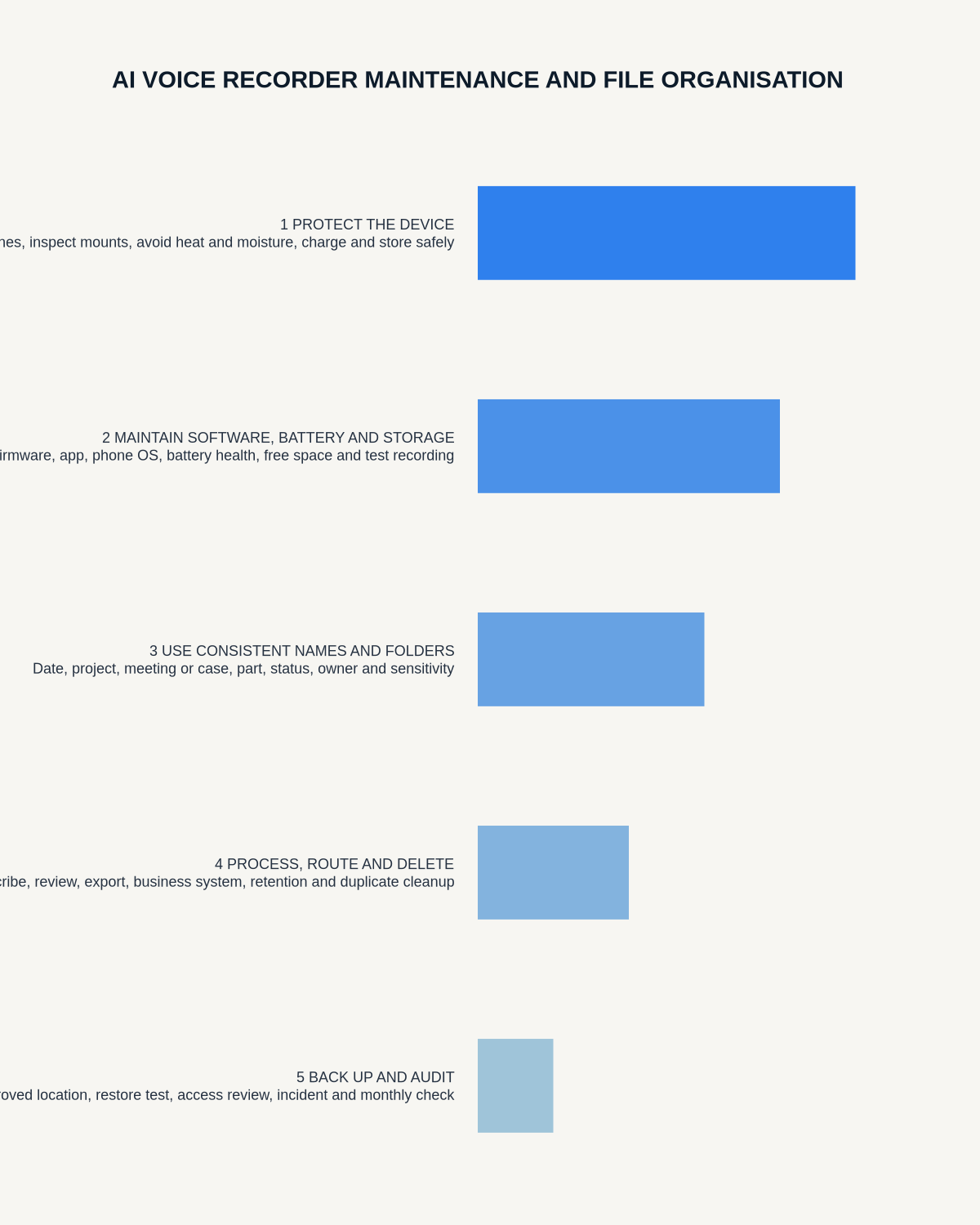
The four maintenance areas
- Hardware: battery, microphone, controls and attachment.
- Software: app access, updates, pairing and subscription status.
- Files: naming, transfer, review, export and deletion.
- Workflow: ensuring the final note reaches its correct destination.
Use one naming convention
The 60-second verdict
Automatic filenames are difficult to search and easy to confuse. Rename recordings as soon as possible.
Decision focus: use the method below only where it produces a recoverable source, a verifiable output and a clear next action. If one of those fails, change the workflow rather than trusting a polished summary.
Evidence basis and limits
- Decision factors covered: The four maintenance areas; Use one naming convention; The weekly 15-minute routine.
- Evidence rule: Claims are weighted by consequence: capture failure, changed meaning, access and recovery matter more than polished wording.
- Boundary: Examples and workflow recommendations must be tested with representative recordings, the intended users and the actual approval process before rollout.
A practical pattern is:
YYYY-MM-DD – client/project – type – status
Examples:
- 2026-07-21 – NERALVO launch – supplier call – reviewed
- 2026-07-22 – Smith matter – client meeting – draft
- 2026-07-23 – Biology 201 – lecture 4 – processed
Status words such as new, processing, reviewed and approved prevent an AI draft from being mistaken for a final record.
Separate source, draft and final files
| File | Purpose | Typical treatment |
|---|---|---|
| Source audio | Replay and verification | Retain only as required |
| Raw transcript | Searchable first pass | Correct critical details |
| AI summary | Draft interpretation | Review decisions and actions |
| Approved note | Working or formal record | Store in the correct system |
Do not store all four indefinitely by default.
The weekly 15-minute routine
- Open the device or app’s new-recordings list.
- Rename every file.
- Confirm required recordings have transferred.
- Finish outstanding transcript reviews.
- Move approved outputs into their destination.
- Delete duplicate and unnecessary copies according to policy.
- Check storage and battery.
- Confirm the app account and subscription remain active.
The monthly hardware check
- Inspect the microphone opening for dust or blockage.
- Check buttons for sticking or accidental activation.
- Inspect the charging port and cable.
- Test magnetic or physical attachment.
- Run a short room recording.
- Confirm battery runtime remains predictable.
- Check available storage.
Use a dry, suitable cleaning method and avoid pushing material into microphone openings.
Battery care
Rechargeable batteries gradually lose capacity. Avoid leaving the recorder fully discharged for long periods or exposed to excessive heat.
Retest runtime before travel, conferences or other long events. A device that once covered a full day may no longer do so after extended use.
Storage housekeeping
Set a trigger for offloading files, such as 75% capacity or a fixed weekly day. Do not wait until the memory-full warning appears before an important meeting.
After transfer:
- Open the destination copy.
- Check the complete duration.
- Confirm the file has a useful name.
- Verify any required backup.
- Then apply the deletion decision.
Avoid the duplicate-copy trap
A single recording may exist on the recorder, phone, AI app, cloud account, laptop download folder, final client or project system and backup service.
Map the normal route and decide which copy is temporary, which is the source and which is the final record.
Folder structures that work
By client or project
Best when recordings belong to ongoing work. Store final notes with the project and keep source files in a controlled subfolder if required.
By date
Simple for high-volume personal capture, but subject information must appear in the filename.
By workflow status
Useful for processing queues: New, Review, Approved, Archived. Avoid leaving sensitive material in a general inbox.
By subject or course
Useful for students and researchers, with separate folders for source audio, transcripts and final notes.
App and firmware updates
Updates can improve features but also change pairing, call routing or exports. Before an important period:
- Record the current working app version.
- Read significant update notes.
- Run a room and call test after updating.
- Confirm export formats remain available.
- Avoid installing an untested update immediately before a critical session where possible.
Account maintenance
- Keep recovery details current.
- Use an account controlled by the correct person or organisation.
- Record plan renewal dates.
- Remove access when a device changes owner.
- Export required files before cancellation.
- Review connected devices and sessions.
When to archive and when to delete
Archive only when the source has a defined future purpose. Delete when the recording is no longer required and retention rules allow it.
“Storage is available” is not a retention reason. Keeping unnecessary audio increases search burden and the impact of loss or unauthorised access.
A quarterly workflow audit
Select ten recent recordings and answer:
- Was each recording necessary?
- Could the source be found quickly?
- Was the transcript reviewed?
- Did the final note reach the right system?
- Are unnecessary duplicates still present?
- How much time did the workflow save?
If recordings are accumulating without final outputs, reduce capture volume or simplify processing.
Where NERALVO Halo fits
Check whether NERALVO Halo fits this workflow includes 64GB local storage, NOTE and CALL modes, up to 35 hours of recording and Bluetooth transfer to DOWAY.
DOWAY can create transcripts, summaries, speaker-separated notes, templates, translations and mind maps. The current package includes one year of DOWAY Max from activation. Keep the activation and renewal information with the device record.
CALL mode compatibility varies by phone, operating system and call route. Retest after significant phone or app updates.
Maintenance checklist
| Frequency | Task |
|---|---|
| After each use | Confirm, rename and route the recording |
| Weekly | Process files, delete duplicates, check battery and storage |
| Monthly | Inspect hardware and run a short recording test |
| After updates | Retest calls, pairing and exports |
| Quarterly | Audit retention, time savings and workflow value |
Workflow choice matrix for AI Voice Recorder Maintenance and File Organisation Guide
Choose the method that protects the source and reduces downstream correction. The table makes the non-hardware options explicit.
| Condition | Preferred route | Why |
|---|---|---|
| High-risk or mixed work | Governed hybrid | Separate capture, review, approval and retention rather than trusting one tool. |
| Recording is refused, prohibited or unnecessary | Manual notes / no recording | Respecting the boundary is the correct workflow, not a product failure. |
| In-person, mobile or unreliable-connectivity work | Dedicated recorder | Independent capture and a recoverable local source are usually more resilient. |
| Repeatable remote work with approved integrations | Cloud software | Automation and central collaboration may outweigh device independence. |
Related guides
Bottom line
Maintain the recorder as a system, not just a device. Clear filenames, defined file stages, weekly processing, deliberate deletion and periodic call tests keep the technology useful and prevent a growing archive of unreviewed audio.
Workflow map
Visual map for AI Voice Recorder Maintenance and File Organisation Guide
- Define the decisionState the question, required output and acceptance rule.
- Capture the sourceUse the approved route and preserve context, identity and limitations.
- Verify material detailsReplay or check names, numbers, negatives, decisions and actions.
- Move into the real recordAssign an owner, retain evidence and apply the deletion rule.
On this page
Related guides
See whether Halo fits this workflow
Review the NERALVO Halo specifications, included services, delivery information and current offer only after completing the guide.
Found an error or an out-of-date claim? Email support@neralvo.com with the article address and a supporting source.