The 60-second verdict
Quick answer: draft better case notes from recorded conversations by separating reported, observed, verified, assessed and decided information, correcting the source first, escalating urgent risk immediately and transferring one approved minimum-adequate record into the authorised case system.
Decision focus: use the method below only where it produces a recoverable source, a verifiable output and a clear next action. If one of those fails, change the workflow rather than trusting a polished summary.
Evidence basis and limits
- Decision factors covered: Use five status labels throughout the note; 1. Capture only through the approved process; 3. Extract only case-changing information.
- Evidence rule: The decision is based on the complete capture-to-action workflow, not a single feature or marketing accuracy percentage.
- Boundary: Examples and workflow recommendations must be tested with representative recordings, the intended users and the actual approval process before rollout.
A transcript preserves speech. A case note preserves source, status, professional reasoning, risk, authority and next action. AI can help organise a draft, but it cannot replace professional assessment or determine what belongs in the formal record.

This guide provides general information. Follow the legal, safeguarding, clinical, contractual and professional requirements that apply to the case.
Use five status labels throughout the note
| Status | Meaning | Example wording |
|---|---|---|
| Reported | A person’s account, allegation or recollection | “The client reported that the payment stopped in June.” |
| Observed | What the practitioner directly saw, heard or measured | “The letter shown was dated 18 June.” |
| Verified | Information checked against an identified source | “The account statement confirms the June payment.” |
| Assessed | Professional interpretation based on available information | “In my assessment, the delay may affect the review timetable.” |
| Decided | An authorised outcome or action | “The team leader approved an urgent referral.” |
AI summaries often merge these categories into one fluent narrative. Restore the labels before filing the note.
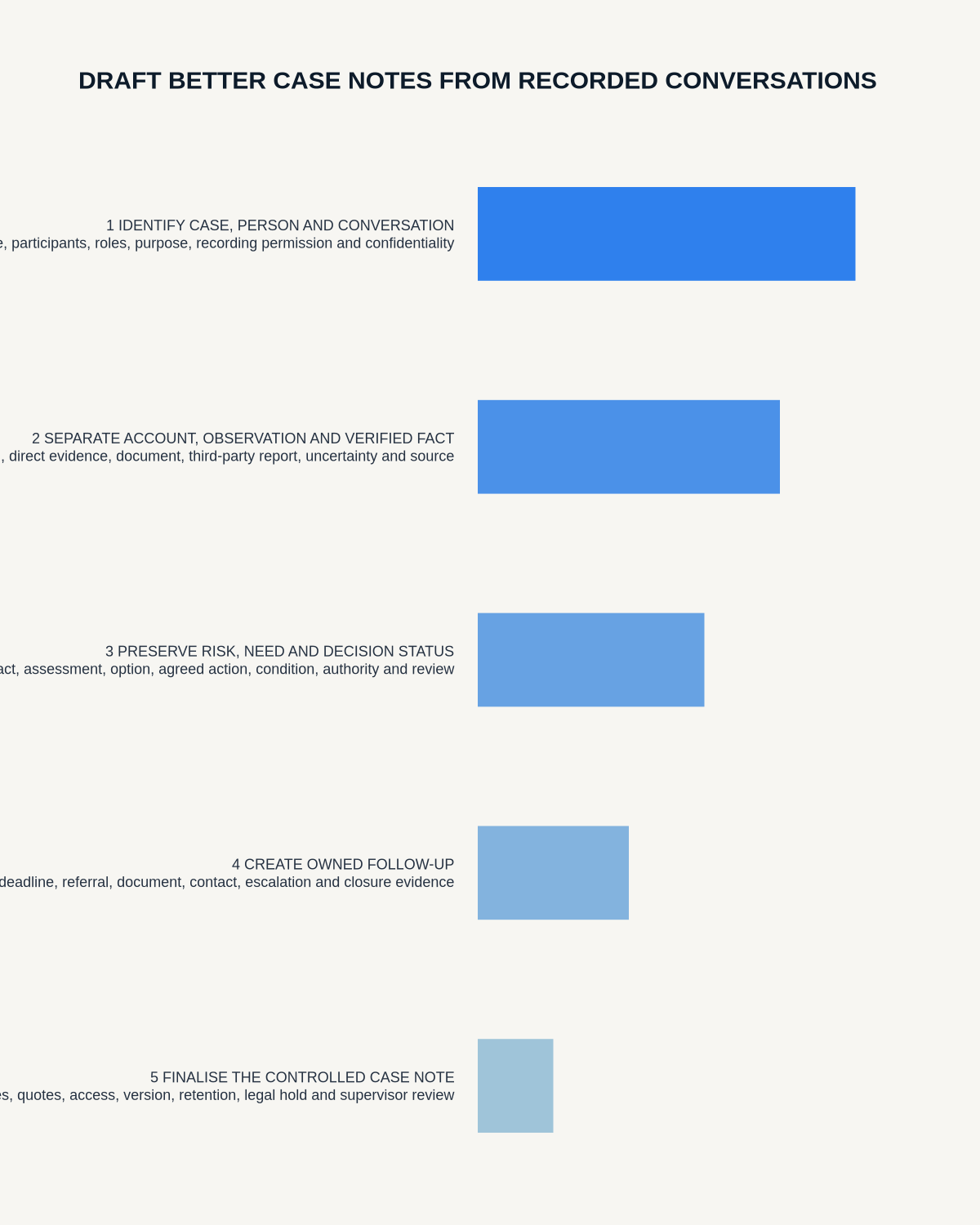
Move through a source-to-record funnel
1. Capture only through the approved process
Define why the conversation is recorded, what the person is told, who may access the source, which processing service is approved and when audio and drafts are deleted. Sensitive cases may require a specialist system or a private post-contact reflection instead of ambient capture.
2. Correct the source
Check names, dates, addresses, reference numbers, speaker attribution, negative wording, amounts, medicines, technical terms and any direct quotation that may affect action or assessment. Do not summarise a materially incorrect transcript.
3. Extract only case-changing information
Identify what changes understanding, risk, eligibility, service delivery, professional judgement or action. Greetings, repeated history and unrelated private details rarely belong in the final record.
4. Apply professional judgement
Explain why the information matters, what remains uncertain, what policy or professional process applies and which alternative explanations were considered. AI must not fill a missing assessment.
5. File the approved note
Move the final record into the authorised case system with the correct author, date, review status and access classification. The recorder app must not become a parallel case file.
Use a standard case-note structure
- Contact context: case reference, date, method, participants and purpose.
- Current position: concise description of the issue.
- Information reported: source-attributed statements.
- Direct observations: what the practitioner saw, heard or measured.
- Evidence verified: documents, systems, measurements or third-party checks.
- Professional assessment: reasoning, uncertainty and relevant context.
- Risk: urgency, immediate controls and escalation.
- Decision: outcome, authority, conditions and rationale.
- Actions: owner, deadline, dependency and review point.
- Communication: what was explained, sent or confirmed.
- Record status: author, reviewer, version and filing location.
Use a chronology separate from assessment
| Field | Required content |
|---|---|
| Event | What occurred, when and where |
| Source | Person, document, system or direct observation |
| Status | Reported, observed, verified, disputed, provisional or unknown |
| Risk | Immediate concern, current control and escalation route |
| Assessment | Professional interpretation with uncertainty |
| Decision | Authority, conditions and rationale |
| Action | Owner, deadline, dependency and review point |
A clear chronology lets another authorised professional understand changes, reversals and escalation without confusing events with interpretation.
Before-and-after example
Weak AI draft: “The client has not received support and the team agreed this was urgent.”
Controlled case note: “The client reported that no support visit had taken place since 14 July. The rota was not available during the call, so this has not yet been independently verified. I assessed a potential immediate-care risk because the client also reported having no food in the property. The duty manager authorised a welfare check for the same afternoon. Jamie Patel owns the action and will update the case by 5pm.”
The controlled version shows source, uncertainty, assessment, authority, owner and deadline.
Create a separate urgent-risk lane
- Act first on immediate harm, safeguarding, deterioration or serious operational risk.
- Record the exact concern and time.
- State who was contacted and the response.
- Move restricted information into the correct system.
- Return to the routine case note only after urgent action is complete.
Do not wait for transcription before acting on an urgent concern. The recording may support chronology later, but it must not delay protective action.
Minimise without making the note useless
Include enough detail to explain the decision and next step. Remove unrelated personal conversation, duplicated history already held, speculation that did not affect the outcome, unnecessary third-party information and long quotations where an accurate attributed summary is sufficient.
Keep disagreement, qualifications and context that materially affect interpretation.
Handle uncertainty and disagreement fairly
State when information is second-hand, disputed, incomplete or not yet verified. Do not remove words such as “reported,” “possible,” “appears,” “subject to” or “not confirmed.” Preserve competing accounts when they affect the decision.
Handle corrections transparently
Do not silently overwrite a material historical record. Follow the organisation’s amendment process so the original entry, correction, date, author and reason remain understandable. Where a person disputes a professional opinion, keep the opinion labelled and record the challenge where relevant.
Keep supervision separate from the factual case record
Questions for supervision, reflective learning and private professional development may need a separate controlled space. Do not place speculative supervision notes into the factual case chronology merely because they were generated from the same recording.
Where NERALVO Halo fits
View Halo specifications against the evidence checklist provides NOTE recording, supported CALL capture, 64GB local storage, up to 35 hours of recording and Bluetooth sync with DOWAY. DOWAY can create transcripts, summaries, templates, translations, mind maps and exports. One year of DOWAY Max is included from activation.
Use Halo only through the approved professional process. Verify the DOWAY transcript and transfer the minimum adequate record to the authorised case system. The device and app cannot determine professional judgement, legal status, safeguarding action or retention.
Quality-control prompts
- Can a reader distinguish allegation, observation, evidence and assessment?
- Are names, dates, amounts and negative wording verified?
- Does the chronology preserve changes and reversals?
- Is professional judgement clearly labelled?
- Is urgent risk separated from routine processing?
- Are decisions linked to authority and conditions?
- Do actions have owners, deadlines and review points?
- Has irrelevant third-party detail been removed?
- Are corrections and challenges traceable?
- Can another authorised professional act without replaying the source?
Workflow choice matrix for How to Draft Better Case Notes from Recorded Conversations
Choose the method that protects the source and reduces downstream correction. The table makes the non-hardware options explicit.
| Condition | Preferred route | Why |
|---|---|---|
| High-risk or mixed work | Governed hybrid | Separate capture, review, approval and retention rather than trusting one tool. |
| Recording is refused, prohibited or unnecessary | Manual notes / no recording | Respecting the boundary is the correct workflow, not a product failure. |
| In-person, mobile or unreliable-connectivity work | Dedicated recorder | Independent capture and a recoverable local source are usually more resilient. |
| Repeatable remote work with approved integrations | Cloud software | Automation and central collaboration may outweigh device independence. |
Frequently asked questions
Should case notes include direct quotations?
Use checked quotations where exact wording matters. Otherwise use an accurate attributed summary.
Can AI make the professional assessment?
No. It can organise source material, but an accountable professional must assess evidence and make decisions.
Should the full recording be attached to the case?
Only where there is an approved need. The source may require tighter access and a shorter retention period.
What if the transcript and another record conflict?
Investigate the discrepancy, identify the authoritative source and document the correction or unresolved difference.
Useful resources
On this page
Related guides
See whether Halo fits this workflow
Review the NERALVO Halo specifications, included services, delivery information and current offer only after completing the guide.
Found an error or an out-of-date claim? Email support@neralvo.com with the article address and a supporting source.