The 60-second verdict
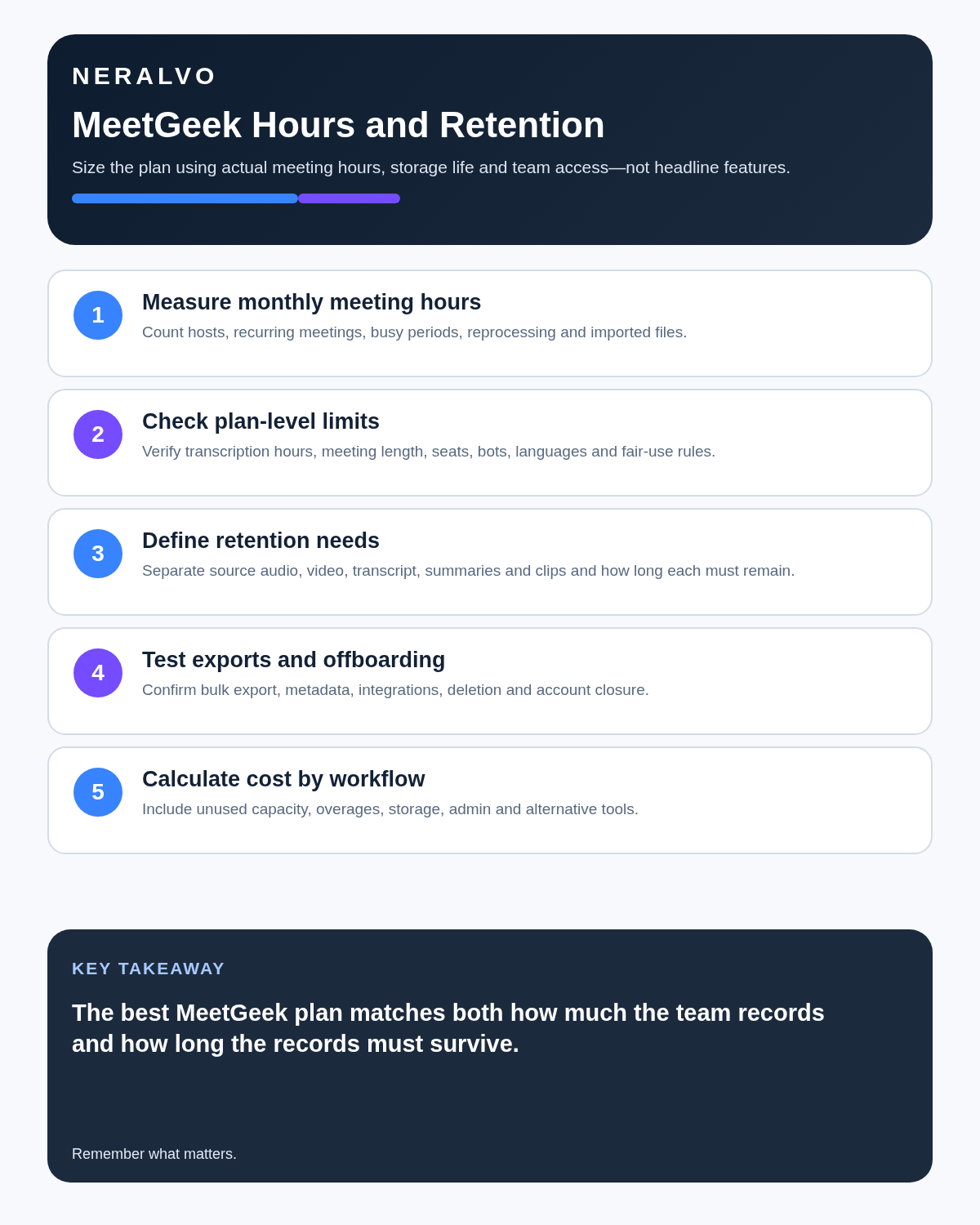
Quick answer: MeetGeek is easiest to evaluate using three operational limits: monthly transcription volume, maximum meeting duration and how long source audio or video remains available. The right tier is the lowest one that covers the meetings worth recording, the evidence that must remain reviewable and the collaboration controls the team will actually use.
Best fit: readers comparing MeetGeek against the purchase, workflow and evidence factors below. Do not buy on: headline features alone; a failed compatibility, privacy, recovery or cost requirement should override the overall score.

Evidence basis and limits
- Decision factors covered: Calculate the meetings that genuinely need capture; Current plan limits and retention; What Basic already provides.
- Evidence rule: The decision is based on the complete capture-to-action workflow, not a single feature or marketing accuracy percentage.
- Boundary: Manufacturer-controlled prices, plans, compatibility and specifications can change. Retain the article’s stated check date, verify the live supplier terms before purchase and treat community reports as leads unless the original source is linked.
Calculate the meetings that genuinely need capture
Do not begin with total calendar time. Estimate only the conversations where a searchable source, checked summary or formal follow-up creates value.
| Working pattern | Approximate monthly volume | Likely plan fit |
|---|---|---|
| One 45-minute meeting each week | 3 hours | Basic may be enough |
| Five one-hour meetings each week | 20 hours | Pro reaches its current limit |
| Two hours of calls each working day | 40 hours | Business is more realistic |
| Several teams recording daily | Variable and high | Business or Enterprise |
Measure one representative month, include meetings that run over their scheduled time and account for historical uploads separately.
Current plan limits and retention
| Plan | Current price | Transcription | Meeting maximum | Transcript storage | Audio/video storage |
|---|---|---|---|---|---|
| Basic | Free | 3 hours/month | 2 hours | 3 months | 1 month |
| Pro | $9.99 per user/month | 20 hours/month | 2 hours | 1 year | 6 months |
| Business | $17 per user/month | Unlimited | 3 hours | Unlimited | 12 months |
| Enterprise | Custom | Unlimited | 4 hours | Unlimited | Custom |
Pro currently charges $0.50 for each additional transcription hour. A user who repeatedly buys many extra hours may be better moving to Business. Verify billing period, currency and taxes before purchase.
What Basic already provides
Basic is not merely a transcript demo. It currently includes:
- Recording for supported Zoom, Google Meet, Teams and other platforms.
- Transcription in more than 100 languages.
- Automatic language detection.
- Unlimited AI summaries.
- Meeting analytics.
- Global search and AI Chat.
- Audio and video uploads.
- Folders and tags.
- Mobile applications.
- Browser and desktop no-bot recording.
- API and MCP access.
The three-hour monthly allowance is the practical constraint. It makes Basic suitable for occasional use and a controlled pilot.
When Pro is sensible
Pro adds meeting templates, automatic meeting-type detection, integrations, Zapier, Make and n8n workflows, exports, downloads and personal aggregated analytics. It suits an individual or small team below twenty hours per recorder each month.
It is less suitable when meetings regularly exceed two hours or source audio must remain accessible for more than six months.
When Business becomes justified
Business adds unlimited transcription, three-hour meetings, twelve-month source storage, team and group spaces, automatic sharing, analytics, comments, HD video, branding, private meetings by default, consent notifications and unlimited agentic workflows.
The upgrade makes sense when several people collaborate on meeting records or the organisation needs consistent privacy and sharing behaviour—not simply because one person exceeds twenty hours.
Retention can decide the purchase
A transcript may be enough for routine internal calls. Important client instructions, interviews, decisions or disputes may require source playback to verify exact wording.
- Define how long the checked final record must remain.
- Decide whether source audio or video is required for that whole period.
- Confirm whether older files are archived, removed or inaccessible.
- Test export of audio, video, transcript, speakers and notes.
- Confirm deletion and downgrade behaviour.
Longer retention is not automatically better. Keeping unnecessary source files increases privacy, access and offboarding obligations.
Choose the capture route deliberately
Meeting assistant
A bot can join supported online meetings and automate capture. Configure calendar exclusions so it does not enter confidential, personal or unsuitable events.
Browser or desktop capture
Bot-free system-audio capture avoids an extra participant but depends on the user’s computer, permissions, headset route and reliable configuration.
Mobile capture
A mobile application may support face-to-face conversations, but source quality depends on phone microphone placement, battery, interruptions and the room.
Test each route with the exact devices and platforms the team uses.
Use a controlled meeting-to-record process
- Record only an authorised meeting.
- Check that the intended audio route was captured.
- Correct names, figures, dates and speaker attribution.
- Confirm decisions, owners and deadlines.
- Move approved outputs into the CRM, project or document system.
- Restrict external sharing and downloads.
- Apply separate retention to source media, working transcript and final record.
Historical uploads need a separate test
- Monthly import allowance.
- Maximum file length.
- Supported audio and video formats.
- Speaker-labelling quality.
- Whether imported files receive the same summaries and analytics.
- Processing time and additional cost.
- Bulk export after processing.
Calculate complete annual cost
Include paid recorder seats, overage hours, implementation, integrations, administration, correction time, storage, retention, training and offboarding. Compare that total with measurable savings such as reduced note-writing, faster action routing and fewer missed decisions.
Direct comparison matrix: MeetGeek and NERALVO Halo
How to read this matrix: it is not scored to force a Halo win. The competing option leads where its deployment, integrations, placement or ecosystem is stronger; Halo leads only where its dedicated capture workflow is the better fit.
MeetGeek is strongest for connected online workflows, shared summaries and automation. See whether Halo fits where MeetGeek does not is dedicated hardware for conversations that need portable local capture, with 64GB storage, supported NOTE and CALL modes, up to 35 hours of recording and one year of DOWAY Max.
Is cloud software or a physical recorder right for this workflow?
- Choose MeetGeek when remote or desktop meetings, calendar automation and native workspace integrations are central—and its current plan covers the real team workload.
- Choose NERALVO Halo when in-person, mobile or offline source capture matters more than an auto-joining cloud workflow.
- Re-test after any material plan, app, operating-system or policy change.
One public user signal
“I’m trialling MeetGeek AI, which is good but probably more than I need.”
Read the original Reddit discussion. This is one person’s public report, not a controlled test or community consensus.
Why it matters here: Feature depth can be a benefit or overhead. Match the plan to the simplest workflow that still covers retention, integrations and review.
How community feedback is used
Public reviews can reveal recurring friction, but an anonymous anecdote is not treated as measured proof. A pull-quote should appear only when it links to the original post, identifies the relevant product version or date and is presented as one user’s experience—not as universal fact.
Frequently asked questions
Which MeetGeek plan is best?
The lowest tier that covers real monthly hours, the longest meeting, source retention and required team controls.
Does unlimited transcription mean unlimited storage?
No. Transcript and source-media retention differ by plan.
Can the free plan support real work?
Yes for an occasional user or meaningful pilot, but the three-hour monthly allowance must match the workload.
Is bot-free capture automatically more private?
No. Participant transparency, processing, access and retention still apply.
Should the AI summary become the official record?
Only after accountable review and transfer into the authorised system.
Official source and related reading
- Official MeetGeek pricing
- Fireflies.ai Review
- Supernormal AI Review
- Best AI Voice Recorders for Meetings
Final buying checklist
- Representative monthly hours measured.
- Current plan prices and overage rate confirmed.
- Longest meeting tested.
- Transcript and source retention separated.
- Bot, desktop and mobile routes tested where needed.
- Historical upload rules confirmed.
- Exports, deletion and downgrade tested.
- Recorder users counted correctly.
- Total annual cost calculated.
Verdict: MeetGeek is straightforward when buyers choose by hours, meeting length, source retention and collaboration controls. It becomes a poor fit when the plan is selected from feature count without testing those operational limits.
Software-first route
Need Zoom, Teams, calendar or CRM automation?
Choose cloud software for that job. This page completes the software workflow and evidence first. NERALVO Halo remains an optional later route only when offline, in-person or phone-attached capture matters more than native integrations.
On this page
More in this topic: Recorder reviews and buying guides
Show 8 closely related guides
- Limitless Pendant Review 2026: Current Status & US Alternatives
- Krisp AI Review 2026: Pricing, Noise & Is It Worth It?
- AI Voice Recorder Buying Checklist: 15 Tests Before You Buy
- Magnetic Phone Recorder vs Handheld Voice Recorder
- AI Voice Recorder vs Live Transcription: Which Workflow Fits?
- AI Voice Recorder vs Dictaphone: Workflow, Drafting and Document Control
- AI Voice Recorder vs Laptop Recording Software: Desk and Mobile Work
- Is an AI Voice Recorder Worth It? A Real Cost-and-Time Test
Related guides
Keep the solution aligned with your original intent
- Choose the reviewed cloud software when Zoom, Teams, calendar automation, CRM workflows or unattended bot capture are essential.
- Consider dedicated hardware later only when offline, in-person, mobile or phone-attached capture is the actual requirement.
- Use neither when permission, governance, compatibility or retention requirements cannot be met.
Check current MeetGeek details at the official source
Verify current plans, compatibility, limits and integrations with MeetGeek before buying. Halo remains a separate optional comparison only for offline, in-person, mobile or phone-attached capture.
Found an error or an out-of-date claim? Email support@neralvo.com with the article address and a supporting source.