
The 60-second verdict
Quick answer: Krisp is most useful when noisy live calls are the first problem and meeting notes are the second. It can reduce background noise, distracting voices and echo before audio reaches the meeting platform, then support transcription and follow-up.
Best fit: readers comparing Krisp AI against the purchase, workflow and evidence factors below. Do not buy on: headline features alone; a failed compatibility, privacy, recovery or cost requirement should override the overall score.
Evidence basis and limits
- Decision factors covered: Understand the audio route; What noise cancellation can do; What it cannot repair.
- Evidence rule: Claims are weighted by consequence: capture failure, changed meaning, access and recovery matter more than polished wording.
- Boundary: Manufacturer-controlled prices, plans, compatibility and specifications can change. Retain the article’s stated check date, verify the live supplier terms before purchase and treat community reports as leads unless the original source is linked.
Current plan facts checked in July 2026: Core is currently $16 monthly or $8 per month on annual billing and includes unlimited transcription, noise cancellation and recording with 10GB storage. Advanced is $30 monthly or $15 per month annually and adds 60GB storage, stronger administration, sales functions and larger accent-conversion allowances. Enterprise is custom-priced. Krisp currently offers a seven-day trial.
Understand the audio route
| Stage | What happens | Common failure |
|---|---|---|
| Physical microphone | Captures voice and room | Wrong device or poor placement |
| Krisp virtual microphone | Processes noise and voice | Not selected or too aggressive |
| Meeting application | Receives the processed signal | App still uses physical input |
| Recording and transcript | Creates source and notes | Missing speaker or clipped words |
Before an important call, confirm the physical input, Krisp virtual device, meeting-app input and output, headset and recording policy.
What noise cancellation can do
- Reduce fans, typing and steady environmental noise.
- Reduce some distracting background voices.
- Reduce suitable room echo.
- Improve comfort for participants.
- Create a cleaner source for transcription.
What it cannot repair
- A speaker too far from the microphone.
- Clipped or overloaded audio.
- Unstable internet and missing packets.
- Two people speaking at exactly the same time.
- A muted or incorrectly selected microphone.
- Incorrect names, numbers or specialist terms in the transcript.
Aggressive filtering can also remove quiet speech. Test the person with the softest voice, not only the account owner.
Choose the capture route
Bot-free desktop capture
Keeps the participant list natural and can work across supported applications, but depends on the user’s computer, permissions and correct routing.
Meeting bot
Can automate supported Zoom, Google Meet and Microsoft Teams calendar meetings but appears as a participant and needs exclusions, notice and access controls.
In-person capture
May be possible through connected computer or mobile devices, but microphone placement, battery and room acoustics still determine quality.
Current plan structure
| Plan | Monthly rate | Annual equivalent | Main difference |
|---|---|---|---|
| Core | $16 | $8 per month | Unlimited transcription, noise cancellation and recording; 10GB storage |
| Advanced | $30 | $15 per month | 60GB storage plus stronger administration, sales and accent-conversion allowances |
| Enterprise | Custom | Custom | Organisation-specific controls, support and private-processing options |
Krisp currently offers a seven-day trial. Verify current prices, storage and feature packaging before purchase.
Core or Advanced?
Core should suit individuals and small teams whose main needs are noise cancellation, recording, transcription, summaries and normal integrations.
Advanced is justified only when the organisation will actively use larger storage, administration, sales functionality, greater accent-conversion allowances or team controls. Paying more solely because the tier sounds professional creates little value.
Accent conversion is not translation
Krisp can modify how an accent is presented to make speech easier for listeners to understand while aiming to preserve the speaker’s voice. It does not translate one language into another. Organisations should define when the feature is active and ensure staff and customers understand the processing where appropriate.
Run a representative audio test
- Quiet room with a normal headset.
- Typing, fan or household noise.
- Background speech.
- Weak internet or platform reconnection.
- Soft speaker and strong accent.
- Names, numbers and technical vocabulary.
- Noise cancellation on and off.
- Export and transcript review.
Score live intelligibility, source quality, removed words, correction time and participant comfort.
Review notes after the call
Check names, figures, dates, negative wording, actions, owners and deadlines against the source. Cleaner audio can improve transcription but does not make the output authoritative.
When Krisp is the best tool
- Remote work from noisy homes or shared offices.
- Sales and support calls where live clarity affects the conversation.
- International teams using approved accent-conversion features.
- Users wanting bot-free online meeting notes.
- Teams needing one tool for audio cleaning and post-meeting administration.
When Krisp is not enough
- Long interviews away from a computer.
- Lectures or site visits where microphone placement must be independent.
- Professionals needing substantial local storage.
- Supported mobile call recording that requires phone-attached hardware.
- Situations where an organisation prohibits the connected processing route.
Privacy and fallback
- Confirm whether the selected workflow processes audio locally or through cloud features.
- Define excluded meeting categories.
- Restrict source recordings and downloads.
- Keep a fallback route if the virtual device fails.
- Test behaviour after logout, update or restart.
- Apply retention and deletion rules.
Direct comparison matrix: Krisp AI and NERALVO Halo
How to read this matrix: it is not scored to force a Halo win. The competing option leads where its deployment, integrations, placement or ecosystem is stronger; Halo leads only where its dedicated capture workflow is the better fit.
Krisp improves and documents computer-centred calls. Compare NERALVO Halo with Krisp AI for this workflow provides dedicated local capture for face-to-face conversations and supported phone calls, with 64GB storage and up to 35 hours of recording.
Is cloud software or a physical recorder right for this workflow?
- Choose Krisp AI when remote or desktop meetings, calendar automation and native workspace integrations are central—and its current plan covers the real team workload.
- Choose NERALVO Halo when in-person, mobile or offline source capture matters more than an auto-joining cloud workflow.
- Use neither when recording is not authorised or a mandatory privacy, compatibility or recovery gate fails.
One public user signal
“I’ve been using Krisp on the free tier so far. I can only say that it’s amazing!”
Read the original Reddit discussion. This is one person’s public report, not a controlled test or community consensus.
Why it matters here: The same discussion also raises resource use, so test noise cancellation and notes on the devices your team actually uses.
How community feedback is used
Public reviews can reveal recurring friction, but an anonymous anecdote is not treated as measured proof. A pull-quote should appear only when it links to the original post, identifies the relevant product version or date and is presented as one user’s experience—not as universal fact.
Frequently asked questions
Does Krisp work with every meeting app?
It works through a virtual audio route, but exact platform and operating-system support should be tested.
Can it remove every background voice?
No. Results depend on volume, overlap, placement and processing settings.
Does cleaner audio guarantee an accurate transcript?
No. Critical details still require verification.
Can Krisp replace a dedicated recorder?
It is strongest for connected calls. Dedicated hardware is more natural for long offline or face-to-face capture.
What is the most common setup mistake?
The meeting app remains connected to the physical microphone instead of the Krisp virtual device.
Official source and related reading
Final buying checklist
- Physical and virtual devices configured.
- Current Core and Advanced prices confirmed.
- Storage needs calculated.
- Seven-day trial used on representative calls.
- Normal noise tested.
- Quiet speakers remain audible.
- Accent conversion distinguished from translation.
- Capture route selected.
- Critical transcript details reviewed.
- Fallback audio route available.
- Retention and deletion controlled.
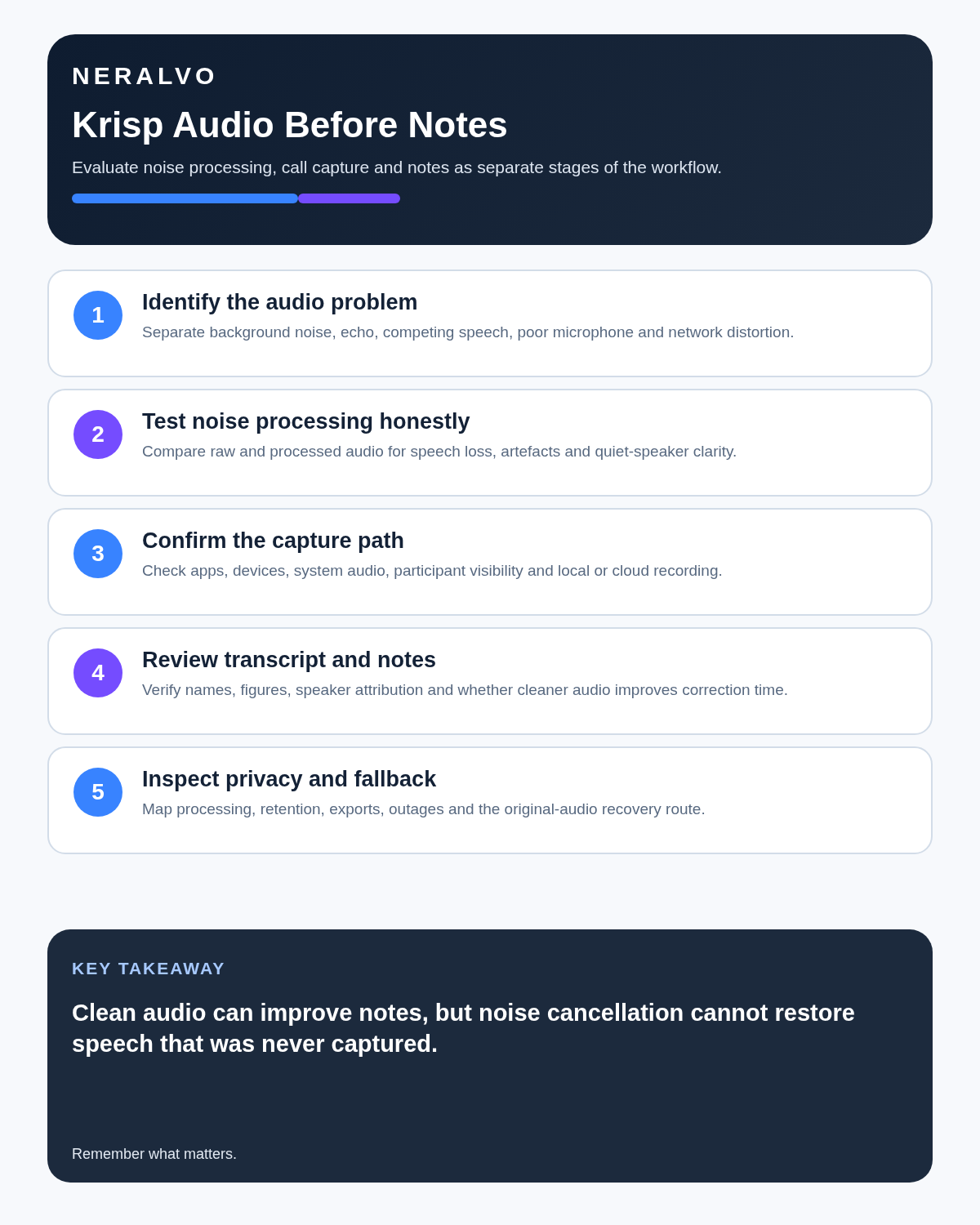
Verdict: Krisp is strongest when it cleans the conversation before producing notes. It cannot rescue speech that the microphone or network failed to capture.
Software-first route
Need Zoom, Teams, calendar or CRM automation?
Choose cloud software for that job. This page completes the software workflow and evidence first. NERALVO Halo remains an optional later route only when offline, in-person or phone-attached capture matters more than native integrations.
On this page
More in this topic: Recorder reviews and buying guides
Show 8 closely related guides
- Limitless Pendant Review 2026: Current Status & US Alternatives
- MeetGeek Review 2026: Meeting Hours, Pricing & Retention
- AI Voice Recorder Buying Checklist: 15 Tests Before You Buy
- Magnetic Phone Recorder vs Handheld Voice Recorder
- AI Voice Recorder vs Live Transcription: Which Workflow Fits?
- AI Voice Recorder vs Dictaphone: Workflow, Drafting and Document Control
- AI Voice Recorder vs Laptop Recording Software: Desk and Mobile Work
- Is an AI Voice Recorder Worth It? A Real Cost-and-Time Test
Related guides
Keep the solution aligned with your original intent
- Choose the reviewed cloud software when Zoom, Teams, calendar automation, CRM workflows or unattended bot capture are essential.
- Consider dedicated hardware later only when offline, in-person, mobile or phone-attached capture is the actual requirement.
- Use neither when permission, governance, compatibility or retention requirements cannot be met.
Check current Krisp details at the official source
Verify current plans, compatibility, limits and integrations with Krisp before buying. Halo remains a separate optional comparison only for offline, in-person, mobile or phone-attached capture.
Found an error or an out-of-date claim? Email support@neralvo.com with the article address and a supporting source.