Reviewed and strengthened: 5 August 2026.
The 60-second verdict
Quick answer: a routine 60-minute meeting can often be summarised in 10 focused minutes when the recording is complete, the transcript is usable and the reviewer checks decisions, actions, owners, deadlines, figures, conditions and unresolved points against the source.
Decision focus: use the method below only where it produces a recoverable source, a verifiable output and a clear next action. If one of those fails, change the workflow rather than trusting a polished summary.
Quick verdict: use AI to produce the first draft, but treat it as unverified. A reliable summary comes from a fixed review sequence, targeted audio checks and a clear approval route.
Evidence basis and limits
- Decision factors covered: What a strong meeting summary must achieve; Before the meeting: make a 10-minute review possible; The 10-minute workflow.
- Evidence rule: Claims are weighted by consequence: capture failure, changed meaning, access and recovery matter more than polished wording.
- Boundary: Examples and workflow recommendations must be tested with representative recordings, the intended users and the actual approval process before rollout.
What a strong meeting summary must achieve
A useful meeting summary is not a shortened transcript. It should let a reader understand:
- Why the meeting happened.
- What was actually decided.
- What was only proposed, preferred or deferred.
- Who owns each next action.
- Which deadlines are confirmed.
- What remains blocked, conditional or unresolved.
- Where the approved record is stored.
Before the meeting: make a 10-minute review possible
The fastest reliable summaries begin with a disciplined meeting.
- Use a short written agenda.
- Name the chair or decision-maker.
- State decisions aloud using clear wording.
- State actions as owner + deliverable + deadline.
- Identify private, off-record or excluded sections.
- Record only where lawful, disclosed and permitted.
The 10-minute workflow
| Time | Task | Output |
|---|---|---|
| 0–1 minute | Confirm source file, meeting purpose and audience | Correct file and summary type |
| 1–3 minutes | Scan the AI summary and transcript headings | Candidate decisions and actions |
| 3–5 minutes | Verify decisions, conditions and authority | Checked decision list |
| 5–7 minutes | Verify actions, owners and deadlines | Action register |
| 7–8 minutes | Check names, dates, figures and technical terms | Critical details corrected |
| 8–9 minutes | Remove repetition and unnecessary sensitive detail | Clear, proportionate draft |
| 9–10 minutes | Approve, distribute and store | Authorised final record |
Minute 0–1: confirm the source and output
Check that the recording contains the opening, final decisions and closing actions. Replay the beginning and end if necessary. A polished AI summary cannot repair a missing final five minutes.
Select one output before editing:
- Executive summary.
- Decisions and actions.
- Client follow-up.
- Project update.
- CRM note.
- Formal attendance note.
- Lecture or research memo.
Minutes 1–3: isolate the material content
Search for decision and commitment language such as:
- Agreed.
- Approved.
- Rejected.
- Deferred.
- Subject to.
- I will.
- By Friday.
- To confirm.
- Budget.
- Deadline.
Use timestamps to review enough surrounding context. Do not pull one sentence out of a discussion and treat it as the final outcome.
Minutes 3–5: verify decisions and conditions
| Meeting wording | Correct treatment |
|---|---|
| “We discussed moving the launch.” | Discussion only—not a decision. |
| “We agreed to move launch to 14 September.” | Confirmed decision. |
| “We can proceed if legal approves the wording.” | Conditional decision. |
| “Let’s consider the £20,000 option.” | Open option—not approved spend. |
For every decision, check:
- Was it final, provisional or only preferred?
- Who had authority to approve it?
- Was it conditional?
- Was it corrected or reversed later?
- Was disagreement material?
Minutes 5–7: create a complete action register
Every action should contain:
Owner + deliverable + deadline + dependency or status
| Weak | Marketing to look at the campaign. |
| Strong | Priya will submit the revised campaign budget by 4pm on 24 July. |
| Weak | Check supplier issue. |
| Strong | Daniel will confirm replacement stock and send the delivery date to the team by Wednesday. |
When no owner or deadline was agreed, mark it as missing. Never invent one to make the summary look complete.
Minutes 7–8: verify high-risk details
Return to the audio for anything that could affect money, time, legal position, safety or reputation:
- Names and roles.
- Dates and times.
- Amounts, prices and quantities.
- Percentages and measurements.
- Reference numbers.
- Negative wording such as “not approved”.
- Action owners and deadlines.
- Conditions, exclusions and dependencies.
- Disputed or unclear statements.
Minutes 8–9: edit for clarity and data minimisation
Remove greetings, repetition, abandoned ideas, unnecessary quotations and personal information unrelated to the purpose. Preserve context that changes the meaning of a decision or action.
Separate:
- Facts.
- Proposals.
- Decisions.
- Opinions.
- Risks.
- Open questions.
Minutes 9–10: approve, distribute and store
Add the meeting title, date, owner and version. Send the summary through the approved channel, provide a correction route where appropriate and store the final version in the authorised project, CRM, client, case or records system.
Apply the retention policy to the source audio, transcript, AI drafts, downloads and shared copies.
Reusable meeting-summary template
| Meeting | Title, date, attendees and owner |
| Purpose | One sentence |
| Decisions | Numbered list with conditions |
| Actions | Owner | deliverable | deadline | status |
| Risks or blockers | Issue, impact and owner |
| Open questions | Question and resolution owner |
| Next review | Date or trigger |
Worked example
Purpose: approve launch timing and final advertising budget.
Decisions:
- Launch moved from 7 September to 14 September.
- Advertising budget approved at £18,000, subject to finance confirming cash-flow timing.
Actions:
- Priya—send the revised campaign plan by 24 July.
- Daniel—confirm final stock arrival date by 22 July.
- Sarah—approve budget timing by 23 July.
Risk: launch remains dependent on replacement stock arriving by 8 September.
Open question: final influencer allocation will be decided after finance approval.
A stronger quality gate before sending
Do not approve the summary until all six gates pass:
- Source gate: the recording is complete enough for the intended purpose.
- Decision gate: proposals and preferences have not been turned into approvals.
- Action gate: every task has an owner and deadline or is clearly marked incomplete.
- Accuracy gate: names, figures, dates, negatives and conditions are checked.
- Audience gate: private or unnecessary information has been removed.
- Destination gate: the final note will enter the correct official system.
When 10 minutes is not enough
Use a longer and formally governed review for:
- Legal, regulatory or privileged records.
- Clinical or safety decisions.
- Grievance, disciplinary or investigation meetings.
- Safeguarding concerns.
- Complex multi-party negotiations.
- High-value financial commitments.
- Research quotations.
- Poor, incomplete or disputed audio.
- Formal minutes requiring participant approval.
Using NERALVO Halo
Check whether NERALVO Halo fits this workflow provides NOTE mode, supported CALL mode, 64GB local storage, up to 35 hours of recording and Bluetooth synchronisation with DOWAY. DOWAY can generate transcripts, summaries, templates, translations, mind maps and exports. One year of DOWAY Max is included.
A practical workflow is:
- Confirm recording is lawful, disclosed and permitted.
- Capture the meeting using the suitable mode.
- Synchronise with DOWAY.
- Generate a transcript and structured summary draft.
- Apply the 10-minute verification workflow.
- Export the approved note to the official system.
- Apply retention and deletion rules.
Workflow choice matrix for How to Summarise a 60-Minute Meeting in 10 Minutes
Choose the method that protects the source and reduces downstream correction. The table makes the non-hardware options explicit.
| Condition | Preferred route | Why |
|---|---|---|
| High-risk or mixed work | Governed hybrid | Separate capture, review, approval and retention rather than trusting one tool. |
| Recording is refused, prohibited or unnecessary | Manual notes / no recording | Respecting the boundary is the correct workflow, not a product failure. |
| In-person, mobile or unreliable-connectivity work | Dedicated recorder | Independent capture and a recoverable local source are usually more resilient. |
| Repeatable remote work with approved integrations | Cloud software | Automation and central collaboration may outweigh device independence. |
Frequently asked questions
Can every 60-minute meeting be summarised in 10 minutes?
No. Ten minutes is a productivity target for clear, routine meetings with a usable source. Risk and complexity determine the actual review time.
Should the summary include the full discussion?
No. Include discussion only where it explains a decision, condition, risk, disagreement or unresolved point.
Can the AI summary be sent automatically?
Only where an organisation has approved that specific low-risk workflow. Material decisions, commitments and client-facing content should be checked by a person.
Should attendees approve the summary?
Follow the organisation’s process. Material or disputed records should have a correction or approval route and clear version history.
Related guides
- How to Choose an AI Voice Recorder for Transcript Export
- How to Reduce Meeting Admin with AI Without Losing Control
- How to Use Voice Notes for Weekly Reviews
Final 60-second check
- Every decision is genuinely agreed.
- Every action has an owner and deadline—or is marked missing.
- Names, dates, figures and conditions are verified.
- Risks and unresolved points are visible.
- Private information has been minimised.
- The note is stored in the approved location.
- Audio and temporary files follow the retention policy.
Bottom line: the best summary is the shortest checked record that makes decisions, ownership and next steps unmistakable.
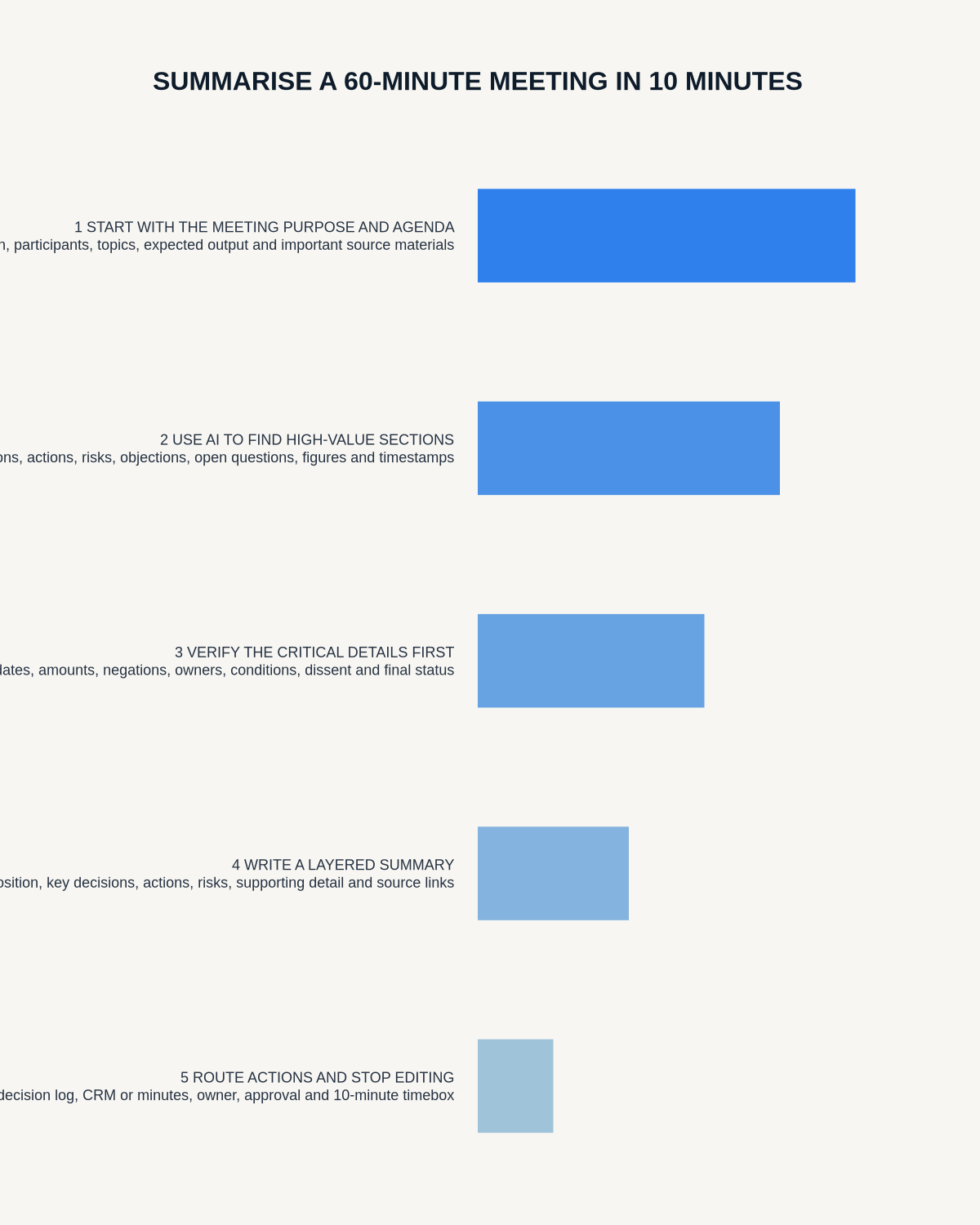
Workflow map
Visual map for How to Summarise a 60-Minute Meeting in 10 Minutes
- Define the decisionState the question, required output and acceptance rule.
- Capture the sourceUse the approved route and preserve context, identity and limitations.
- Verify material detailsReplay or check names, numbers, negatives, decisions and actions.
- Move into the real recordAssign an owner, retain evidence and apply the deletion rule.
On this page
Related guides
See whether Halo fits this workflow
Review the NERALVO Halo specifications, included services, delivery information and current offer only after completing the guide.
Found an error or an out-of-date claim? Email support@neralvo.com with the article address and a supporting source.