The 60-second verdict
Quick answer: turn a meeting recording into a client follow-up email by correcting the source, separating confirmed decisions from proposals and conditions, verifying every owner and date, removing internal material and giving the client a clear route to correct the record.
Decision focus: use the method below only where it produces a recoverable source, a verifiable output and a clear next action. If one of those fails, change the workflow rather than trusting a polished summary.
Evidence basis and limits
- Decision factors covered: The client email has four jobs; Define the email purpose; Create two records, not one compromised version.
- Evidence rule: A claim earns weight only when the source, date, configuration and limitation are clear enough for a reader to check.
- Boundary: Examples and workflow recommendations must be tested with representative recordings, the intended users and the actual approval process before rollout.
A client follow-up email is not a miniature transcript. Its purpose is to protect the shared understanding after the meeting: what the client asked for, what each side agreed to do, what remains conditional and what happens next.

The client email has four jobs
- Confirm the current position.
- Make responsibilities visible.
- Prevent proposals from being mistaken for promises.
- Give the client a clear correction route.
Anything that does not support one of these jobs should be questioned before inclusion.
Define the email purpose
A follow-up email may need to confirm the outcome, summarise agreed requirements, list actions and deadlines, request missing information, provide documents, confirm the next meeting or correct a misunderstanding. Do not combine several audiences and purposes into one long message when separate communications are safer or clearer.
Create two records, not one compromised version
The internal meeting record and the client email serve different audiences.
| Internal record may include | Client email should include |
|---|---|
| Commercial risks | Relevant agreed conditions |
| Negotiation strategy | Confirmed next steps |
| Private team concerns | Information the client needs to act |
| Rejected internal options | Only live external options |
| Detailed ownership discussion | Named client-facing owner where useful |
Never send an AI-generated internal summary externally without a deliberate audience edit.
Use a commitment ladder
Search the corrected transcript for each material statement and assign the right status:
- Explored: an idea was discussed.
- Proposed: one party put forward an option.
- Preferred: a direction looked favourable but was not approved.
- Agreed in principle: broad support exists, subject to details.
- Conditional approval: agreement depends on a named condition.
- Confirmed commitment: the owner and action are clear.
- Deferred: no decision will be taken yet.
- Rejected: the option is no longer live.
This prevents “we could” from becoming “we will.”
Build the email from client questions
- What did the client need from the meeting?
- What is the clearest current answer?
- What have we committed to deliver?
- What does the client need to provide?
- Which dates are fixed and which are provisional?
- What decision, document or contact comes next?
Write the email in that order rather than following the chronology of the meeting.
Use a concise client-facing structure
- Thank and context: identify the meeting and purpose.
- Current position: explain what changed, including conditions.
- Agreed points: list verified decisions or requirements.
- Our actions: task, owner and date.
- Your actions: information, approval or decision required.
- Open points: identify unresolved questions or dependencies.
- Next step: meeting, document or decision point.
- Correction route: invite factual corrections where appropriate.
Verify consequential details against the audio
Replay and check:
- Names and organisations
- Dates and times
- Prices, discounts and payment terms
- Scope, exclusions and service levels
- Technical requirements
- Advice, warnings and limitations
- Offer or contract conditions
- Approvals and authority
- Action owners and deadlines
- Documents promised
- Whether approval was final or provisional
Do not rely only on an AI summary for wording that may create a commercial or legal expectation.
Rewrite risky phrases before sending
| Risky wording | Safer accurate alternative |
|---|---|
| “We guaranteed…” | “Our current target is…” |
| “Everything is approved.” | “The proposal is approved subject to…” |
| “There are no issues.” | “No blocking issue was identified during the meeting; the review remains open.” |
| “You agreed to…” | “You said you would confirm…” |
| “The launch is 3 August.” | “The provisional launch date is 3 August, dependent on…” |
Keep internal material out
Remove internal strategy, unapproved pricing discussion, private comments about the client, legal advice not intended for disclosure, employee or third-party personal information, AI-generated assumptions and unverified risk or emotion labels.
Use action language that cannot be misunderstood
“NERALVO will send the revised implementation plan by 4pm on Thursday 23 July. The client will confirm the final user list after internal approval. Pricing remains subject to the signed order form.”
Avoid vague phrases such as “we will sort this soon” and never invent a deadline that was not agreed.
Know when email is not enough
A follow-up email should not replace a signed contract, formal change control, regulated advice, approved statement of work or another document that governs the relationship. Link the controlling document and state that it remains authoritative where appropriate.
Workflow from recording to sent email
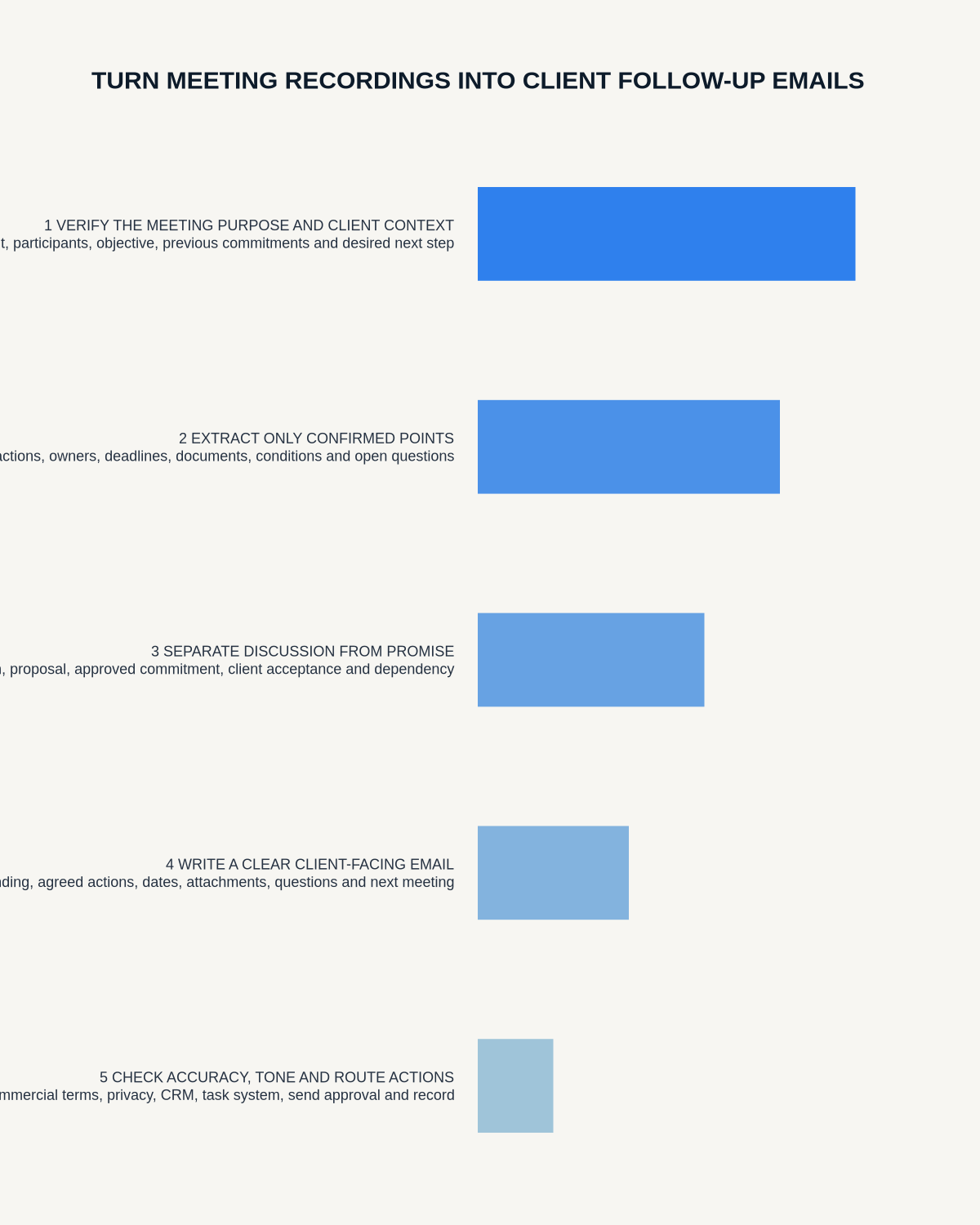
- Confirm the complete authorised recording.
- Generate the transcript and summary.
- Correct critical details.
- Classify decisions, conditions, proposals, actions and open questions.
- Draft the client-facing message.
- Check it against the source and approved commercial information.
- Obtain legal, managerial or account approval where required.
- Verify recipients, attachments and links.
- Send from the authorised system.
- Store the email and update the CRM or matter record.
- Apply retention and deletion to source files and drafts.
Handle disagreement and correction
Where facts or wording remain disputed, state the point as open, identify the evidence required, assign an owner and avoid presenting one side as settled. Preserve any material correction in the official system.
Do not over-share the transcript
A concise email is usually more proportionate and useful. If a transcript or recording is requested, follow the organisation’s access, privilege, redaction and disclosure process rather than attaching it automatically.
Where NERALVO Halo fits
Apply this guide before assessing NERALVO Halo provides NOTE recording, supported CALL capture, 64GB local storage, up to 35 hours of recording and Bluetooth connection to DOWAY. DOWAY can create transcripts, summaries, speaker-separated notes, templates, translations, mind maps and exports. One year of DOWAY Max is included from activation.
Use those outputs to accelerate drafting, then verify every client-facing fact, commitment and condition before sending.
Pre-send gate
- The client’s purpose appears near the start.
- Commitment status matches the recording.
- Every action has a clear side or owner.
- Confirmed and provisional dates are labelled correctly.
- Internal commentary has been removed.
- Controlling documents are linked.
- Recipients and attachments are correct.
- Required approvals are complete.
- A factual-correction route is included where appropriate.
- The CRM or matter record will be updated.
Workflow choice matrix for How to Turn Meeting Recordings into Client Follow-Up Emails
Choose the method that protects the source and reduces downstream correction. The table makes the non-hardware options explicit.
| Condition | Preferred route | Why |
|---|---|---|
| Repeatable remote work with approved integrations | Cloud software | Automation and central collaboration may outweigh device independence. |
| In-person, mobile or unreliable-connectivity work | Dedicated recorder | Independent capture and a recoverable local source are usually more resilient. |
| Recording is refused, prohibited or unnecessary | Manual notes / no recording | Respecting the boundary is the correct workflow, not a product failure. |
| High-risk or mixed work | Governed hybrid | Separate capture, review, approval and retention rather than trusting one tool. |
Frequently asked questions
Can AI send the email automatically?
High-risk or client-facing messages should remain subject to the organisation’s review and approval rules.
Should the email include everything discussed?
No. Include the verified context, decisions, actions and open items the client needs.
What if no deadline was agreed?
Do not invent one. State that timing remains to be confirmed or agree it separately.
Should the client confirm the summary?
For material matters, inviting factual corrections can improve the record, subject to the relevant professional or contractual process.
Related guides
On this page
More in this topic: Meeting capture and follow-up workflows
Show 6 closely related guides
- How to Test CALL Mode Before an Important Conversation
- How to Standardise AI Meeting Notes Across a Team
- How to Choose One AI Voice Recorder for Calls and Meetings
- AI Voice Recorder for Transcript Export: Portability and File Test
- AI Voice Recorder for Action Items: Accuracy, Owners and Deadlines
- How to Summarise a 60-Minute Meeting in 10 Minutes
Related guides
See whether Halo fits this workflow
Review the NERALVO Halo specifications, included services, delivery information and current offer only after completing the guide.
Found an error or an out-of-date claim? Email support@neralvo.com with the article address and a supporting source.