The 60-second verdict
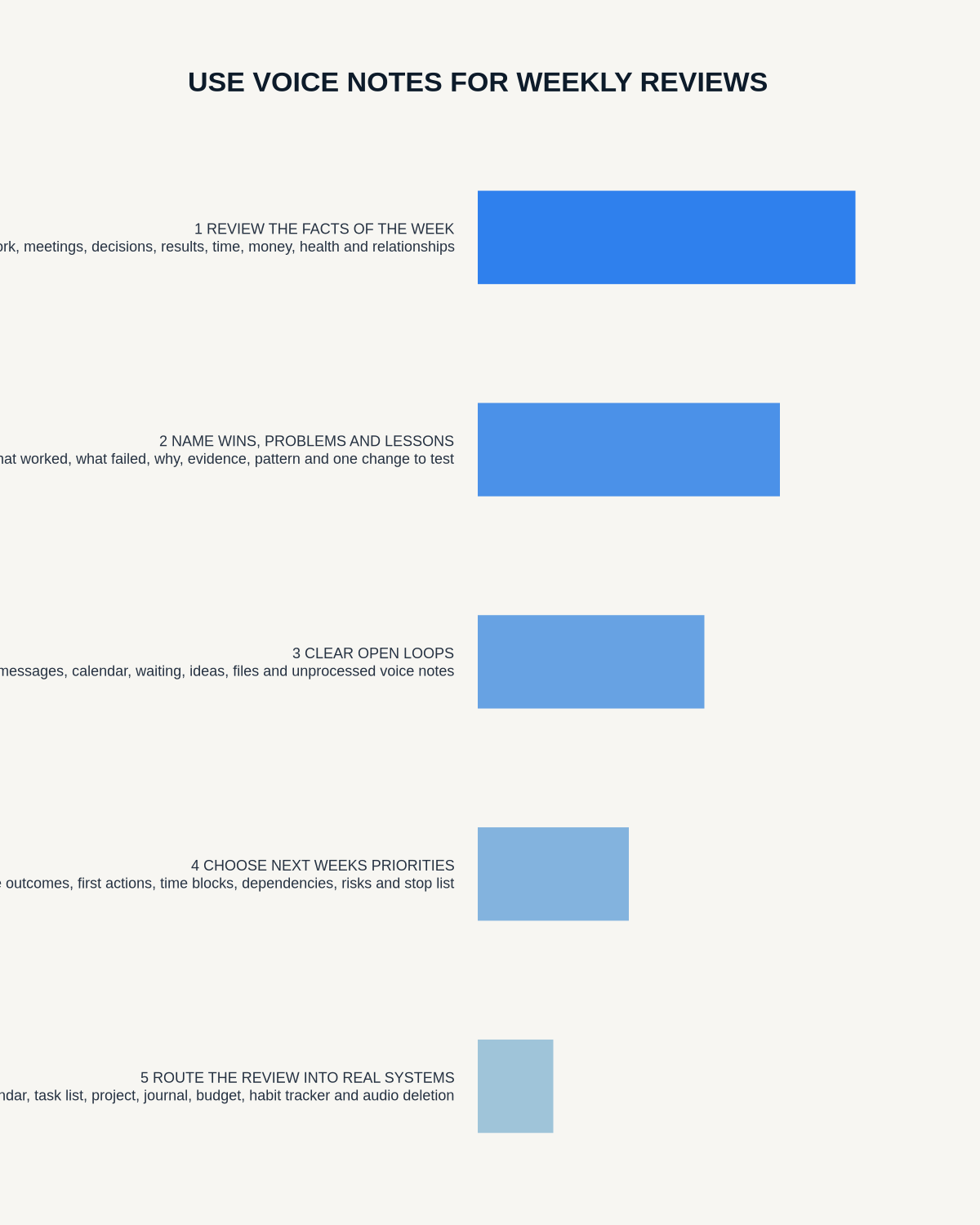
Quick answer: use voice notes for a weekly review by processing the capture inbox first, checking the calendar, tasks, meetings and waiting-for list, speaking through a fixed evidence-based prompt set and converting the reflection into decisions, next-week outcomes, process changes, scheduled conversations and stop-doing choices.
Decision focus: use the method below only where it produces a recoverable source, a verifiable output and a clear next action. If one of those fails, change the workflow rather than trusting a polished summary.

A weekly review should reveal patterns that daily task lists hide: repeated blockers, decisions never recorded, work that moved without finishing and commitments that no longer deserve attention. Speaking can make reflection more natural, but the review still needs evidence and a concrete output.
Evidence basis and limits
- Decision factors covered: Clear the capture inbox before reviewing; Review evidence before memory; Use eight prompts.
- Evidence rule: The decision is based on the complete capture-to-action workflow, not a single feature or marketing accuracy percentage.
- Boundary: Examples and workflow recommendations must be tested with representative recordings, the intended users and the actual approval process before rollout.
Clear the capture inbox before reviewing
- Delete accidental recordings.
- Rename useful notes.
- Correct important transcript errors.
- Create tasks from commitments.
- Move project information to the project system.
- Store references in the knowledge system.
- Merge duplicate notes.
- Delete source files that no longer serve a purpose.
The weekly review should not be spent searching through unnamed audio or carrying an unprocessed recording backlog into another week.
Review evidence before memory
Start with:
- Calendar.
- Completed tasks.
- Open projects.
- Meeting notes.
- Waiting-for list.
- Key messages.
- Sales, financial or operational scorecards where relevant.
This prevents the review from being dominated by Friday afternoon, the loudest problem or a smooth AI summary unsupported by the week’s evidence.
Use eight prompts
- What was completed?
- What moved but remains open?
- What repeatedly caused friction?
- Which decisions were made?
- What am I waiting for?
- What did I learn?
- What should stop, start or change?
- What are next week’s three outcomes?
Use a 20-minute structure
| Time | Activity |
|---|---|
| 0–5 minutes | Clear the capture inbox, review evidence and collect open loops |
| 5–12 minutes | Record answers to the eight prompts |
| 12–17 minutes | Extract tasks, decisions, process changes and conversations |
| 17–20 minutes | Choose next week’s outcomes and schedule the first actions |
The exact duration can vary. The important point is producing a changed plan, not recording a long monologue.
Review outcomes, not busyness
| Weak review | Stronger review |
|---|---|
| “Had lots of meetings” | “Three customer objections changed the onboarding plan” |
| “Worked on the launch” | “Checkout issue fixed; creative approval still blocks launch” |
| “Had five supplier calls” | “Reduced the shortlist to two suppliers and identified the missing security evidence” |
| “Need to be more organised” | “Batch CRM updates at 4pm daily to prevent backlog” |
Ask what outcome changed, not merely what consumed time.
Separate facts from interpretation
Label:
- Completed outcome.
- Reported feedback.
- Verified fact.
- Assumption.
- Personal reaction.
- AI-generated pattern.
- Decision.
- Unknown.
Do not let a fluent summary create a lesson or strategy change unsupported by the underlying week.
Process open loops deliberately
For each unfinished item, decide:
- Complete.
- Continue.
- Delegate.
- Schedule.
- Clarify.
- Pause.
- Cancel.
- Archive.
Do not automatically carry every task or vague “follow up” item into another week.
Capture decisions properly
Review notes for choices that were made but never entered into the project record. State:
- Decision.
- Reason.
- Date.
- Authority or approver.
- Owner.
- Condition or dependency.
- Consequence.
Move the approved decision into the system that controls the work rather than leaving it inside the weekly transcript.
Analyse friction
Repeated friction usually points to a process problem. Categorise it:
- Unclear ownership.
- Missing information.
- Too many handoffs.
- Weak system.
- Unrealistic capacity.
- Decision delay.
- Skill gap.
- Unnecessary work.
Separate the observed pattern from the proposed cause until evidence supports it.
Convert lessons into change
A lesson should produce one of four outputs:
- Task: a concrete corrective action.
- Process change: modify the system.
- Conversation: resolve an ownership or expectation issue.
- Stop-doing decision: remove work that does not justify its cost.
“Communicate better” is not actionable. “Send the decision summary within two hours of each supplier meeting” is.
Review relationships and commitments
Ask:
- Who needs an update?
- Who is waiting for me?
- Which difficult conversation is being avoided?
- Which promise needs renegotiating?
- Who helped and should be thanked?
Schedule material conversations rather than leaving them as intentions in the review.
Choose three next-week outcomes
Each outcome should state:
- Outcome.
- Why it matters.
- First action.
- Owner.
- Deadline.
- Dependency.
- Evidence of completion.
Example:
“Approve the supplier for the pilot by Friday, subject to privacy and security sign-off. First action: send the outstanding evidence list Monday morning.”
Create a stop list
Voice reviews often reveal repeated low-value work. Record what will be paused, delegated, declined or cancelled so priorities have space. A review that adds three outcomes without removing anything may simply create another unrealistic plan.
Use a weekly scorecard
A simple scorecard might track:
- Outcomes completed.
- Open commitments.
- Decisions recorded.
- Waiting items overdue.
- Repeated blockers.
- Time spent on priority work.
- Voice inbox cleared.
- Source files retained without purpose.
- Review time.
Use trends to improve the system, not a score designed to punish yourself or employees.
Create one concise written output
The final weekly record can include:
- Three wins.
- Key open loops.
- Decisions.
- One process change.
- Important conversations.
- Next week’s three outcomes.
- The stop list.
Route actions to the task system, decisions to the project record and scheduled conversations to the calendar. Delete the raw reflection once the useful record has been processed and no longer needs verification.
Use monthly pattern reviews
Every four or five weeks, compare weekly summaries for:
- Recurring blockers.
- Repeatedly postponed work.
- Persistent capacity problems.
- Decision bottlenecks.
- Customer or team themes.
- Projects with activity but no outcome.
- Energy-heavy work.
- Ideas captured but never tested.
- Decisions repeatedly reopened.
- Outcomes that genuinely create progress.
AI can suggest patterns, but check the underlying weeks before changing strategy.
A copy-ready weekly review script
“Week ending [date]. The three most meaningful outcomes were… The important work still open is… The decisions made were… The main friction was… The evidence is… The lesson is… The process change is… The people I need to update are… Next week’s three outcomes are… I will stop… The first action Monday is…”
Keep personal and work information separate where needed
A combined review can be useful, but consider privacy, employer access, shared accounts and retention. Sensitive personal reflection should not be synced into a business system unless that is deliberate and appropriate. Keep confidential third-party information within the approved system and minimum necessary detail.
Where NERALVO Halo fits
View Halo specifications against the evidence checklist can capture short reflections during the week and a structured weekly review to 64GB local storage. It provides NOTE mode, up to 35 hours of recording and Bluetooth sync with DOWAY. DOWAY can generate transcripts, summaries, templates, translations, mind maps and exports, with one year of DOWAY Max included.
Use the AI output as the review draft, then make the final decisions and update the task, calendar and project systems.
Workflow choice matrix for How to Use Voice Notes for Weekly Reviews
Choose the method that protects the source and reduces downstream correction. The table makes the non-hardware options explicit.
| Condition | Preferred route | Why |
|---|---|---|
| High-risk or mixed work | Governed hybrid | Separate capture, review, approval and retention rather than trusting one tool. |
| Recording is refused, prohibited or unnecessary | Manual notes / no recording | Respecting the boundary is the correct workflow, not a product failure. |
| In-person, mobile or unreliable-connectivity work | Dedicated recorder | Independent capture and a recoverable local source are usually more resilient. |
| Repeatable remote work with approved integrations | Cloud software | Automation and central collaboration may outweigh device independence. |
Frequently asked questions
Should I replay every note?
No. Process short transcripts and revisit audio only where wording or context matters.
Can AI choose next week’s priorities?
It can organise evidence and suggest patterns, but the user must decide trade-offs and commitments.
How long should the weekly review take?
Ten to twenty minutes can work for a focused individual review, while larger portfolios may need longer. Use enough time to clear the inbox and change the plan.
Should personal and work reviews be mixed?
Only where that supports the system and the storage, privacy and access arrangements are appropriate.
What is the biggest failure?
Capturing reflections without converting them into project, task, conversation or stop decisions.
Final checklist
- Capture inbox cleared.
- Calendar, tasks, meetings and waiting items reviewed.
- Eight prompts answered.
- Outcomes separated from activity.
- Facts and interpretations separated.
- Open loops deliberately processed.
- Decisions entered into project records.
- Friction converted into one change.
- Important conversations scheduled.
- Three outcomes selected.
- Stop list created.
- First actions routed.
- Four-week patterns checked where due.
- Sensitive information controlled.
- Source retention reviewed.
Bottom line: a strong voice-assisted weekly review turns spoken reflection into fewer open loops, recorded decisions, clearer priorities and a deliberate list of work not to carry forward.
Related AI voice recorder guides
On this page
Related guides
See whether Halo fits this workflow
Review the NERALVO Halo specifications, included services, delivery information and current offer only after completing the guide.
Found an error or an out-of-date claim? Email support@neralvo.com with the article address and a supporting source.