The 60-second verdict
Quick answer: Bluedot’s strongest feature is its range of capture methods: browser extension, desktop application, mobile app, Apple Watch and a visible meeting bot. The correct plan depends on the capture method, meeting length, participant-transparency process and whether verified notes must flow into a CRM, applicant-tracking or automation system.
Best fit: readers comparing Bluedot AI against the purchase, workflow and evidence factors below. Do not buy on: headline features alone; a failed compatibility, privacy, recovery or cost requirement should override the overall score.

Evidence basis and limits
- Decision factors covered: Choose the recording route first; The Apple Watch workflow is genuinely different; Current plans and exact price points.
- Evidence rule: Claims are weighted by consequence: capture failure, changed meaning, access and recovery matter more than polished wording.
- Boundary: Manufacturer-controlled prices, plans, compatibility and specifications can change. Retain the article’s stated check date, verify the live supplier terms before purchase and treat community reports as leads unless the original source is linked.
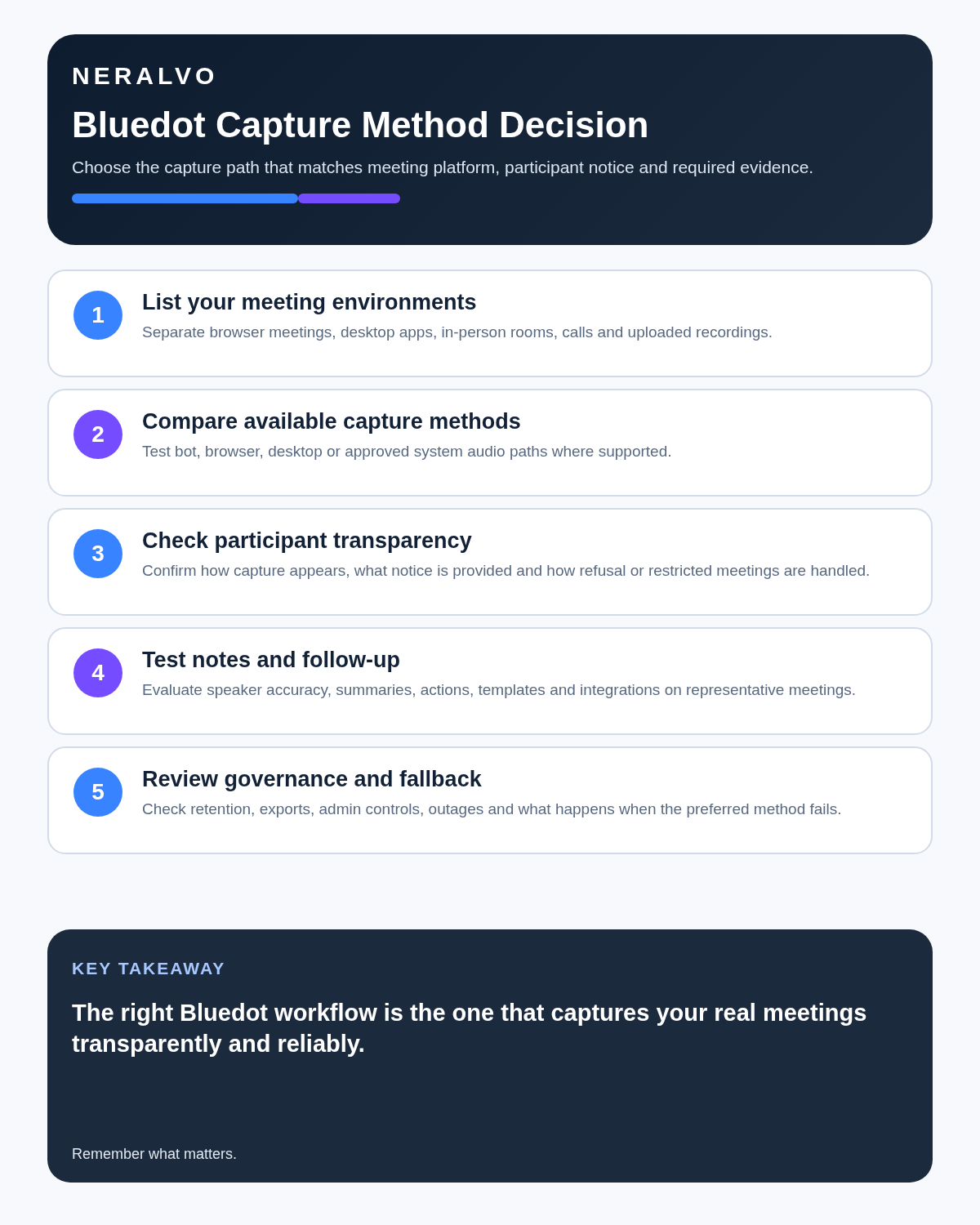
Choose the recording route first
| Capture method | Best for | Main risk |
|---|---|---|
| Chrome extension | Bot-free online calls | Browser permissions and consent-message settings |
| Desktop app | Online, in-person and supported phone-call workflows | System audio and operating-system configuration |
| Mobile app | Client visits and face-to-face meetings | Phone placement, battery and interruptions |
| Apple Watch | Fast hands-free in-person capture | Wrist position, clothing noise and cloud upload after sync |
| Meeting bot | Scheduled Zoom, Teams and Google Meet capture | Host admission and participant acceptance |
| File import | Existing audio or video backlog | Upload controls, duplicate storage and source rights |
The Apple Watch workflow is genuinely different
Bluedot’s Apple Watch application can capture an in-person conversation without the iPhone being actively used. The source then depends on watch storage, later phone reconnection and cloud processing.
This is useful for walking conversations and site visits, but it is not a self-contained end-to-end recorder. Test:
- Recording while the phone is unavailable.
- Watch-to-phone synchronisation.
- Upload recovery after poor connectivity.
- Battery through the longest realistic session.
- Clothing and movement noise.
- Whether the source can be exported independently.
Current plans and exact price points
| Plan | Annual price | Monthly price | Main boundary |
|---|---|---|---|
| Free | $0 | $0 | Five meetings for the lifetime of the account; one hour per recording |
| Basic | $14 per recording user/month | $18 | Unlimited audio meetings and storage; one-hour maximum |
| Pro | $20 per recording user/month | $25 | Unlimited duration, video and custom note templates |
| Business | $32 per recording user/month | $39 | CRM, ATS, SSO, SCIM, retention and unlimited imports |
Only people who record need paid licences under the current model. Viewers and collaborators can remain free workspace members. Verify currency, tax, renewal and regional terms at checkout.
Free is a five-recording trial
The allowance does not renew monthly. Use it deliberately:
- One browser meeting.
- One desktop meeting.
- One mobile or Apple Watch conversation.
- One difficult multi-speaker call.
- One real workflow test with export, sharing or integration.
This reveals compatibility and note quality before the lifetime limit is exhausted.
Basic has one decisive weakness
Basic offers unlimited audio meeting count and storage while retaining a one-hour cap per recording. That can suit sales calls, recruitment interviews and one-to-ones while failing workshops, lectures, hearings and long client sessions.
Do not buy from the phrase “unlimited meetings” without checking the maximum individual file length.
Pro is the practical professional tier
At the current $20 annual or $25 monthly recording-user rate, Pro becomes the natural tier when meetings exceed one hour, video or screen evidence matters, or custom note templates reduce repeated review work. Test the longest real session rather than a short demonstration.
Business is an automation and governance purchase
At the current $32 annual or $39 monthly recording-user rate, Business becomes valuable when reviewed conversation data should enter HubSpot, Salesforce, Greenhouse, Ashby or another authorised system. It also adds SSO, SCIM, custom retention, organisation-wide MCP, webhooks and unlimited imports.
The upgrade is poor value when users only read summaries inside Bluedot.
Auto-recording needs strict defaults
Bluedot 2.1 added automatic recording for supported desktop and browser routes. Automation reduces forgotten meetings and can also capture conversations that should never have been stored.
- Define which calendar events may record automatically.
- Separate internal and external meetings.
- Exclude confidential, personal, HR and privileged appointments.
- Set mandatory notice or consent-message rules.
- Choose private or shared collections deliberately.
- Apply retention by meeting type.
- Audit missed exclusions and wrong-route capture.
Official cancellation documentation conflicts
Bluedot’s current pricing page says cancelled users lose access and have one month to restore the subscription before recordings are permanently deleted. A separate help-centre article says recordings are deleted after three months after switching to the free plan.
Because the official sources conflict, plan around the shorter period:
- Export every required recording before cancellation.
- Download transcripts and summaries.
- Confirm timestamps and speaker labels survive.
- Move approved actions into authoritative systems.
- Ask support for the workspace-specific deadline in writing.
- Record deletion and offboarding evidence.
Consent and bot-free capture
Bluedot can record without a visible participant. Business administrators may configure consent-message requirements for the browser extension, while desktop, mobile and Watch capture may need a different notice process.
Bot-free should mean less meeting friction, not secret recording. Follow the law, contract, workplace policy and professional duties that apply.
Accuracy follows the capture route
A digital meeting captured through system audio can be clearer than a Watch recording made beneath clothing. Test each route separately and check:
- Names and organisations.
- Figures, currencies and dates.
- Action owners and deadlines.
- Speaker attribution.
- Overlapping speech.
- Specialist terminology.
- Whether the recording completed and uploaded.
A good browser transcript does not prove the mobile or Watch workflow is equally reliable.
Use recovery controls
Bluedot documents recovery routes for unfinished browser uploads and mobile recordings waiting in the upload centre. Test these before using the tool for critical work.
- Interrupt a browser upload.
- Locate the recovery page.
- Interrupt a mobile or Watch sync.
- Locate the upload centre and restart processing.
- Confirm the recovered source is complete.
- Export and open the result independently.
Control collections and sharing
Collections can organise public and private workspace material, but deletion may remove the recordings inside and restoration may not be available. Short clips may also be shared by link.
- Use private collections by default for sensitive work.
- Verify who can edit or view each collection.
- Review public-link access.
- Check before deleting a collection.
- Apply separate retention to clips and original recordings.
Direct comparison matrix: Bluedot AI and NERALVO Halo
How to read this matrix: it is not scored to force a Halo win. The competing option leads where its deployment, integrations, placement or ecosystem is stronger; Halo leads only where its dedicated capture workflow is the better fit.
Bluedot is a cross-device cloud workspace with several recording routes, video, shared collections and workflow integrations. Compare NERALVO Halo with Bluedot AI for this workflow is a dedicated magnetic recorder with 64GB local storage, NOTE and supported CALL modes, up to 35 hours of recording and one year of DOWAY Max.
Bluedot is stronger for software flexibility and automation. Halo is stronger when one physical recorder, independent battery and locally retained source audio matter.
Is cloud software or a physical recorder right for this workflow?
- Choose Bluedot AI when remote or desktop meetings, calendar automation and native workspace integrations are central—and its current plan covers the real team workload.
- Choose NERALVO Halo when in-person, mobile or offline source capture matters more than an auto-joining cloud workflow.
- Use neither when recording is not authorised or a mandatory privacy, compatibility or recovery gate fails.
One public user signal
“It gives me a clean transcript, a summary I can actually skim.”
Read the original Reddit discussion. This is one person’s public report, not a controlled test or community consensus.
Why it matters here: The value described is scannability. Treat it as a workflow signal and still review summaries before they drive follow-up.
How community feedback is used
Public reviews can reveal recurring friction, but an anonymous anecdote is not treated as measured proof. A pull-quote should appear only when it links to the original post, identifies the relevant product version or date and is presented as one user’s experience—not as universal fact.
Frequently asked questions
Does Bluedot always join as a bot?
No. It supports extension, desktop, mobile, Watch, bot and import routes.
Does every workspace member need a paid licence?
No. Current pricing charges recording users rather than every viewer.
Is Basic unlimited?
Meeting count and storage may be unlimited while individual recordings remain capped at one hour.
How long are recordings kept after cancellation?
Official sources conflict between one and three months. Export first and use the shorter period for planning.
Can Apple Watch capture replace dedicated hardware?
It may suit short mobile capture, but source quality, battery, synchronisation and export should be tested.
Official sources and related reading
- Official Bluedot pricing
- Official cancellation guidance
- Bluedot 2.1 announcement
- Granola AI Review
- Circleback AI Review
Final buying checklist
- Real meeting platforms and environments mapped.
- Each capture route tested separately.
- Five free recordings allocated deliberately.
- One-hour Basic boundary checked.
- Current Basic, Pro and Business prices confirmed.
- Participant transparency defined for every route.
- Auto-recording exclusions audited.
- Recovery path tested.
- Collections, clips and integrations governed.
- Exports completed before cancellation.
- Deletion deadline confirmed in writing.
Verdict: Bluedot is one of the more flexible AI meeting platforms, but buyers must choose by capture route and file duration rather than feature count. Basic suits short audio meetings, Pro suits longer professional work and Business is justified only by real automation and governance needs.
Software-first route
Need Zoom, Teams, calendar or CRM automation?
Choose cloud software for that job. This page completes the software workflow and evidence first. NERALVO Halo remains an optional later route only when offline, in-person or phone-attached capture matters more than native integrations.
On this page
Related guides
Keep the solution aligned with your original intent
- Choose the reviewed cloud software when Zoom, Teams, calendar automation, CRM workflows or unattended bot capture are essential.
- Consider dedicated hardware later only when offline, in-person, mobile or phone-attached capture is the actual requirement.
- Use neither when permission, governance, compatibility or retention requirements cannot be met.
Check current Bluedot details at the official source
Verify current plans, compatibility, limits and integrations with Bluedot before buying. Halo remains a separate optional comparison only for offline, in-person, mobile or phone-attached capture.
Found an error or an out-of-date claim? Email support@neralvo.com with the article address and a supporting source.