The 60-second verdict
Students with dyslexia can experience note-taking, spelling, reading speed, working memory and listening demands in different ways. A recorder is therefore best treated as one optional support inside an individual study system—not as a universal solution.
Best fit: Students with Dyslexia who need recoverable audio and human-verified notes in an authorised workflow. Use another method when: recording is prohibited, a participant declines or the approved process requires manual notes.
Evidence basis and limits
- Decision factors covered: The capture → mark → verify → simplify → retrieve study cycle; Start with individual support; Stage 1: Capture only with permission.
- Evidence rule: Claims are weighted by consequence: capture failure, changed meaning, access and recovery matter more than polished wording.
- Boundary: Examples and workflow recommendations must be tested with representative recordings, the intended users and the actual approval process before rollout.
An AI voice recorder for students with dyslexia can support permitted lecture capture, spoken revision and searchable study notes. It cannot replace attendance, accessibility support, accurate course materials, academic judgement or the student’s own understanding.
The capture → mark → verify → simplify → retrieve study cycle
| Stage | Student action | Useful output |
|---|---|---|
| Capture | Record only approved teaching or a private spoken explanation | Audio and draft transcript |
| Mark | Add timestamps, questions and terms to verify | Focused review list |
| Verify | Check marked sections against reliable course sources | Corrected core material |
| Simplify | Convert the useful sections into accessible structure | Clear study notes |
| Retrieve | Explain the topic from memory and compare with reliable sources | Active-recall evidence |
This cycle reduces pressure to copy every sentence while preventing recordings from becoming an unprocessed archive.
Start with individual support
Dyslexia affects people differently. Some students benefit from audio, text-to-speech, structured templates, additional processing time, specialist study support or a combination of approaches. Contact the university or college disability or accessibility service to identify suitable adjustments.
Education providers have duties concerning reasonable adjustments for disabled students. Eligible students in England may also be able to apply for Disabled Students’ Allowance for disability-related study support. GOV.UK also provides information on education rights and a Student Adjustments Planner.
A consumer recorder is not automatically an approved reasonable adjustment. Confirm the institution’s recording, storage and app requirements.
Stage 1: Capture only with permission
Lecture or seminar recording may be allowed through an adjustment, institutional policy or lecturer agreement, but permission does not automatically allow unrestricted sharing or indefinite storage.
Before recording, confirm:
- Which sessions or sections may be captured.
- Whether an institutional lecture-capture system should be used instead.
- How classmates’ contributions are protected.
- Where audio may be stored and processed.
- Whether recording is limited to personal study.
- When the file should be deleted.
Where recording other people is unnecessary, create a private spoken summary after the session instead.
Stage 2: Mark important moments
Recording can free the student to listen for the argument, examples and questions rather than writing continuously. Use a small number of live markers:
- A timestamp.
- A question mark.
- An unfamiliar term.
- A definition to check.
- A link to an assessment.
- A point that needs a diagram or alternative explanation.
“22:10—difference between reliability and validity” creates a useful task. Trying to reproduce the entire lecture in real time recreates the original note-taking pressure.
Stage 3: Verify the transcript before studying
Automatic transcripts can mishear specialist vocabulary, names, dates, quotations, numbers, symbols and overlapping speakers. A polished transcript may still contain serious errors.
| Check | Source to compare |
|---|---|
| Definitions and terminology | Slides, glossary and recommended reading |
| Names and citations | Reading list and original source |
| Numbers, units and signs | Worked example or official material |
| Quotations | Original publication |
| Speaker attribution | Audio and session context |
| Equations or symbols | Lecturer’s notation and course resources |
Correct the marked sections first. Do not memorise a statement merely because the AI presented it fluently.
Stage 4: Simplify into accessible notes
A long transcript is not automatically accessible. Convert the useful material into a structure that reduces scanning and working-memory demands:
- Topic and main question.
- Three to five key ideas.
- One example or diagram.
- Important terminology.
- Evidence or source.
- One unresolved question.
- One revision action.
Use clear headings, short paragraphs, consistent formatting and sufficient spacing. Add colour, audio clips, tables or diagrams only where they genuinely improve understanding.
Stage 5: Retrieve the idea aloud
Close the notes and explain the topic in the student’s own words. A spoken recall attempt can reveal missing steps, vague language and dependence on memorised phrasing.
Use prompts such as:
- What is the central idea?
- Why does it matter?
- Which example or evidence supports it?
- How does it connect to another topic?
- What question would test genuine understanding?
Compare the explanation with learning outcomes and reliable sources. Correct the gap, then try a shorter second explanation rather than repeatedly rereading the transcript.
Build reading notes without copying
After a section or chapter, record:
- The author’s main argument.
- The evidence used.
- A limitation or question.
- A connection to the module.
- The correct source details to verify.
Return to the original text before using a quotation, page number or citation. Keep direct quotation, paraphrase and personal interpretation clearly separated.
Use voice notes for essay planning—not essay substitution
A spoken plan can help organise a thesis, evidence order and counterargument. The student should then verify every source and write within the module’s academic-integrity and AI-use rules.
Do not submit an AI transcript, summary or rewritten passage as independent work where that use is prohibited. The student should understand and be able to defend every argument included.
Prevent a recording backlog
Process each useful recording within a set period. Every file should become one of four things:
- A corrected note.
- A revision task.
- A question for teaching staff.
- A deleted file.
Use filenames containing the date, module and topic. Review marked sections rather than replaying entire lectures without a clear question.
Protect classmates and personal information
Audio may capture voices, names, disability information, personal experiences and assessment discussion. Use approved storage, strong device security and restricted access. Do not share recordings or open links unless the institution and recorded participants permit it.
Understand whether the transcription service stores audio, uses data for model training and supports deletion. Remove files when the approved study purpose ends.
A concise lecture-processing script
- Module and topic: identify the session.
- Main question: state what the lecture was trying to explain.
- Marked sections: list timestamps and terms to verify.
- Key ideas: reduce the material to a manageable structure.
- Connection: link it to another topic or assessment.
- Recall task: define what will be explained without notes.
- Next action: state the question, reading or practice needed.
How NERALVO Halo can support dyslexia-friendly study
Check whether NERALVO Halo fits students with dyslexia work can support permitted lectures, private reading reflections and spoken revision. It includes NOTE mode, supported CALL capture, 64GB local storage, up to 35 hours of recording and Bluetooth sync with DOWAY. DOWAY can create transcripts, summaries, speaker-separated notes, templates, translations, mind maps and exportable files, with one year of DOWAY Max included from activation.
Halo may complement an individual study strategy, but it is not a guaranteed adjustment or substitute for institutional disability support. Confirm whether the device and connected service are permitted.
Study-note quality check
- Was recording approved for this session?
- Were only useful sections captured or marked?
- Was the transcript checked against reliable sources?
- Were notes simplified into a clear hierarchy?
- Did the student retrieve the idea without copying?
- Are quotations, citations and academic-integrity boundaries correct?
- Are classmates and personal information protected?
- Has the recording been converted into an action or deleted?
- Does the workflow reflect the individual student’s needs?
A strong dyslexia-friendly recording workflow reduces copying pressure, turns lecture audio into accessible structure and finishes with active retrieval rather than passive replay.
Cloud software, a dedicated recorder or manual notes?
For Students with Dyslexia, the right answer changes with the setting. This matrix deliberately gives each method a situation where it can be the strongest choice.
| Situation | Best starting point | Reason |
|---|---|---|
| scheduled remote consultations | Cloud meeting software | Calendar automation and shared integrations are usually the strongest advantage. |
| in-person consultations or ward handovers | Dedicated recorder | Independent capture reduces reliance on an active phone or laptop. |
| a patient declines or policy prohibits recording | Manual notes or an approved alternative | The boundary takes priority over convenience. |
| mixed remote and clinical work | Governed hybrid | Use each method only in the setting it actually fits. |
Related AI voice recorder guides
See the guides for students with ADHD, distance learners, international students and university lecturers.
Related guides
Profession workflow
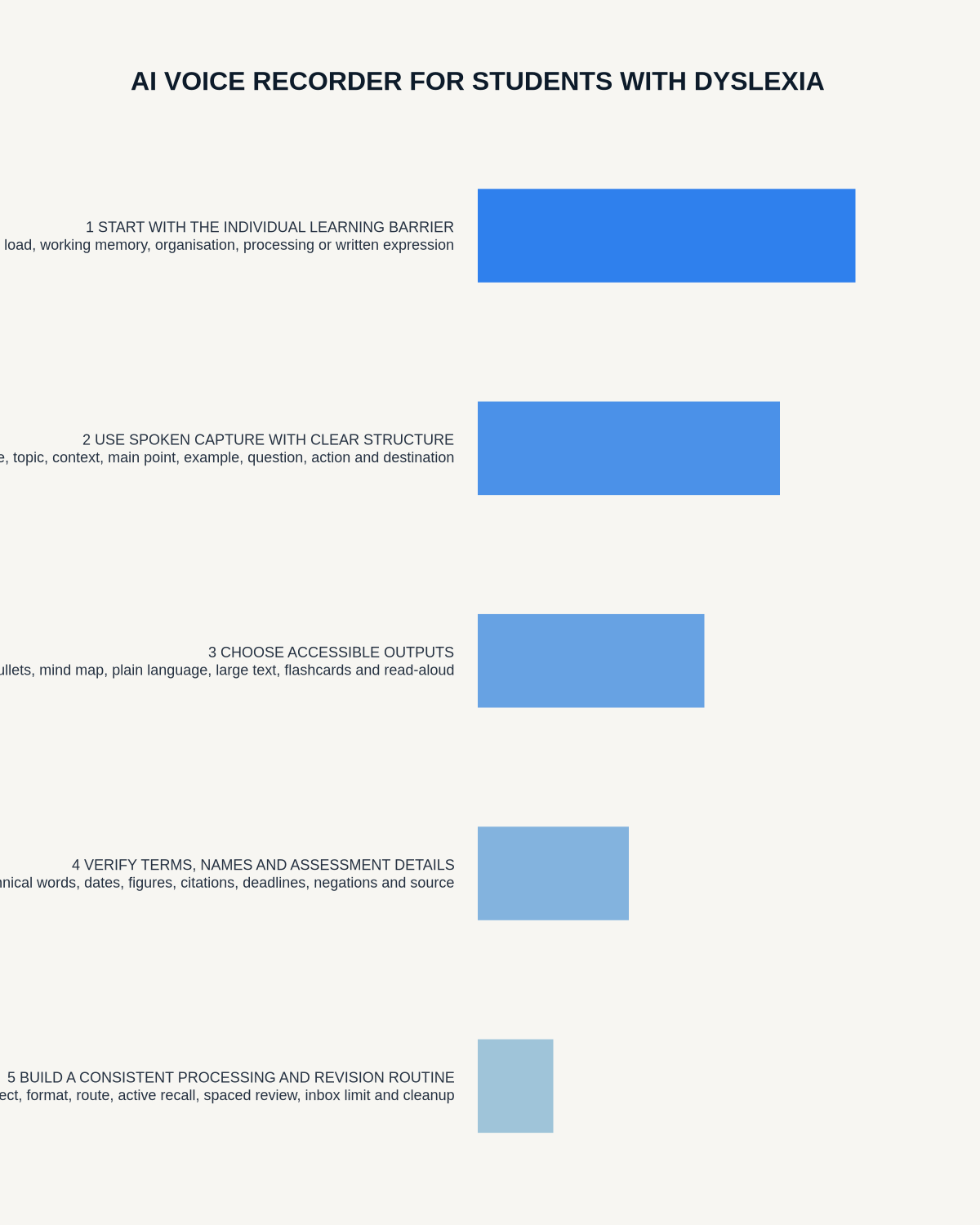
Visual map for AI Voice Recorder for Students with Dyslexia: Lectures, Revision and Accessible Notes
- Prepare the approved useDefine purpose, safe position, permission and the required formal record.
- Capture context firstState the case, asset, person, location or event identifier before detail.
- Human-verify evidenceCheck technical terms, units, names, dates, decisions and uncertainty.
- Complete the formal recordTransfer only verified information and apply access and retention controls.
On this page
Related guides
See whether Halo fits long-form study capture
After checking permission and your institution’s rules, compare Halo’s stated battery, storage and export workflow with the way you actually study.
Found an error or an out-of-date claim? Email support@neralvo.com with the article address and a supporting source.