The 60-second verdict
Distance learners often study around employment, caring, health, travel and changing time zones. The main challenge is not always access to information; it is maintaining continuity when study is divided into short, interrupted sessions.
Best fit: Distance Learners who need recoverable audio and human-verified notes in an authorised workflow. Use another method when: recording is prohibited, a participant declines or the approved process requires manual notes.
Evidence basis and limits
- Decision factors covered: The orient → study → checkpoint → restart system; Stage 1: Orient the study block; Stage 3: Study actively.
- Evidence rule: The decision is based on the complete capture-to-action workflow, not a single feature or marketing accuracy percentage.
- Boundary: Examples and workflow recommendations must be tested with representative recordings, the intended users and the actual approval process before rollout.
An AI voice recorder for distance learners can support permitted online tutorials, private spoken revision and short restart notes. It cannot replace the virtual learning environment, required reading, participation, assessment rules or the student’s own academic work.
The orient → study → checkpoint → restart system
| Stage | Question | Output |
|---|---|---|
| Orient | What matters in this study block? | One clear objective |
| Study | Which teaching, reading or practice supports it? | Active learning |
| Checkpoint | What is complete, uncertain and next? | Short continuity note |
| Restart | How can the next session begin without reconstruction? | Exact first action |
This system uses voice notes to preserve continuity rather than to create another library of material.
Stage 1: Orient the study block
Before opening several tabs, state:
- Module and week.
- The learning outcome or assignment goal.
- The time available.
- The one task that matters most.
- The evidence that will show completion.
For example: “Module five, 40 minutes, compare the methods in sources one and two, finish with a three-row evidence table.” This creates a realistic boundary for the session.
Stage 2: Use existing institutional resources first
Many distance-learning providers already supply lecture recordings, captions or transcripts through the virtual learning environment. Use those approved resources where they meet the need rather than creating duplicate recordings.
If a live tutorial or study group is not recorded institutionally, ask before recording. Clarify:
- The learning purpose.
- Which section is captured.
- Whether the file is for personal study only.
- Who may access it.
- When it will be deleted.
Online sessions may capture names, voices, profile images, chat, homes and personal contributions. A final checked action summary may be more proportionate than full audio.
Stage 3: Study actively
Use recordings to locate difficult sections—not to replay entire lectures repeatedly. Search the transcript or use timestamps, then:
- Listen to the relevant explanation.
- Check technical terms and numbers.
- Close the transcript.
- Explain or apply the idea independently.
- Record the remaining gap.
For essay subjects, state the claim, evidence, limitation and counterargument. For problem-solving subjects, explain each step and why it is valid.
Stage 4: Create a checkpoint before stopping
A short checkpoint reduces restart time after work, caring duties or an unexpected interruption. Record:
- What was completed.
- Which file, page or source is open.
- The current conclusion or result.
- What remains uncertain.
- The exact first action next time.
Example: “Module five essay—sources one to three reviewed—table is in ResearchNotes—next compare methods in paragraph two.” Avoid a long diary entry.
Stage 5: Restart from the action
At the next session, play or read only the checkpoint. Open the named file and complete the stated first action before replanning the whole module.
Once the task is resumed, transfer any useful information into the normal notes, calendar or project system and close the checkpoint recording.
Build a weekly study map
A weekly map should reflect actual commitments and energy, not an idealised timetable. Include:
- Fixed deadlines and live sessions.
- Essential reading or activity.
- Retrieval or practice.
- One assignment action.
- One question for staff or peers.
- A contingency block.
Record a short planning note, then move the final blocks into the calendar. Do not leave the plan inside the recorder.
Process online-session audio responsibly
Correct specialist vocabulary, names, dates, numbers and speaker attribution before using an automated summary. Compare important claims with the VLE, tutor guidance and required reading.
Do not distribute raw recordings or use indefinite access links. The ICO advises organisations to use a valid purpose and appropriate transparency when recording meetings or lessons; students should follow the institution’s approved arrangements. See the ICO’s session-recording and data-sharing advice.
Keep assessment work independent
Planning, transcription and explanation tools remain subject to the module’s assessment rules. Do not submit generated text, sources, calculations or analysis as independent work where that assistance is prohibited.
Verify sources, retain evidence of the student’s process and disclose AI assistance where required. QAA provides resources on academic integrity and generative AI in higher education.
Separate study notes from sensitive support meetings
Health, disability, visa, safeguarding or disciplinary appointments may require different confidentiality and recording arrangements from an ordinary tutorial. Do not assume that permission for teaching capture applies.
Use the institution’s support, welfare or emergency route when required. A recorder can organise questions but cannot assess urgent needs.
A 30-second checkpoint script
- Context: module, task and file.
- Completed: what is finished.
- Current point: the conclusion or result reached.
- Uncertainty: the question still open.
- Restart: the first physical action next time.
How NERALVO Halo can support distance learning
View Halo specifications for distance learners use can support private study planning, spoken revision and permitted online sessions. It includes NOTE mode, supported CALL capture, 64GB local storage, up to 35 hours of recording and Bluetooth sync with DOWAY. DOWAY can create transcripts, summaries, speaker-separated notes, templates, translations, mind maps and exportable files, with one year of DOWAY Max included from activation.
CALL compatibility and recording permission vary by platform and institution. Halo is a study aid—not a virtual learning environment or academic-support service.
Distance-learning quality check
- Did the study block begin with one realistic objective?
- Were existing institutional recordings used before creating duplicates?
- Was online recording permitted and proportionate?
- Did the student actively explain or apply the material?
- Was a short checkpoint created before stopping?
- Does the checkpoint identify the exact restart action?
- Were technical claims and sources verified?
- Does assessed work follow academic-integrity rules?
- Has completed or duplicate audio been deleted?
A strong distance-learning workflow preserves the exact point where study stopped, allowing the next session to begin with action rather than reconstruction.
Cloud software, a dedicated recorder or manual notes?
For Distance Learners, the right answer changes with the setting. This matrix deliberately gives each method a situation where it can be the strongest choice.
| Situation | Best starting point | Reason |
|---|---|---|
| scheduled remote meetings | Cloud meeting software | Native remote-meeting workflows can be more efficient here. |
| in-person or mobile work | Dedicated recorder | A separate battery and recoverable local source improve resilience. |
| recording is refused or prohibited | Manual notes or an approved alternative | Manual notes are the correct control when recording is unavailable. |
| mixed online and offline work | Governed hybrid | A hybrid can combine automation with reliable physical capture. |
Related AI voice recorder guides
See the guides for students with ADHD, students with dyslexia, international students and private tutors.
Related guides
Profession workflow
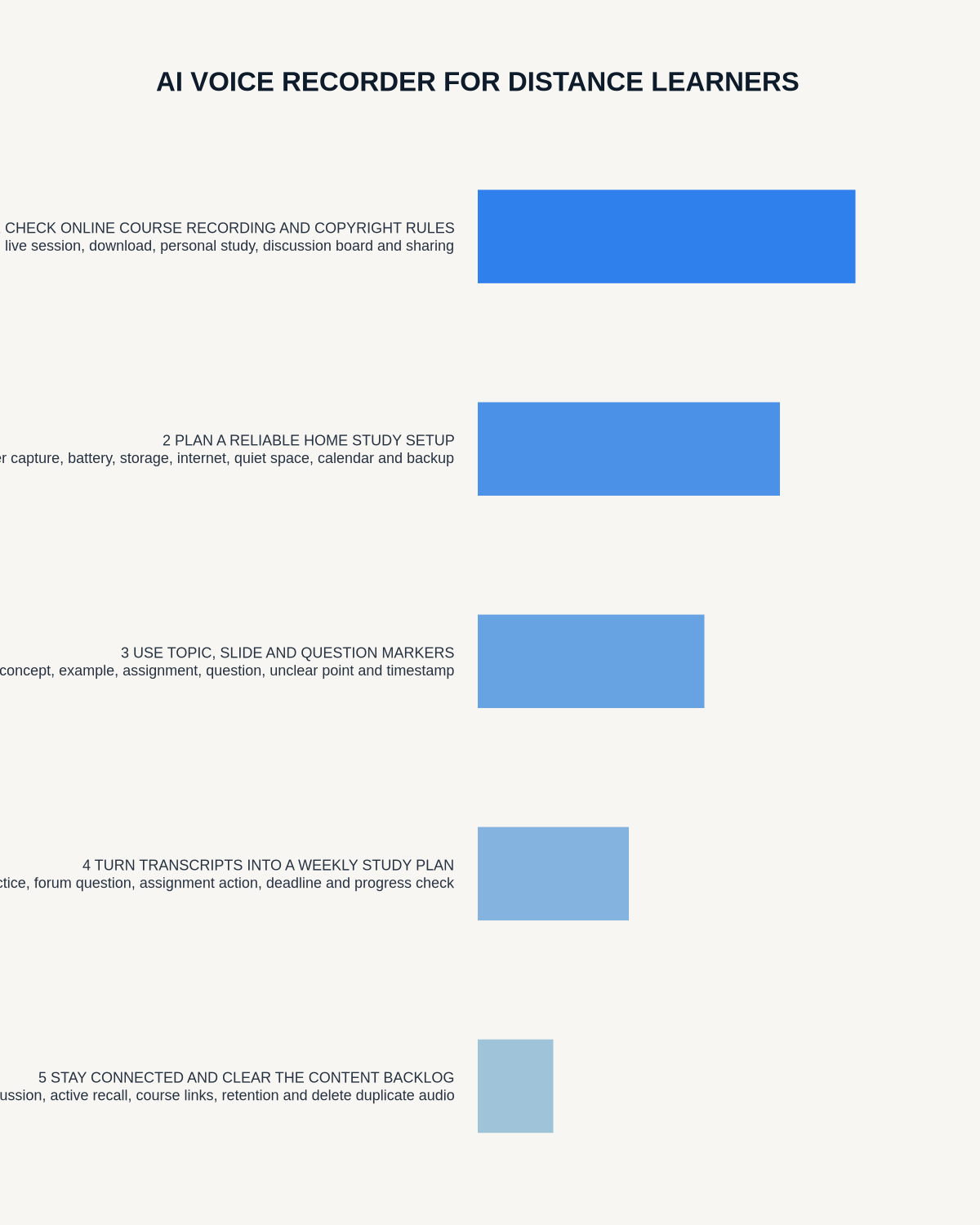
Visual map for AI Voice Recorder for Distance Learners: Online Lectures, Study Planning and Revision Notes
- Prepare the approved useDefine purpose, safe position, permission and the required formal record.
- Capture context firstState the case, asset, person, location or event identifier before detail.
- Human-verify evidenceCheck technical terms, units, names, dates, decisions and uncertainty.
- Complete the formal recordTransfer only verified information and apply access and retention controls.
On this page
Related guides
See whether Halo fits long-form study capture
After checking permission and your institution’s rules, compare Halo’s stated battery, storage and export workflow with the way you actually study.
Found an error or an out-of-date claim? Email support@neralvo.com with the article address and a supporting source.