The 60-second verdict
Quick answer: optometrists can use an AI voice recorder to preserve authorised symptom histories, explanations and follow-up discussions, but prescriptions, measurements, laterality and urgent referral decisions must come from verified clinical systems and professional judgement.
Best fit: Optometrists who need recoverable audio and human-verified notes in an authorised workflow. Use another method when: recording is prohibited, a participant declines or the approved process requires manual notes.
Evidence basis and limits
- Decision factors covered: Keep four clinical layers separate; Capture the symptom story accurately; State laterality in full.
- Evidence rule: Claims are weighted by consequence: capture failure, changed meaning, access and recovery matter more than polished wording.
- Boundary: Examples and workflow recommendations must be tested with representative recordings, the intended users and the actual approval process before rollout.
Optometry consultations move quickly between symptoms, history, measurements, examination findings, explanation and follow-up. A recording can support an authorised consultation or private post-consultation draft, but the transcript must not become the source of clinical measurements, prescriptions or urgency decisions.
Keep four clinical layers separate
| Layer | What belongs there |
|---|---|
| Patient account | Symptoms, duration, concerns, history and expectations |
| Measured data | Instrument and examination-system results |
| Clinical findings | Observed signs and professional interpretation |
| Advice and plan | Explanation, referral, monitoring and follow-up |
AI summaries can make reported symptoms sound measured or a tentative concern sound confirmed. Preserve the source and certainty of each statement.
Capture the symptom story accurately
Record the main concern, onset, duration, laterality, frequency, progression, relevant visual features, tasks affected, previous episodes and relevant medical, medication and family history.
Keep approximate timing approximate. Do not let a fluent summary invent precision that the patient did not provide.
Measurements must come from approved sources
Visual acuity, refraction, pressure and other values must come from the instrument or approved clinical record. Speech recognition can alter decimals, signs, units and eye references.
If a value is dictated for context, verify it against the original source before it enters the final note. The recorder must never be the sole source for a prescription or clinical measurement.
State laterality in full
Use “right eye,” “left eye” and “both eyes.” Repeat laterality whenever a finding, treatment, product or referral applies to one side. Small transcription errors can materially change meaning.
Record advice, uncertainty and safety-netting
A useful advice record includes:
- the finding or concern explained;
- the current level of certainty;
- options discussed;
- benefits, limitations and relevant risks;
- warning signs and what the patient should do;
- referral or follow-up plan;
- patient questions; and
- understanding or preference where relevant.
Do not convert “possible,” “monitor” or “seek help if” into a definite diagnosis or guaranteed outcome.
Urgent pathways must not wait for transcription
Where symptoms or findings require urgent escalation, follow the practice’s clinical process immediately. Transcription can support later documentation; it must not determine urgency or delay referral.
Verify contact-lens and product details
Check the brand, model, parameters, wear schedule, care instructions, replacement interval, contraindications and review timing against the approved product and patient record. A plausible transcription of a lens or parameter is not sufficient.
Minimise unnecessary patient information
Record only information relevant to eye care and the consultation purpose. Pause or stop capture when unrelated private matters arise. Raw audio should not be shared where a concise reviewed clinical note is sufficient.
Use approved accounts, role-based access and a defined retention decision for source audio, working transcripts and the authorised clinical record.
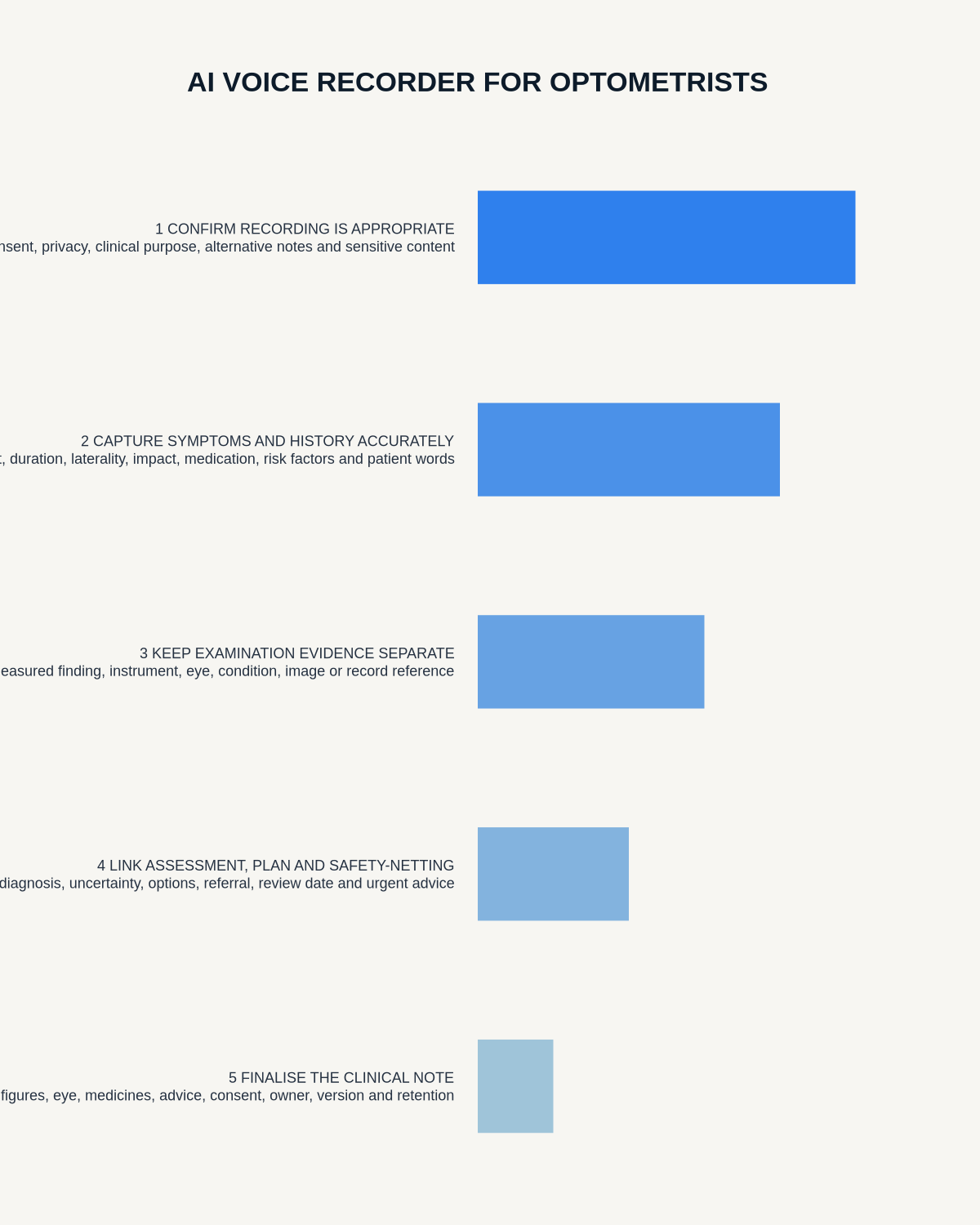
Use a controlled consultation-to-note workflow
- Confirm recording is permitted, necessary and appropriate.
- Explain the purpose, processing, access and alternative to the patient.
- Capture the symptom history and relevant background.
- Enter measurements directly into the approved clinical system.
- Dictate findings and advice with full laterality.
- Generate the transcript through the approved route.
- Check values, eye, names, product details and clinical terms.
- Create the reviewed clinical note and follow-up actions.
- Issue referrals or urgent instructions through the proper process.
- Apply health-data access, retention and deletion controls.
How NERALVO Halo may support an approved optometry workflow
Check whether NERALVO Halo fits optometrists work provides NOTE recording, supported CALL capture, 64GB local storage and DOWAY transcription tools. It may support authorised consultations and private post-consultation dictation.
Practices should approve the complete device-to-app data route and test clinical vocabulary, laterality, numerical values, room acoustics and call compatibility before deployment. Halo and DOWAY do not replace examination systems, professional judgement or the approved patient record.
Cloud software, a dedicated recorder or manual notes?
For Optometrists, the right answer changes with the setting. This matrix deliberately gives each method a situation where it can be the strongest choice.
| Situation | Best starting point | Reason |
|---|---|---|
| scheduled remote meetings | Cloud meeting software | Calendar automation and shared integrations are usually the strongest advantage. |
| in-person or mobile work | Dedicated recorder | Independent capture reduces reliance on an active phone or laptop. |
| recording is refused or prohibited | Manual notes or an approved alternative | The boundary takes priority over convenience. |
| mixed online and offline work | Governed hybrid | Use each method only in the setting it actually fits. |
Frequently asked questions
Can AI transcribe a prescription safely?
Use the approved clinical source. Do not rely on the transcript as the sole record.
Can a recording determine referral urgency?
No. Clinical judgement and the practice pathway determine urgency.
Should raw audio enter the patient record?
Only where the approved policy requires it. A reviewed concise note may be sufficient.
Can AI decide which eye a finding relates to?
No. Laterality must be stated clearly and verified against the examination record.
Authoritative guidance and related reading
- General Optical Council
- AI Voice Recorder for Audiologists
- AI Voice Recorder for Occupational Health Advisers
- AI Voice Recorder for Radiographers
Final clinical-note check
- Patient account, measurements and findings are separate.
- Right and left eye references are checked.
- All values come from approved sources.
- Uncertainty and advice remain accurate.
- Urgent concerns were escalated immediately.
- Product details were verified.
- Unnecessary personal information was removed.
- The final note entered the clinical system.
- Source retention and deletion were controlled.
Bottom line: a safe optometry voice workflow preserves the patient’s account while keeping every measurement, eye reference, clinical conclusion and urgent action under verified professional control.
Profession workflow
Visual map for AI Voice Recorder for Optometrists: Clearer Consultations and Safer Clinical Notes
- Prepare the approved useDefine purpose, safe position, permission and the required formal record.
- Capture context firstState the case, asset, person, location or event identifier before detail.
- Human-verify evidenceCheck technical terms, units, names, dates, decisions and uncertainty.
- Complete the formal recordTransfer only verified information and apply access and retention controls.
On this page
Related guides
See whether Halo fits this workflow
Review the NERALVO Halo specifications, included services, delivery information and current offer only after completing the guide.
Found an error or an out-of-date claim? Email support@neralvo.com with the article address and a supporting source.