The 60-second verdict
Quick answer: fix a muffled AI voice recording by listening to the source audio, identifying whether the problem is obstruction, distance, placement, room acoustics or handling noise, then changing one variable at a time and repeating the same test.
Decision focus: use the method below only where it produces a recoverable source, a verifiable output and a clear next action. If one of those fails, change the workflow rather than trusting a polished summary.
Evidence basis and limits
- Decision factors covered: Identify the symptom before changing settings; Run a four-position comparison; Remove physical obstructions.
- Evidence rule: A claim earns weight only when the source, date, configuration and limitation are clear enough for a reader to check.
- Boundary: Examples and workflow recommendations must be tested with representative recordings, the intended users and the actual approval process before rollout.
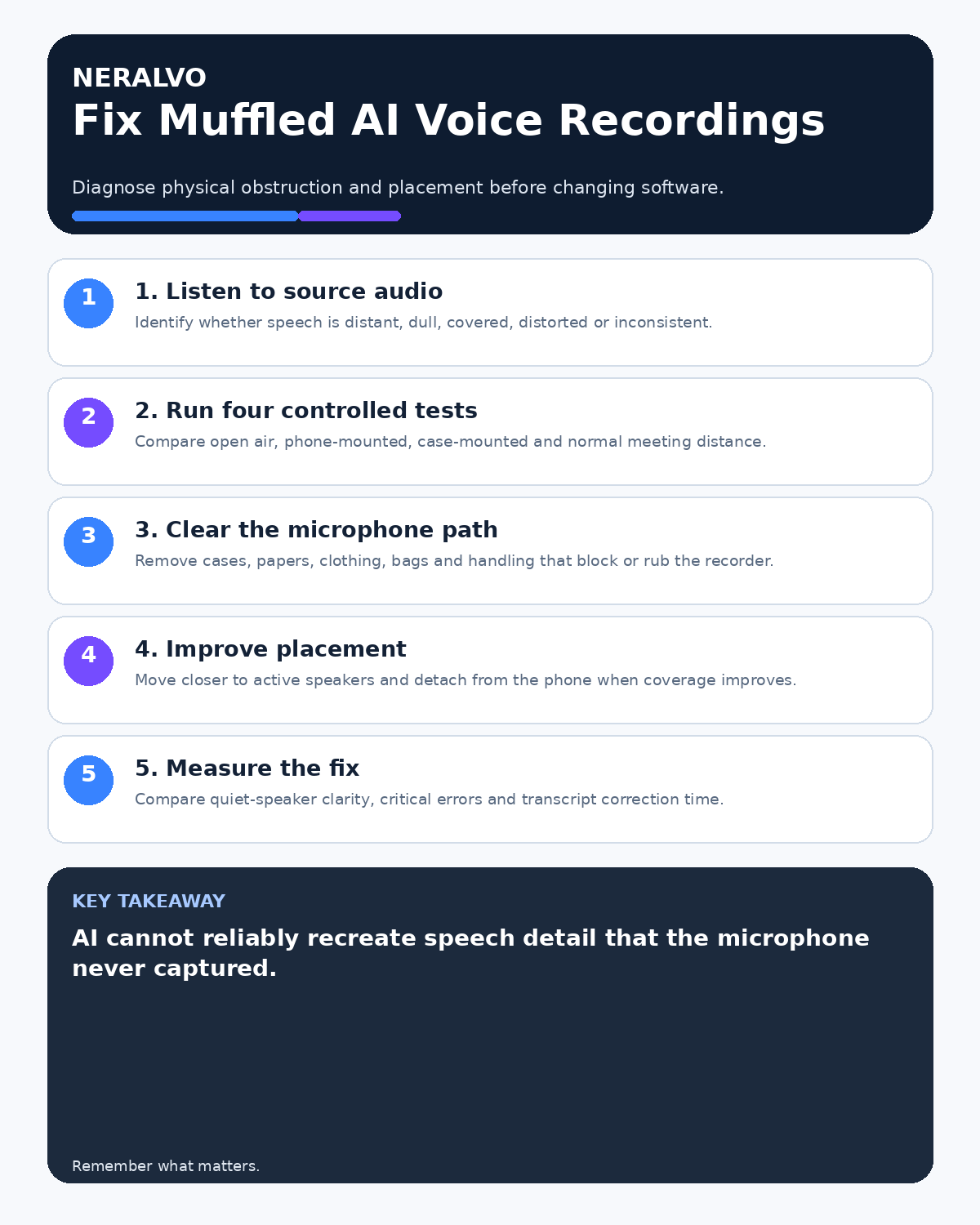
Muffled speech usually means the microphone did not receive enough clear, direct sound. Transcription software may produce smoother text, but it cannot reliably recreate consonants or words that were never captured.

Identify the symptom before changing settings
| What you hear | Likely cause | First test |
|---|---|---|
| Dull or covered speech | Blocked microphone or enclosed position | Open-air close-range sample |
| Clear but very quiet speech | Excessive distance | Move closer without changing anything else |
| Boomy or hollow speech | Corner, wall or reflective surface | Move into open space |
| Rubbing or tapping | Case, clothing or handling vibration | Stable detached placement |
| Harsh distorted peaks | Speaker too close or input overload | Increase distance slightly |
Run a four-position comparison
Use the same short script, speaker and room for each sample:
- Recorder in open air at close range.
- Recorder attached to the usual phone.
- Recorder attached with the normal phone case or mount.
- Recorder at the normal meeting position and distance.
Listen with headphones and compare the source files before reading the transcripts. Change only one variable at a time.
Remove physical obstructions
- Keep microphone openings clear of cases, wallet attachments and magnetic rings.
- Do not place the recorder beneath papers, clothing or a laptop.
- Do not record from inside a pocket, bag or soft pouch.
- Avoid covering the device while handling it.
- Keep cups, notebooks and cables away from the microphone area.
Inspect the setup rather than assuming that a secure fit leaves the microphone exposed.
Reduce speaker distance
Direct speech becomes weaker as the recorder moves away, while room noise and reflections remain. Place the device near the acoustic centre of the active discussion, not automatically beside the phone owner or at the geometric centre of the table.
Use the guidance in How to Position an AI Voice Recorder on Different Table Shapes for round, rectangular and hybrid layouts.
Test the phone case and magnetic mount
A mount can transmit taps and rubbing or hold the recorder in a poor acoustic position. Compare attached and detached samples using the exact phone and case. Document the approved combination and retest after hardware changes.
See How to Record Through a Phone Case or Magnetic Mount Safely.
Avoid enclosed and reflective positions
Do not place the recorder against a wall, in a hard corner or on an enclosed shelf. Bare glass and hard surfaces can create reflected sound that makes speech seem distant or hollow. A stable, open position closer to speakers usually performs better.
Control handling and table vibration
Set the device down before the discussion begins. Avoid moving it while someone is speaking, and keep it away from keyboard impact, paper shuffling and hollow tables that transmit vibration. A small soft isolation pad may help with vibration, provided it does not cover the microphone or create instability.
Use a before-and-after test script
Include quiet and normal speech, a surname, a date, two numbers, a negative sentence and one technical term. Compare:
- source-audio clarity;
- quiet-speaker intelligibility;
- critical transcript errors;
- speaker balance;
- time required to correct the output.
The fix is successful when the same representative test becomes clearer and requires less correction.
Know when placement is not enough
Large rooms, distant speakers, strong wind and broadcast-quality work may require venue audio or specialist microphones. Do not claim dependable recovery when representative tests show that direct speech remains unclear.
Workflow choice matrix for Why AI Voice Recordings Sound Muffled and How to Fix Them
Choose the method that protects the source and reduces downstream correction. The table makes the non-hardware options explicit.
| Condition | Preferred route | Why |
|---|---|---|
| Repeatable remote work with approved integrations | Cloud software | Automation and central collaboration may outweigh device independence. |
| In-person, mobile or unreliable-connectivity work | Dedicated recorder | Independent capture and a recoverable local source are usually more resilient. |
| Recording is refused, prohibited or unnecessary | Manual notes / no recording | Respecting the boundary is the correct workflow, not a product failure. |
| High-risk or mixed work | Governed hybrid | Separate capture, review, approval and retention rather than trusting one tool. |
Frequently asked questions
Can AI remove muffling after the meeting?
It may improve readability, but it cannot reliably recreate speech detail that was not captured.
Does increasing playback volume fix muffled audio?
No. It makes the unclear signal louder without restoring missing information.
Should the recorder stay attached to the phone?
Only when attached placement gives clear, balanced coverage. Detached table placement may be better.
How is muffling different from echo?
Muffling is usually caused by obstruction or weak direct speech. Echo is caused by reflected or repeated sound. Review How to Reduce Echo in Meeting Recordings if speech sounds hollow or repeated.
Useful resources
- HSE workplace-noise guidance
- How to Capture Questions from the Back of a Room
- Apply this guide before assessing NERALVO Halo
Final muffled-audio checklist
- Source audio reviewed
- Symptom classified correctly
- Open-air and normal-use tests compared
- Microphone openings clear
- Distance and room position improved
- Case and mount tested
- Before-and-after result verified
On this page
Related guides
See whether Halo fits this workflow
Review the NERALVO Halo specifications, included services, delivery information and current offer only after completing the guide.
Found an error or an out-of-date claim? Email support@neralvo.com with the article address and a supporting source.