The 60-second verdict
Engineering students need to connect requirements, mathematical models, experimental evidence and controlled design decisions. A recorder can preserve reasoning after a lecture, lab or project meeting, but it cannot make equipment safe or turn spoken values into reliable raw data.
Best fit: Engineering Students who need recoverable audio and human-verified notes in an authorised workflow. Use another method when: recording is prohibited, a participant declines or the approved process requires manual notes.
Evidence basis and limits
- Decision factors covered: The requirement → model → test → design record workflow; Use a safety gate before recording; Stage 1: Define the requirement.
- Evidence rule: Claims are weighted by consequence: capture failure, changed meaning, access and recovery matter more than polished wording.
- Boundary: Examples and workflow recommendations must be tested with representative recordings, the intended users and the actual approval process before rollout.
An AI voice recorder for engineering students can support permitted teaching, safe post-task reflection and consented project meetings. It must remain outside hazardous activity and cannot replace calculations, laboratory records, repositories or controlled drawings.
The requirement → model → test → design record workflow
| Stage | Engineering question | Output |
|---|---|---|
| Requirement | What must the system achieve and under which constraints? | Testable requirement |
| Model | Which assumptions, equations or simulations represent it? | Explicit model |
| Test | What evidence can confirm, challenge or calibrate the model? | Traceable results |
| Design record | What decision follows and which controlled document changes? | Versioned action |
This workflow turns a voice note into a traceable engineering question rather than a substitute for evidence.
Use a safety gate before recording
Do not operate a recorder while using machinery, driving, working at height, handling live systems, chemicals, lasers, pressure equipment, hot surfaces or another hazardous process.
Before creating a note:
- Complete the required test or task.
- Record raw data in the approved system.
- Shut down, isolate or leave equipment in the required safe state.
- Follow permit and supervisor instructions.
- Move to a designated safe location.
- Confirm that personal electronics and recording are permitted.
A voice recorder is not safety equipment and should never compete with supervision, protective equipment or emergency awareness.
Stage 1: Define the requirement
Record the requirement in measurable terms:
- Function or performance target.
- Operating environment.
- Load, capacity, tolerance or response time.
- Safety, cost, sustainability or regulatory constraint.
- Interface with another component.
- Verification method.
“Make the structure stronger” is vague. “Support the stated design load with the required factor and deflection limit under the defined boundary conditions” is testable.
Stage 2: Expose the model and assumptions
Speaking through a derivation can reveal hidden assumptions, but equations must be written and checked independently.
Capture:
- Governing principle or equation.
- Boundary and initial conditions.
- Material or component properties.
- Simplifications.
- Unit system.
- Expected order of magnitude.
- Condition under which the model will fail.
Speech-to-text can confuse symbols, prefixes, negative signs and subscripts. Link the note to the written equation, calculation file or simulation model.
Stage 3: Preserve the raw-data chain
Raw measurements, instrument files, calibration details, sample IDs and deviations belong in the approved laboratory record at the time of the experiment. A later transcript is not contemporaneous raw data.
| Record | Correct location |
|---|---|
| Instrument output | Approved data storage |
| Manual measurement | Lab book or electronic record |
| Calibration and setup | Test record |
| Unexpected event | Contemporaneous deviation note |
| Interpretation and question | Post-task reflection |
| Design decision | Controlled project record |
Use a voice note to explain an anomaly or propose the next test after the evidence has been secured.
Check calculations through several routes
Before accepting a result, verify:
- Dimensions: do the units balance?
- Magnitude: is the result physically plausible?
- Independent method: can it be checked by another calculation, simulation or estimate?
- Limits: does it behave correctly at known boundary cases?
- Inputs: are values, units and versions correct?
- Uncertainty: how sensitive is the answer to assumptions and measurement error?
AI may suggest a method, but the student remains responsible for every equation, conversion and numerical conclusion.
Stage 4: Create a controlled design decision
A project-meeting recording is useful only after the decision is transferred into the controlled system. Record:
- Requirement affected.
- Evidence considered.
- Options rejected.
- Selected design and rationale.
- Risk or uncertainty remaining.
- Drawing, code, model or specification to update.
- Owner, reviewer and deadline.
- Version or change reference.
Do not allow a transcript to become the only record of an interface or safety-related change.
Use post-lab reflection correctly
After the safe shutdown, a concise reflection can cover:
- What the experiment tested.
- Whether the method matched the requirement.
- An anomaly or limitation.
- Which raw-data file supports the observation.
- A calculation or assumption to verify.
- The next experiment or analysis step.
The final report must trace every figure and claim back to actual data and a documented method.
Protect sponsors, projects and intellectual property
Industry projects may contain source code, drawings, security information, patentable ideas, customer data or non-public requirements. Do not sync that material to a consumer transcription service unless the sponsor and university approve the device, account and processing route.
Recording permission for an ordinary class does not extend to a sponsor meeting, restricted laboratory or placement.
Maintain academic integrity
AI must not fabricate:
- Measurements.
- Simulation results.
- Tests.
- References.
- Code execution.
- Group contributions.
Follow the institution’s AI-use rules and disclose assistance where required. The student must understand and verify the final calculation, code, design and report.
A concise engineering voice-note script
- Requirement: state the measurable objective and constraint.
- Model: name the equation, assumption or simulation.
- Evidence: identify the raw-data or source location.
- Uncertainty: state the anomaly, tolerance or unknown.
- Decision: record the provisional engineering conclusion.
- Controlled update: name the drawing, repository or lab record.
- Next test: define the calculation, experiment or review action.
How NERALVO Halo can support engineering study
Check whether NERALVO Halo fits engineering students work can support permitted lectures, safe post-task reflection and approved project meetings. It includes NOTE mode, supported CALL capture, 64GB local storage, up to 35 hours of recording and Bluetooth sync with DOWAY. DOWAY can create transcripts, summaries, speaker-separated notes, templates, translations, mind maps and exportable files, with one year of DOWAY Max included from activation.
Halo is not safety equipment, an instrument, a laboratory notebook or a design-control system. Laboratory, workshop, sponsor and project rules determine whether it may be used.
Engineering-note quality check
- Was the hazardous task complete before recording?
- Is the requirement measurable?
- Are assumptions and boundary conditions explicit?
- Are equations, units and prefixes verified?
- Does every claim trace to raw data or an authoritative source?
- Was uncertainty considered?
- Was the design decision entered into a controlled document?
- Is sponsor and intellectual-property information protected?
- Is assessed work authentic and independently checked?
A strong engineering voice-note workflow preserves reasoning while leaving safety, raw evidence, calculations and version-controlled decisions in their proper systems.
Cloud software, a dedicated recorder or manual notes?
For Engineering Students, the right answer changes with the setting. This matrix deliberately gives each method a situation where it can be the strongest choice.
| Situation | Best starting point | Reason |
|---|---|---|
| scheduled remote consultations | Cloud meeting software | Calendar automation and shared integrations are usually the strongest advantage. |
| in-person consultations or ward handovers | Dedicated recorder | Independent capture reduces reliance on an active phone or laptop. |
| a patient declines or policy prohibits recording | Manual notes or an approved alternative | The boundary takes priority over convenience. |
| mixed remote and clinical work | Governed hybrid | Use each method only in the setting it actually fits. |
Related AI voice recorder guides
See the guides for apprentices, research interviews, project managers and field service technicians.
Related guides
Profession workflow
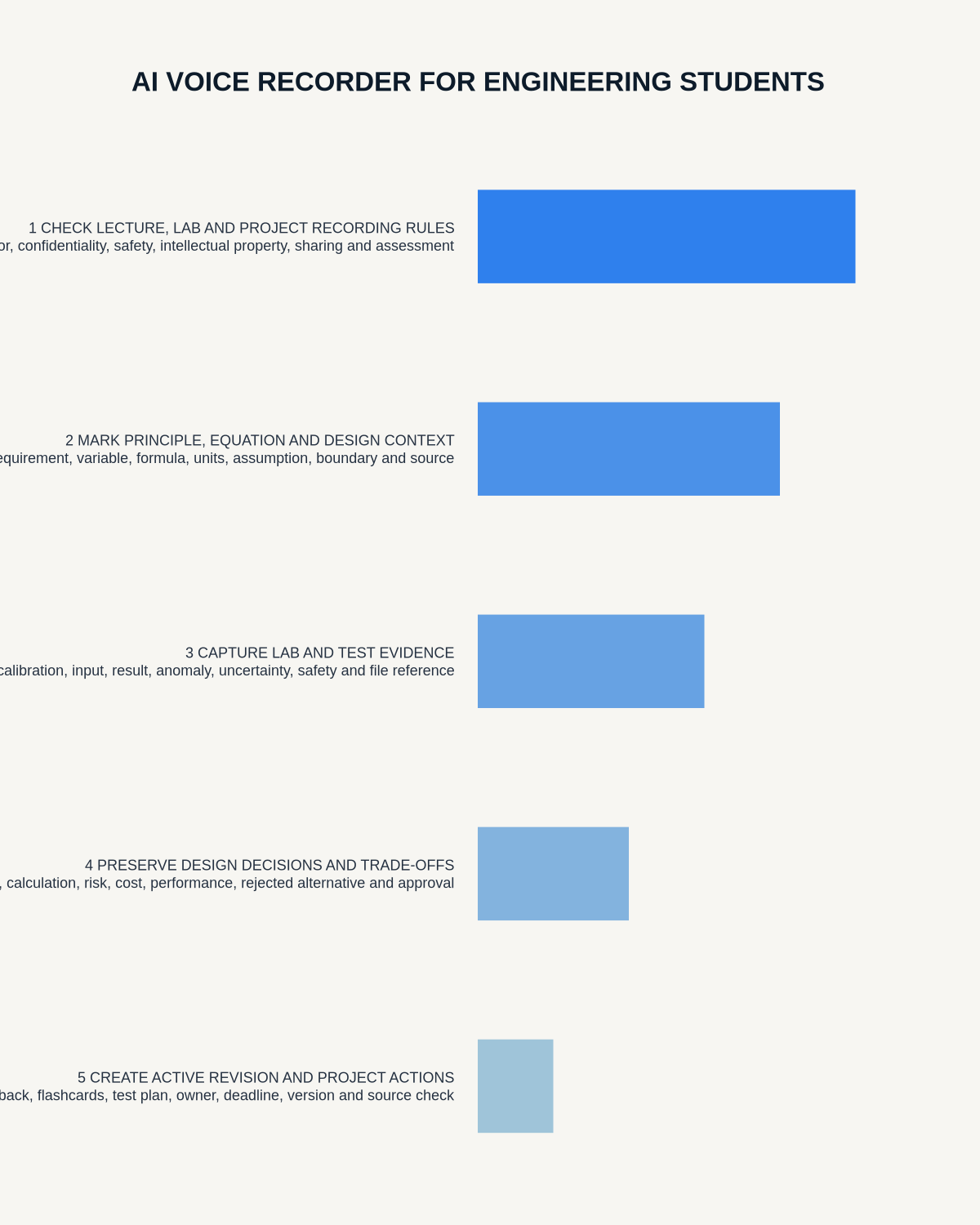
Visual map for AI Voice Recorder for Engineering Students: Lectures, Labs and Design Projects
- Prepare the approved useDefine purpose, safe position, permission and the required formal record.
- Capture context firstState the case, asset, person, location or event identifier before detail.
- Human-verify evidenceCheck technical terms, units, names, dates, decisions and uncertainty.
- Complete the formal recordTransfer only verified information and apply access and retention controls.
On this page
Related guides
See whether Halo fits long-form study capture
After checking permission and your institution’s rules, compare Halo’s stated battery, storage and export workflow with the way you actually study.
Found an error or an out-of-date claim? Email support@neralvo.com with the article address and a supporting source.