The 60-second verdict
Quick answer: freelancers can use an AI voice recorder to preserve scope, deliverables, exclusions, feedback and payment evidence, but a client request, estimate, proposal, accepted variation and completed work are different commercial states. The contract, project and invoicing systems remain authoritative.
Best fit: Freelancers who need recoverable audio and human-verified notes in an authorised workflow. Use another method when: recording is prohibited, a participant declines or the approved process requires manual notes.
Evidence basis and limits
- Decision factors covered: Why casual calls create unpaid work; The brief → proposal → agreement → request → variation → delivery → invoice workflow; Before recording a client call.
- Evidence rule: Claims are weighted by consequence: capture failure, changed meaning, access and recovery matter more than polished wording.
- Boundary: Examples and workflow recommendations must be tested with representative recordings, the intended users and the actual approval process before rollout.

Check whether NERALVO Halo fits freelancers work can support approved discovery calls and private debriefs. It cannot create a contract or prove client acceptance by itself.
Why casual calls create unpaid work
Clients often ask for “one small change” during feedback. A summary may merge the request into the original action list, hiding that the deadline, price or deliverable changed.
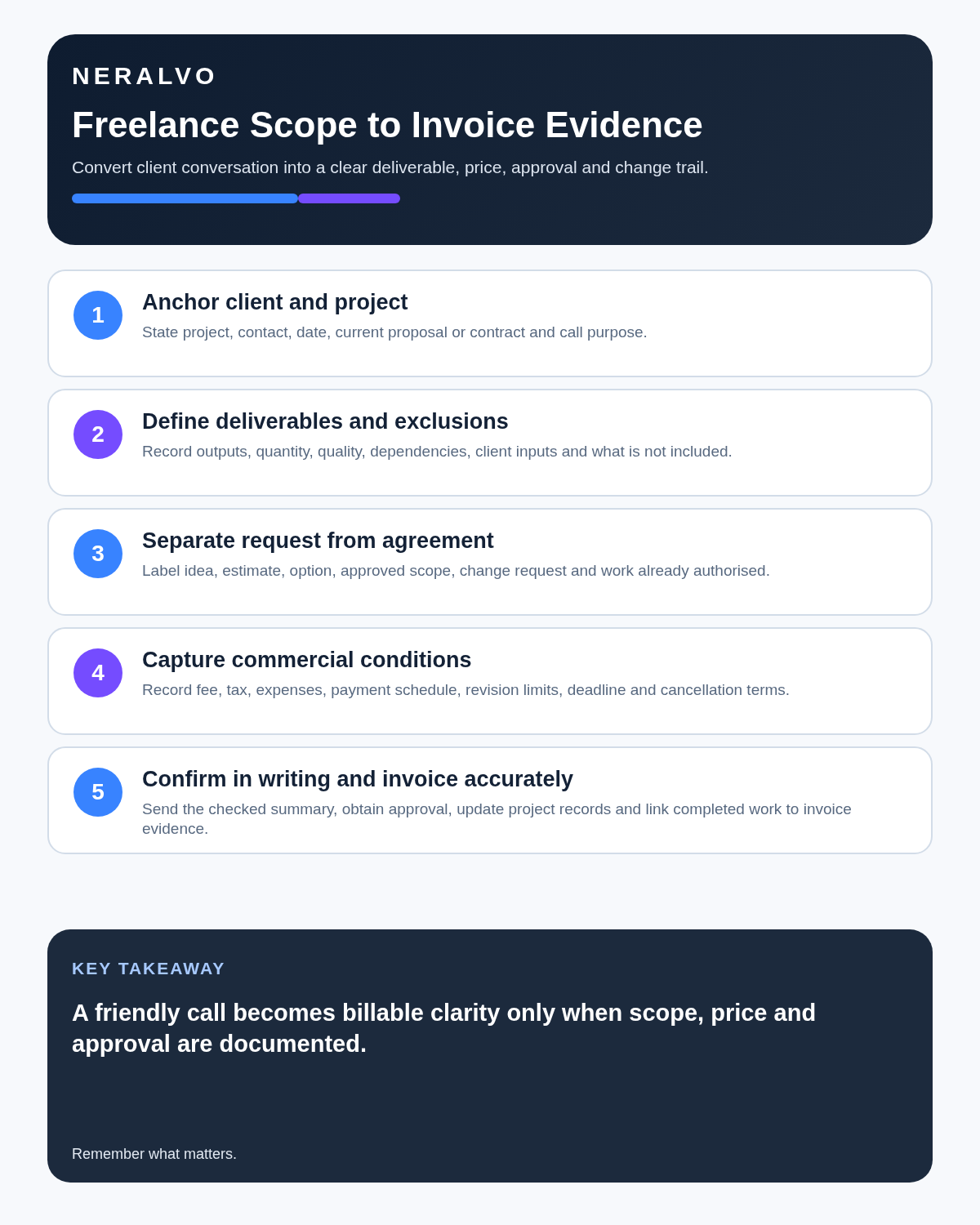
The brief → proposal → agreement → request → variation → delivery → invoice workflow
| Stage | Question | Record |
|---|---|---|
| Brief | What problem and outcome does the client describe? | Discovery note |
| Proposal | What will the freelancer deliver and exclude? | Commercial offer |
| Agreement | What scope, price, timing and rights are accepted? | Contract baseline |
| Request | What new change is being asked for? | Attributed request |
| Variation | What impact and approval follow? | Controlled change |
| Delivery | What was supplied and accepted? | Completion evidence |
| Invoice | Which agreed work supports each charge? | Payment record |
Before recording a client call
Use the approved notice and permission process. Do not record passwords, payment-card details, recovery codes, private credentials or confidential third-party information that is not necessary for the project.
Anchor every call
- Client and project.
- Contract, proposal or purchase-order reference.
- Current deliverable and version.
- Meeting purpose.
- Decision-maker and budget authority.
- Milestone and deadline.
Write the scope in testable terms
Define quantity, format, platform, revisions, input required from the client, review route, acceptance criteria, delivery date and exclusions. “Website copy” is weak; “copy for five named pages, one review round and final delivery in the agreed document format” is clearer.
Use commercial status labels
- Idea.
- Client request.
- Estimate.
- Proposal.
- Accepted scope.
- Variation awaiting approval.
- Variation approved.
- Delivered.
- Accepted or revision requested.
- Invoiced and paid.
Control scope changes
For each request, state the exact change, reason, effort, cost, deadline impact, dependencies, effect on existing work, approval and whether work may begin before written confirmation.
Preserve feedback accurately
| Feedback type | Treatment |
|---|---|
| Preference | Clarify the desired outcome |
| Error against brief | Correct within agreed scope |
| New requirement | Assess as variation |
| Conflicting stakeholder feedback | Seek one authorised direction |
| Approval | Record version and decision-maker |
Create delivery and invoice evidence
- Final version and date.
- Delivery method.
- Client recipient.
- Acceptance or revision status.
- Approved variations.
- Time or units where relevant.
- Expenses and prior authorisation.
- Invoice reference and payment terms.
Build an invoice-dispute chronology
- Original proposal and acceptance.
- Approved scope changes.
- Delivery evidence.
- Feedback and correction history.
- Handover or acceptance status.
- Invoice terms and due date.
- Current disputed point.
The strongest evidence remains the signed agreement, written approvals, delivery records and invoice terms.
Protect client confidentiality and intellectual property
Use approved accounts and project references. Avoid uploading sensitive unreleased material where the client has not approved the supplier. Record rights, licences, portfolio use and confidentiality separately from creative discussion.
How NERALVO Halo fits freelancers
NERALVO Halo includes NOTE mode, supported CALL mode, 64GB local storage, up to 35 hours of recording and Bluetooth sync with DOWAY. DOWAY provides transcripts, summaries, speaker-separated notes, templates, translations, mind maps and exports, with one year of DOWAY Max included. Use verified summaries to update the contract, project and invoice records.
Cloud software, a dedicated recorder or manual notes?
For Freelancers, the right answer changes with the setting. This matrix deliberately gives each method a situation where it can be the strongest choice.
| Situation | Best starting point | Reason |
|---|---|---|
| scheduled remote meetings | Cloud meeting software | Calendar automation and shared integrations are usually the strongest advantage. |
| in-person or mobile work | Dedicated recorder | Independent capture reduces reliance on an active phone or laptop. |
| recording is refused or prohibited | Manual notes or an approved alternative | The boundary takes priority over convenience. |
| mixed online and offline work | Governed hybrid | Use each method only in the setting it actually fits. |
Frequently asked questions
Does a client asking for work count as approval to begin?
Only when the person has authority and the commercial terms are accepted through the agreed process.
Is every revision included?
No. Refer to the accepted scope and classify new requirements as variations.
Can a call recording replace a contract?
No. Confirm material scope, price, rights and timing in the authorised written record.
Final freelancer checklist
- Client, project and version anchored.
- Deliverables and exclusions explicit.
- Request separated from agreed variation.
- Authority and commercial impact clear.
- Feedback classified correctly.
- Delivery and acceptance evidenced.
- Rights and confidentiality controlled.
- Invoice linked to agreed work.
Bottom line: a strong freelance voice note protects the relationship by making scope, change, delivery and payment evidence clear before memory becomes disagreement.
Related guides
On this page
Related guides
See whether Halo fits this workflow
Review the NERALVO Halo specifications, included services, delivery information and current offer only after completing the guide.
Found an error or an out-of-date claim? Email support@neralvo.com with the article address and a supporting source.