The 60-second verdict
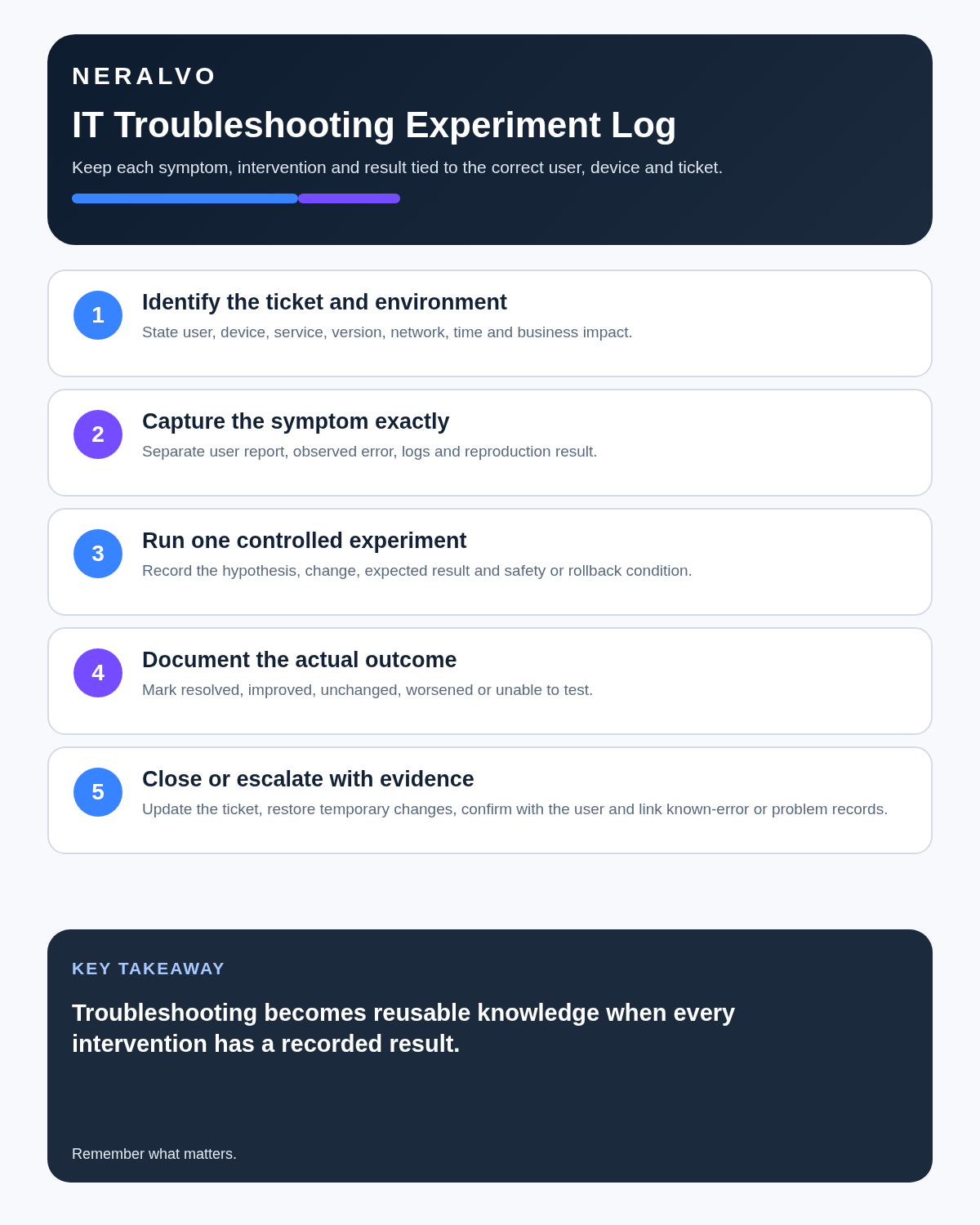
Quick answer: IT support teams can use an AI voice recorder for approved user calls, troubleshooting notes, shift handovers and incident timelines, but the useful output is an experiment ledger—not merely a summary of the final fix. Never record passwords, one-time codes, access tokens or unnecessary personal data.
Best fit: IT Support who need recoverable audio and human-verified notes in an authorised workflow. Use another method when: recording is prohibited, a participant declines or the approved process requires manual notes.
Evidence basis and limits
- Decision factors covered: Use the experiment ledger; Use the STACK note; Never record secrets.
- Evidence rule: Claims are weighted by consequence: capture failure, changed meaning, access and recovery matter more than polished wording.
- Boundary: Examples and workflow recommendations must be tested with representative recordings, the intended users and the actual approval process before rollout.

Check whether NERALVO Halo fits it support work can support structured drafting while the ticketing, asset, monitoring, identity and knowledge systems remain authoritative.
Use the experiment ledger
| Field | Record |
|---|---|
| Hypothesis | What might explain the symptom |
| Evidence | Log, screenshot, metric, trace or user observation |
| Test | Approved diagnostic or controlled change |
| Expected result | What should happen if the hypothesis is correct |
| Actual result | Observed outcome and timestamp |
| Decision | Reject, retain or refine the hypothesis |
| Rollback | How the change was reversed or controlled |
Preserve failed experiments. They prevent the next technician from repeating the same work and help distinguish plausible causes.
Use the STACK note
- S — System: user, device, application, environment, asset and version.
- T — Trigger: exact symptom, start time, reproduction steps and business impact.
- A — Actions: every approved experiment and result.
- C — Clues: logs, screenshots, alerts, traces and related incidents.
- K — Knowledge: resolution, workaround, owner, risk and next update.
Never record secrets
Warn callers not to speak passwords, one-time codes, recovery keys, API keys, private keys, access tokens, security answers or payment information. Stop recording if sensitive data appears and follow the organisation’s exposure procedure.
Use the approved identity-verification, password-reset, privileged-access and secrets-management processes. A transcript must never become a credential store.
Separate symptoms from causes
- User-reported symptom: attributed description of the problem.
- Support observation: behaviour directly seen by the technician.
- Reproduced behaviour: result confirmed under stated conditions.
- Possible cause: hypothesis awaiting a test.
- Confirmed cause: explanation supported by evidence.
- Verified resolution: approved fix confirmed by testing, the user and monitoring.
An AI summary must not turn the first plausible explanation into a confirmed root cause.
Use a controlled support-call workflow
- Confirm recording approval and notify the caller.
- Verify the user and asset through the approved process.
- Identify the exact user-visible symptom and business impact.
- Record environment, application, version, timing and recent change.
- Link logs, screenshots, traces and alerts rather than narrating them from memory.
- Record each approved experiment, expected result and actual result.
- Correct commands, paths, error messages, identifiers and timestamps.
- Update the official ticket with concise verified information.
- Escalate with evidence, failed experiments, current risk and decision required.
- Confirm resolution through user test and monitoring.
- Delete unnecessary audio and duplicate exports.
Create a useful ticket
The ticket should include impact, priority, affected user or service, asset and version, exact symptom, evidence, experiments tried, changes made, actual results, current workaround, outstanding risk, owner, deadline and next communication time.
Move the final information into the ticket rather than creating a second support system inside audio files or transcripts.
Maintain one major-incident timeline
A bridge transcript can support decisions, owners and communication, but logs and preserved technical artefacts establish system activity. Synchronise timestamps and maintain one authorised timeline containing detection, impact, mitigations, changes, decisions, customer updates and recovery evidence.
Do not infer causation from sequence alone. Preserve competing hypotheses until technical evidence resolves them.
Build an escalation package
Include affected services, start time, scope and impact, environment and recent changes, evidence references, experiments and outcomes, current workaround, security or data risk, decision required, receiving team and next customer update.
Do not send a raw transcript as the escalation. The receiving team needs a checked technical package.
Use a resolution gate
- Correct service and environment confirmed.
- Cause supported by evidence.
- Change authorised and documented.
- Rollback or recovery path known.
- User or service test successful.
- Monitoring shows expected behaviour.
- Security, data and access implications reviewed.
- Ticket, problem and change records reconciled.
- Temporary workaround has an owner and expiry if still active.
Create knowledge only after verification
Before publishing a solution, test prerequisites, steps, expected results, exceptions, rollback and escalation conditions in a representative non-production environment where possible.
A reviewed knowledge article should name the affected versions, evidence basis, owner and review date. Remove customer-specific and sensitive information.
How NERALVO Halo fits IT support
NERALVO Halo includes NOTE mode, supported CALL mode, 64GB local storage, up to 35 hours of recording and Bluetooth sync with DOWAY. DOWAY can produce transcripts, summaries, speaker-separated notes, templates, translations, mind maps and exports, with one year of DOWAY Max included.
It may support approved support calls, incident rooms, handovers and private knowledge notes. It is not a remote-support, identity, secrets, monitoring or ticketing system.
Cloud software, a dedicated recorder or manual notes?
For IT Support, the right answer changes with the setting. This matrix deliberately gives each method a situation where it can be the strongest choice.
| Situation | Best starting point | Reason |
|---|---|---|
| scheduled remote meetings | Cloud meeting software | Calendar automation and shared integrations are usually the strongest advantage. |
| in-person or mobile work | Dedicated recorder | Independent capture reduces reliance on an active phone or laptop. |
| recording is refused or prohibited | Manual notes or an approved alternative | The boundary takes priority over convenience. |
| mixed online and offline work | Governed hybrid | Use each method only in the setting it actually fits. |
Frequently asked questions
Can AI identify the root cause from a support call?
No. It can organise evidence and hypotheses, but the cause requires technical verification.
Should failed troubleshooting steps be removed from the ticket?
No. Concise failed experiments are valuable evidence and prevent repeated work.
Can a transcript replace logs?
No. Link the original logs, screenshots, metrics and traces.
Can a recorded fix be published immediately as a knowledge article?
No. Test the steps, prerequisites, expected result, exceptions and rollback first.
Final IT-support checklist
- User, asset, service, environment and version verified.
- No credentials or unnecessary sensitive data recorded.
- Symptom separated from hypothesis and cause.
- Every experiment has an expected and actual result.
- Evidence references and timestamps correct.
- Changes authorised with rollback.
- Escalation package complete.
- Resolution confirmed by user testing and monitoring.
- Ticket and related records updated.
- Knowledge article tested and reviewed.
- Temporary audio controlled.
Bottom line: AI recording improves IT support when it preserves the troubleshooting method, not just the final fix. Record every hypothesis, experiment and result while keeping secrets, logs and tickets under controlled systems.
Related guides
On this page
Related guides
See whether Halo fits this workflow
Review the NERALVO Halo specifications, included services, delivery information and current offer only after completing the guide.
Found an error or an out-of-date claim? Email support@neralvo.com with the article address and a supporting source.