
The 60-second verdict
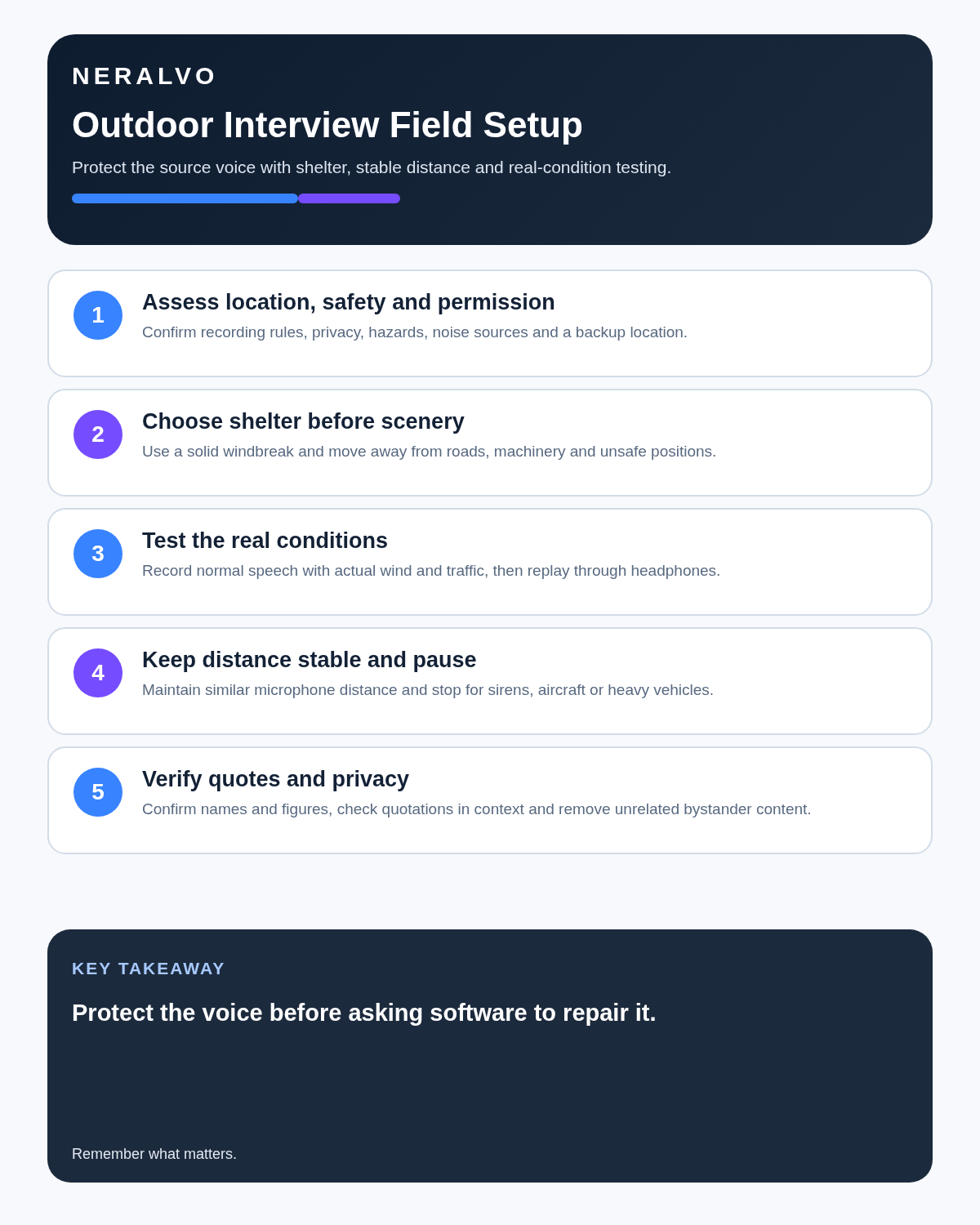
Quick answer: for a clear outdoor interview, choose shelter before scenery, move away from traffic and machinery, keep the recorder close and stable, pause for major interruptions, confirm names and figures aloud, and verify every important quotation against the source audio.
Best fit: Outdoor Interviews who need recoverable audio and human-verified notes in an authorised workflow. Use another method when: recording is prohibited, a participant declines or the approved process requires manual notes.
Evidence basis and limits
- Decision factors covered: Why outdoor interviews are difficult to transcribe; Assess the location before pressing record; Choose shelter before the visual background.
- Evidence rule: A claim earns weight only when the source, date, configuration and limitation are clear enough for a reader to check.
- Boundary: Examples and workflow recommendations must be tested with representative recordings, the intended users and the actual approval process before rollout.
Why outdoor interviews are difficult to transcribe
Outdoor speech competes with wind, traffic, aircraft, crowds, water, machinery and changing microphone distance. These sounds do not merely make a recording unpleasant; they can mask words completely. AI may improve a noisy recording, but it cannot reliably reconstruct speech that never reached the microphone clearly.
| Problem | Effect | Best first control |
|---|---|---|
| Wind | Low-frequency rumble covers consonants and entire phrases | Use physical shelter and suitable wind protection |
| Road traffic | Continuous noise plus sudden masking from larger vehicles | Increase distance and pause during heavy traffic |
| Aircraft and sirens | Long, high-level interruptions | Stop the answer and restart after the sound passes |
| Crowds | Competing voices and privacy risk | Move to a quieter controlled area |
| Movement | Changing volume and inconsistent speaker balance | Keep participants and recorder positions stable |
| Rain | Speech masking and equipment risk | Move under suitable shelter or stop recording |
| Machinery | Noise, vibration and physical danger | Use a designated safe interview area |
Assess the location before pressing record
- Confirm that recording is permitted at the location.
- Check landowner, event, workplace and site rules.
- Choose a position away from live traffic, machinery, water edges and unstable ground.
- Check whether bystanders can overhear confidential information.
- Identify the wind direction and available shelter.
- Notice intermittent sounds such as buses, aircraft, loading activity or announcements.
- Prepare an indoor or sheltered fallback location.
- Decide whether the required quality exceeds a compact recorder’s capability.
Choose shelter before the visual background
A visually attractive position can be acoustically poor. A plain wall, doorway, parked vehicle used safely as a windbreak, covered entrance or sheltered courtyard may produce a far better interview than an exposed scenic location.
Do not position people somewhere unsafe merely to improve sound. If the quietest area is near moving vehicles, machinery or restricted access, choose a safer location and use more suitable audio equipment instead.
Use a realistic pre-interview test
- Stand in the exact positions planned for the interview.
- Place the recorder where it will remain.
- Record both people speaking at their normal volume.
- Include the real wind, traffic and surrounding activity.
- Turn and move as each person may move naturally.
- Listen back through headphones where practical.
- Check the quietest speaker, names, numbers and specialist words.
- Move, shelter or change equipment if any important detail is unclear.
A test recorded while holding the device directly beside the speaker does not prove that the final setup will work.
Keep microphone distance close and stable
- Place the recorder close enough to capture direct speech clearly.
- Keep both speakers at a similar distance where possible.
- Do not place it behind bags, clothing, notebooks or equipment.
- Avoid loose objects that can rattle or rub against the device.
- Use a stable surface or approved mount.
- Do not pass the recorder backwards and forwards while people are speaking.
- Re-test after any major change in position.
Pause rather than trying to talk through interruptions
When a siren, aircraft, heavy vehicle, announcement or gust covers an answer, stop and repeat the affected section. Continuing usually produces a fluent-looking transcript with missing or invented detail.
A simple process works well:
- Pause the interview.
- Wait until the interruption has passed.
- Restate the question briefly.
- Ask the participant to repeat the material point in their own words.
- Mark the retake in a field note or timestamp.
Build verification into the conversation
- Confirm the participant’s preferred name and spelling.
- Repeat dates, addresses, amounts and reference numbers.
- Ask what unfamiliar abbreviations or local terms mean.
- Clarify whether a statement is fact, opinion, recollection or allegation.
- Summarise the main point at the end and invite correction.
- Record any agreed off-record or background-only boundaries.
- Verify direct quotations against the complete audio context before publication.
Separate direct quotation from paraphrase
A direct quotation must reflect the participant’s actual words and meaning. A paraphrase may shorten or simplify the point, but it should not be presented inside quotation marks. Outdoor noise makes this distinction especially important because unclear wording can tempt a reviewer to create a polished sentence that the participant never said.
| Output type | Required check |
|---|---|
| Direct quotation | Verify wording, speaker and surrounding context against audio |
| Paraphrase | Confirm that the meaning is faithful and clearly not a quotation |
| Factual detail | Check against audio and any authoritative document |
| Unclear passage | Mark uncertainty rather than guessing |
Protect participant and bystander privacy
Outdoor recordings can capture unrelated conversations, vehicle registration details, homes, children, passers-by and private activity. Limit the recording area and duration, avoid unnecessary identifying information, and move sensitive discussion to a more private setting.
Explain the purpose of the recording, intended use, access, retention and publication position. Permission to participate in an interview does not automatically settle every question about publishing audio, photographs, names or third-party material.
Use a controlled transcription workflow
- Preserve the original recording unchanged.
- Confirm participant, location, date and interview purpose.
- Mark interruptions, retakes and unusable sections.
- Correct speaker labels.
- Verify names, dates, figures and specialist terms.
- Review every section affected by wind, traffic or overlap.
- Mark unresolved passages as unclear or inaudible.
- Check all direct quotations in context.
- Create the approved transcript, article note or research record.
- Apply access, retention and deletion rules to source and working files.
Use honest uncertainty markers
- [inaudible 00:07:14] when speech cannot be understood.
- [unclear: fifteen or fifty] when two readings remain possible.
- [speaker uncertain] when attribution cannot be confirmed.
- [interrupted by traffic] where a major sound event affects the source.
- [quotation requires confirmation] where publication depends on exact wording.
An honest gap is more reliable than a confident invention.
Carry a simple field backup
Keep brief written anchors for the participant name, key figures, unfamiliar terms, important timestamps and any sections that need repeating. These notes should support the recording rather than become an uncontrolled duplicate record.
When specialist equipment is the better choice
- The audio will be broadcast or published as audio.
- Exact wording has legal, evidential or regulatory importance.
- The participant will move continuously.
- Wind cannot be controlled physically.
- Several speakers require isolated tracks.
- The setting is consistently loud.
- Failure would create serious commercial or reputational harm.
- The organisation requires an approved professional system.
How NERALVO Halo fits
Assess Halo against the outdoor interviews workflow matrix provides NOTE mode, 64GB local storage, up to 35 hours of recording and Bluetooth transfer to DOWAY for transcripts and structured summaries. Local recording can be useful where mobile connectivity is weak.
Halo works best when placed close to the intended speakers in a sheltered, stable position. It should not be described as a substitute for directional microphones, radio microphones, professional windshields or multi-track field equipment.
Common mistakes
- Choosing scenery instead of shelter.
- Testing only in calm conditions.
- Standing too far from the participant.
- Talking through aircraft, buses or sirens.
- Allowing the device to rub against clothing or bags.
- Publishing unchecked AI quotations.
- Assuming an outdoor conversation is automatically public.
- Keeping raw recordings indefinitely without a defined purpose.
Cloud software, a dedicated recorder or manual notes?
For Outdoor Interviews, the right answer changes with the setting. This matrix deliberately gives each method a situation where it can be the strongest choice.
| Situation | Best starting point | Reason |
|---|---|---|
| scheduled remote meetings | Cloud meeting software | Auto-join and central collaboration can remove routine admin. |
| in-person or mobile work | Dedicated recorder | Dedicated hardware suits movement, variable rooms and offline source capture. |
| recording is refused or prohibited | Manual notes or an approved alternative | A clear alternative respects policy and participant choice. |
| mixed online and offline work | Governed hybrid | One governed process prevents gaps between desk and field work. |
Frequently asked questions
Can AI remove all wind noise?
No. Processing may improve some recordings, but strong wind can permanently mask speech.
Should an answer be repeated after a vehicle passes?
Yes, where material wording was covered. Repeat the question and allow the participant to answer naturally again.
Is an outdoor interview automatically public information?
No. Privacy, confidentiality, consent, site rules and publication agreements still matter.
Can I record in light rain?
Only where the device, location and safety procedure permit it. Rain can damage equipment and mask speech, so shelter is usually preferable.
When should I use a professional microphone?
Use specialist equipment for broadcast, severe wind, continuous movement, several isolated speakers or high-consequence evidence.
How should I handle an unclear quotation?
Return to the source, mark uncertainty and seek confirmation where appropriate. Do not manufacture a polished quote.
Outdoor-interview checklist
- Recording permission and purpose confirmed.
- Safe location selected.
- Shelter chosen before scenery.
- Real wind and traffic tested.
- Recorder distance and stability checked.
- Interruption and retake process agreed.
- Names, figures and specialist terms verified.
- Quotation and publication status recorded.
- Bystander data minimised.
- Specialist-equipment threshold considered.
- Source and transcript retention defined.
Bottom line: successful outdoor transcription comes from protecting the speech signal before AI processes it. Shelter, proximity, safe placement, deliberate pauses and source-audio verification matter more than any promise of automatic noise removal.
Related guides
On this page
Related guides
See whether Halo fits this workflow
Review the NERALVO Halo specifications, included services, delivery information and current offer only after completing the guide.
Found an error or an out-of-date claim? Email support@neralvo.com with the article address and a supporting source.