
The 60-second verdict
Quick answer: record a panel discussion by defining whether the output is personal notes, an internal summary, a published transcript, a podcast or an archive; confirming rights; testing stage and audience audio; mapping speakers; and verifying every quotation and takeaway.
Best fit: Panel Discussions who need recoverable audio and human-verified notes in an authorised workflow. Use another method when: recording is prohibited, a participant declines or the approved process requires manual notes.
Evidence basis and limits
- Decision factors covered: Define the required output; Confirm permission and intended use; Use the venue feed when quality matters.
- Evidence rule: A claim earns weight only when the source, date, configuration and limitation are clear enough for a reader to check.
- Boundary: Examples and workflow recommendations must be tested with representative recordings, the intended users and the actual approval process before rollout.
Define the required output
| Purpose | Likely approach |
|---|---|
| Private personal notes | Permitted compact capture plus concise review |
| Internal event summary | Authorised source audio and checked speaker notes |
| Published transcript | High-quality source, detailed correction and rights review |
| Podcast or broadcast | Professional feed, monitoring and production workflow |
| Official archive | Organisation-approved recording and retention controls |
Do not create a publication-quality obligation from a setup intended only for personal note-taking.
Confirm permission and intended use
- Event registration terms.
- Venue rules.
- Organiser instructions.
- Speaker agreements.
- Audience-question recording arrangements.
- Whether audio, transcript, clips or quotations may be published.
- Photography and livestream restrictions.
- Source-file ownership, storage and retention.
A public event is not automatically free of recording, copyright, privacy or contractual restrictions.
Use the venue feed when quality matters
If panellists already use microphones connected to a sound desk, request an authorised recording or direct output. Confirm that the feed includes:
- Every panellist microphone.
- The moderator.
- Audience-question microphones.
- Remote contributors.
- Played video or presentation audio where required and permitted.
Conduct a test. A feed can still omit a channel or deliver levels that are too high or too low.
Map stage and audience coverage
| Sound source | Planning question |
|---|---|
| Moderator | Is the moderator audible while turning towards panellists? |
| Panellists | Do all seats have similar microphone coverage? |
| Audience questions | Will a roving or fixed microphone be used? |
| Remote speakers | Is conference audio included in the room or venue feed? |
| Video clips | Is clip audio required and permitted? |
| Applause and room noise | Will they mask the start or end of answers? |
Create strong attribution from the introduction
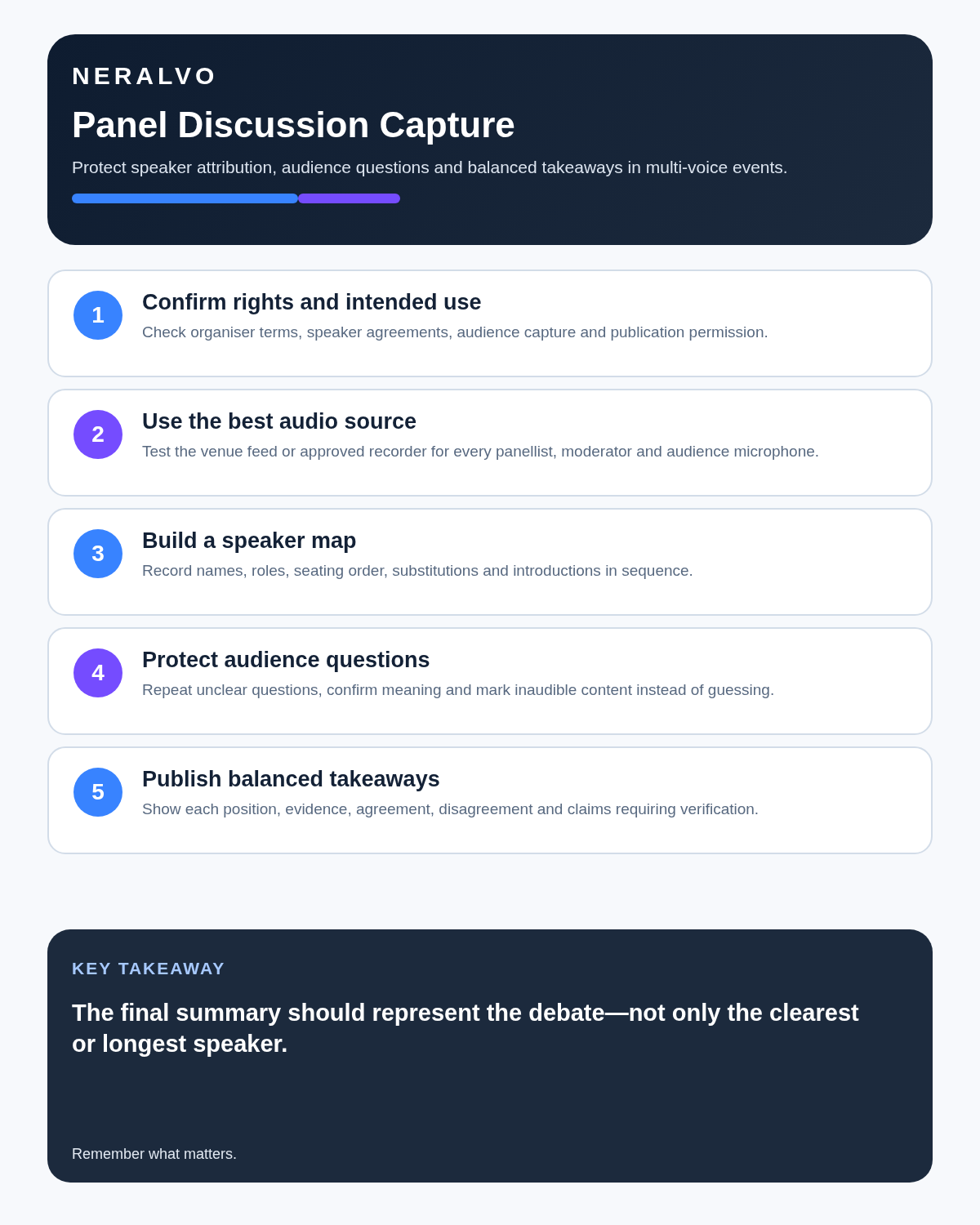
- Record the event title, date and organiser.
- Capture each panellist’s name, role and seating order.
- Ask the moderator to use names when changing speakers.
- Note late substitutions or seating changes.
- Use the programme as a correction aid, not proof of who spoke.
- Verify unfamiliar names and organisations before publication.
Make audience questions recordable
- Use a roving or fixed audience microphone.
- Ask the questioner to identify themselves only where appropriate.
- Have the moderator repeat an unclear question.
- Invite confirmation that the repetition preserved meaning.
- Pause while the microphone reaches the next participant.
- Do not capture private side conversations while waiting.
- Mark inaudible questions rather than reconstructing them from the answer.
Use the moderator to create searchable structure
- Announce each new topic.
- Name the panellist receiving the question.
- Separate opening statements from debate.
- Summarise areas of agreement and disagreement.
- Flag the start of audience Q&A.
- Restate practical recommendations.
- Close with one takeaway from each panellist where time allows.
Do not merge framing with the answer
An AI summary may make the moderator’s premise appear to be the panellist’s claim. During review:
- Separate each question from the response.
- Check whether the panellist accepted or challenged the premise.
- Preserve qualifications and conditions.
- Do not remove uncertainty from a cautious answer.
- Attribute examples to the correct speaker.
- Distinguish personal opinion from organisational position.
Create balanced takeaways
- State the central question.
- Record each speaker’s position.
- Identify evidence or examples cited.
- Preserve areas of agreement.
- Preserve material disagreement and minority views.
- List unresolved questions.
- Record practical recommendations.
- Flag claims requiring independent verification.
The longest or loudest answer is not automatically the most important.
Verify claims before repeating them
A transcript proves that a claim was spoken; it does not prove the claim is correct. Check important statistics, legal assertions, product features, medical statements and historical facts against suitable sources before publishing them as fact. Attribute unverified claims clearly to the speaker.
Correct the transcript in layers
- Confirm the event, date, agenda and source file.
- Correct panellist and moderator labels.
- Separate audience questions from answers.
- Verify names, figures and quotations.
- Review overlap, applause and microphone changes.
- Preserve disagreement and uncertainty.
- Create the concise event summary.
- Complete publication and rights review where required.
- Apply retention and access controls to source files.
Protect audience privacy
Audience members may not expect their name, voice or personal story to appear in a published transcript. Use the organiser’s approved notice and question process. Remove unnecessary identifying details from summaries and do not publish sensitive contributions merely because they were audible.
How NERALVO Halo fits
Assess Halo against the panel discussions workflow matrix provides NOTE mode, 64GB local storage, up to 35 hours of recording and DOWAY transcripts and summaries. It may support approved personal or internal capture in smaller spaces after testing. Large halls, publication work and evidential requirements may need the organiser’s audio or specialist equipment.
Cloud software, a dedicated recorder or manual notes?
For Panel Discussions, the right answer changes with the setting. This matrix deliberately gives each method a situation where it can be the strongest choice.
| Situation | Best starting point | Reason |
|---|---|---|
| scheduled remote meetings | Cloud meeting software | Auto-join and central collaboration can remove routine admin. |
| in-person or mobile work | Dedicated recorder | Dedicated hardware suits movement, variable rooms and offline source capture. |
| recording is refused or prohibited | Manual notes or an approved alternative | A clear alternative respects policy and participant choice. |
| mixed online and offline work | Governed hybrid | One governed process prevents gaps between desk and field work. |
Frequently asked questions
Can every public panel be recorded?
No. Check event, venue, speaker and intended-use terms.
Will one compact recorder capture a large hall?
Not reliably in every case. Use the authorised venue feed or professional equipment where coverage matters.
Can AI identify every panellist?
It may separate voices, but names and attribution require introductions, seating and human verification.
Can a transcript be published because the event was public?
No. Publication rights require separate consideration.
How should disputed claims be handled?
Attribute them to the speaker and verify them independently before presenting them as fact.
Panel checklist
- Purpose and required quality defined.
- Rights and publication use confirmed.
- Venue feed requested and tested.
- Stage, remote and audience coverage mapped.
- Speaker map created.
- Questions and answers separated.
- Claims and quotations verified.
- Minority views and uncertainty preserved.
- Audience information minimised.
- Publication and retention approved.
Bottom line: a valuable panel record preserves the range of positions, the context of audience questions and the difference between what was asserted, challenged and supported.
Related guides
See the guides for roundtable discussions, large rooms and choosing an AI voice recorder.
On this page
Related guides
See whether Halo fits this workflow
Review the NERALVO Halo specifications, included services, delivery information and current offer only after completing the guide.
Found an error or an out-of-date claim? Email support@neralvo.com with the article address and a supporting source.