The 60-second verdict
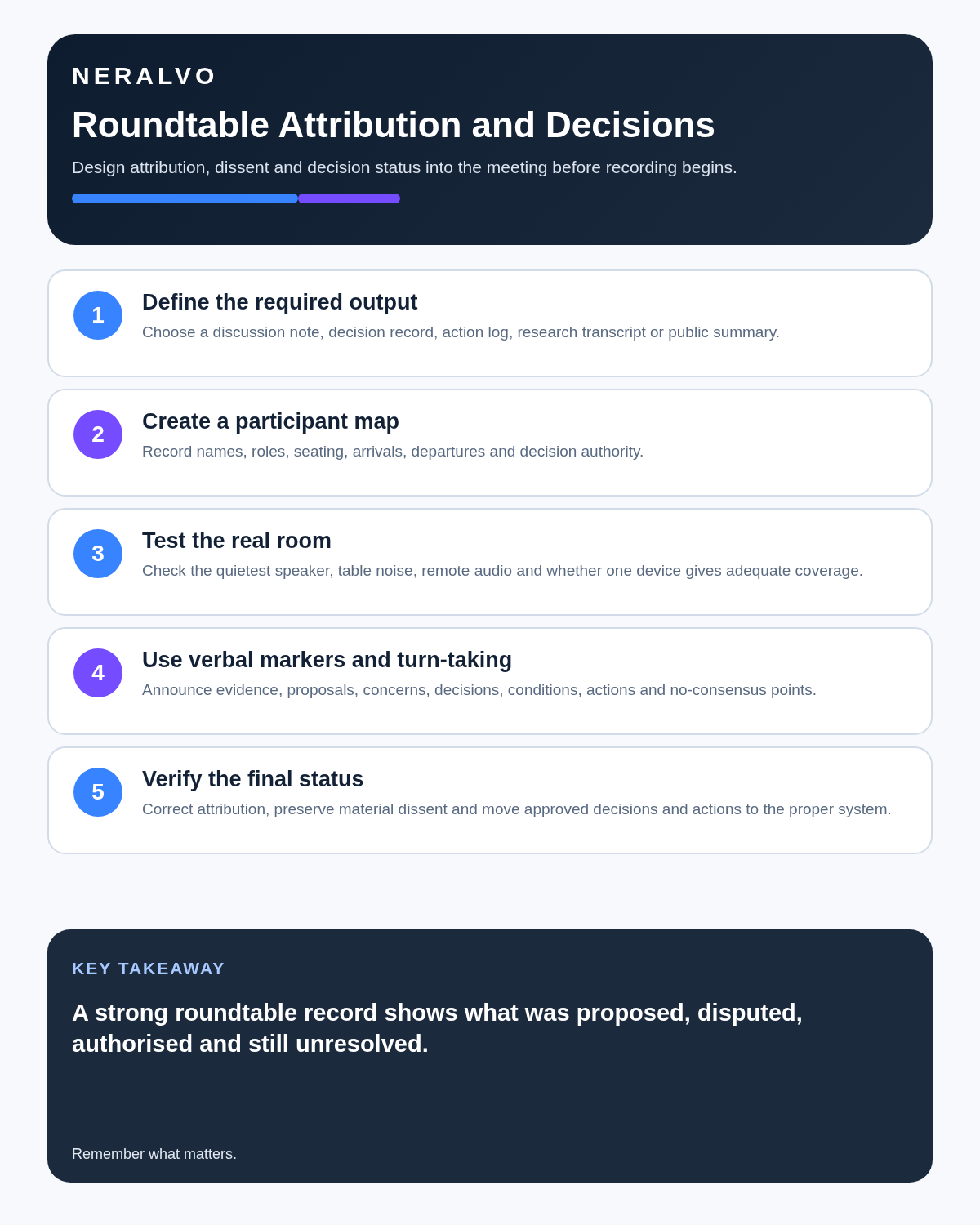
Quick answer: choose an AI voice recorder for roundtable discussions by defining the required record, testing the actual room, creating a participant and seating map, using clear speaker and decision markers, and treating automatic speaker labels as provisional.
Best fit: Roundtable Discussions who need recoverable audio and human-verified notes in an authorised workflow. Use another method when: recording is prohibited, a participant declines or the approved process requires manual notes.
Evidence basis and limits
- Decision factors covered: Define the required record before choosing the setup; Prepare a participant and seating map; Test placement in the real room.
- Evidence rule: A claim earns weight only when the source, date, configuration and limitation are clear enough for a reader to check.
- Boundary: Examples and workflow recommendations must be tested with representative recordings, the intended users and the actual approval process before rollout.

Roundtables create value through interaction, but similar voices, rapid exchanges, interruptions and changing seating positions can produce a fluent transcript with incorrect speaker labels. Assess Halo against the roundtable discussions workflow matrix can support approved small-group capture, but human review remains essential.
Define the required record before choosing the setup
| Output | What it should preserve |
|---|---|
| Discussion note | Themes, arguments, examples and questions |
| Decision record | Approved outcome, authority, conditions and date |
| Action log | Task, owner, deadline and destination system |
| Consultation record | Range of views without implying consensus |
| Research transcript | Fuller source requiring stronger attribution and data controls |
| Public summary | Approved messages suitable for external use |
Do not retain a full identifiable transcript merely because the technology can produce one. Match detail and retention to the actual purpose.
Prepare a participant and seating map
- Create an attendance list with names and roles.
- Record seating order or draw a simple diagram.
- Ask each participant to introduce themselves in sequence.
- Note late arrivals, early departures and seat changes.
- Use agreed participant codes where names are unnecessary.
- Confirm who has decision authority and who is contributing advice only.
A speaker map is often more reliable than trying to infer identity from voice alone.
Test placement in the real room
The visual centre of the table is not automatically the best acoustic position. Place the recorder near the active acoustic centre, clear of laptops, cooling fans, cups, papers, ventilation and table vibration. Test normal speech from the nearest, farthest and quietest participants.
If one compact device cannot capture the required positions reliably, use an approved wider-coverage or professional audio setup rather than trusting incomplete capture.
Use facilitation as part of the recording system
- Ask one person to speak at a time for important sections.
- Use names when directing questions.
- Pause after questions instead of accepting the first interruption.
- Invite quieter participants before closing the topic.
- Stop side conversations.
- Ask the chair to repeat a distant comment and invite confirmation.
- Handle breakout discussions separately.
- Do not treat speaking volume as authority or confidence.
Add verbal markers that survive transcription
- New topic: followed by the agenda item.
- Evidence: followed by the source being considered.
- Proposal: for an option not yet approved.
- Concern: for a risk or objection.
- Decision: followed by the final authorised outcome.
- Condition: for anything required before implementation.
- Action: followed by owner and deadline.
- No consensus: where views remain divided.
Separate debate from decision
| Statement type | How to record it |
|---|---|
| Suggestion | Option proposed; not approved |
| Working assumption | Assumption requiring validation |
| Preference | Attributed view, not group decision |
| Decision | Approved outcome with authority and conditions |
| Dissent | Material objection or alternative view |
| Action | Owner, deadline and destination system |
An AI summary must not convert repeated support into formal approval or remove a condition attached to the decision.
Review the transcript in layers
- Session integrity: confirm the correct file, date, attendance and gaps.
- Speaker pass: correct labels using introductions, seating and context.
- Overlap pass: mark unresolved sections honestly rather than guessing.
- High-risk detail pass: verify names, figures, dates, negatives and technical terms.
- Decision pass: identify exactly what was approved and by whom.
- Dissent pass: preserve material objections and unresolved evidence.
- Action pass: confirm owner, deadline and target system.
- Final-record pass: create the concise authoritative output.
Use honest attribution uncertainty
| Problem | Safer record |
|---|---|
| Speaker cannot be confirmed | Unidentified speaker or attribution pending |
| Several voices overlap | [overlapping discussion] |
| Words cannot be recovered | [inaudible with timestamp] |
| Decision wording is uncertain | Return to the chair or authorised group for confirmation |
Do not invent attribution because the sentence appears to fit one participant’s role.
Protect minority views from summary bias
Automated summaries often favour repeated, long or confidently delivered contributions. Check whether a short objection changed the risk, whether quieter speakers disappeared, whether conditions were removed and whether the final note creates false consensus.
Protect privacy and retention
Roundtables may reveal personal opinions, commercially sensitive information and third-party details. Explain the recording purpose, restrict access and define separate retention periods for source audio, working transcript, approved minutes and public summary. Remove unnecessary personal data from the final record and avoid uncontrolled copies in personal accounts.
How NERALVO Halo fits roundtables
Halo provides NOTE mode, supported CALL capture, 64GB local storage, up to 35 hours of recording and Bluetooth sync with DOWAY. DOWAY can create transcripts, summaries, speaker-separated notes, templates, translations, mind maps and exports. It does not guarantee speaker identity or replace room testing, participant mapping and human approval.
Cloud software, a dedicated recorder or manual notes?
For Roundtable Discussions, the right answer changes with the setting. This matrix deliberately gives each method a situation where it can be the strongest choice.
| Situation | Best starting point | Reason |
|---|---|---|
| scheduled remote meetings | Cloud meeting software | Auto-join and central collaboration can remove routine admin. |
| in-person or mobile work | Dedicated recorder | Dedicated hardware suits movement, variable rooms and offline source capture. |
| recording is refused or prohibited | Manual notes or an approved alternative | A clear alternative respects policy and participant choice. |
| mixed online and offline work | Governed hybrid | One governed process prevents gaps between desk and field work. |
Frequently asked questions
Can AI identify every participant?
No. Similar voices and overlap can create confident misattribution. Verify against introductions, seating and context.
Is one central recorder always enough?
No. Large tables, echo and uneven participation may require specialist coverage.
Can the AI summary be the decision record?
No. Authority, wording, conditions and dissent require human confirmation.
What if attribution remains uncertain?
Use a neutral label or mark attribution as pending rather than guessing.
Roundtable checklist
- Purpose and permission clear.
- Required output defined.
- Participant and seating map prepared.
- Real room tested, including quiet and distant voices.
- Overlap controlled.
- Proposals, decisions and conditions marked.
- Speaker labels verified.
- Dissent and minority views preserved.
- Actions transferred to the authoritative system.
- Access and retention controlled.
Bottom line: a strong roundtable record preserves who contributed, where evidence conflicted, what remained unresolved and what was finally authorised.
Related guides
On this page
Related guides
See whether Halo fits this workflow
Review the NERALVO Halo specifications, included services, delivery information and current offer only after completing the guide.
Found an error or an out-of-date claim? Email support@neralvo.com with the article address and a supporting source.