The 60-second verdict
Quick answer: property managers can use an AI voice recorder to preserve repair reports, inspection findings, contractor updates and resident commitments, but a reported defect, authorised work, contractor completion and verified closure are different stages. The property and maintenance systems remain authoritative.
Best fit: Property Managers who need recoverable audio and human-verified notes in an authorised workflow. Use another method when: recording is prohibited, a participant declines or the approved process requires manual notes.
Evidence basis and limits
- Decision factors covered: Why maintenance histories become contradictory; The property → report → triage → instruction → work → verification → closure workflow; Use an urgent-property fast lane.
- Evidence rule: The decision is based on the complete capture-to-action workflow, not a single feature or marketing accuracy percentage.
- Boundary: Examples and workflow recommendations must be tested with representative recordings, the intended users and the actual approval process before rollout.

View Halo specifications for property managers use can support approved visits and calls. It cannot diagnose, authorise or certify property work.
Why maintenance histories become contradictory
Residents, agents, contractors and owners may describe the same problem differently. Each contact can create a new promised date. Without one timeline, the property team cannot see what is verified, repeated or overdue.
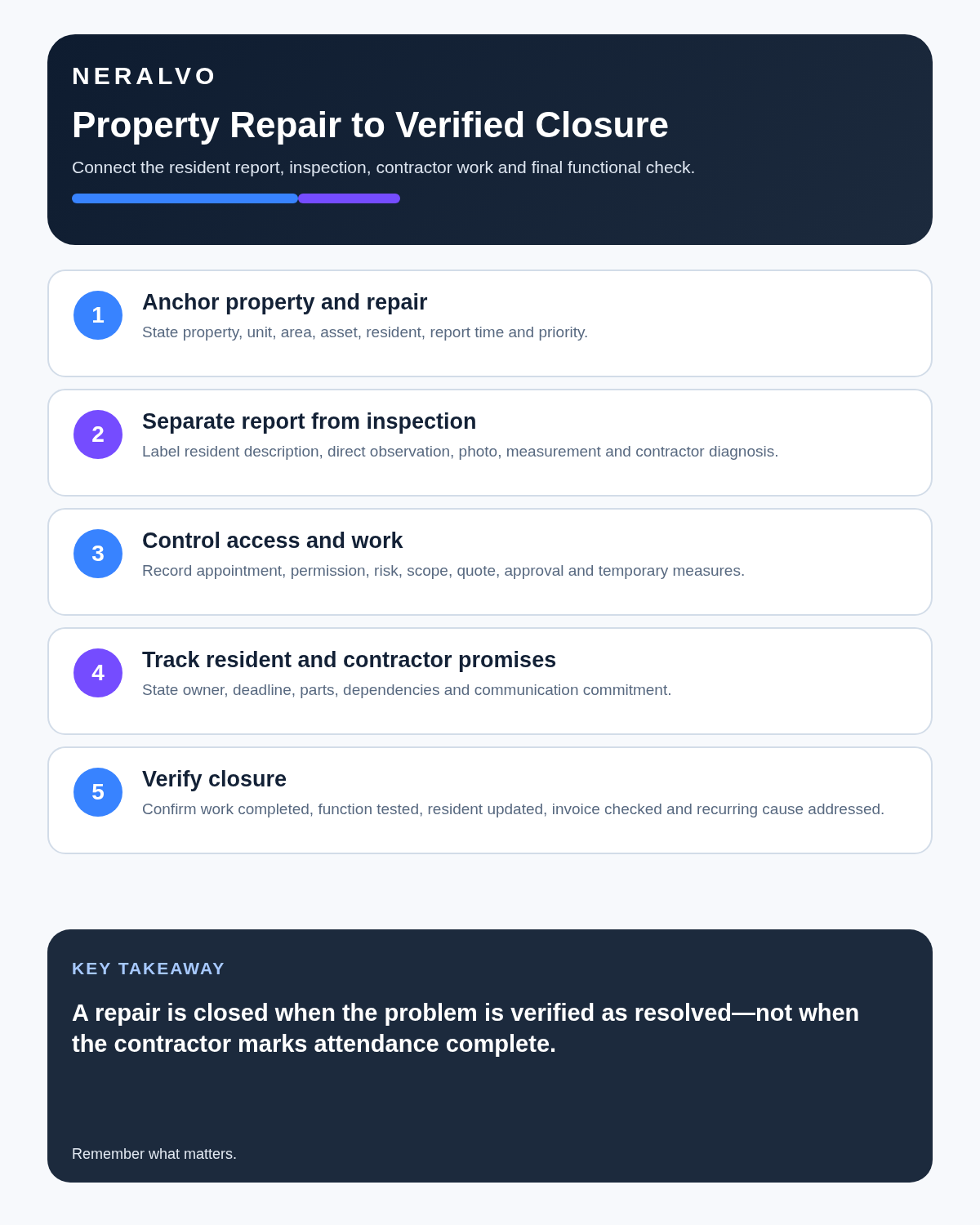
The property → report → triage → instruction → work → verification → closure workflow
| Stage | Required record | Failure to avoid |
|---|---|---|
| Property | Building, unit, room, asset and exact area | Issue attached to the wrong location |
| Report | Reporter, symptom, start time and evidence | Reported account treated as diagnosis |
| Triage | Priority and reason under policy | Urgency understated or delayed |
| Instruction | Defined contractor scope and authority | Conversation treated as an order |
| Work | Finding, action, limitation and evidence | Attendance treated as completion |
| Verification | Outcome checked through suitable evidence | Job closed from contractor status alone |
| Closure | Resident update, cost, records and monitoring | Source audio remaining as the only record |
Use an urgent-property fast lane
Fire, gas, electrical danger, flooding, structural instability, security, lift entrapment, serious damp, loss of essential services or another immediate health or safety concern may require emergency or specialist action. Follow the property’s authorised process before making notes.
Do not wait for an AI transcript. Create the record once the appropriate response is underway.
Create the initial repair note
- Full property, unit, room or asset reference.
- Person reporting and contact route.
- What they directly observed or experienced.
- When it began and whether it is changing.
- Services, rooms or people affected.
- Immediate safety information.
- Photographs, video or readings requested.
- Access availability and restrictions.
- Vulnerability or communication needs relevant to the work.
- Next update promised.
Keep the reporter’s account separate from the manager’s assessment and any contractor diagnosis.
Use clear evidence states
- Resident reported.
- Manager observed.
- Contractor assessed.
- Measured or tested.
- Possible cause.
- Confirmed cause.
- Temporary action.
- Permanent repair.
- Completed.
- Verified closed.
A contractor attendance note is not automatically a diagnosis or completed repair.
Use a controlled work-order card
| Field | Record |
|---|---|
| Property | Full address, unit and internal reference |
| Issue | Factual description and evidence |
| Scope | Inspection, diagnosis, make-safe or defined repair |
| Priority | Classification and reason |
| Access | Appointment route, contact and restrictions |
| Authority | Spending limit and approval holder |
| Evidence required | Photos, report, certificate, test or parts record |
| Communication | Who updates resident, landlord and manager |
| Deadline | Attendance, update and completion target |
| Closure standard | Condition that must be verified before closure |
A contractor call can help draft this card. Send the approved instruction through the authorised maintenance system.
Separate contractor findings from variations
During attendance, capture:
- What was inspected.
- What was found and how it was evidenced.
- Whether the original scope was completed.
- Additional work proposed.
- Temporary action taken.
- Cost and programme implications.
- Approval required before proceeding.
- Resident or property restriction remaining.
Do not let “while we are here, we can also…” become unauthorised work.
Track promises accurately
| Time statement | Meaning |
|---|---|
| Target | Internal service aim |
| Estimated | Forecast subject to dependencies |
| Booked | Appointment accepted |
| Confirmed arrival | Contractor currently committed |
| Completed | Work reported finished |
| Verified closed | Outcome accepted and records complete |
Maintain the resident communication timeline
- Report acknowledged.
- Priority and next step explained.
- Appointment confirmed.
- Delay or access failure communicated.
- Attendance outcome shared.
- Additional work and approval status explained.
- Completion checked.
- Closure, complaint route or monitoring communicated.
A transcript is not a communication log until the relevant update enters the live property system.
Verify completion
- Correct asset and area attended.
- Authorised scope completed.
- Photographs, tests or certificates received.
- Original symptom rechecked.
- Damage, decoration and waste addressed.
- Resident contacted.
- Warranty, repeat visit or monitoring noted.
- Invoice matches the approved scope.
- Property and maintenance records reconciled.
“Completed” is a contractor status. “Verified closed” is a property-management decision.
Use recurrence to trigger root-cause work
Repeated leaks, condensation, drainage, heating, access or electrical problems should be reviewed across previous visits, conditions, seasons and building systems. Record previous job references, repeated symptoms, temporary repairs, patterns and the broader investigation or asset decision required.
Do not keep closing isolated tasks while the underlying pattern persists.
Use an exception-based colleague handover
- Urgent open jobs.
- Access arrangements.
- Relevant vulnerability or communication needs.
- Contractor attendance due.
- Landlord or budget approval pending.
- Promised resident update.
- Temporary control or restriction.
- Next escalation point.
Do not expect the covering colleague to listen to raw recordings.
Protect resident information
Share only the access and support information necessary for the work. Health, vulnerability, complaint and safeguarding details require restricted handling. Never include access codes, key locations or security details in broadly shared transcripts.
Prefer short private observations over continuous ambient recording inside a home. Move necessary facts into the approved property system and remove temporary audio when its purpose ends.
How NERALVO Halo fits property management
NERALVO Halo includes NOTE mode, supported CALL mode, 64GB local storage, up to 35 hours of recording and Bluetooth sync with DOWAY. DOWAY can create transcripts, summaries, speaker-separated notes, templates, translations, mind maps and exports, with one year of DOWAY Max included.
Use Halo only as a capture layer. Transfer verified outputs into the property, maintenance and communication systems that control the repair.
Cloud software, a dedicated recorder or manual notes?
For Property Managers, the right answer changes with the setting. This matrix deliberately gives each method a situation where it can be the strongest choice.
| Situation | Best starting point | Reason |
|---|---|---|
| scheduled remote client meetings | Cloud meeting software | Native remote-meeting workflows can be more efficient here. |
| in-person visits and travel | Dedicated recorder | A separate battery and recoverable local source improve resilience. |
| a client declines or policy requires manual notes | Manual notes or an approved alternative | Manual notes are the correct control when recording is unavailable. |
| mixed CRM and field work | Governed hybrid | A hybrid can combine automation with reliable physical capture. |
Frequently asked questions
Does a contractor saying “done” close the repair?
No. Verify the scope, evidence, original symptom and resident communication.
Can AI identify the cause of damp or a leak?
No. It may organise observations, but competent inspection and evidence determine the cause.
Should access details be recorded in audio?
Avoid sensitive access information and use approved secure systems.
Can additional work be approved through a transcript?
No. The work must follow the authorised variation and spending process.
Final property-management checklist
- Property and exact location identified.
- Urgent risk controlled.
- Report separated from inspection and diagnosis.
- Work order has scope, authority, evidence and closure standard.
- Contractor findings separated from additional proposals.
- Promised dates accurately qualified.
- Resident communication timeline current.
- Completion evidence received.
- Resident outcome verified.
- Recurrence history reviewed.
- Property system updated and source audio controlled.
Bottom line: property repair records create value only when the original condition, controlled instruction, contractor work and resident outcome are connected through verified closure.
Related guides
See the guides for letting agents, building surveyors and facilities managers.
On this page
Related guides
See whether Halo fits this workflow
Review the NERALVO Halo specifications, included services, delivery information and current offer only after completing the guide.
Found an error or an out-of-date claim? Email support@neralvo.com with the article address and a supporting source.