The 60-second verdict
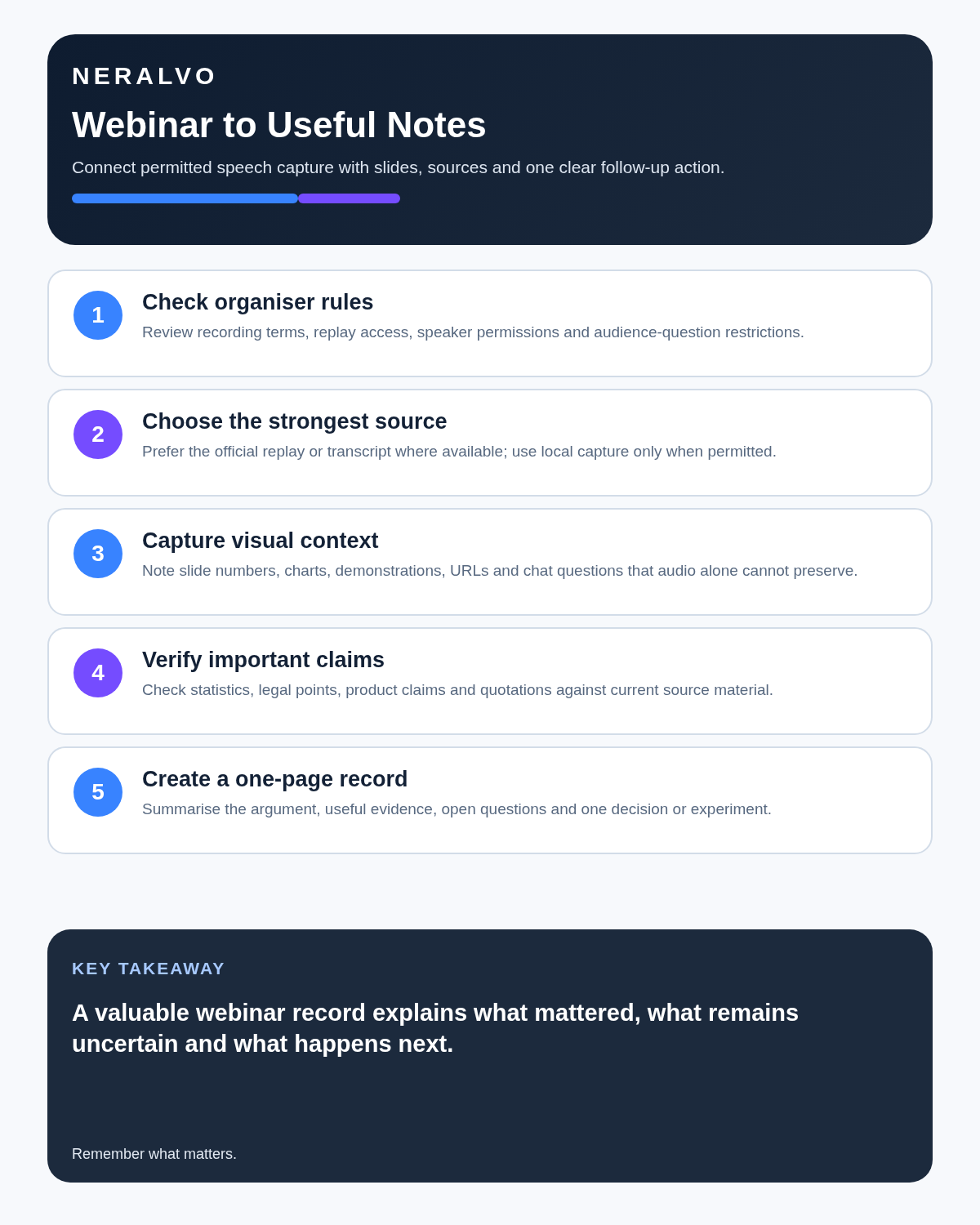
Quick answer: use the organiser’s official webinar replay or transcript where available. When personal capture is permitted, test the exact audio path, mark visual references separately, verify important claims and convert the session into a concise learning record and practical action within 24 hours.
Best fit: Webinars who need recoverable audio and human-verified notes in an authorised workflow. Use another method when: recording is prohibited, a participant declines or the approved process requires manual notes.
Evidence basis and limits
- Decision factors covered: Check the organiser’s rules before recording; Test the exact speaker-to-recorder path; Record the session in meaningful sections.
- Evidence rule: Claims are weighted by consequence: capture failure, changed meaning, access and recovery matter more than polished wording.
- Boundary: Examples and workflow recommendations must be tested with representative recordings, the intended users and the actual approval process before rollout.

Webinars can deliver an hour of useful information at high speed, yet many attendees finish with screenshots, an unopened replay link and no clear next action. Check whether NERALVO Halo fits webinars work may support approved local capture, but it must not be used to bypass platform, organiser or speaker restrictions.
Check the organiser’s rules before recording
Registration terms, platform notices and speaker permissions may limit copying, recording or redistribution. Check:
- Whether an official replay will be provided.
- Whether personal recording is permitted.
- Whether slides or downloadable materials are supplied separately.
- Whether the session contains confidential, paid or unpublished material.
- Whether audience questions will be recorded.
- Whether an accessibility arrangement already provides an approved transcript.
- How long permitted personal copies may be kept.
Do not use separate hardware to avoid a platform restriction or organiser decision.
Choose the best source
| Available source | Likely advantage | Main limitation |
|---|---|---|
| Official replay | Usually preserves direct audio and visuals | May expire or be unavailable offline |
| Official transcript | Searchable and governed by the organiser | May still contain errors |
| Permitted local recording | Supports personal processing and offline review | Depends on permission and audio routing |
| Manual notes | Encourages selection and understanding | May miss exact wording and figures |
| Hybrid notes plus recording | Preserves source while supporting attention | Requires disciplined review |
Use the least intrusive source that meets the learning purpose. More copies do not automatically create a better record.
Test the exact speaker-to-recorder path
If using permitted room capture, test the actual laptop or phone, speakers, notification settings, cooling-fan noise, quiet presenters, panel discussion and audience audio. Place the recorder near the device output without blocking ventilation.
- Use the intended speaker volume.
- Check names, figures and specialist terms.
- Include normal keyboard and room noise.
- Confirm remote guests remain audible.
- Play back the test before the webinar begins.
- Keep an ordinary note-taking fallback.
Headphones can prevent a room recorder from hearing the webinar. Use an approved alternative or the official replay rather than assuming the audio was captured.
Record the session in meaningful sections
- State the webinar title, speaker and date.
- Announce the section or slide heading when it changes.
- Add a brief marker for a statistic, framework or example worth checking.
- Pause during long breaks or unrelated promotional sections where appropriate.
- Start a separate file for a clearly different topic.
- Record a private reflection after the session rather than mixing it with the speaker’s words.
Capture visual and digital context separately
Audio alone may contain phrases such as “this chart”, “the red line” or “option three”. Link the note to:
- Slide number or title.
- Chart source, date and denominator.
- Diagram label.
- Product-demonstration step.
- URL or document referenced.
- Poll wording, response count and result.
- Question or answer posted in chat.
Do not copy or redistribute protected slides without permission. Describe the point and link to the authorised source.
Separate what was said from what was proved
| Claim type | Review action |
|---|---|
| Statistic | Find the original dataset or cited report and check the denominator |
| Legal or regulatory claim | Check the current official source |
| Product feature | Verify against current documentation |
| Case study | Separate reported outcome from general evidence |
| Prediction | Label it as opinion or forecast |
| Quotation | Check exact wording and context |
A transcript records the speaker’s statement; it does not establish that the statement is true.
Handle audience questions carefully
Questions may include identifying, confidential or personal information. For each useful question:
- Separate the question from the speaker’s answer.
- Remove unnecessary identifying detail.
- Check whether the answer was complete, conditional or speculative.
- Preserve important qualifications.
- Do not attribute the audience member publicly without permission.
Correct the transcript in priority order
- Confirm the correct webinar, speaker and date.
- Mark section and slide transitions.
- Correct names, organisations and specialist terms.
- Verify figures, dates and quotations.
- Separate presentation, Q&A and private reflection.
- Compare material points with slides, chat and official downloads.
- Identify claims requiring external verification.
- Create the concise final note.
Create a one-page learning record
- Main argument: one short paragraph in your own words.
- Five useful points: selected for your role or project.
- Evidence: sources supporting important claims.
- Open questions: what remains unclear or disputed.
- One experiment: something small to test.
- One decision: what you will change, stop or investigate.
- Source link: the official replay, slides or event page.
Use active review rather than passive replay
- Write a summary before reading the AI summary.
- Create questions and answer them from memory.
- Explain the central framework aloud without notes.
- Compare your explanation with the source.
- Turn practical steps into a checklist.
- Schedule a short follow-up review.
Possessing a full transcript can create familiarity without understanding. Retrieval and application create the learning value.
Control captions and accessibility
Where captions or a transcript will be shared, check names, terminology, punctuation, speaker changes, slide references and important sound cues. Automatic captions are a draft, especially with multiple speakers, accents or changing audio quality.
Use the organiser’s approved accessible materials where available and do not create a conflicting unofficial version without a clear need.
Protect speakers, rights and retention
Personal-study permission does not automatically allow public transcripts, quotations, clips, slide copies or promotional reuse. Keep source audio, raw transcript, corrected note, captions and any public summary as separate artefacts with separate access and retention decisions.
Delete redundant local copies once the approved learning purpose ends. Do not create an uncontrolled archive simply because storage is available.
How NERALVO Halo fits permitted webinar capture
NERALVO Halo includes NOTE mode for suitable speaker-based capture, supported CALL mode for compatible lawful and disclosed scenarios, 64GB local storage, up to 35 hours of recording and Bluetooth sync with DOWAY. DOWAY can generate transcripts, summaries, speaker-separated notes, templates, translations, mind maps and exports, with one year of DOWAY Max included.
Compatibility and audio quality vary by device and route. Halo does not capture slide meaning automatically and should never override webinar terms.
Cloud software, a dedicated recorder or manual notes?
For Webinars, the right answer changes with the setting. This matrix deliberately gives each method a situation where it can be the strongest choice.
| Situation | Best starting point | Reason |
|---|---|---|
| scheduled remote meetings | Cloud meeting software | Calendar automation and shared integrations are usually the strongest advantage. |
| in-person or mobile work | Dedicated recorder | Independent capture reduces reliance on an active phone or laptop. |
| recording is refused or prohibited | Manual notes or an approved alternative | The boundary takes priority over convenience. |
| mixed online and offline work | Governed hybrid | Use each method only in the setting it actually fits. |
Frequently asked questions
Can any paid webinar be recorded for personal use?
No. Check the organiser’s terms and obtain any required permission.
Is the official replay usually better than room recording?
Usually for direct audio and visuals. A permitted local recording may still support an offline personal workflow.
Can an AI transcript replace the slides?
No. Visual context, diagrams and source references must be linked separately.
Can the transcript be published?
Do not assume so. Publishing may require additional permission and rights review.
How soon should the webinar be reviewed?
Ideally within 24 hours, while context and questions remain fresh.
Final webinar checklist
- Organiser terms and purpose checked.
- Best source selected.
- Exact audio route tested.
- Visual, chat and poll references captured.
- Claims and quotations verified.
- Audience privacy protected.
- One-page learning record created.
- Active-recall review completed.
- Rights, access and retention controlled by artefact.
Bottom line: the best webinar note is not the longest transcript. It is a checked record of what mattered, what remains uncertain and what you will do next.
Related guides
See the guides for panel discussions, training sessions and choosing an AI voice recorder.
On this page
More in this topic: Multilingual meetings and interview research
Show 5 closely related guides
- How to Create Accurate Bilingual Meeting Notes from One Recording
- How to Handle Code-Switching in AI Transcripts and Mixed-Language Meetings
- How to Record Multilingual Team Meetings Responsibly and Accurately
- How to Turn Expert Interviews into Safe Troubleshooting Guides
- How to Create a Stakeholder Map from Interview Recordings
Related guides
See whether Halo fits this workflow
Review the NERALVO Halo specifications, included services, delivery information and current offer only after completing the guide.
Found an error or an out-of-date claim? Email support@neralvo.com with the article address and a supporting source.