The 60-second verdict
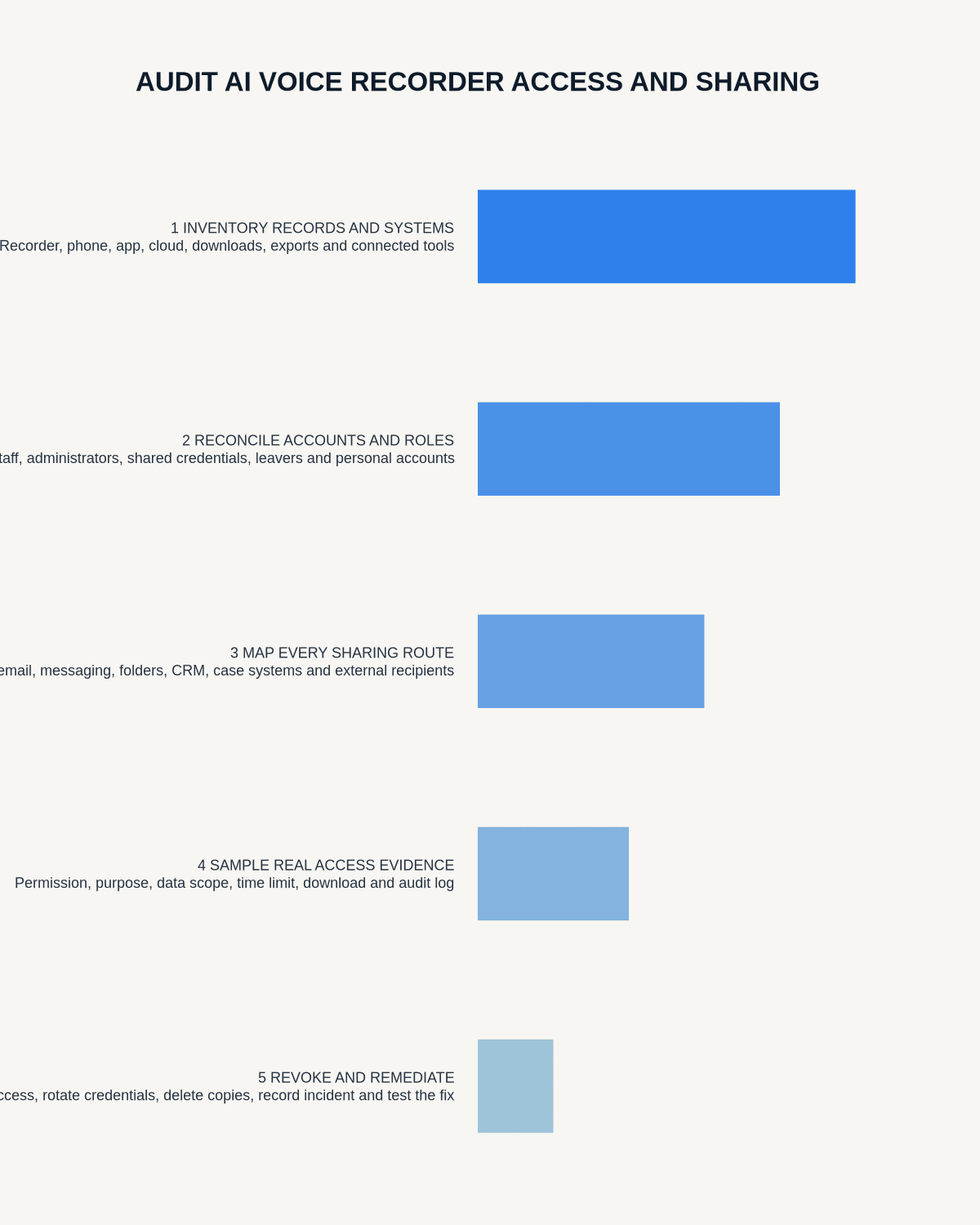
Quick answer: audit AI voice recorder access by inventorying every place audio and transcripts exist, assigning an accountable owner, comparing current permissions with approved roles, testing real user journeys and removing unnecessary access with evidence. The audit must cover downloads, shared links, former staff and service accounts—not only the main app screen.
Decision focus: use the method below only where it produces a recoverable source, a verifiable output and a clear next action. If one of those fails, change the workflow rather than trusting a polished summary.
Evidence basis and limits
- Decision factors covered: Define the audit scope; Build a complete data inventory; Assign ownership for every system and copy.
- Evidence rule: Claims are weighted by consequence: capture failure, changed meaning, access and recovery matter more than polished wording.
- Boundary: Examples and workflow recommendations must be tested with representative recordings, the intended users and the actual approval process before rollout.
Voice recordings can contain more sensitive context than ordinary meeting notes. Copies may exist on the recorder, phone, app, cloud platform, email, downloads folder and business systems. An access audit is therefore a data-flow exercise as well as a permissions review.

Define the audit scope
State which teams, devices, apps, accounts, recording types and date ranges are included. Cover:
- source audio;
- draft transcripts and summaries;
- exports and downloaded files;
- shared links and email attachments;
- integrations with CRM, case or project systems;
- backups and support copies;
- administrator and service accounts.
Exclude nothing merely because it sits outside the recorder application.
Build a complete data inventory
| Location | Typical copy | Audit question |
|---|---|---|
| Recorder | Local source audio | Who can physically access or transfer it? |
| Phone or tablet | Synced file or cache | Is the device managed and protected? |
| App or cloud | Audio, transcript and summary | Which roles can view, share, export or delete? |
| Downloads and email | Uncontrolled export | Can it be revoked, traced or deleted? |
| Business system | Approved final note | Does access match the official record policy? |
Assign ownership for every system and copy
For each location, name:
- business owner;
- technical administrator;
- information or records owner;
- approval authority for access;
- person responsible for deletion and incident response.
A shared team account without a named owner is an audit finding, not a convenient shortcut.
Create the approved role matrix
Define what each role should be able to do:
- record;
- view source audio;
- edit transcript;
- share internally;
- create external links;
- download or export;
- delete;
- administer users and retention.
Apply least privilege. A person who needs a final meeting note may not need the source recording or the ability to create public links.
Compare current and historical access
Review present users, former users, role changes and temporary access. Check:
- leavers and transferred staff;
- dormant accounts;
- shared credentials;
- external contractors;
- guest users;
- service and integration accounts;
- emergency administrator access;
- previously issued links and exports.
Current permissions alone do not show who already downloaded or received a copy.
Test real user journeys
Use test data and representative accounts to verify what each role can actually do. Test:
- Open a recording from a permitted account.
- Attempt access from a non-permitted role.
- Create and revoke a shared link.
- Download and locate the exported file.
- Change a user’s role and confirm the effect.
- Disable a leaver account.
- Delete a test recording and check every location.
- Review the audit log or other evidence.
Configuration screenshots are useful, but observed behaviour is stronger evidence.
Audit links, downloads and secondary sharing
Shared links can bypass normal role controls. Record whether links expire, require authentication, can be revoked and are logged. Check email, team chat, shared drives and local downloads for copies that no longer inherit the app’s permissions.
Use data minimisation: distribute the verified note instead of the complete audio where the broader source is unnecessary.
Review administrator and service-account risk
Privileged accounts should be individually assigned, strongly authenticated and reviewed more frequently. Service accounts need a documented purpose, restricted permissions, owner, credential-rotation process and retirement date where applicable.
Record findings and remediation evidence
| Finding | Required evidence |
|---|---|
| Former user still active | Account disabled and access retested |
| Public or indefinite link | Link revoked and safer method documented |
| Excessive admin rights | Role reduced and owner approval recorded |
| Uncontrolled downloads | Copies removed or risk accepted with controls |
| Missing audit trail | Compensating review or system change approved |
Close a finding only when the control has been implemented and verified.
Set review frequency and trigger events
Run scheduled reviews according to risk and repeat them after:
- new teams or recording uses;
- supplier or app changes;
- security incidents;
- large staff changes;
- new integrations;
- material policy or retention changes.
High-risk administrator and external-sharing access may require more frequent checks than ordinary viewer access.
Workflow choice matrix for How to Audit AI Voice Recorder Access and Sharing
Choose the method that protects the source and reduces downstream correction. The table makes the non-hardware options explicit.
| Condition | Preferred route | Why |
|---|---|---|
| High-risk or mixed work | Governed hybrid | Separate capture, review, approval and retention rather than trusting one tool. |
| Recording is refused, prohibited or unnecessary | Manual notes / no recording | Respecting the boundary is the correct workflow, not a product failure. |
| In-person, mobile or unreliable-connectivity work | Dedicated recorder | Independent capture and a recoverable local source are usually more resilient. |
| Repeatable remote work with approved integrations | Cloud software | Automation and central collaboration may outweigh device independence. |
Frequently asked questions
Is checking the app user list enough?
No. The audit must include local files, exports, shared links, integrations, email and other secondary copies.
Should everyone who attends a meeting access the audio?
Not automatically. Access should match purpose and necessity. A verified note may be sufficient for most participants.
What is the most important leaver check?
Disable the account, revoke active sessions and links, review downloads and transfer ownership of required records.
How do we prove remediation worked?
Retest the affected user journey and retain evidence such as logs, screenshots, approvals and a closure record.
Useful resources
- ICO guide to data security
- NCSC identity and access management guidance
- How to Test an AI Voice Recorder Workflow with Sensitive Data
- How to Run a Voice Recording DPIA Workshop
Final access-audit checklist
- Every storage location inventoried
- Named owner assigned
- Approved role matrix documented
- Current and historical access reviewed
- Links, downloads and leavers tested
- Privileged accounts reviewed
- Findings remediated with evidence
- Next review date and triggers set
Related AI voice recorder guides
On this page
Related guides
See whether Halo fits this workflow
Review the NERALVO Halo specifications, included services, delivery information and current offer only after completing the guide.
Found an error or an out-of-date claim? Email support@neralvo.com with the article address and a supporting source.