The 60-second verdict
Quick answer: delete voice recordings securely by confirming deletion authority, freezing new copies, preserving the authorised final record, mapping every source and derivative, revoking access, deleting from devices, apps, exports and recoverable folders, controlling backups and recording completion evidence.
Decision focus: use the method below only where it produces a recoverable source, a verifiable output and a clear next action. If one of those fails, change the workflow rather than trusting a polished summary.
Evidence basis and limits
- Decision factors covered: Why one recording becomes many files; Start with authority, not the delete button; Create a copy map.
- Evidence rule: The decision is based on the complete capture-to-action workflow, not a single feature or marketing accuracy percentage.
- Boundary: Examples and workflow recommendations must be tested with representative recordings, the intended users and the actual approval process before rollout.

Deleting a voice recording securely is not the same as pressing one delete button. A single meeting can leave copies on the recorder, paired phone, transcription account, laptop, shared drive, email thread, messaging app, recycle bin and backup system.
This guide explains how to delete voice recordings, AI transcripts and exported notes as one controlled record group. It is general information rather than legal or technical advice. Follow your organisation’s retention, legal-hold, information-security and supplier procedures.
Why one recording becomes many files
A typical AI recording workflow can create:
- Original audio stored on the recorder.
- A synced copy in the companion app or cloud workspace.
- An AI-generated transcript.
- A summary, action list or mind map.
- Downloaded audio or text exports.
- Copies placed in a CRM, case file or project folder.
- Email or messaging attachments.
- Temporary files, autosaves, recycle bins and backups.
Deleting only the visible file can therefore leave the same personal or confidential information elsewhere.
Start with authority, not the delete button
Before removing anything, confirm that deletion is permitted. A complaint, legal dispute, safeguarding concern, regulatory investigation, audit or litigation hold may require preservation. The person who created the recording should not automatically decide alone.
Check:
- Has the approved final note been completed and verified?
- Has the relevant retention period expired?
- Is there a legal hold, investigation or contractual requirement?
- Who has authority to approve deletion?
- Does the supplier have a separate deletion process?
Create a copy map
Record the meeting date, file name, app record ID, export names, shared links and final approved record location before deleting.
| Location | What to check | Typical action |
|---|---|---|
| Recorder | Original audio and duplicate sessions | Delete through the approved device process |
| Companion app | Audio, transcript, summary and trash folder | Delete the record group and confirm account behaviour |
| Phone or tablet | Downloads, Files app and cached exports | Remove local copies and recoverable bins |
| Work systems | Shared drives, CRM, case or project folders | Retain only the approved business record |
| Communications | Email, Teams, Slack or messaging attachments | Delete unnecessary copies and revoke links |
| Backups | Restore cycles and supplier policies | Allow controlled expiry and prevent routine restoration |
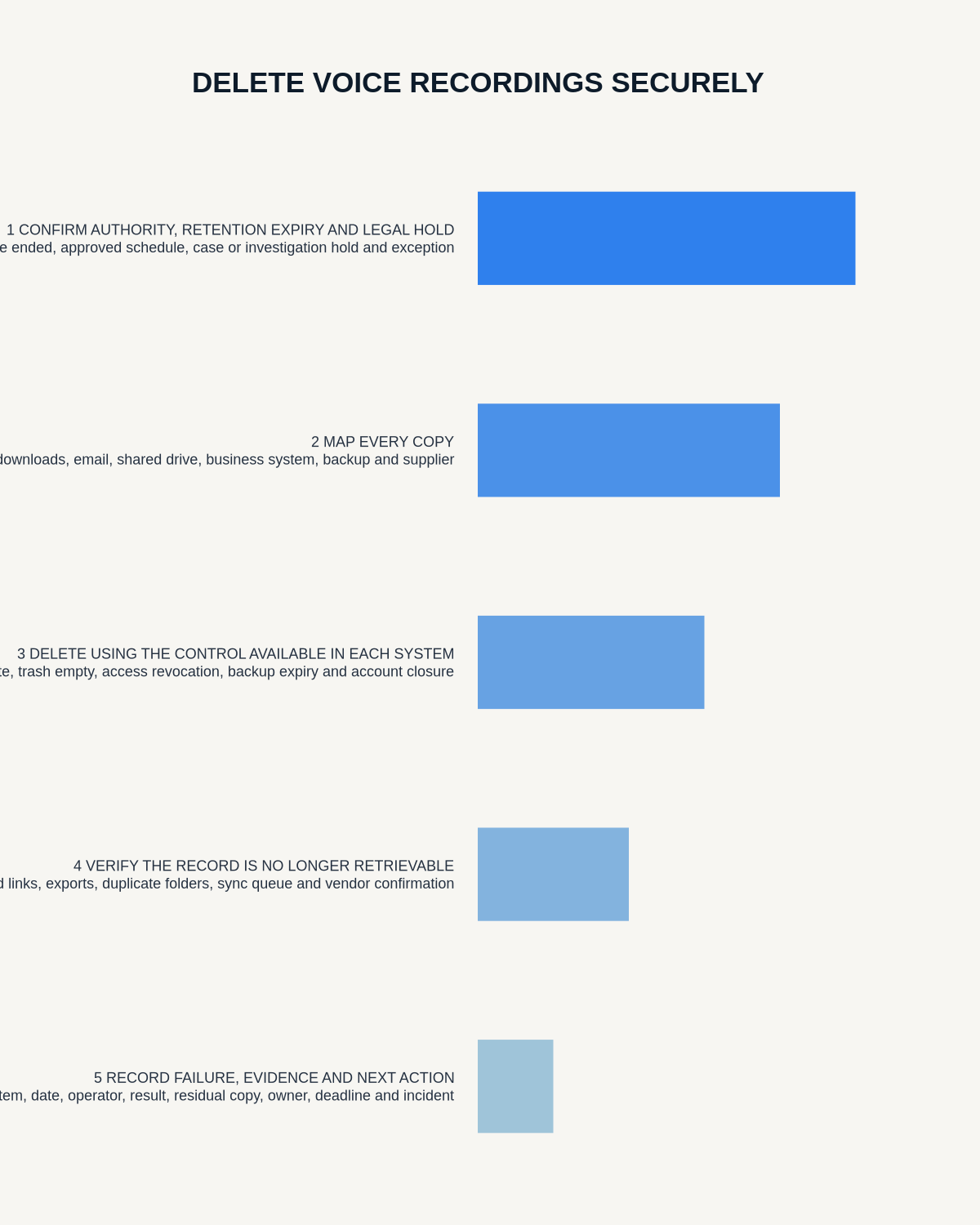
A practical secure-deletion workflow
1. Freeze new copying
Stop forwarding, exporting or editing the record while deletion is being prepared. Otherwise new copies may appear during the process.
2. Preserve the correct final record
Confirm which checked note, minutes or case entry must remain. Do not accidentally delete the authoritative record while retaining an inaccurate draft transcript.
3. Revoke shared access first
Disable open links, remove external guests and revoke access to collaborative folders. This reduces exposure while the remaining copies are removed.
4. Delete shared and exported copies
Remove unnecessary attachments, downloads, temporary working files and duplicate versions. Check desktop downloads, mobile files, synced folders and offline copies.
5. Delete from the app workspace
Remove audio, transcript, summary and any derived output. Check whether the service has a trash or recently deleted area and whether permanent deletion requires a second action.
6. Delete from the recorder and paired devices
Follow the manufacturer’s process. Do not assume deleting from the phone automatically removes the original device file, or vice versa.
7. Address backups and recovery systems
Some backups cannot be edited item by item without weakening system integrity. In those cases, document the backup retention period, restrict restoration and ensure expired information is not returned to normal use after a restore.
8. Verify and log completion
Search by file name, meeting date, participant, record ID and likely export names. Record the deletion date, scope, approver and person completing the task. The log should prove the process without reproducing the deleted content.
Deletion, anonymisation and pseudonymisation are different
Replacing names with labels does not necessarily remove personal data. A transcript may still identify someone through their job, location, rare event or relationship. Pseudonymised information remains personal data when it can be linked back. Use anonymisation only when re-identification risk has been properly assessed.
What secure deletion means for electronic data
The correct method depends on the device, storage medium, encryption, operating system, supplier and risk. For managed business equipment, use approved IT disposal, secure erasure or cryptographic-erasure processes where appropriate. A factory reset should not be treated as a universal guarantee without checking the product and organisational standard.
Before selling, returning or reassigning a recorder
- Sync or preserve only authorised records.
- Delete local recordings and app associations.
- Sign out and remove the device from the account.
- Remove paired-phone permissions where relevant.
- Apply the approved reset or disposal process.
- Record the asset transfer or destruction.
Using NERALVO Halo within a deletion process
View Halo specifications against the evidence checklist provides 64GB local storage, up to 35 hours of recording and Bluetooth connection to DOWAY for transcription, summaries, templates, translation, mind maps and exports. Because the workflow can involve both local capture and app-based processing, users should check Halo, the paired phone, the DOWAY account and every export destination.
Halo does not automatically decide retention or verify that every external copy has been erased. The accountable user or organisation must own that process.
Common deletion mistakes
- Deleting the transcript but leaving the more sensitive audio.
- Deleting from the app but not the recorder.
- Forgetting downloads on personal or unmanaged devices.
- Leaving open links active after the project ends.
- Assuming email recall deletes the recipient’s copy.
- Ignoring recycle bins and recently deleted folders.
- Restoring expired files from backup without reapplying deletion rules.
- Keeping excessive screenshots or logs as proof.
Secure-deletion checklist
- Retention period or deletion trigger confirmed.
- Legal hold and investigation status checked.
- Approved final record preserved.
- Every known copy mapped.
- Shared access revoked.
- Exports and attachments removed.
- App and device copies deleted.
- Recoverable bins addressed.
- Backup treatment documented.
- Completion verified and logged.
Workflow choice matrix for How to Delete Voice Recordings Securely from Devices, Apps and Exports
Choose the method that protects the source and reduces downstream correction. The table makes the non-hardware options explicit.
| Condition | Preferred route | Why |
|---|---|---|
| Repeatable remote work with approved integrations | Cloud software | Automation and central collaboration may outweigh device independence. |
| In-person, mobile or unreliable-connectivity work | Dedicated recorder | Independent capture and a recoverable local source are usually more resilient. |
| Recording is refused, prohibited or unnecessary | Manual notes / no recording | Respecting the boundary is the correct workflow, not a product failure. |
| High-risk or mixed work | Governed hybrid | Separate capture, review, approval and retention rather than trusting one tool. |
Frequently asked questions
Does deleting a file from an app delete it from the recorder?
Not necessarily. Check both locations and the product’s documented synchronisation behaviour.
Must every backup be altered immediately?
Not always. The appropriate approach can be controlled expiry, restricted restoration and reapplication of deletion rules. Follow qualified IT and legal guidance.
Should the deletion log include participant names?
Only include what is necessary to demonstrate completion. Use a record ID or matter reference where possible.
Can raw audio be retained because it might be useful later?
Open-ended retention should not be the default. Define the continuing purpose, authority and review date.
Official guidance
Bottom line: a reliable AI recording process ends with a controlled record and a verified point when unnecessary audio, transcripts and exports cease to exist.
Related guides
On this page
Related guides
See whether Halo fits this workflow
Review the NERALVO Halo specifications, included services, delivery information and current offer only after completing the guide.
Found an error or an out-of-date claim? Email support@neralvo.com with the article address and a supporting source.