The 60-second verdict
Quick answer: live transcription is best when participants need immediate text during a conversation; recorder-first transcription is best when the priority is resilient source capture and careful review afterwards. Many teams use both: live captions for participation and a checked post-meeting record for accuracy.
Best fit: choose the option that passes your capture, recovery, privacy and total-cost gates. Do not decide on: price or a single accuracy claim in isolation.
Evidence basis and limits
- Decision factors covered: Start with the deadline for the words; How live transcription works; How recorder-first transcription works.
- Evidence rule: A claim earns weight only when the source, date, configuration and limitation are clear enough for a reader to check.
- Boundary: Examples and workflow recommendations must be tested with representative recordings, the intended users and the actual approval process before rollout.

Start with the deadline for the words
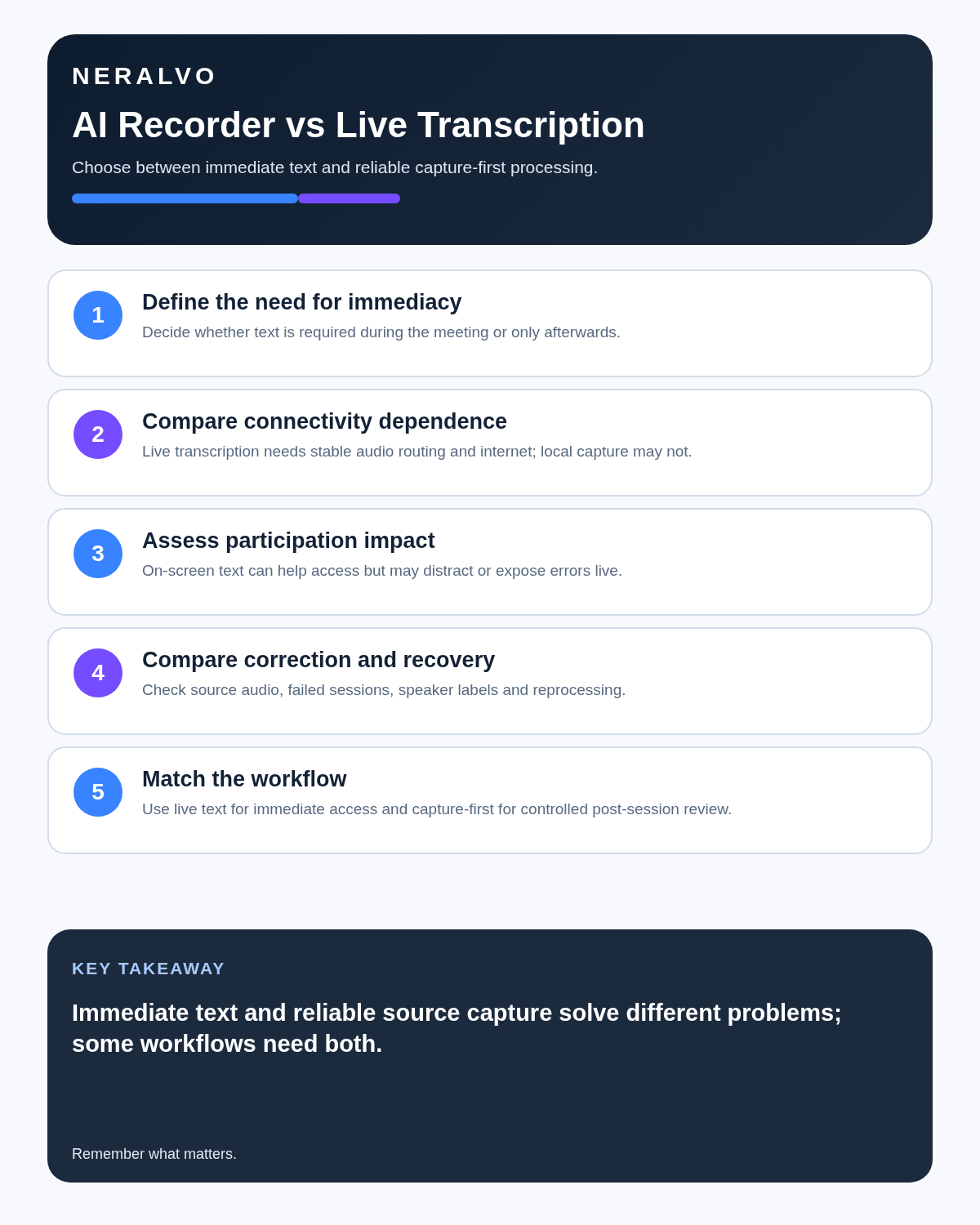
Ask one question before choosing the workflow: when does somebody need to read the text?
- If a participant needs captions to follow the meeting, the answer is immediately and live transcription is the relevant tool.
- If the team needs a checked transcript, summary or action list after the meeting, recording first often creates a calmer and more reliable workflow.
- If both needs exist, use live captions for participation and retain an authorised recording for later verification where policy permits.
How live transcription works
Audio is processed as people speak and text appears with a short delay. It can support captions, rapid search and real-time correction, but it depends on the available audio route, connection and model performance.
How recorder-first transcription works
A device saves the source audio and the file is processed during or after the session. Reviewers can replay timestamps, compare speaker labels and correct the transcript before creating the final summary.
What happens before, during and after the meeting
Before
Live transcription normally depends on platform permissions, microphone choice and connectivity. Recorder-first capture depends on battery, storage, placement and a clear start-and-stop routine.
During
Live text can help participants follow unfamiliar names, accents or dense explanations. It can also compete for attention when errors appear on screen. A recorder allows the conversation to continue without a moving transcript, but errors are discovered later rather than immediately.
After
Live transcription can feel finished because text already exists, but the text is still provisional. Recorder-first processing arrives later and can be reviewed around the actual required output: transcript, summary, decisions, actions or speaker-separated notes.
Compare the workflows
Balanced comparison matrix
Balanced decision rule: a cloud tool should win where automation and collaboration matter most; a dedicated recorder should win where independent capture and mobility matter most; manual notes should win when recording is inappropriate.
| Factor | Live transcription | Recorder-first |
|---|---|---|
| Text availability | Immediate | After processing |
| Connectivity | Often important | Local capture may continue offline |
| Meeting focus | Text can assist or distract | Conversation remains primary |
| Review | Corrections can begin immediately | Deliberate post-session check |
| Recovery | Depends on whether source audio is saved | Stable audio source normally available |
When live transcription is the stronger choice
- Participants need captions or immediate text.
- The meeting must be searched while it is happening.
- Misheard names need rapid correction.
- A remote platform provides a clean direct audio feed.
- Rough notes must be available immediately.
When recorder-first transcription is stronger
- Internet access may be unreliable.
- The source must be replayed later.
- Names, figures or decisions carry higher risk.
- Participants should not be distracted by a moving transcript.
- The final summary needs the complete conversational context.
Accessibility is not the same as evidential accuracy
Live captions can materially improve participation, but they should be labelled as an automated aid unless a formal process says otherwise. Immediate usefulness does not make every word accurate or create an official transcript.
Accuracy is not one number
A transcript can look accurate while failing on the details that matter. Test:
- Speaker changes.
- Names and specialist terms.
- Dates, prices and measurements.
- Negation, such as “approved” versus “not approved.”
- Interruptions and overlapping speech.
- Whether the original audio can be replayed easily.
Review accuracy by consequence rather than counting every punctuation error.
Run a two-part comparison test
Use the same ten-minute conversation twice. Include two speakers, a difficult surname, a product code, a price, a changed deadline and one interruption.
- Run live transcription and note whether the text helps participation or distracts the speakers.
- Record the same type of conversation without displaying text and process it afterwards.
- Compare setup time, consequential errors, correction time, export, recovery and ease of locating the source audio.
The better workflow is the one that produces the required result with fewer consequential errors and less disruption.
Test connectivity and failure recovery
Interrupt the internet connection, change microphones, mute and unmute, add a remote participant and test overlapping speech. Confirm whether source audio survives, whether lost text is obvious, whether partial files remain and how the session can be recovered.
Use a controlled hybrid method
- Provide live text where it helps participation.
- Explain that automated text is provisional.
- Preserve source audio where authorised and necessary.
- Mark material corrections during or after the session.
- Verify names, figures, decisions and action owners.
- Create the approved output from checked material.
- Delete unnecessary drafts and source copies under policy.
Where NERALVO Halo fits
Use the AI Voice Recorder vs Live Transcription criteria to assess NERALVO Halo records independently with local storage, then connects by Bluetooth to DOWAY for processing. DOWAY can produce transcripts, summaries, speaker-separated notes and other structured outputs, with one year of DOWAY Max included from activation.
Halo is not a replacement for live captions when real-time access is required. It addresses the different problem of preserving a conversation without keeping a transcription window open.
Is cloud software or a physical recorder right for this workflow?
- Choose the software-led option when automated remote-meeting capture and collaboration remove more work than they add.
- Choose the dedicated-recorder option when independent in-person capture, mobility and source recovery matter more.
- A governed hybrid can be best when the same team works both online and in person.
How community feedback is used
Public reviews can reveal recurring friction, but an anonymous anecdote is not treated as measured proof. A pull-quote should appear only when it links to the original post, identifies the relevant product version or date and is presented as one user’s experience—not as universal fact.
Frequently asked questions
Is live transcription more accurate?
Not automatically. Accuracy depends on source audio, language, model and connection.
Can live captions replace an official transcript?
Not unless the relevant process explicitly requires, checks and approves them.
Which method works better offline?
A recorder that saves audio locally is generally more resilient, although transcription may happen later.
Does recorder-first transcription help accessibility?
It helps after the event, but it does not provide the immediate access of live captions.
Should both outputs be retained?
Only where each has a defined purpose. Avoid keeping duplicate drafts indefinitely.
Authoritative guidance and related reading
- Equality Act 2010 guidance
- AI Voice Recorder vs Manual Meeting Minutes
- How to Test an AI Voice Recorder
Final decision checklist
- Immediate text requirement defined.
- Connection and microphone route tested.
- Meeting-focus impact assessed.
- Source-audio policy clear.
- Automated text labelled as draft.
- Failure recovery tested.
- Critical passages reviewed.
- One final approved output selected.
Bottom line: choose live transcription when text must help people now; choose recorder-first capture when the conversation should remain central and the record must be verified later.
Software-first route
Need Zoom, Teams, calendar or CRM automation?
Choose cloud software for that job. This page completes the software workflow and evidence first. NERALVO Halo remains an optional later route only when offline, in-person or phone-attached capture matters more than native integrations.
On this page
More in this topic: Recorder reviews and buying guides
Show 8 closely related guides
- Limitless Pendant Review 2026: Discontinued—What to Buy Instead
- Krisp AI Review 2026: Pricing, Noise & Is It Worth It?
- MeetGeek Review 2026: Meeting Hours, Pricing & Retention
- AI Voice Recorder Buying Checklist: 15 Tests Before You Buy
- Magnetic Phone Recorder vs Handheld Voice Recorder
- AI Voice Recorder vs Dictaphone: Workflow, Drafting and Document Control
- AI Voice Recorder vs Laptop Recording Software: Desk and Mobile Work
- Is an AI Voice Recorder Worth It? A Real Cost-and-Time Test
Related guides
Keep the solution aligned with your original intent
- Choose the reviewed cloud software when Zoom, Teams, calendar automation, CRM workflows or unattended bot capture are essential.
- Consider dedicated hardware later only when offline, in-person, mobile or phone-attached capture is the actual requirement.
- Use neither when permission, governance, compatibility or retention requirements cannot be met.
Verify the cloud workflow before comparing hardware
Use the official platform sources below for native Zoom, Teams, calendar, CRM and transcription capabilities. Consider Halo separately only when the workflow also needs offline or in-person capture.
Found an error or an out-of-date claim? Email support@neralvo.com with the article address and a supporting source.