The 60-second verdict
Architecture students develop projects through drawings, models, site evidence and repeated critique. A recorder can preserve the reasoning behind feedback, but the design only advances when that feedback becomes a visual or spatial test.
Best fit: Architecture Students who need recoverable audio and human-verified notes in an authorised workflow. Use another method when: recording is prohibited, a participant declines or the approved process requires manual notes.
Evidence basis and limits
- Decision factors covered: Stage 2: Connect feedback to evidence; Stage 3: Convert the crit into a test; Stage 4: Record the revision.
- Evidence rule: A claim earns weight only when the source, date, configuration and limitation are clear enough for a reader to check.
- Boundary: Examples and workflow recommendations must be tested with representative recordings, the intended users and the actual approval process before rollout.
An AI voice recorder for architecture students can support permitted crits, private design reflections and safe site observations. It cannot replace measured surveys, visual analysis, controlled drawings, current technical requirements or independent design judgement.
The design question → evidence → test → revision workflow
| Stage | Architecture question | Output |
|---|---|---|
| Design question | What spatial, environmental or technical issue is being resolved? | Focused problem |
| Evidence | Which drawing, model, site observation or precedent informs it? | Traceable basis |
| Test | What drawing, model or analysis can challenge the idea? | Visible experiment |
| Revision | What changes and which controlled project record is updated? | Documented design development |
This workflow stops a crit transcript becoming a command list and turns comments into evidence-led design work.
Stage 1: State the design question
Before a crit or private note, identify:
- Project, site and brief.
- Drawing or model revision.
- The exact spatial or technical conflict.
- The user or stakeholder affected.
- The constraint that makes the issue difficult.
- The evidence needed to decide.
“Improve circulation” is vague. “Test whether the public route can remain legible while preserving secure access to the upper studios” creates a design question.
Stage 2: Connect feedback to evidence
For each material comment, record:
- Who made it.
- The drawing, model or site condition being discussed.
- Whether it is a question, requirement, suggestion or preference.
- The reasoning behind it.
- The conflicting criterion or comment.
- What evidence could confirm or challenge it.
AI may flatten tentative conversation into certainty. Restore the distinction between “must,” “could,” “consider” and “I prefer.”
Stage 3: Convert the crit into a test
| Design issue | Possible test |
|---|---|
| Circulation | Sequence drawing, access diagram or full-scale route study |
| Daylight | Section, model study or validated environmental analysis |
| Structure | Load-path diagram and coordinated grid options |
| Material | Detail, sample, weathering or junction study |
| Context | Site section, view study or movement mapping |
| Programme | Adjacency matrix and alternative plan |
Choose the smallest useful drawing or model that can change the decision. Do not spend time polishing a final image before the underlying question has been tested.
Stage 4: Record the revision
Update the design journal with:
- Question tested.
- Evidence considered.
- Options explored.
- Decision and rationale.
- Requirement or uncertainty still open.
- Drawing, model or analysis updated.
- Revision number and date.
- Next review point.
The recording is a temporary source. The controlled drawing set and design journal should show the project’s actual development.
Use a site-safety gate
Construction sites require site rules and suitable inductions. HSE guidance says site rules may cover personal protective equipment, mobile phones, restricted areas, traffic management, pedestrian routes and emergency arrangements. Proportionate inductions should also be provided for occasional visitors such as architects and students.
See HSE guidance on site rules and induction.
On a visit:
- Attend the induction and follow the escort.
- Use approved pedestrian routes and observation points.
- Follow rules on phones, photography and audio.
- Do not walk while looking at the device.
- Do not cross barriers for a better observation.
- Stop note-taking when vehicles, changing levels or other hazards require attention.
Create the detailed voice note from a designated safe position or after leaving the active area.
Keep spatial evidence visual and measured
Voice notes can preserve context such as movement, sound, material condition and questions. They do not replace:
- Measured survey.
- Site sketch.
- Photograph where permitted.
- Orientation and level information.
- Material sample or condition record.
- Drawing reference.
Link the spoken observation to the correct visual or measured evidence.
Verify dimensions, standards and regulatory claims
Speech recognition can confuse dimensions, drawing numbers, material names and technical terms. Planning policy, building regulations, standards and manufacturer information can change or apply differently by jurisdiction, building type and project date.
Use AI to create a verification list—not to declare compliance. Confirm every material technical statement through current authoritative sources and appropriate qualified review.
Protect live briefs and project confidentiality
Projects may include client information, security details, non-public drawings, competition rules or commercially sensitive ideas. Do not upload those conversations to a consumer transcription service unless the university and project owner approve the device, account and processing route.
Permission to record a university crit does not automatically extend to a client, competition or construction-site meeting.
Practise presentations through drawing references
A private rehearsal should connect every spoken claim to a visible drawing, model or piece of evidence. Check:
- Is the design question clear?
- Does the sequence match the drawings?
- Are technical claims verified?
- Is the main decision explained rather than merely described?
- Can the student answer conflicting feedback?
- Does the conclusion identify the next test?
Avoid memorising an AI-generated narrative that the visual work does not support.
Maintain academic integrity
AI may organise permitted notes, but assessed drawings, models, analysis and design rationale must remain the student’s accountable work. Do not present generated concepts, drawings, citations or compliance claims without understanding, verification and any required disclosure.
A concise crit voice-note script
- Project state: site, drawing and revision.
- Question: state the design conflict.
- Evidence: identify the drawing, model or site condition.
- Feedback type: question, requirement, suggestion or preference.
- Test: name the drawing, model or analysis to complete.
- Verification: state the dimension, standard or technical issue to check.
- Revision: identify the controlled project record to update.
How NERALVO Halo can support architecture study
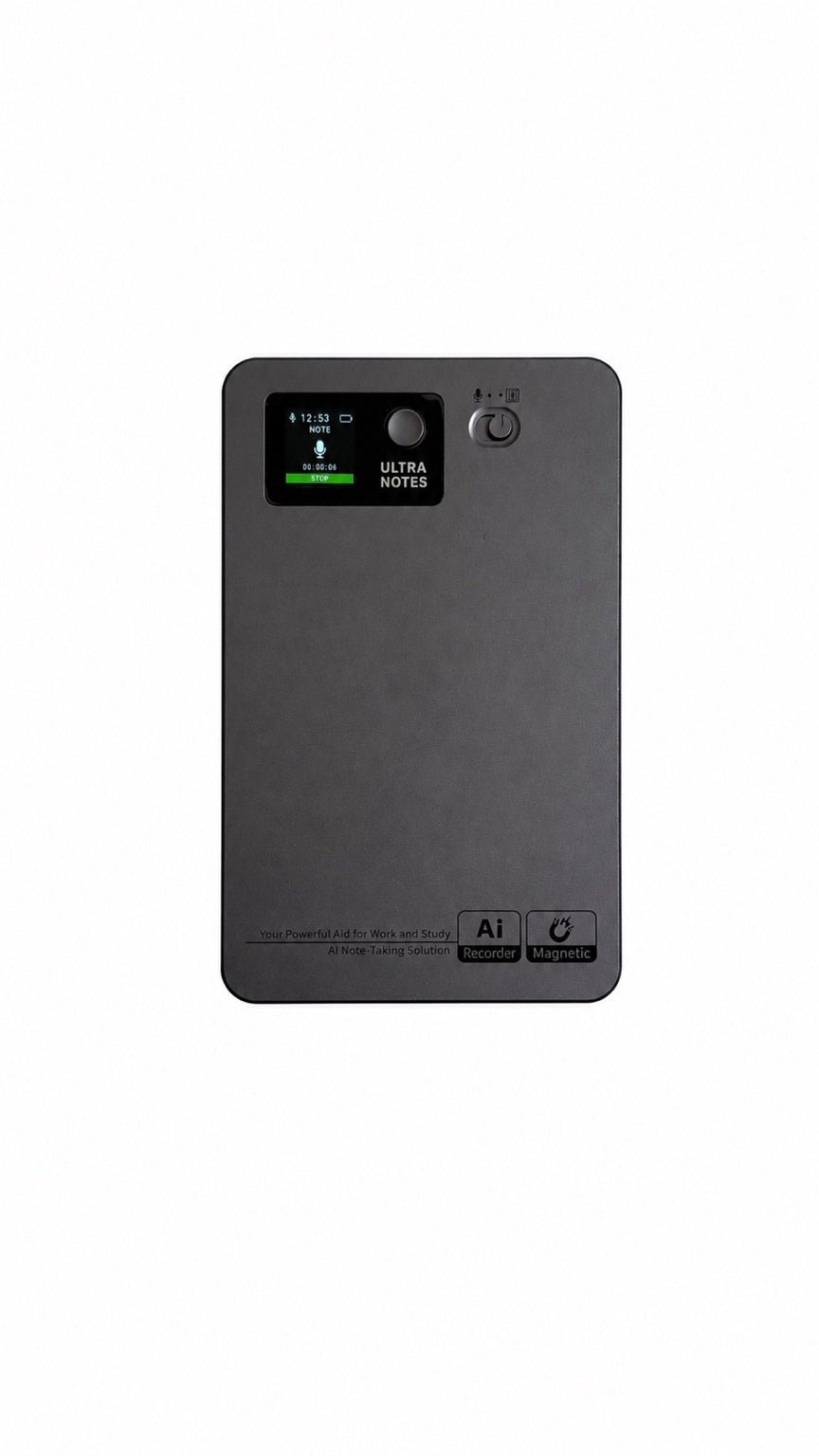
Assess Halo against the architecture students workflow matrix can support permitted crits, private design reflections and approved project meetings. It includes NOTE mode, supported CALL capture, 64GB local storage, up to 35 hours of recording and Bluetooth sync with DOWAY. DOWAY can create transcripts, summaries, speaker-separated notes, templates, translations, mind maps and exportable files, with one year of DOWAY Max included from activation.
Halo is not a measured-survey tool, compliance checker or site-safety system. Studio, client, competition and site rules determine whether it may be used.
Architecture-note quality check
- Was the design question stated precisely?
- Is feedback connected to a drawing, model or site condition?
- Are questions, requirements and preferences separated?
- Does each material comment create a design test?
- Was the revision entered into the design journal and controlled drawings?
- Were site induction and device rules followed?
- Are dimensions and technical requirements verified?
- Is confidential project information protected?
- Is assessed work original and attributable?
A strong architecture voice-note workflow preserves critique, connects it to evidence and turns it into visible, documented design development.
Cloud software, a dedicated recorder or manual notes?
For Architecture Students, the right answer changes with the setting. This matrix deliberately gives each method a situation where it can be the strongest choice.
| Situation | Best starting point | Reason |
|---|---|---|
| scheduled remote consultations | Cloud meeting software | Auto-join and central collaboration can remove routine admin. |
| in-person consultations or ward handovers | Dedicated recorder | Dedicated hardware suits movement, variable rooms and offline source capture. |
| a patient declines or policy prohibits recording | Manual notes or an approved alternative | A clear alternative respects policy and participant choice. |
| mixed remote and clinical work | Governed hybrid | One governed process prevents gaps between desk and field work. |
Related AI voice recorder guides
See the guides for engineering students, architects and project managers.
Related guides
Profession workflow
Visual map for AI Voice Recorder for Architecture Students: Crits, Site Visits and Design Development
- Prepare the approved useDefine purpose, safe position, permission and the required formal record.
- Capture context firstState the case, asset, person, location or event identifier before detail.
- Human-verify evidenceCheck technical terms, units, names, dates, decisions and uncertainty.
- Complete the formal recordTransfer only verified information and apply access and retention controls.
On this page
Related guides
See whether Halo fits long-form study capture
After checking permission and your institution’s rules, compare Halo’s stated battery, storage and export workflow with the way you actually study.
Found an error or an out-of-date claim? Email support@neralvo.com with the article address and a supporting source.