The 60-second verdict
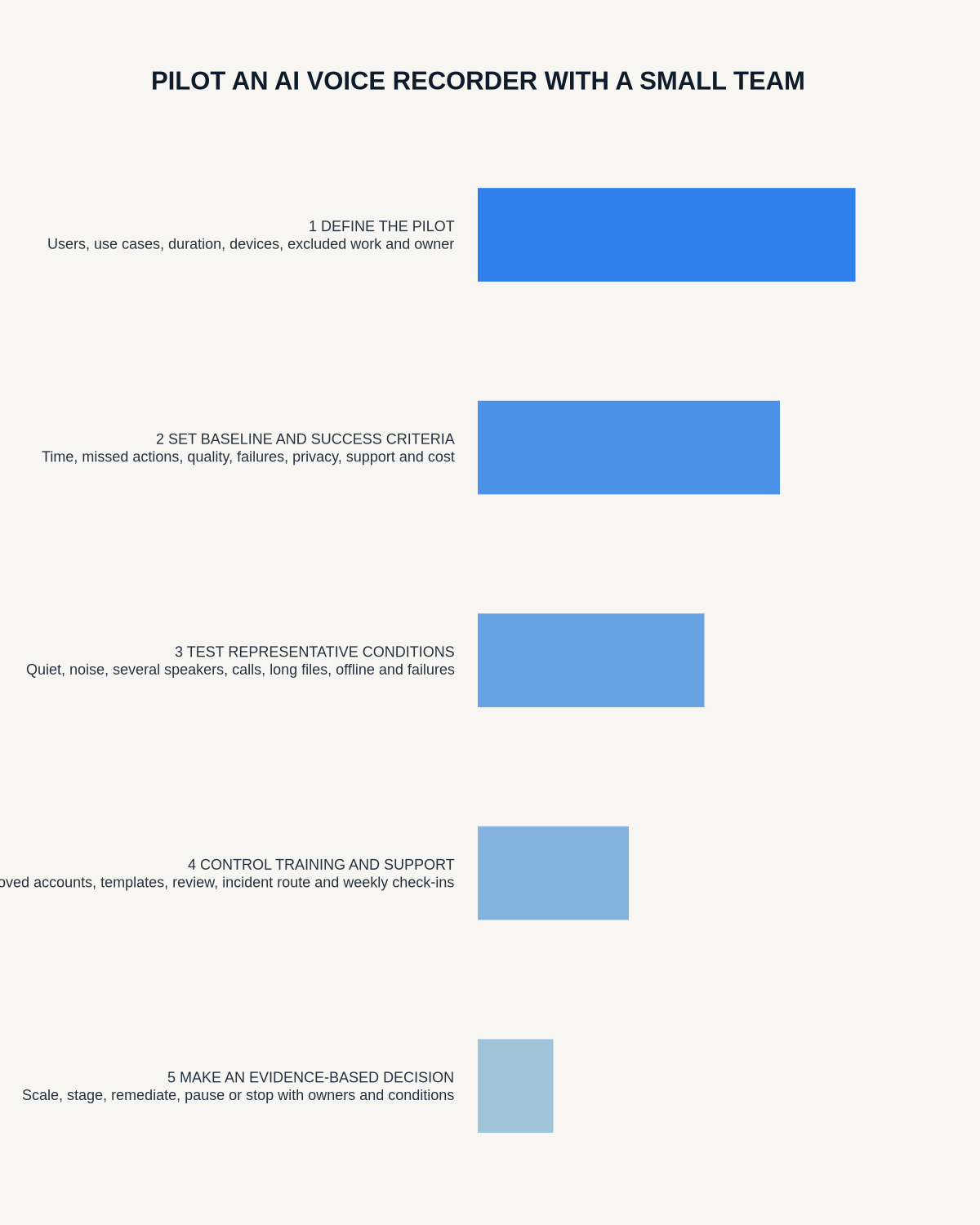
Quick answer: pilot an AI voice recorder with a small team by selecting one narrow use case, measuring the current baseline, testing the complete recording-to-record workflow with representative users and setting pass-or-fail criteria before live use begins.
Decision focus: use the method below only where it produces a recoverable source, a verifiable output and a clear next action. If one of those fails, change the workflow rather than trusting a polished summary.
Evidence basis and limits
- Decision factors covered: Choose one narrow problem; Measure the current baseline; Select representative users.
- Evidence rule: The decision is based on the complete capture-to-action workflow, not a single feature or marketing accuracy percentage.
- Boundary: Examples and workflow recommendations must be tested with representative recordings, the intended users and the actual approval process before rollout.
A pilot should answer whether the workflow creates enough measurable value to justify its cost, effort and risk—not merely whether the device records audio.

Choose one narrow problem
Select a defined burden such as producing action notes after weekly client meetings, capturing authorised site observations, turning approved interviews into corrected transcripts or creating handover drafts after operational reviews. A narrow use case makes defects easier to diagnose.
Measure the current baseline
| Measure | What to record |
|---|---|
| Admin time | Minutes from meeting end to approved note |
| Error rate | Missing names, figures, decisions, owners or dates |
| Follow-up delay | Time before actions reach the real system |
| Rework | Corrections requested by colleagues or clients |
Select representative users
Include a frequent user, a cautious user and a person responsible for reviewing final records. Avoid selecting only technology enthusiasts. Assign a pilot owner, users, transcript reviewer, privacy or security contact and destination-system owner.
Test in three phases
Phase 1: controlled tests
Use synthetic or low-risk content. Test quiet and noisy rooms, multiple speakers, supported calls, low battery, interrupted transfer, storage warnings, export and deletion.
Phase 2: supervised live use
Run permitted tasks with every output reviewed. Record where staff hesitate, repeat work or bypass the intended process.
Phase 3: independent use
Allow trained staff to complete the workflow normally while retaining spot checks and an easy escalation route.
Set pass-or-fail criteria in advance
- Every material action has the correct owner and deadline.
- Names, figures and negative wording are checked.
- Approved notes reach the correct system within target time.
- No recording remains in an unauthorised location.
- Users can recover from sync or export failure.
- Participant information requirements are followed.
A pilot must be allowed to fail. Otherwise it is a demonstration rather than an evaluation.
Log defects by cause
Separate audio placement, call compatibility, transcription, AI summary interpretation, training, process, access, retention and integration failures. This avoids blaming every issue on “AI accuracy.”
Measure value without ignoring correction work
Compare total time to an approved usable record, not the speed of the first AI draft. Include review time, rework, support effort, licence cost, avoided omissions and user confidence.
Hold a go, change or stop review
- Go: controls work and measurable value exists.
- Change: the use is promising but needs narrower scope, training or configuration.
- Stop: risk, correction work or friction outweighs benefit.
Document the approved use, limitations, owners and review date before wider rollout.
Workflow choice matrix for How to Pilot an AI Voice Recorder with a Small Team
Choose the method that protects the source and reduces downstream correction. The table makes the non-hardware options explicit.
| Condition | Preferred route | Why |
|---|---|---|
| Repeatable remote work with approved integrations | Cloud software | Automation and central collaboration may outweigh device independence. |
| In-person, mobile or unreliable-connectivity work | Dedicated recorder | Independent capture and a recoverable local source are usually more resilient. |
| Recording is refused, prohibited or unnecessary | Manual notes / no recording | Respecting the boundary is the correct workflow, not a product failure. |
| High-risk or mixed work | Governed hybrid | Separate capture, review, approval and retention rather than trusting one tool. |
Frequently asked questions
How many people should join the pilot?
Enough to represent real working conditions while keeping review and defect tracking manageable.
Should only enthusiastic users take part?
No. Include cautious users and record reviewers to expose practical friction.
What is the pilot's most important output?
An evidence-based go, change or stop decision with approved boundaries.
Should real sensitive data be used immediately?
No. Start with synthetic or low-risk material and use the organisation's approval process before sensitive live use.
How long should the pilot run?
Long enough to include representative tasks and failure conditions, with a defined start, review point and end decision.
Authoritative guidance and related reading
- NIST AI Risk Management Framework Playbook
- How to Test an AI Voice Recorder Workflow with Sensitive Data
- How to Measure AI Voice Recorder ROI Without Guessing
Final pilot checklist
- Problem narrow and measurable
- Baseline collected
- Users representative
- Full lifecycle tested
- Pass criteria set in advance
- Defects classified by cause
- Value includes review and support effort
- Rollout decision documented
Related AI voice recorder guides
On this page
Related guides
See whether Halo fits this workflow
Review the NERALVO Halo specifications, included services, delivery information and current offer only after completing the guide.
Found an error or an out-of-date claim? Email support@neralvo.com with the article address and a supporting source.